Skip to Main Content
Sam's Club
Sam's Club
All Departments
All Services
Customer reviews for SAMSUNG 60" Class DU7200 Series 4K Smart TV for
SAMSUNG 60" Class DU7200 Series 4K Smart TV
4.2 out of 5 stars
stars
1,028 ratings965 reviews
  1. 5 stars61% (626)
  2. 4 stars20% (201)
  3. 3 stars9% (92)
  4. 2 stars5% (49)
  5. 1 star6% (60)

Member photos

  • +150 images
Sort by |
Showing 791-800 of 965 reviews
Apr 19, 2025
Reviewer name: Mike
5 out of 5 stars
5 out of 5 stars review

My new samsung

Its very nice and helpful fantastic one should have one!

Review from Samsung US
Helpful?39HMRPI2C1I113892053645
Feb 20, 2025
Reviewer name: Billyboy
5 out of 5 stars
5 out of 5 stars review

Great

It's very good, The screen is very bright,overall everything is good,

Review from Samsung US
Helpful?39HMRPI2C1I113892053645
Apr 19, 2025
Reviewer name: None
4 out of 5 stars
4 out of 5 stars review

Poor remote

I purchased this tv a few months ago and love the picture but the remote is garbage.

Review from Samsung US
Helpful?39HMRPI2C1I113892053645
Feb 5, 2025
Reviewer name: Tammy
2 out of 5 stars
2 out of 5 stars review

Not what it used to be

Idk what y’all did to this product but the picture quality and the sound is awful!

Review from Samsung US
Helpful?39HMRPI2C1I113892053645
reply from Samsung Advisor

Hi Tammy, It’s unfortunate to hear you’re not fully satisfied with your DU7200 TV’s image and sound quality. Below are a few settings that I recommend adjusting: Go to Home > Settings > All Settings > Picture > Picture Mode and select the mode that best fits your usage: 1) Standard: Default mode suitable for general viewing environments. 2) Natural: Reduces eye strain for a comfortable viewing experience. 3) Movie: Most suitable for watching TV or movies in a dark room. 4) Dynamic: Makes the picture brighter and clearer in bright viewing environments. 5) Filmmaker Mode: You can watch the source content (e.g., movie) as it is. If the image is defined as Filmmaker Mode, it will automatically switch to Filmmaker Mode while watching. You can also go to Settings > All Settings> Picture > Expert Settings > to manually fine-tune your image. For sound adjustments, go to Settings> All Settings> Sound. If you’d like more help with settings, we are always happy to help! Call us at 1-800-SAMSUNG, 8 AM - 12 AM EST, seven days a week. Or visit us on the Samsung website and click on the ‘Support’ link for: 1) LiveChat 2) Manuals, Software, & Warranty Info ~ Samsung Advisor

Mar 6, 2025
Reviewer name: Dissapointed
2 out of 5 stars
2 out of 5 stars review

N/A

Difficult to navigate slow to procrss enteries......................................

Review from Samsung US
Helpful?39HMRPI2C1I113892053645
reply from Samsung Advisor

Hi Dissapointed, Thank you for your feedback on the DU7200 TV. Please know your opinion is important to us and will be shared with our internal teams. If there’s anything we can ever help with, please call us at 1-800-SAMSUNG, 8 AM - 12 AM EST, seven days a week. Or visit us on the Samsung website and click on the ‘Support’ link for: 1) LiveChat 2) Manuals, Software, & Warranty Info ~ Samsung Advisor

Feb 5, 2025
Reviewer name: Michael
5 out of 5 stars
5 out of 5 stars review

Great Samsung Television

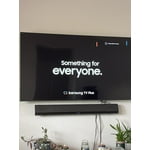
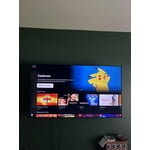
Great picture! Nice huge size. Mounted to wall on stand.

Review from Samsung US
Helpful?39HMRPI2C1I113892053645
Feb 22, 2025
Reviewer name: Gary
3 out of 5 stars
3 out of 5 stars review

Picture quality is not great but is ok

Picture quality is just OK but not great I would not buy this model of TV again

Review from Samsung US
Helpful?39HMRPI2C1I113892053645
reply from Samsung Advisor

Hi Gary, It’s unfortunate to hear you’re not fully satisfied with your DU7200 TV’s image quality. Below are a few settings that I recommend adjusting: Go to Home > Settings > All Settings > Picture > Picture Mode and select the mode that best fits your usage: 1) Standard: Default mode suitable for general viewing environments. 2) Natural: Reduces eye strain for a comfortable viewing experience. 3) Movie: Most suitable for watching TV or movies in a dark room. 4) Dynamic: Makes the picture brighter and clearer in bright viewing environments. 5) Filmmaker Mode: You can watch the source content (e.g., movie) as it is. If the image is defined as Filmmaker Mode, it will automatically switch to Filmmaker Mode while watching. You can also go to Settings > All Settings> Picture > Expert Settings > to manually fine-tune your image. If you need more help, Samsung is here for you. Call us at 1-800-SAMSUNG, 8 AM - 12 AM EST, seven days a week. Our LiveChat agents are also available by clicking on the ‘Support’ link on our website. ~ Samsung Advisor

Mar 5, 2025
Reviewer name: Patti
2 out of 5 stars
2 out of 5 stars review

Disappointed

Hate that the remote is not voice! Called and not available on this model.

Review from Samsung US
Helpful?39HMRPI2C1I113892053645
reply from Samsung Advisor

Hi Patti, We appreciate your purchase and are sorry for any confusion regarding voice assistants. You are correct, the DU7200 does not have voice assistants built in. However, they do work with Alexa. You can connect them to your existing Alexa device to ask them to turn on your TV, change channels, control volume, and more. Our DU8000 TV Series and above offer voice command and built-in voice assistants. If you need assistance connecting your external Alexa device or if there’s anything we can ever help with, please call us at 1-800-SAMSUNG, 8 AM - 12 AM EST, seven days a week. Or visit us on the Samsung website and click on the ‘Support’ link for: 1) LiveChat 2) Manuals, Software, & Warranty Info ~ Samsung Advisor

Apr 19, 2025
Reviewer name: Mamanet
5 out of 5 stars
5 out of 5 stars review

Quality

Nothing compares to the quality of this Samsung TV

Review from Samsung US
Helpful?39HMRPI2C1I113892053645
Apr 19, 2025
Reviewer name: Joanie
5 out of 5 stars
5 out of 5 stars review

Great Tv

We bought this for a bedroom, it's very nice crisp and bright!

Review from Samsung US
Helpful?39HMRPI2C1I113892053645