Join Now
Skip to Main Content
Sam's Club
Sam's Club
All Departments
All Services
Customer reviews for SAMSUNG 60" Class DU7200 Series 4K Smart TV for
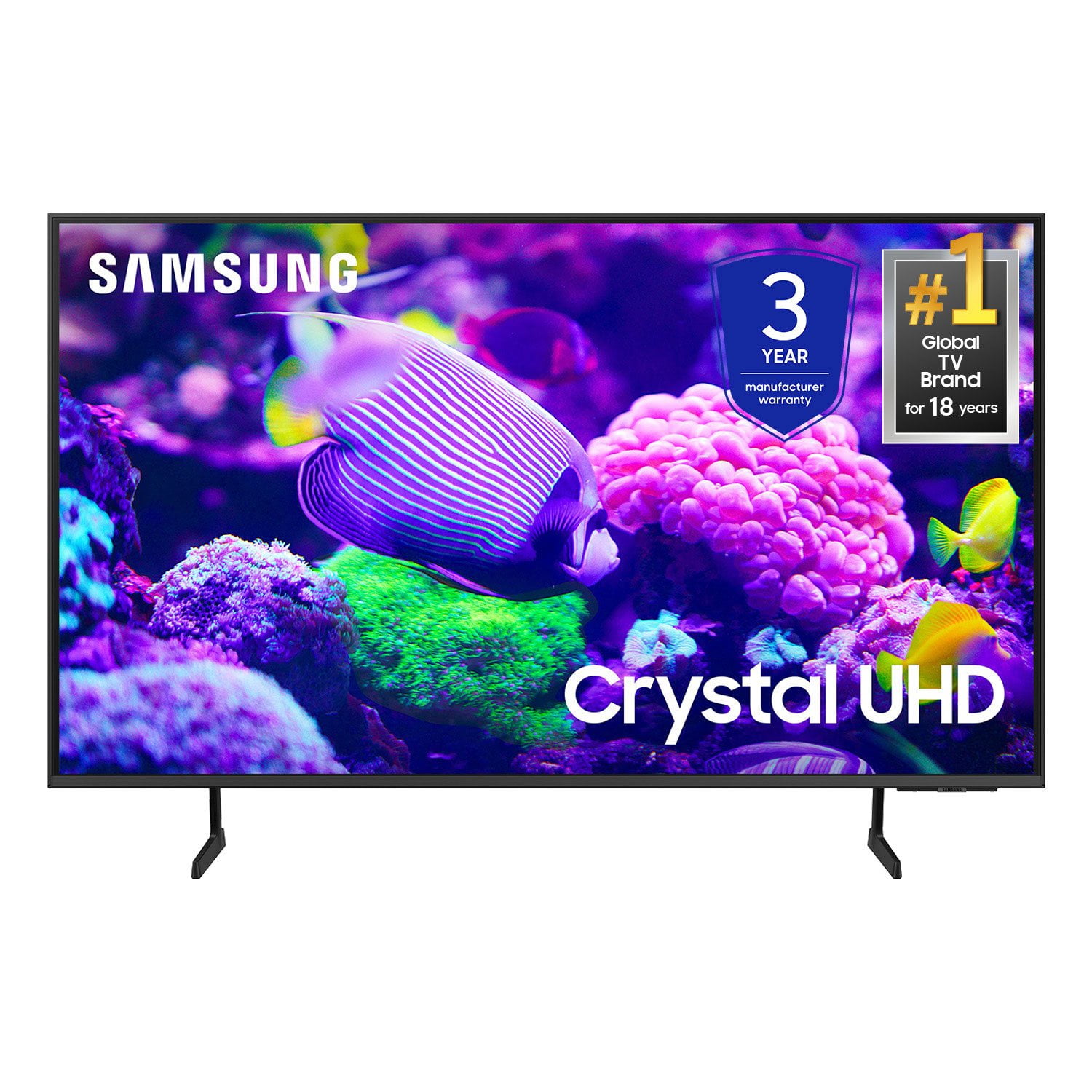
SAMSUNG 60" Class DU7200 Series 4K Smart TV
4.2 out of 5 stars
stars
1,028 ratings965 reviews
  1. 5 stars61% (626)
  2. 4 stars20% (201)
  3. 3 stars9% (92)
  4. 2 stars5% (49)
  5. 1 star6% (60)

Member photos

  • +150 images
Sort by |
Showing 641-650 of 965 reviews
Feb 6, 2025
Reviewer name: Samsungno
1 out of 5 stars
1 out of 5 stars review

Won’t work

Tv won’t turn on after 2 weeks of use. The screen won’t work and it’s glitching and making weird noises and is now black

Review from Samsung US
Helpful?39HMRPI2C1I113892053645
reply from Samsung Advisor

Hi Samsungno, Thank you for reaching out to us regarding the issues you are having with your TV. If your TV has a black screen even when it's on, it's quite possible it could actually be your external device and not your TV. Please try these troubleshooting steps for your blank screen issue: 1. Press the Home button on the remote. If the menu appears, the TV is powered on but is either not on the correct source or not receiving a signal. If the menu does not appear, the TV may be having power issues. Check the red standby light, a little red light at the edge of the TV that you aim the remote at. In normal use, the red standby light is on when the TV is off (indicating the TV is on standby), and the red standby light is off when the TV is in use (or doesn't have power). 2. Confirm that the TV is set to the same source as the external device. For instance, if your cable box is connected to HDMI 1, set the TV source to HDMI 1. If the TV is set to the correct source, but there is still no image, unplug and reconnect the AV connections one cable at a time from both ends of each cable. If there's any damage to the cable, it will need to be replaced. After reconnecting the external device, please turn it off and back on. 3. Test the HDMI cable. The test is designed for HDMI cords less than 6 feet long and may not give accurate results on longer cords. To perform the test, make sure the TV's source is still on the HDMI setting for the cable you want to test, and then navigate to Settings > Support > Self Diagnosis > Signal Information > HDMI Cable Test > Start Test. If the test says the cable is bad, replace the cable. Service is not required. 4. Test different external devices. The final thing to rule out is the external device you're using. Try connecting a different device or using a different source port. If the TV can display a picture in any other setup, then you've ruled the TV out as the cause of the issue. Keep trying various setups until you identify the device or cable that is not working and troubleshoot or replace it. The TV will need service if the issue persists after these steps. Please contact us so that we can better investigate your issue and assist you with a solution or replacement. If you need more help, Samsung is here for you! Please call us at 1-800-SAMSUNG, 8 AM - 12 AM EST, seven days a week. Our LiveChat agents are also available by clicking on the ‘Support’ link on our website. ~ Samsung Advisor

Mar 5, 2025
Reviewer name: Icyhuck
5 out of 5 stars
5 out of 5 stars review

Awesome games too
I brought my tv 2 months ago and I love it .Im a big wrestling fan so it has TNA and WWe as well as other great features

Review from Samsung US
Helpful?39HMRPI2C1I113892053645
Feb 5, 2025
Reviewer name: coolcoach67
4 out of 5 stars
4 out of 5 stars review

Our second Samsung

This is the second Samsung I have purchased in the last four months after we moved. I like the quality and the steaming availability.

Review from Samsung US
Helpful?39HMRPI2C1I113892053645
Apr 20, 2025
Reviewer name: Alicia
5 out of 5 stars
5 out of 5 stars review

Samsung Makes An Amazing Flat Screen

I replaced an older Samsung TV that worked well 10+ years with this version and it's fantastic! Easy set up, great picture & features.

Review from Samsung US
Helpful?39HMRPI2C1I113892053645
Feb 6, 2025
Reviewer name: Arianna
4 out of 5 stars
4 out of 5 stars review

Good

Good picture quality. Over all great quality, the only thing I will like for the TV to have higher volume and sound.

Review from Samsung US
Helpful?39HMRPI2C1I113892053645
Apr 19, 2025
Reviewer name: Mtbob
1 out of 5 stars
1 out of 5 stars review

Terrible! I had to return

I had to take it back. No numeric remote control. I can’t change channels. Bring back the old remote!

Review from Samsung US
Helpful?39HMRPI2C1I113892053645
reply from Samsung Advisor

Hi Mtbob, Thank you for your feedback. If there’s anything we can ever help with, please call us at 1-800-SAMSUNG, 8 AM - 12 AM EST, seven days a week. Or visit us on the Samsung website and click on the ‘Support’ link for: 1) LiveChat 2) Manuals, Software, & Warranty Info ~ Samsung Advisor

Feb 7, 2025
Reviewer name: Fred
5 out of 5 stars
5 out of 5 stars review

Nice picture

Bought this tv for wanted larger one Pic is clear.But the remote is to small and no instructions about tv so elderly are screwed on running.

Review from Samsung US
Helpful?39HMRPI2C1I113892053645
Feb 20, 2025
Reviewer name: Senior citizen
5 out of 5 stars
5 out of 5 stars review

Ease of access my programs and apps.

Bought this for Super Bowl and has a great picture. Love the preloaded Samsung plus tv. So many choices to watch shows back in my younger days.

Review from Samsung US
Helpful?39HMRPI2C1I113892053645
Apr 19, 2025
Reviewer name: Luis
5 out of 5 stars
5 out of 5 stars review

The features and the size 60”

The main reason I bought it it was because it’s the only brand I like and the size 60” it’s the only one that fits in the area for my scree

Review from Samsung US
Helpful?39HMRPI2C1I113892053645
Apr 12, 2025
Reviewer name: By the lake
5 out of 5 stars
5 out of 5 stars review

Great for the money

Had it for a month now and I am impressed by the bright picture and great colors every time I turn it on and you can use your phone to control it.

Review from Samsung US
Helpful?39HMRPI2C1I113892053645