Skip to Main Content
Sam's Club
Sam's Club
All Departments
All Services
Customer reviews for SAMSUNG 60" Class DU7200 Series 4K Smart TV for
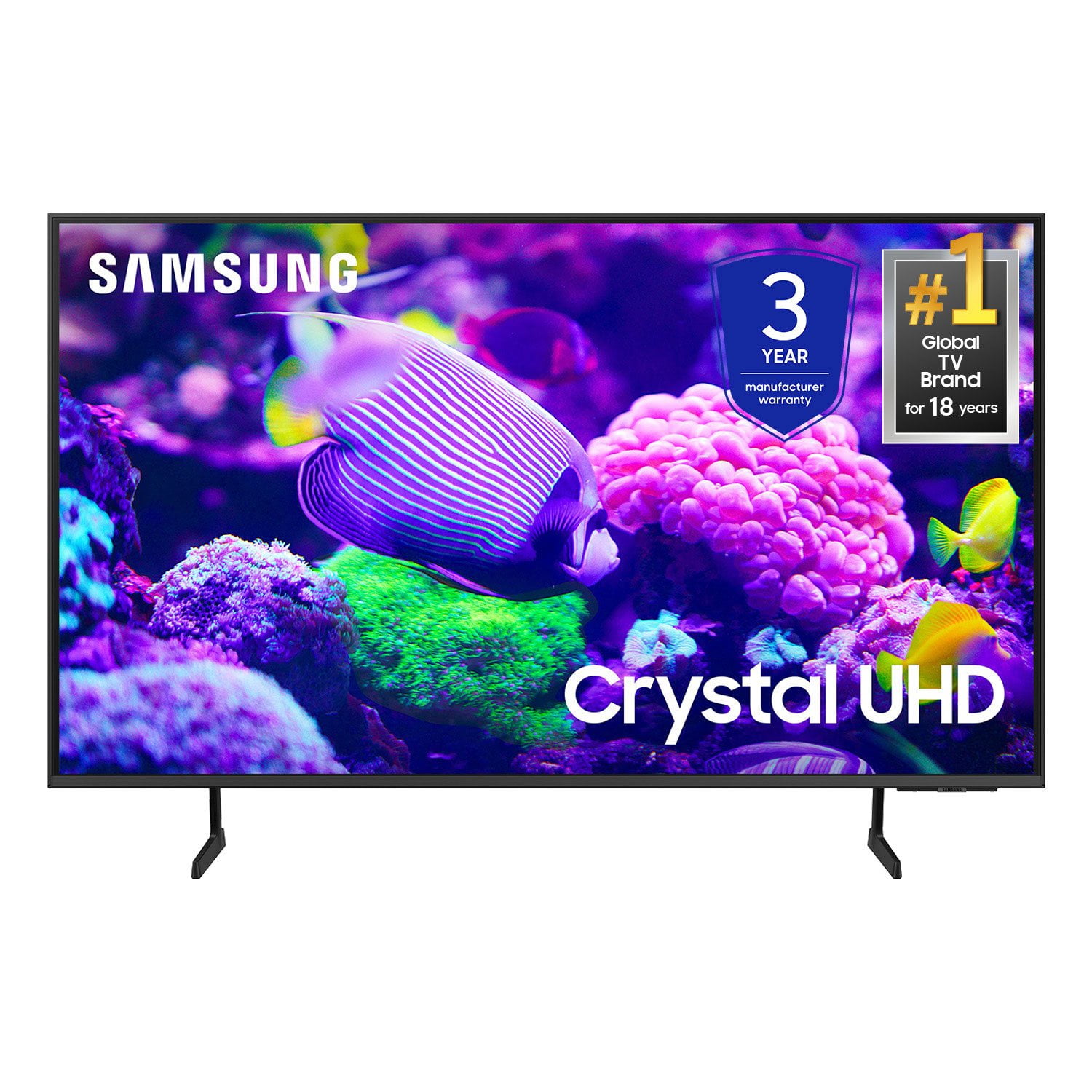
SAMSUNG 60" Class DU7200 Series 4K Smart TV
4.2 out of 5 stars
stars
1,028 ratings965 reviews
  1. 5 stars61% (626)
  2. 4 stars20% (201)
  3. 3 stars9% (92)
  4. 2 stars5% (49)
  5. 1 star6% (60)

Member photos

  • +150 images
Sort by |
Showing 501-510 of 965 reviews
Jul 2, 2024
Reviewer name: Dreg01
5 out of 5 stars
5 out of 5 stars review

Great price for size

[This review was collected as part of a promotion.] Great price, great picture. Easy set up and adjustable legs

Review from Samsung US
Helpful?39HMRPI2C1I113892053645
Apr 21, 2024
Reviewer name: Love2part
5 out of 5 stars
5 out of 5 stars review

Wild tv awesome

[This review was collected as part of a promotion.] This television is the best television that I have ever seen and used. Thank you, Samsung.

Review from Samsung US
Helpful?39HMRPI2C1I113892053645
May 5, 2025
Reviewer name: ronf916
5 out of 5 stars
5 out of 5 stars review

great tv

i purchased about a month ago have been very happy with tv just wish remote was a little larger for us older people

Review from Samsung US
Helpful?39HMRPI2C1I113892053645
May 21, 2025
Reviewer name: DiGF
4 out of 5 stars
4 out of 5 stars review

Nice picture

We are thoroughly enjoying our new Samsung TV, however, I wish the remote was lit in order to make it easier to use it in the dark.

Review from Samsung US
Helpful?39HMRPI2C1I113892053645
Jun 5, 2025
Reviewer name: Mickie
5 out of 5 stars
5 out of 5 stars review

Greatest tv ever.

Greatest picture of any tv I have ever seen and have. Makes you feel like you are right there next to the actors.

Review from Samsung US
Helpful?39HMRPI2C1I113892053645
Apr 22, 2024
Reviewer name: Angel2018
5 out of 5 stars
5 out of 5 stars review

Love my TV

[This review was collected as part of a promotion.] Perfect for streaming movies and music. Lots of great features.

Review from Samsung US
Helpful?39HMRPI2C1I113892053645
May 20, 2025
Reviewer name: Anonymous
4 out of 5 stars
4 out of 5 stars review

almost perfect

I only purchase Samsung TV's. I am disappointed with the remote. not as user friendly as other models.

Review from Samsung US
Helpful?39HMRPI2C1I113892053645
Apr 7, 2024
Reviewer name: Chef307
5 out of 5 stars
5 out of 5 stars review

Awesome product

[This review was collected as part of a promotion.] This TV is awesome and the quality is unmatched. The features are endless.

Review from Samsung US
Helpful?39HMRPI2C1I113892053645
May 7, 2025
Reviewer name: April
1 out of 5 stars
1 out of 5 stars review

Not good

I use WOW internet, my tv goes off line every 40 to 60 seconds. Can’t watch anything, no idea how to correct the problem.

Review from Samsung US
Helpful?39HMRPI2C1I113892053645
reply from Samsung Advisor

Hi April, Thank you for sharing your experience with Wi-Fi connectivity on your DU7200 TV. You might want to go through these steps to check your network connection: 1. Check the distance between the TV and your modem or access point. The distance should not exceed 50 ft. 2. Minimize interference by not using or turning off wireless devices. Also, verify that there are no obstacles between the TV and the modem or access point. (Wi-Fi strength can be decreased by appliances, cordless phones, stone walls/fireplaces, etc.) 3. Unplug both your TV and router. Remove both power cables, wait at least 30 seconds and plug them both back in. 4. Check the connection between your router and TV. Please review the points below: • Is your router connected to the TV using an ethernet cable? If not, we strongly recommend using an ethernet cable connection on your TV. This will ensure your TV maintains a consistent connection to the internet. • If you’re already connected using an ethernet cable, make sure that the ethernet cable is working and is not damaged. You can test the cable by connecting it to other devices, such as a laptop, to make sure that your ethernet cable is not damaged. • If connecting to your TV using an ethernet cable is not possible, please move your router as close to the TV as possible. There should not be any obstructions between your TV and router, such as walls, other electronic devices, etc. 5. Perform a network test to check if there is a network problem: Settings > Support > Device Care > Self Diagnosis> Smart Hub Connection Test 6. If you’re still experiencing issues, a factory reset may be needed. Keep in mind that this will restore all TV settings to factory defaults. Go to: Settings > All Settings > General & Privacy > Reset. I hope the above helps. Should your issue persist, please reach Samsung Support at 1-800-SAMSUNG, 8AM - 12AM EST, 7 days a week. Our LiveChat agents are also available by clicking on the ‘Support’ link on our website. ~ Samsung Advisor

Jul 9, 2024
Reviewer name: Mommabear2751
5 out of 5 stars
5 out of 5 stars review

Great features and love the resolution

[This review was collected as part of a promotion.] Absolutely love it. Couldn't ask for a better tv!! Just what I needed.

Review from Samsung US
Helpful?39HMRPI2C1I113892053645