Skip to Main Content
Sams Club
Sams Club
Customer reviews for SAMSUNG 50" Class DU7200 Series 4K Smart TV for
SAMSUNG 50" Class DU7200 Series 4K Smart TV
4.3 out of 5 stars
stars1,144 ratings1,022 reviews
  1. 5 stars62% (709)
  2. 4 stars19% (223)
  3. 3 stars9% (98)
  4. 2 stars5% (54)
  5. 1 star5% (60)
Write a review

Customer photos

  • +159 images
Sort by |
Showing 731-740 of 1,022 reviews
Apr 19, 2025
steelheadwidow
5 out of 5 stars review

Awesome TV

It took me a little bit to figure things out & there is more I need to learn but it's an awesome TV!

Review from Samsung US
Helpful?6FFFIGX8UWW613884652301
Apr 20, 2025
no nickname
1 out of 5 stars review

no title

The controller, and the ability to get certain stations is totally frustrating. You need a new controller with more functions

Review from Samsung US
Helpful?6FFFIGX8UWW613884652301
reply from Samsung Advisor

Hi, So that we can better troubleshoot this issue and provide steps towards a solution, please contact Samsung Support at 1-800-SAMSUNG, 8AM - 12AM EST, 7 days a week. Or visit us on the Samsung website and click on the ‘Support’ link for: • LiveChat • Manuals, Software, & Warranty Info ~ Samsung Advisor

Apr 20, 2025
Samsung fan
5 out of 5 stars review

awesome smart tv

I bought this Samsung 50 in 4 months ago, the picture quality is great, I like this product so much I bought a Samsung sound bar to go with it.

Review from Samsung US
Helpful?6FFFIGX8UWW613884652301
Feb 20, 2025
ALL38
5 out of 5 stars review

Great features

I bought this tv about 6 months ago to watch football on my deck. It’s light enough to carry in and out. Great picture.

Review from Samsung US
Helpful?6FFFIGX8UWW613884652301
Apr 19, 2025
Tech incompatible
4 out of 5 stars review

Great Picture

I bought the TV nearly a month ago. The picture is terrific, but the sound and remote leave a lot to be desired.

Review from Samsung US
Helpful?6FFFIGX8UWW613884652301
May 7, 2025
April
1 out of 5 stars review

Not good

I use WOW internet, my tv goes off line every 40 to 60 seconds. Can’t watch anything, no idea how to correct the problem.

Review from Samsung US
Helpful?6FFFIGX8UWW613884652301
reply from Samsung Advisor

Hi April, Thank you for sharing your experience with Wi-Fi connectivity on your DU7200 TV. You might want to go through these steps to check your network connection: 1. Check the distance between the TV and your modem or access point. The distance should not exceed 50 ft. 2. Minimize interference by not using or turning off wireless devices. Also, verify that there are no obstacles between the TV and the modem or access point. (Wi-Fi strength can be decreased by appliances, cordless phones, stone walls/fireplaces, etc.) 3. Unplug both your TV and router. Remove both power cables, wait at least 30 seconds and plug them both back in. 4. Check the connection between your router and TV. Please review the points below: • Is your router connected to the TV using an ethernet cable? If not, we strongly recommend using an ethernet cable connection on your TV. This will ensure your TV maintains a consistent connection to the internet. • If you’re already connected using an ethernet cable, make sure that the ethernet cable is working and is not damaged. You can test the cable by connecting it to other devices, such as a laptop, to make sure that your ethernet cable is not damaged. • If connecting to your TV using an ethernet cable is not possible, please move your router as close to the TV as possible. There should not be any obstructions between your TV and router, such as walls, other electronic devices, etc. 5. Perform a network test to check if there is a network problem: Settings > Support > Device Care > Self Diagnosis> Smart Hub Connection Test 6. If you’re still experiencing issues, a factory reset may be needed. Keep in mind that this will restore all TV settings to factory defaults. Go to: Settings > All Settings > General & Privacy > Reset. I hope the above helps. Should your issue persist, please reach Samsung Support at 1-800-SAMSUNG, 8AM - 12AM EST, 7 days a week. Our LiveChat agents are also available by clicking on the ‘Support’ link on our website. ~ Samsung Advisor

Mar 5, 2025
TCal
5 out of 5 stars review

50 inch Samsung

I brought my third Samsung TV a couple of months ago and again it is amazing especially the color in the picture.

Review from Samsung US
Helpful?6FFFIGX8UWW613884652301
Feb 5, 2025
Dave
2 out of 5 stars review

Get a real remote

The remote doesn't have numerical buttons to select a channel. You have to scroll the guide every tine

Review from Samsung US
Helpful?6FFFIGX8UWW613884652301
reply from Samsung Advisor

Hi Dave, Thank you for reaching out to us. To utilize the number keypad on your remote, go to the 123 button then select the numbers on your screen. We also understand if you’d prefer to use a third-party remote, whether it’s a universal remote, a game controller, or something else! Whether you are replacing a lost remote or using an alternative remote to help reduce clutter, a third-party remote is a great option to use to control your Samsung TV. I hope this helps! If there’s anything we can ever help with, please call us at 1-800-SAMSUNG, 8 AM - 12 AM EST, seven days a week. Or visit us on the Samsung website and click on the ‘Support’ link for: 1) LiveChat 2) Manuals, Software, & Warranty Info ~ Samsung Advisor

Feb 5, 2025
what for
1 out of 5 stars review

poor quality

this tv is worthless. can not get the pic to get lighter. the answer from samsung is get a more expensive one.

Review from Samsung US
Helpful?6FFFIGX8UWW613884652301
reply from Samsung Advisor

Hi there, It’s unfortunate to hear you’re not fully satisfied with the brightness of your DU7200 TV’s picture. Please know that we are here to help you. First, let’s ensure you are running the latest Firmware Update. Go to Settings> Support> Software Update. Next, If the colors on your TV are correct but just a little too dark or bright, you can try adjusting Picture Modes, Contrast, Brightness, or Sharpness settings. For darker scenes, I recommend Dynamic Picture Mode, which makes pictures brighter and clearer in bright viewing environments. Go to Settings > All Settings> Picture > Picture Mode > Dynamic. Or you can manually adjust the Brightness by pressing the HOME button on your remote, then navigating to Settings > All Settings> Picture > Expert Settings. You may also want to disable Power Saving Mode, which automatically adjusts the brightness to reduce the TV’s power consumption. Go to Settings > All Settings> General > Eco Solution> Power Saving Mode. I hope this helps to improve your picture. Should you need further assistance, please contact us at 1-800-SAMSUNG, 8 AM - 12 AM EST, seven days a week. Or visit us on the Samsung website and click on the ‘Support’ link for: 1) LiveChat 2) Manuals, Software, & Warranty Info ~ Samsung Advisor

Mar 6, 2025
Izzy
4 out of 5 stars review

images

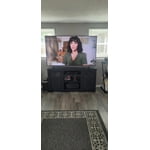
Very happy with my new TV. There's only one item that could be improved. That is the sound quality. Good value for the money.

Review from Samsung US
Helpful?6FFFIGX8UWW613884652301