Skip to Main Content
Sams Club
Sams Club
Customer reviews for SAMSUNG 50" Class DU7200 Series 4K Smart TV for
SAMSUNG 50" Class DU7200 Series 4K Smart TV
4.3 out of 5 stars
stars1,144 ratings1,022 reviews
  1. 5 stars62% (709)
  2. 4 stars19% (223)
  3. 3 stars9% (98)
  4. 2 stars5% (54)
  5. 1 star5% (60)
Write a review

Customer photos

  • +159 images
Sort by |
Showing 501-510 of 1,022 reviews
Mar 5, 2025
Anthony
1 out of 5 stars review

Bad experience

No quality control. Pretty bad. Tried to hook up my Sonos sound bar for a month on a brand new 85 inch Samsung TV. Come to find out the motherboard to the TV was bad. What happened to your QC?????

Review from Samsung US
Helpful?6FFFIGX8UWW613884652301
reply from Samsung Advisor

Hi Anthony, Please know that we back this Samsung TV with a 1-year limited manufacturer's warranty, including authorized repair for manufacturer defect, if purchased brand-new directly from an authorized seller. To schedule a warranty appointment, please contact us at 1-800-SAMSUNG, 8 AM - 12 AM EST, seven days a week. Our LiveChat agents are also available by clicking on the ‘Support’ link on our website. ~ Samsung Advisor

Feb 20, 2025
Delia
5 out of 5 stars review

Amazing

I’m extremely happy with my 43” TV. I bought it in January. It has everything I need plus more channels that I haven’t seen before. The TV is incredibly light clear and bright.

Review from Samsung US
Helpful?6FFFIGX8UWW613884652301
Feb 5, 2025
smoke
4 out of 5 stars review

Great clear picure

It would have been nice if there were directions on the setup. The volume is not loud enough. Each channel is different. Still don't have full picture. Have full picture now 3/4 picture

Review from Samsung US
Helpful?6FFFIGX8UWW613884652301
Apr 26, 2025
TayoKings
5 out of 5 stars review

Samsung is in its own class!

Samsung has been a part of my journey for the longest time, delivering best tech solutions to make my life easier and fun! Very reliable, quality and excellent products.

Review from Samsung US
Helpful?6FFFIGX8UWW613884652301
Apr 21, 2025
hhhhh
4 out of 5 stars review

b;ljhj

One problem is sometimes there is no volume when I turn on tv. Very frustrating. Have to turn it off and on quite a few times before volume will come on.

Review from Samsung US
Helpful?6FFFIGX8UWW613884652301
Feb 5, 2025
PNW Brian
5 out of 5 stars review

Nice sharp picture

Bought this TV 3 months ago to replace an older Samsung. This Tv has so many functions I don't know where to start. Great value for the money. And I was able to use the old mounting bracket for an easy install.

Review from Samsung US
Helpful?6FFFIGX8UWW613884652301
Dec 9, 2024
PRICE2low
5 out of 5 stars review

Great for watching the game

[This review was collected as part of a promotion.] Huge upgrade compared to our old TV. Now we can watch the game in crystal clear color and ultra high resolution

Review from Samsung US
Helpful?6FFFIGX8UWW613884652301
Apr 16, 2025
Will
4 out of 5 stars review

Almost prefect

I love the size, picture quality, price. I only gave it 4 instead of 5 stars because of the inputs. My old bose sound system hooks up by optical cable. No way to attach it to new TV. Had to buy new sound system. Oh well. Technology moves forward...

Review from Samsung US
Helpful?6FFFIGX8UWW613884652301
May 5, 2025
Greg
5 out of 5 stars review

Samsung is the best.

I had a Samsung Flat Screen before, and I love them. I recently purchased a little larger screen but struck with Samsung because of the quality and ease of on-screen instructions. Very well made TV.

Review from Samsung US
Helpful?6FFFIGX8UWW613884652301
Feb 10, 2025
Mike
3 out of 5 stars review

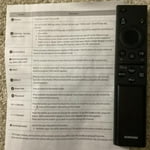
Hard to use remote

TV is good however Remote is too small and not easy to use.. 3 Stares because of the remote.. would have been 5 stares if better and easier friendly remote..

Review from Samsung US
Helpful?6FFFIGX8UWW613884652301
reply from Samsung Advisor

Hi Mike, Thank you for sharing your opinion on the DU7200 TV remote. We understand there can be a learning curve when you get a new TV! This is why we have built a guide built into the TV that teaches you how to use your remote. You can learn how to use your Samsung Remote by going to Home> (left directional button) Settings> Support> Remote Control Guide. If you need more help, Samsung is here for you. Please call us at 1-800-SAMSUNG, 8 AM - 12 AM EST, seven days a week. Our LiveChat agents are also available by clicking on the ‘Support’ link on our website. ~Samsung Advisor