Skip to Main Content
Sams Club
Sams Club
Customer reviews for SAMSUNG 50" Class DU7200 Series 4K Smart TV for
SAMSUNG 50" Class DU7200 Series 4K Smart TV
4.3 out of 5 stars
stars1,144 ratings1,022 reviews
  1. 5 stars62% (709)
  2. 4 stars19% (223)
  3. 3 stars9% (98)
  4. 2 stars5% (54)
  5. 1 star5% (60)
Write a review

Customer photos

  • +159 images
Sort by |
Showing 451-460 of 1,022 reviews
Jul 29, 2024
Stosh2112
5 out of 5 stars review

What a picture

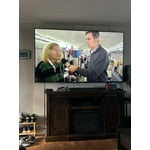
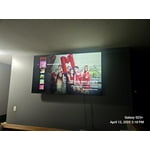
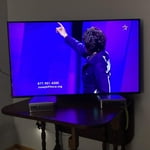
[This review was collected as part of a promotion.] I love this TV. The Picture is brilliant and clear, tge colors are true, and the sound is awesome. I no longer need a sound bar. My next TV will be a Samsung again.

Review from Samsung US
Helpful?6FFFIGX8UWW613884652301
Mar 5, 2025
Gary
5 out of 5 stars review

Picture quality

I have 5 Samsung TVs ranging in size from 32 to 65. My only disappointment is the software difference in each unit. I also dislike the new remote. Otherwise the units are my favorite.

Review from Samsung US
Helpful?6FFFIGX8UWW613884652301
Feb 26, 2025
MammaCarol
5 out of 5 stars review

Wonderful unit.

I love this TV. The Picture quality and the sound is phenomenal. The ease of using whatever streaming service I have is very easy and user-friendly, which is good especially for a senior citizen. I even enjoy many of the programs on Samsung plus.

Review from Samsung US
Helpful?6FFFIGX8UWW613884652301
Apr 21, 2025
Parlay parlay
5 out of 5 stars review

My 75 inch Samsung Tv review

My 75 inch Samsung tv was my birthday gift to myself ,I’d say it’s the best gift I’ve ever gotten myself I’m very satisfied. The picture quality and sound is phenomenal

Review from Samsung US
Helpful?6FFFIGX8UWW613884652301
Aug 30, 2024
Abolden
4 out of 5 stars review

Bad remote

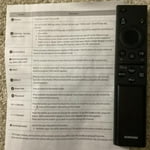
I just bought this TV and I do not like the remote, it does not have station numbers and is hard to use. Can not find replacement remote with numbers

Review from Samsung US
Helpful?6FFFIGX8UWW613884652301
Jan 12, 2025
Sorry comma Dave
4 out of 5 stars review

Good picture, good tuner, good price

Just got one. Manuals are spare, and on-line only. Only 3 hdmi ports. Way too much stress put on "smart" features. Great picture. 0K sound. Almost no conrols on the tv: most are on the remote, or require using software menus.

Review from Samsung US
Helpful?6FFFIGX8UWW613884652301
Apr 19, 2025
rjm3001
5 out of 5 stars review

Excellent Product

Extremely pleased with this purchase. The picture is very clear and the sound is great. I especially like how easy it is to move between Apps, it makes life so easy!

Review from Samsung US
Helpful?6FFFIGX8UWW613884652301
Apr 22, 2025
Tammers
5 out of 5 stars review

Great product!

The Samsung TV is the best. We've owned Samsung TV's for the last 25 years and haven't had any issues. We just bought our son a new Samsung this past Christmas and he's very happy with it. We currently have 4 Samsung TV's in our home.

Review from Samsung US
Helpful?6FFFIGX8UWW613884652301
May 15, 2024
Reyna4
5 out of 5 stars review

Awesome product!

[This review was collected as part of a promotion.] I love catching up on my movies. The picture is so crisp. Sports are like being there in person. I will never use another mark

Review from Samsung US
Helpful?6FFFIGX8UWW613884652301
Apr 19, 2025
BEHONEST2
3 out of 5 stars review

getting harder to understand.

Picture is fine. that's all. Remote control is a toy that does not agree with any cable provider. Useless, worthless. Volume is to be 40 and higher to be heard. Don't know how to adjust.

Review from Samsung US
Helpful?6FFFIGX8UWW613884652301
reply from Samsung Advisor

Hi BEHONEST2, Thank you for sharing your experience with low volume. There are several volume features you can adjust, which may improve your audio experience. 1) Auto Volume automatically adjusts the sound to a certain level when changing channels or switching to another external input. Go to Settings > All Settings> Sound > Expert Settings > Auto Volume. 2) Adaptive Sound automatically adjusts to a specific volume level while watching TV. The TV analyzes your volume usage history by time period to automatically adjust the volume when you use an app or switch to an external input source. Go to Settings> All Settings> Sound> Sound Mode> Adaptive Sound. 3) Several Sound Modes are likewise available to meet your personal preferences: Home > Settings > All Settings> Sound > Sound Mode. Also, some sources have their own volume control, which might need to be set higher. Please check the volume control of the external device (cable box or satellite box, DVD, Blu-ray, etc.) connected to your TV. Also, check the cable connection between an external device and the TV and then try the cable connection again. If you need more help, Samsung is here for you! Please call us at 1-800-SAMSUNG, 8 AM - 12 AM EST, seven days a week. Our LiveChat agents are also available by clicking on the ‘Support’ link on our website. ~ Samsung Advisor