Skip to Main Content
Sam's Club
Sam's Club
All Departments
All Services
Customer reviews for SAMSUNG 50" Class DU7200 Series 4K Smart TV for
SAMSUNG 50" Class DU7200 Series 4K Smart TV
4.3 out of 5 stars
stars
1,145 ratings1,023 reviews
  1. 5 stars62% (710)
  2. 4 stars19% (223)
  3. 3 stars9% (98)
  4. 2 stars5% (54)
  5. 1 star5% (60)

Member photos

  • +160 images
Sort by |
Showing 161-170 of 1,023 reviews
Dec 9, 2024
SmartTV
4 out of 5 stars review

Reliable tv

[This review was collected as part of a promotion.] The tv isn't the high version that everyone wants but it is still worth getting for a child or a college student. It has all the features a smart tv should have. The brightness of the screen is good but can be a little better. I do notice a small bleed between colors on the screen and not sure if that is normal. My future purchase is going to be an OLED version from Samsung so will make a review when I get that one.

Review from Samsung US
Helpful?6FFFIGX8UWW613884652301
Mar 5, 2025
Lollipop
5 out of 5 stars review

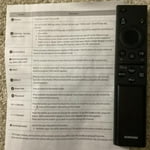
Great picture terrible remote.

Great TV, easy to use. But hate the cellular remote! We have 3 tvs at home, 6 at a vacation rental, all Samsung. Only one has the cellular remote and it’s awful! Of course it’s our living room tv the One we use the most. Will not ever buy one that has this remote again!

Review from Samsung US
Helpful?6FFFIGX8UWW613884652301
Apr 19, 2025
Review
4 out of 5 stars review

75” Samsung

I really like my 75” Samsung tv but the only thing I don’t like is when I turn it on it has all these “apps” I’ll call them and the live tv is one of them BUT I can’t go to them!!?? And it takes a bit to have the actual live tv go to the big main screen

Review from Samsung US
Helpful?6FFFIGX8UWW613884652301
Jul 23, 2024
casicas2
5 out of 5 stars review

I love this wonderful TV!!!

[This review was collected as part of a promotion.] This new Samsung UHD 85" TV is super special. It has crystal clear picture, beautiful bright colors and wonderful sound. It has predownloaded apps. (Netflix, Hulu, and Prime video, etc.), TV music stations (R&B,Pop, Dance, country, etc.), TV guide and TV channels. The TV is Bluetooth ready to connect to our phone, ear phones, speakers and sound bars. It's able to surf the internet. I love this TV. I am so happy to have recently purchased it.

Review from Samsung US
Helpful?6FFFIGX8UWW613884652301
Apr 20, 2025
Steve
2 out of 5 stars review

I’m thinking it’s nothing special

I bought three TVs about two years ago. They are all good but I can’t stand the fact that they don’t stay on the channel I put them on. They always revert to a show called Runway, I can’t stand that show. For this reason alone I will shop for a TV that stays on the channel I choose next time.

Review from Samsung US
Helpful?6FFFIGX8UWW613884652301
reply from Samsung Advisor

Hi, We appreciate you taking the time to let us know about your experience with your TV. So that we can better troubleshoot this issue and provide steps towards a solution, please contact Samsung Support at 1-800-SAMSUNG, 8AM - 12AM EST, 7 days a week. Or visit us on the Samsung website and click on the ‘Support’ link for: • LiveChat • Manuals, Software, & Warranty Info ~ Samsung Advisor

Mar 5, 2025
OathKeeper
5 out of 5 stars review

Great TV!

I am completely impressed because the availability for connecting devices and compatibility with nearly every television application service. Additionally, the size of the TV is ideal for me, because the visibility from afar exists as well as visibility up close

Review from Samsung US
Helpful?6FFFIGX8UWW613884652301
Jul 3, 2024
Anonymous
5 out of 5 stars review

Great addition to our home

[This review was collected as part of a promotion.] This TV was purchased to replace another Samsung TV we had for over 10 years. Excited to add it to our Master Bedroom area as the main focus piece in the room. With a 55" display, it can be seen from all areas in the room. We are very pleased with the picture and sound quality. Really like the new technology advacements that Samsung has put into their products. Now we can control the device with our smartphone. This is a great feature since we often get busy and forget to turn the unit off when leaving the room.

Review from Samsung US
Helpful?6FFFIGX8UWW613884652301
May 20, 2025
Gramzy
4 out of 5 stars review

Gteat features

I really like this television and all its features. The picture when looking at it straight on is crisp and the colors are amazing. However, if you are in an area where you are getting a side view the picture no longer has the crispness but rather a duller hazy look. Is that a correctable thing?

Review from Samsung US
Helpful?6FFFIGX8UWW613884652301
Dec 17, 2024
Opinions4free
5 out of 5 stars review

I looooove samsung

[This review was collected as part of a promotion.] This TV and as a matter of fact all samsung products that I have from kitchen appliances, washer and dryer, my telephone and my tvs.. we don't do anything else but samsung! They stick by their products and make sure value comes first! Thanks samsung!

Review from Samsung US
Helpful?6FFFIGX8UWW613884652301
Dec 27, 2024
Firstsamsungtv
2 out of 5 stars review

Not user friendly

[This review was collected as part of a promotion.] The TV makes it difficult to select the connected devices properly , the Bose sound bar I connected was constantly reverting back to use the built in tv speakers instead after I set the sound bar as the primary sound device. The picture quality is fine, no where near as clear and bright as my lg oled but expected and acceptable for the price. There are also lots of features and options (too many) but they are not very user friendly.

Review from Samsung US
Helpful?6FFFIGX8UWW613884652301
reply from Samsung Advisor

Hi FirstSamsungTV, We appreciate your feedback on the DU7200 TV. Please try the below Settings adjustments to resolve any issues you are experiencing. First, please set the Sound Output to the TV Speaker by going to Settings > All Settings> Sound > Sound Output. Next, check whether Digital Output Audio Format is set to Pass-Through by going to Settings > All Settings> Sound > Expert Settings > Digital Output Audio Format > Auto. For optimal performance, please ensure you are running the latest Firmware. Go to Settings> Support> Software Update. If you need more help, please do not hesitate to reach out to us. You can call us at 1-800-SAMSUNG, 8 AM - 12 AM EST, seven days a week. Our LiveChat agents are also available by clicking on the ‘Support’ link on our website. ~ Samsung Advisor