Join Now
Skip to Main Content
Sam's Club
Sam's Club
All Departments
All Services
Customer reviews for SAMSUNG 75" Class TU700D-Series Crystal Ultra HD 4K Smart TV UN75TU700DFXZA for
SAMSUNG 75" Class TU700D-Series Crystal Ultra HD 4K Smart TV UN75TU700DFXZA
4.4 out of 5 stars
stars
10.4K ratings10K reviews
  1. 5 stars69% (7,261)
  2. 4 stars18% (1,887)
  3. 3 stars5% (566)
  4. 2 stars3% (265)
  5. 1 star5% (499)

Member photos

  • +1529 images
Sort by |
Showing 831-840 of 10,069 reviews
Nov 8, 2020
Reviewer name: Sambo
4 out of 5 stars
4 out of 5 stars review

I love my tv, But...

i'm die hard samsung, but the only reason why i did not give this tv 5 stars is because every now again i have to reset the tv due to sudden power outages that are not in my control. when power comes back on the tv will loose its internet connection and will not find any connections unless you reset the tv. or i will loose the samsung channels and have to unplug the tv for a couple of hours or reset the tv in order to get them back. if it wasn't for the ability to log into my samsung account and retrieve all of my back up data i would have given this tv a 1 star. because its only a few minutes to log in and my tv is back to its old self is why im sticking with it.. other than that i absolutely love my tv.

Review from Samsung US
Helpful?3STAXRT0NDXF13883163940
Nov 11, 2020
Reviewer name: Sg422
3 out of 5 stars
3 out of 5 stars review

Smart TVs

[This review was collected as part of a promotion.] I want to start by saying I love my tv, I just hate that it works kind of slow. Always signing me out of apps, the volume goes up & down too fast and sometimes have to press the in button multiple times before it actually comes on.

Review from Samsung US
Helpful?3STAXRT0NDXF13883163940
reply from OBA

Sg422: Thank you for sharing your experience with the TU7000 TV. I am sorry that you are experiencing some delayed response when when changing volume and some lagging. To optimize the smart TV performance, please try Device Care option under the Support Menu. Go to Settings > Support> Device Care > Start Device Care This service checks memory and frees up unused cached memory and closes background apps. Please also be sure you are running the latest firmware. You can check to see what software version your TV is using and if there is an available update through the settings on your TV. Go to: Settings>Support>Software Update Both the current version and new version number will be displayed. The current version is what your TV is using and the new version is the latest update. New updates will be downloaded and installed on your TV. Updates usually take a few minutes; please do not turn off the TV until the update is complete. When the update is finished, the TV will restart automatically. If there aren't any new updates, select OK to exit. You may want to enable automatic updates for convenience by selecting > Auto Update. Should you need further assistance, please contact Samsung Customer Support. 1-800-SAMSUNG (available 8AM -12AM EST, 7 days a week) Or visit us on the Samsung website and click on the ‘Support’ link in the upper right corner of the homepage for: 1) Contact Us Options (LiveChat, Remote Support, Facebook, Twitter) 2) Product Support 3) Manuals and Downloads 4) Warranty Info 5) Product Registration: Registering your product gives you access to easy warranty support, convenient opt-in to special promos and offers, faster troubleshooting and service, and quick notification of system updates 6) Samsung Community: A great resource for getting help from Samsung moderators and customers and more 7) …and more product, repair, order, and care options ~ Samsung Solutions

Oct 21, 2020
Reviewer name: Docko
5 out of 5 stars
5 out of 5 stars review

Was not expecting what I bought

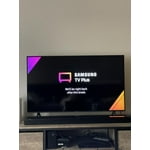
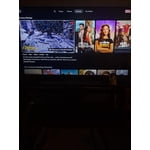
[This review was collected as part of a promotion.] This tv is the best tv I have ever bought. I got the settings done and a show came on. Thinking I signed up for a subscription somehow, I checked everywhere and find out it comes with its own set of actual tv shows, and movies. The movie characters are very life like. An easy phone to tv mirror that was easy to figure out. I couldn't be more happy

Review from Samsung US
Helpful?3STAXRT0NDXF13883163940
Jul 26, 2022
Reviewer name: TEEBOY
5 out of 5 stars
5 out of 5 stars review

GREAT BANG FOR YOUR BUCK

[This review was collected as part of a promotion.] THIS TV KEEPS UP WITH ALL SPEEDS OF ANY APPLICATION. I USE IT FOR X-BOX X, MIRROR THE OCULUS TO IT, WEB BROWSING, NETFLIX, HULU, EVEN HAS ITS OWN CHANNELS AS LONG AS CONNECTED TO WIFI. MEETS ALL MY NEEDS AND THEN SOME. LOVE THIS TV AND WOULD HIGHLY RECOMMEND TO ANYONE

Review from Samsung US
Helpful?3STAXRT0NDXF13883163940
Jan 5, 2022
Reviewer name: 07GK
5 out of 5 stars
5 out of 5 stars review

Great TV

this is our 5th samsung tv and happy with this one to! we did have to do a youtube search on why we couldn't get our internet to stay connected so just did the factory reset and working like a charm. will have to buy a sound bar as the location we have this one the sound is not as good as what we would like it to be.

Review from Samsung US
Helpful?3STAXRT0NDXF13883163940
May 12, 2022
Reviewer name: Anonymous
4 out of 5 stars
4 out of 5 stars review

Audio Guidance works well

I'm a blind user and with my Samsung TV I am now able to use my TV with minimal help due to the Audio Guidance and Alexa. One thing I wish the remote had is a 30 second time jump button rather than needing to locate the screen time jump which takes quite a bit of navigation.

Review from Samsung Canada
Helpful?3STAXRT0NDXF13883163940
reply from Operations

Hi JesseBond29, thanks so much for your kind words! We sincerely appreciate your feedback and will share this with our team. We hope you enjoy many years of great entertainment with your Samsung 4K TV!

Sep 20, 2020
Reviewer name: cjhenner
5 out of 5 stars
5 out of 5 stars review

Perfect 2nd TV

[This review was collected as part of a promotion.] Bought this TV to put in kids rec room for gaming and movies. Has everything needed for easy hook up and ease of use. Only drawback i found is that there is no component video input, but then I needed to update to blu-ray anyways!

Review from Samsung US
Helpful?3STAXRT0NDXF13883163940
Oct 6, 2020
Reviewer name: Buyer
4 out of 5 stars
4 out of 5 stars review

Instructions

[This review was collected as part of a promotion.] The TV is great BUT the instructions STINK! It took me 4 dats to get my cable tv. The manual is lacking an index to procedures making it very difficult to find answers. I very close to returning the TV. I still can't figure out if my MIRACLE-EAR Bluetooth hearing aids will connect or not. How do I find out?I have never had a more frustrating device!

Review from Samsung US
Helpful?3STAXRT0NDXF13883163940
Jun 18, 2022
Reviewer name: Contactpro
5 out of 5 stars
5 out of 5 stars review

Great Experience and it works w/Alexa & Harmony

[This review was collected as part of a promotion.] I enjoy this TV for daily OTA shows and news. Mostly I watch streaming HULU+ programing and blockbuster movies.. It's linked to my Yamaha soundbar for better audio with deeper bass. It would be very helpful if a basic web browser (Puffin) was included. Samsung phone casting is a snap. Very nice television. Forget the rest and buy the best ...SAMSUNG!

Review from Samsung US
Helpful?3STAXRT0NDXF13883163940
Oct 25, 2022
Reviewer name: Nuteeter
5 out of 5 stars
5 out of 5 stars review

Nice TV that was gifted to me

[This review was collected as part of a promotion.] I watch cable and other pay for view applications. I have also watched Samsung tv. Wish I could figure out a way to set a default on startup other than Samsung tv. Other than that, the tv is great for me.

Review from Samsung US
Helpful?3STAXRT0NDXF13883163940