
 Customer reviews for SAMSUNG 75" Class TU700D-Series Crystal Ultra HD 4K Smart TV UN75TU700DFXZA for
Member photos








 +1523 images
Average TV
quick set up with no problems. sound volume is the weak spot. watched wonder woman 1984 (terrible movie) and had the volume at 100 and still had problems hearing.
Keuka433: Thank you for purchasing the Samsung TU7000 TV and for your review. I am sorry to hear that you are experiencing issues with low volume. One possible cause for the low volume is the source. Some sources have their own volume control which might be set too low. We recommend you try a Sound Test under Support > Self Diagnosis > Start Sound Test. Another way to check the source volume is to test an internal streaming source like Netflix or YouTube to compare. You may also want to select from several Sound Modes and advanced settings to meet your personal preferences. Press the Home button on your remote, and then navigate to Settings > Sound > Sound Mode I hope this helps improve your audio experience. Should you need further assistance or have any questions, please contact Samsung Customer Support. 1-800-SAMSUNG (ask for TVs), available 8AM -12AM EST, 7 days a week Or visit us on the Samsung website and click on the ‘Support’ link in the upper right corner of the homepage for: 1) Contact Us Options (LiveChat, Remote Support, Facebook, Twitter) 2) Product Support 3) Manuals and Downloads 4) Warranty Info 5) Product Registration: Registering your product gives you access to easy warranty support, convenient opt-in to special promos and offers, faster troubleshooting and service, and quick notification of system updates 6) Samsung Community: A great resource for getting help from Samsung moderators and customers and more 7) …and more product, repair, order, and care options ~ Samsung Solutions
Pretty good for price
[This review was collected as part of a promotion.] This tv has a really good picture for it being a normal led tv, pretty good for the price as well, and good size.
Crystal clear entertainment
[This review was collected as part of a promotion.] Love our new Samsung Smart TV. The pictures are crisp and clear. It's so easy to transition from cable TV to all Our streaming apps.
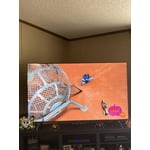
Trash. Save time and buy another brand.
samsung software is complete trash. every time i turned on the tv or changed source i would have to go in and turn off picture clarity settings. there apparently is no fix for this. i spent hours with samsung tech-support and talking to the people at the store i bought it from. i ended up taking it back and getting an lg that actually works correctly. this was my first samsung product. i am unlikely to buy any others because of this horrible experience.
JB13: Thank you for sharing your review of the Samsung TU7000. I am very sorry that issues with your TV have caused you to return it. I completely understand your disappointment. It is possible that your unit needed minor troubleshooting, a firmware update, or adjustments in settings. Nonetheless, I do sincerely apologize for the let-down. Should you ever decide to give Samsung TVs another try and have questions or need assistance with settings, setup, or features, please know we are always here to help. 1-800-SAMSUNG (ask for TVs), available 8AM -12AM EST, 7 days a week Or visit us on the Samsung website and click on the ‘Support’ link in the upper right corner of the homepage for: 1) Contact Us Options (LiveChat, Remote Support, Facebook, Twitter) 2) Product Support 3) Manuals and Downloads 4) Warranty Info 5) Samsung Community: A great resource for getting help from Samsung moderators and customers and more 6) …and more product, repair, order, and care options ~ Samsung Solutions
My favorite TV I've ever owned
[This review was collected as part of a promotion.] This TV is hands down the nicest tv I've ever owned. I love the sleek frameless look that it has. The images are crystal clear! It came stocked with several apps and app options. I can Bluetooth my phone and mirror image with very little effort. The colors are also very vivid! Not only is the design sleek, it is also very lightweight for its size. I have the 65 inch and it was easy for 2 to lift and mount. It came with a universal remote that sets itself up with your cable box. You just select your provider and it does the rest! I do wish it would light up so you could see the buttons in the dark but other than that, it's a nice remote! The sound from the tv is great on its own. It is also “smart” in the sense that it controls the sound levels for smooth transitions from movies and shows to commercials! I can't stand when tv's get really loud during commercials or when there's a fight scene or music in movies. There's nothing worse than not being able to hear voices in a movie. This tv controls all of that so I'm not trying to find the remote in the dark to hurry and adjust the volume every 2 minutes. I can go online with this tv and browse my company website to play image slideshows for clients. The images are honestly crystal clear! I used the browser feature on the tv and typed my website in. The main reason I choose this tv is because I am a photographer and I wanted a tv that I can use for consulting with clients. I wanted the ability to show them images on a wall for in person sales. This tv displays the images so nicely that I'm more concerned the tv may actually look better than the prints when they arrive. This tv will be a huge asset to my business after this pandemic. For now though, my family and I are thoroughly enjoying it in our living room. I can't brag about the picture enough. When synced to my laptop, iPad or phone, it's awesome for zoom meetings!. The sync provides the camera and microphone so we can be seen and heard to others. I can see ya purchasing another one for other rooms. The price point for these TVs can not be beat! It provides an amazing tv with all of the bells and whistles! I'm truly amazed! It can also do split screen so you can watch your movie or news while also browsing your emails, social media or just looking for a recipe! In summary, I highly recommend this tv to anyone in the market for a new television! I would purchase agai
Staying inside is so much better with this TV
[This review was collected as part of a promotion.] The Samsung TU7000 65" is a great TV for the money. While I expected excellent picture quality from Samsung, I was really surprised by how good the sound quality is without an added sound bar. The simple setup of our streaming accounts and user friendly menu saved me from connecting another streaming device. From movies to gaming, this is a great TV for a family of 6 stuck inside.
Deeply aggravating
(This review was collected as part of a promotion.) The TV picture is great. The remote that controls it is small, crowded and extremely difficult to use. I don't know how often I've cursed pushing the wrong button which interrupts viewing. If I could replace it with something better I would. As noted above, this key feature of the product is deeply aggravating.
Hi Deep Egg, thanks so much for your kind words! We sincerely appreciate your feedback and will share this with our team. We hope you enjoy many years of great entertainment with your Samsung TV!
Always Too Dark, Software Problem
i am returning this tv, because it is almost unwatchable during the day. the screen is so dim that you can only make out rough details during dark scenes. i googled the problem, tried every single possible setting, and contacted customer support and nothing fixed it. finally, some service techs came and told me that it is a problem with the hdr feature when the content you are watching is in 4k. they said that there is no fix for it because samsung says it is a “feature”. they showed me a movie that only had hd (not 4k) to show me the difference and it was very clear. apparently this has been reported to samsung, but they do nothing about it. why would i want a tv that has an inherent problem that makes the tv basically unwatchable that i know will never be fixed?
Hi Ts2146, Thank you for your review and for sharing the reasons that caused you to return this TV. Your user experience is very much valued, and we ask if you could please reach out to Samsung TV Support so that we can better understand the details of what happened. It is our customers’ concerns and opinions that drive our continuous efforts towards delivering world-class service and products. You can reach us at 1-800-SAMSUNG (ask for TVs), available 8AM - 12AM EST, 7 days a week. For additional support resources, visit us on the Samsung website and click on the ‘Support’ link in the upper right corner of the homepage for: 1) Chat with Us/Product Help: To begin a chat or find solutions, choose ‘TVs & Home Theater’ and select your model & topic. 2) Manuals, Software, & Warranty Info We hope to hear from you. ~ Samsung Solutions
This t.v is amazing
[This review was collected as part of a promotion.] I was impressed with this t.v as soon as I pulled it out of the box. The t.v is very well made and is beautiful. The t.v was easy to set up and I really like the fact that the power cord is able to be hidden. The t.v comes preloaded with quite a few apps already installed. Setting up the Samsung account was quick and opens up so many other options and apps. The picture is Crystal clear. The detail that can be see is spectacular. H.D and antenna channels come in clear. The speakers provide a decent amount of volume, wish they were louder for watching movies though. Automatic software update is nice, plug in and forget. So far I am in love with my t.v.
Great quality
[This review was collected as part of a promotion.] I was a little weary when purchasing this television based on older reviews. Now I'm so glad I did! This television is huge! The colors are fantastic and the picture quality is just awesome. All of the included apps work great. I haven't had any issues with the color messing up or certain apps not working. I love that it also has some free channels.