Skip to Main Content
Sam's Club
Sam's Club
All Departments
All Services
Customer reviews for SAMSUNG 75" Class TU700D-Series Crystal Ultra HD 4K Smart TV UN75TU700DFXZA for
SAMSUNG 75" Class TU700D-Series Crystal Ultra HD 4K Smart TV UN75TU700DFXZA
4.4 out of 5 stars
stars
10.4K ratings10K reviews
  1. 5 stars69% (7,256)
  2. 4 stars18% (1,886)
  3. 3 stars5% (566)
  4. 2 stars3% (265)
  5. 1 star5% (498)

Member photos

  • +1522 images
Sort by |
Showing 771-780 of 10,062 reviews
Oct 29, 2022
Reviewer name: IrishPrincess
4 out of 5 stars
4 out of 5 stars review

MY FIRST SAMSUNG TV

[This review was collected as part of a promotion.] “My First Samsung TV” At first it was challenging, It took 2 tries, the Team came in remotely and now it's running well. Great reception and it's good to know that the team is just a call away. A bit too much ads, but I guess it is what it is.

Review from Samsung US
Helpful?3STAXRT0NDXF13883163940
reply from Samsung Brand Ambassador

Hi, We appreciate your feedback on the Samsung TU7000 TV. Please know that Samsung TV Plus can be disabled, which removes the channels from your default guide. Should you want to disable TV Plus, follow the steps below: 1) Navigate to the Samsung TV Plus app and press and hold the enter or select button on the remote. This will bring up two options. ‘Move’ and ‘Remove.’ 2) Navigate to ‘Remove’ and select. This option brings up the ability to remove the app icon or disable the service. 3) Navigate to ‘Disable’ and select. This will remove the service from the launcher bar and the channels from the TV Guide. If there’s anything we can ever help with, please call us at 1-800-SAMSUNG, 8 AM - 12 AM EST, seven days a week. Or visit us on the Samsung website and click on the ‘Support’ link for: 1) LiveChat 2) Manuals, Software, & Warranty Info ~ Samsung Advisor

Oct 11, 2021
Reviewer name: Mizzy
5 out of 5 stars
5 out of 5 stars review

Awesome product!

[This review was collected as part of a promotion.] This Samsung TV is the best. It has great viewing pleasure! I love that everything that I view is crystal clear.. My husband plays video games on this tv as well and has nothing but great things 2 say.

Review from Samsung US
Helpful?3STAXRT0NDXF13883163940
Sep 29, 2021
Reviewer name: Nicole
5 out of 5 stars
5 out of 5 stars review

Great purchase!

i was amazed when we set up this tv and first turned it on; the picture quality difference from our old lg was immediately noticeable. it was a great price point, a very easy set-up, and has amazing quality! the only two minor cons are i can't seem to connect the smart tv with a few apps i wanted to add, and we still have to use our directv remote to change the channel, which isn't ideal. but minor hindrances compared to the pros of this tv!

Review from Samsung US
Helpful?3STAXRT0NDXF13883163940
Jul 15, 2021
Reviewer name: John P
1 out of 5 stars
1 out of 5 stars review

Backlight went out after six months

if you want your tv to act more like a radio, this is the tv for you. after 6-7 months the backlight has gone out so i can't see anything although at least the sound still works! still waiting on being serviced under the warranty but it has been about a week and counting with no tv.

Review from Samsung US
Helpful?3STAXRT0NDXF13883163940
Apr 14, 2022
Reviewer name: Pucci
4 out of 5 stars
4 out of 5 stars review

Nice TV

its a good tv, very pleased. i would like to see that the stands it comes with be telescopic a bit, that would raise the tv up more than just the standard it came with. you might want to consider that, in giving your customers a added benefit to adjust their tv viewing height. i don't need to hang it on the wall as some people do having to look up at it while sitting down. i feel the tv should be at eye level while sitting. mine is but it would be nice to have it just a little bit higher. a telescopic stand would be perfect.

Review from Samsung US
Helpful?3STAXRT0NDXF13883163940
Aug 4, 2022
Reviewer name: Anonymous
1 out of 5 stars
1 out of 5 stars review

Shame on you Samsung
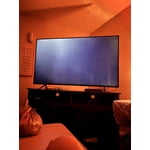
i purchased a 65" ru71000 4k uhd tv and washer around 3 years ago together. shortly after 1 year, both quit working. my tv went to a black screen with occasional flash of light. highly disappointed in you samsung. who has the money for your products that just lead to more money within such a short span of time?

Review from Samsung US
Helpful?3STAXRT0NDXF13883163940
reply from Samsung Brand Ambassador

Hi jenndcook06, We are very sorry to hear about your experience with the TU7000 TV. Please know we are here to help you. If your TV has a black screen even when it's on, it's quite possible it could actually be your external device and not your TV. Please try these troubleshooting steps for your blank screen issue: 1. Press the Home button on the remote. If the menu appears, the TV is powered on but is either not on the correct source or not receiving a signal. If the menu does not appear, the TV may be having power issues. Check the red standby light, a little red light at the edge of the TV that you aim the remote at. In normal use, the red standby light is on when the TV is off (indicating the TV is on standby), and the red standby light is off when the TV is in use (or doesn't have power). 2. Confirm the TV is set to the same source as the external device. For instance, if your cable box is connected to HDMI 1, set the TV source to HDMI 1. If the TV is set to the correct source, but there is still no image, unplug and reconnect the AV connections one cable at a time from both ends of each cable. If there's any damage to the cable, it will need to be replaced. After you've reconnected the external device, turn it off and then back on. 3. Test the HDMI cable. Some TVs have an HDMI cable test. Some models only have this test after a software update, and older models do not have it. If your model does not have this test, or is not connected by HDMI, skip to the next step. The test is designed for HDMI cords less than 6 feet long and may not give accurate results on long cords. To perform the test, make sure the TV's source is still on the HDMI setting for the cable you want to test, and then navigate to Settings > Support > Self Diagnosis > Signal Information > HDMI Cable Test > Start Test. If the test says, the cable is bad, replace the cable. Service is not required. 4. Test different external devices. The final thing to rule out is the external device you're using. Try connecting to a different device or using a different source port. If you were unable to test the cable in the previous step, then try swapping the cable, too. If the TV can display a picture in any other setup, then you've ruled the TV out as the cause of the issue. Keep trying various setups until you identify the device or cable that is not working and troubleshoot or replace it. If your issue persists, please give us a call so we can troubleshoot with you. Please call us at 1-800-SAMSUNG, 8 AM - 12 AM EST, seven days a week. Our LiveChat agents are also available by clicking on the ‘Support’ link on our website. ~ Samsung Advisor

Aug 23, 2022
Reviewer name: AjSixx66
5 out of 5 stars
5 out of 5 stars review

I absolutely love this tv.

[This review was collected as part of a promotion.] I have two of these tvs. One in my room and one in my living area. I have the one downstairs hooked up to my Samsung sound bar system and my Xbox series x. It makes my gaming experience out of this world. I love this tv and would definitely recommend it.

Review from Samsung US
Helpful?3STAXRT0NDXF13883163940
Nov 18, 2022
Reviewer name: CustomSlapz
5 out of 5 stars
5 out of 5 stars review

Great TV!

Bought this TV 2 years ago and it has been phenomenal ever since. Spectacular picture quality when streaming 4K media. Runs MW2 on the Xbox Series X with undetectable input delay. Gaming experience is just as good as a small gaming monitor. Processor can be slow to respond at times, but this is a minor issue.

Review from Samsung US
Helpful?3STAXRT0NDXF13883163940
Jan 29, 2023
Reviewer name: Ljwil
2 out of 5 stars
2 out of 5 stars review

Does Not Last

Bought this TV less than 2 years ago and it has already gone out. When trying to power on the backlight will come on and then it will shut off. It does this repeatedly while plugged in. The visual was good (while it worked) and Alexa did work well with it most of the times. I've read other reviews and seem that other people have had this issue as well. This is my 2nd Samsung TV and they just do not seem to last long at all. Should've stuck with LG.

Review from Samsung US
Helpful?3STAXRT0NDXF13883163940
reply from Samsung Brand Ambassador

Hi Ljwil, Thank you for sharing details of the image issue you’re having. If your TV is out of the 1-year Manufacturer's Warranty, you can locate a service center in your area on Samsung's website. Go to Support (upper right corner) and select Schedule a Service Appointment. This will allow you to find a location nearest you to help you with your repair. Should you have additional questions or wish to troubleshoot the issue, please call us at 1-800-SAMSUNG, 8 AM - 12 AM EST, seven days a week. Our LiveChat agents are also available by clicking on the ‘Support’ link on our website. ~ Samsung Advisor

May 12, 2022
Reviewer name: Charlie
1 out of 5 stars
1 out of 5 stars review

ONLY LASTED FOR 17 MONTHS!

i had great expectations that this brand and model would last longer than the cheaper brands we have gotten in the past but we were extremely wrong. to fix was out of pocket and would have costed the same as getting a new one. i do not recommend this to any of my friends or family.

Review from Samsung US
Helpful?3STAXRT0NDXF13883163940
reply from Samsung Brand Ambassador

Charlie: I’m sorry to hear that your Samsung TU7000 TV did not meet your expectations. This is not the quality we expect from our products. If your TV is out of the 1-year Manufacturer's Warranty, you can locate a service center in your area on Samsung's website. Go to Support (upper right corner) and select Schedule a Service Appointment. This will allow you to find a location nearest you to help you with your repair. Should you have additional questions or wish to troubleshoot the issue, please call us at 1-800-SAMSUNG (ask for TVs), available 8AM - 12AM EST, 7 days a week. For additional support resources, visit us on the Samsung website and click on the ‘Support’ link in the upper right corner of the homepage for: 1) Chat with Us/Product Help: To begin a chat or find solutions, choose ‘TVs & Home Theater’ and select your model & topic. 2) Manuals, Software, & Warranty Info We hope to hear from you soon. ~ Samsung Advisor