Skip to Main Content
Sam's Club
Sam's Club
All Departments
All Services
Customer reviews for SAMSUNG 75" Class TU700D-Series Crystal Ultra HD 4K Smart TV UN75TU700DFXZA for
SAMSUNG 75" Class TU700D-Series Crystal Ultra HD 4K Smart TV UN75TU700DFXZA
4.4 out of 5 stars
stars
10.4K ratings10K reviews
  1. 5 stars69% (7,257)
  2. 4 stars18% (1,886)
  3. 3 stars5% (566)
  4. 2 stars3% (265)
  5. 1 star5% (499)

Member photos

  • +1523 images
Sort by |
Showing 5,711-5,720 of 10,064 reviews
Oct 22, 2020
Reviewer name: Lovegadgets40
3 out of 5 stars
3 out of 5 stars review

Wish I had saved and got a Sony

[This review was collected as part of a promotion.] The TV is just ok. Samsung TV plus is great for cordcutters. I have to unplug and reset the TV every time I turn it on to connect to internet. It also flickers when navigating Netflix.

Review from Samsung US
Helpful?3STAXRT0NDXF13883163940
reply from OBA

Lovegadgets40: Thank you for purchasing the Samsung TU7000 TV. The interface issue you are describing may be related to your network connection and quality. We suggest you try the following: 1. Use 5G WiFi if possible 2. Try wired LAN if available 3. Try repositioning the router so there are no obstacles between your TV and the router 4. Please be sure you have the latest firmware update which enhances network connectivity. If your issue persists, please contact Samsung Customer Support. 1-800-SAMSUNG (available 8AM -12AM EST, 7 days a week) Or visit us on the Samsung website and click on the ‘Support’ link in the upper right corner of the homepage for: 1) Contact Us Options (LiveChat, Remote Support, Facebook, Twitter) 2) Product Support 3) Manuals and Downloads 4) Warranty Info 5) Product Registration: Registering your product gives you access to easy warranty support, convenient opt-in to special promos and offers, faster troubleshooting and service, and quick notification of system updates 6) Samsung Community: A great resource for getting help from Samsung moderators and customers and more 7) …and more product, repair, order, and care options ~ Samsung Solutions

Jan 31, 2023
Reviewer name: N8264
4 out of 5 stars
4 out of 5 stars review

Great TV but

Love the tv but wish there were more HDMI ports. I also wish they would bring the hue sync app to this model. Right now it's only on OLED models but they should bring it to 4K TV models as well

Review from Samsung US
Helpful?3STAXRT0NDXF13883163940
Oct 21, 2020
Reviewer name: Animal
5 out of 5 stars
5 out of 5 stars review

Amazing

[This review was collected as part of a promotion.] Samsung makes the best TV's in my opinion hands down. My last Samsung lasted 10 years! Love this tv love Samsung love all of its features!

Review from Samsung US
Helpful?3STAXRT0NDXF13883163940
Feb 19, 2021
Reviewer name: Nick
2 out of 5 stars
2 out of 5 stars review

The “technology” sucks

the tv constantly forgets the wifi information..i cannot stand constantly puttinng my wifi password in every time i turn the tv on.. its an absolute piece of crap.

Review from Samsung US
Helpful?3STAXRT0NDXF13883163940
reply from Samsung Brand Ambassador

Nick: Thank you for purchasing the Samsung TU7000 TV and for your review. I am very sorry that you are experiencing Wi-Fi connection issues. You may want to go through these steps to check your network connection: 1) Check the distance between the TV and your modem or access point. The distance should not exceed 50 ft. (15.2 m). 2) Minimize interference by not using or turning off wireless devices. Also, verify that there are no obstacles between the TV and the modem or access point. (Wi-Fi strength can be decreased by appliances, cordless phones, stone walls/fireplaces, etc.) 3) Perform a network test to check if there is a network problem. Press the Home button on your remote. Navigate to Settings > Support > Device Care > Self Diagnosis> Smart Hub Connection Test 4) Try a cold reboot of your TV by pressing and holding the power button for 5+ seconds until the TV turns off and on again. 5) Please also be sure you have the latest firmware update. You may want to enable automatic updates for convenience. Select Settings > Support > Software Update, then select Auto Update. For further assistance or service, please contact us via any of the following options: 1-800-SAMSUNG (ask for TVs), available 8AM -12AM EST, 7 days a week Or visit us on the Samsung website and click on the ‘Support’ link in the upper right corner of the homepage for: 1) Contact Us Options (LiveChat, Remote Support, Facebook, Twitter) 2) Product Support 3) Manuals and Downloads 4) Warranty Info 5) Product Registration: Registering your product gives you access to easy warranty support, convenient opt-in to special promos and offers, faster troubleshooting and service, and quick notification of system updates 6) Samsung Community: A great resource for getting help from Samsung moderators and customers and more 7) …and more product, repair, order, and care options ~ Samsung Solutions

Jan 28, 2023
Reviewer name: Zion
5 out of 5 stars
5 out of 5 stars review

Best tv I've ever owned!

I've owned my Samsung tv for 2 years now and I am very happy with it. I only had one disappointment, it isn't compatible with my Apple HomePod. But I still give it 5 stars, best tv I've ever owned.

Review from Samsung US
Helpful?3STAXRT0NDXF13883163940
Oct 7, 2022
Reviewer name: Leo p
1 out of 5 stars
1 out of 5 stars review

Complete garbage

2 years and this tv just stopped working complete waste a money never again will I buy a Samsung product customer service is even worse if I can give it 0 stars I would constant power cycling and now it's just stuck there the soft reset didn't help

Review from Samsung US
Helpful?3STAXRT0NDXF13883163940
reply from Samsung Brand Ambassador

HI Leo p, Thank you for purchasing the Samsung TU700D TV. I’m sorry to hear you’re experiencing a power cycling issue where your TV turns on and off repeatedly. Please try a few troubleshooting steps that may help solve the issue: 1) Check the power cable for damage and proper connection. 2) If the cable is bent, broken, kinked, pinched, pressed excessively (possibly by a heavy object on top of it), or damaged, this is likely the cause of the issue. Replace the cable. 3) Unplug the TV from the wall outlet for 30 seconds, then plug it back in. 4) If the power cycling allows enough time between powering on and off, try updating the TV to the latest firmware. There is a risk, however. If the TV turns off during the software update, it could damage the TV. Updates can take up to 30 minutes, depending on network speed, so if the TV is not turning off too frequently, try updating the software. The TV will likely need service if the issue persists after these steps. We back the TU700D with a 3-year limited manufacturer's warranty. You can see details of your warranty here: https://www.samsung.com/us/support/service/warranty/UN70TU700DFXZA Should you have additional questions or need to set up warranty service, please call us at 1-800-SAMSUNG, 8 AM - 12 AM EST, seven days a week. Our LiveChat agents are also available by clicking on the ‘Support’ link on our website. ~ Samsung Advisor

Oct 24, 2022
Reviewer name: Terry
1 out of 5 stars
1 out of 5 stars review

Smart T.V. really?? Every time we turn it on, have to go into the settings, and make adjustments to it. The channel information is totally different, from what you are what you are watching, on that channel, including the time it suppose to be.

Review from Samsung US
Helpful?3STAXRT0NDXF13883163940
reply from Samsung Brand Ambassador

Hi Terry, We appreciate your feedback on the issues you are experiencing with the Samsung TU7000. Please know we are here to help you and have a few troubleshooting tips that may help. First, let's ensure you are running the latest Firmware. Go to Settings> Support> Software Update. Next, please try resetting your TV's Smart Hub. Go to Settings > Support > Device Care > Self Diagnosis > Reset Smart Hub. If you continue to have issues, please give us a call at 1-800-SAMSUNG, 8 AM - 12 AM EST, seven days a week. LiveChat with an agent, as well as manuals, software, and warranty info, can be found at the ‘Support’ link on our Samsung website. ~ Samsung Advisor

Sep 28, 2023
Reviewer name: daughter#1
4 out of 5 stars
4 out of 5 stars review

CLEAR choice

This had been my mom's TV and its become mine. I love it. Its clear, quick to use apps. I did add a Samsung sound bar to make it easier to control the sound because its in a large room. Thanks Samsung.

Review from Samsung Canada
Helpful?3STAXRT0NDXF13883163940
Oct 7, 2020
Reviewer name: b8558
5 out of 5 stars
5 out of 5 stars review

2020 Samsung 75 inch

[This review was collected as part of a promotion.] Great TV ,no complaints, peferct fit in my livingroom plus it reacts well with my note 10+ and tab 6lite ... I'm about to purchase its twin 75 inch for my bedroom.

Review from Samsung US
Helpful?3STAXRT0NDXF13883163940
Jun 16, 2022
Reviewer name: Samsunggirl
5 out of 5 stars
5 out of 5 stars review

Need more apps
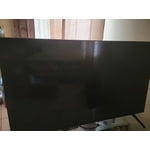
[This review was collected as part of a promotion.] We need more apps compatible for download . I try to connect my samsung phone or even download app like hbo max, hulu and are not available for my tv

Review from Samsung US
Helpful?3STAXRT0NDXF13883163940