Join Now
Skip to Main Content
Sam's Club
Sam's Club
All Departments
All Services
Customer reviews for SAMSUNG 75" Class TU700D-Series Crystal Ultra HD 4K Smart TV UN75TU700DFXZA for
SAMSUNG 75" Class TU700D-Series Crystal Ultra HD 4K Smart TV UN75TU700DFXZA
4.4 out of 5 stars
stars
10.4K ratings10K reviews
  1. 5 stars69% (7,261)
  2. 4 stars18% (1,887)
  3. 3 stars5% (566)
  4. 2 stars3% (265)
  5. 1 star5% (499)

Member photos

  • +1529 images
Sort by |
Showing 3,641-3,650 of 10,069 reviews
Jun 11, 2022
Reviewer name: Omowatt
5 out of 5 stars
5 out of 5 stars review

Feature Rich

[This review was collected as part of a promotion.] So I mainly sue my TV to stream movies and Paly Games. The picture quality when watching movies is undefeated. It's is crisp and clear. The color accuracy is on point and for playing games!! OMG!! This TV also comes with free Samsung TV channel and it has a great audio system. There are also a bunch of really nice native apps. It's just great.

Review from Samsung US
Helpful?3STAXRT0NDXF13883163940
Aug 22, 2022
Reviewer name: Maleman
5 out of 5 stars
5 out of 5 stars review

Best TV Ever

[This review was collected as part of a promotion.] This is the best smart tv, it connects to your Wi-Fi and all your Samsung Devices with no issues. The auto sleep mode is great when you fell asleep or leave the house it will cut off on its own. The TV comes with live channels already, easy to download apps, and the screen is crystal clear. Totally love it

Review from Samsung US
Helpful?3STAXRT0NDXF13883163940
Jul 27, 2022
Reviewer name: FamilyTV
5 out of 5 stars
5 out of 5 stars review

Exceptional features, perfect picture!
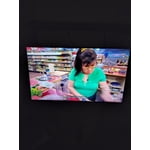
[This review was collected as part of a promotion.] My TV is used for a host of reasons, my kids love to game on it, my wife plays all her YouTube videos and I love to watch sports on it.. it performs exceptionally well no matter what is being watched on it.

Review from Samsung US
Helpful?3STAXRT0NDXF13883163940
Jun 1, 2022
Reviewer name: GCapps
5 out of 5 stars
5 out of 5 stars review

Highly recommended

[This review was collected as part of a promotion.] Excellent quality TV without a premium price tag. Streams 4K over wifi without any problems. Super easy to setup, especially if you use samsung smart things with your phone or tablet. Another quality Samsung product that I've added to my collection. Not disappointed at all.

Review from Samsung US
Helpful?3STAXRT0NDXF13883163940
Aug 23, 2022
Reviewer name: khaelea
4 out of 5 stars
4 out of 5 stars review

We love the picture

[This review was collected as part of a promotion.] The picture is very clear and great clarity. The Samsung channels are great, Only downfall we have found is it does not work as well with antenna for local digital channels. Vizio seems to work better for that. Otherwise we replaced 3 of our televisions with this same TV except the one is larger.

Review from Samsung US
Helpful?3STAXRT0NDXF13883163940
Oct 21, 2020
Reviewer name: Junebug
5 out of 5 stars
5 out of 5 stars review

Worth every penny

[This review was collected as part of a promotion.] We just recently moved into a new house and thought it was time to upgrade the tv. We went with Samsung for the quality and easy to navigate set up. We couldn't be happier with this CRYSTAL UHD 75” gift from Zeus himself. The tv is clear, the colors are deep, and there is no lagging. The slimness of it is really nice too because it sits on a wall that people walk by.

Review from Samsung US
Helpful?3STAXRT0NDXF13883163940
Aug 20, 2020
Reviewer name: Jason
2 out of 5 stars
2 out of 5 stars review

Shadowy rings at bottom of screen

features, color and motion are great. brightness is fine. screen quality is not. it started with shadowy rings at the bottom of the screen, almost like half a bullseye. at first i only noticed them when screen was filled with one color. now i notice it most of the time. really annoying when watching sports. if that's your thing, look elsewhere.

Review from Samsung US
Helpful?3STAXRT0NDXF13883163940
reply from OBA

Jason: Thank you for purchasing the Samsung TU7000 TV. I am very sorry you are experiencing image issues with your TU7000 TV. Please be sure you have the latest firmware which can be found at: https://www.samsung.com/us/support/owners/product/crystal-uhd-tvs-tu7000-2020 Using your TV's remote, navigate to Settings, and select Support. Select Software Update, and then select Update Now. New updates will be downloaded and installed on your TV. Updates usually take a few minutes; please do not turn off the TV until the update is complete. When the update is finished, the TV will restart automatically. You may want to enable automatic updates for convenience. Select Settings > Support > Software Update, then select Auto Update. If you would like to update your software using USB, please check for the latest version at: https://www.samsung.com/us/support/owners/product/crystal-uhd-tvs-tu7000-2020 Instructions for how to update firmware are detailed here: samsung.com/us/support/answer/ANS00062224/ Should your problem persist, please contact Samsung Customer Support: 1) Phone: 1-800-SAMSUNG (available 8AM -12AM EST, 7 days a week) 2) LiveChat: https://www.samsung.com/us/support/#contact_us_for_support 3) Facebook Messenger: https://www.facebook.com/samsungsupport 4) Twitter: https://twitter.com/SamsungSupport 5) The Samsung Members Community is also a great resource for getting help from Samsung moderators and customers: https://us.community.samsung.com If you have not already done so, we invite you to register your new Samsung product at: https://www.samsung.com/us/account/signin/?redirect=https%3A%2F%2Fwww.samsung.com%2Fus%2Fsupport%2Fregister%2F Registering your product gives you access to easy warranty support, convenient opt-in to special promos and offers, faster troubleshooting and service, and quick notification of system updates. ~ Samsung Solutions

Oct 26, 2022
Reviewer name: AlexJ123
5 out of 5 stars
5 out of 5 stars review

Good TV, Tough To use With Dorm WIFI

[This review was collected as part of a promotion.] I bought this tv to use in my dorm. It is a great tv, great quality, great sound. I would assume that it is easy to set up normally, however I live on campus at a university. Depending on the type of WiFi that the university has, it could make connecting the tv to WiFi very difficult or impossible. In my own case, I cannot connect my tv to my university WiFi, but instead, have been using it by connecting my tv to my PlayStation, and have been using streaming services and playing games through the PlayStation.

Review from Samsung US
Helpful?3STAXRT0NDXF13883163940
Jul 24, 2022
Reviewer name: BisonFanForever
5 out of 5 stars
5 out of 5 stars review

Great picture, Great colors

[This review was collected as part of a promotion.] We use the TV to watch movies as part of our home theater set up. The picture is great and it feels like you are in the theater. The bezels are small enough you can have a large screen without having an overly large TV.

Review from Samsung US
Helpful?3STAXRT0NDXF13883163940
Jan 31, 2023
Reviewer name: Ninad
3 out of 5 stars
3 out of 5 stars review

OK TV, global dimming feature ruins the experience

unlike a few other led backlit tvs, this samsung tv dims the entire areas of screen with a broader than required dimming. that makes the dark scenes a bit too dark, with the few lit areas in the screen also being dimmed. no good. next, the tv's smart meny feature sucks. i have roku for streaming, and this tv's ‘landing page' is the default one when turned on. to get rid of it, you have to press exit every single time. there is no option not to display the smart meny screen upon power on. sucks, samsung. did you get that? convey this to your software team. make the smart menu not default. people with their own streaming devices dont want to be bothered to find the tv remote every time to press exit. same foes for wifi connectivity. stop forcing customers to make the tv connect to wifi.

Review from Samsung US
Helpful?3STAXRT0NDXF13883163940
reply from Samsung Brand Ambassador

Hi Ninad, Thank you for reaching out and letting us know about the issues you are experiencing with the TU700D TV. Please know we are here to help. First, you can change the dimming feature of your TV by adjusting some of the energy efficiency features designed to reduce power consumption. To disable Power Saving Mode, which automatically adjusts the brightness to reduce the TV’s power consumption, go to Settings > General > Eco Solution> Power Saving Mode. Or you can manually adjust the Brightness by pressing the HOME button on your remote, then navigating to Settings > Picture > Expert Settings. Next, to turn off Smart Hub, go to Settings> General> Smart Features> Disable Autorun Smart Hub. Try turning the TV off and on again, and the Smart Hub menu should be disabled, with the current Input Source banner displayed in its place. Alternatively, you can leave Smart Hub enabled and utilize the Autorun Last App feature to automatically start the last app you used once the TV is turned on. To enable this feature, follow the steps below: 1) Navigate to Settings > General > Smart Features > Autorun Smart Hub 2) Enable the Autorun Smart Hub feature 3) Navigate to Settings > General > Smart Features > Autorun Last App 4) Enable the Autorun Last App feature I hope these tips help to improve your enjoyment. For more assistance, please call us at 1-800-SAMSUNG, 8 AM - 12 AM EST, seven days a week. LiveChat with an agent, as well as manuals, software, and warranty info, can be found at the ‘Support’ link on our Samsung website. Thanks for being a part of the Samsung family! ~ Samsung Advisor