Skip to Main Content
Sam's Club
Sam's Club
Customer reviews for SAMSUNG 75" Class TU700D-Series Crystal Ultra HD 4K Smart TV UN75TU700DFXZA for
SAMSUNG 75" Class TU700D-Series Crystal Ultra HD 4K Smart TV UN75TU700DFXZA

Member photos

  • +1513 images
Sort by |
Showing 271-280 of 10,059 reviews
Apr 5, 2020
meggy
2 out of 5 stars review

netflix volume problems

when i play anything on netflix, the volume is very very soft. i have to either fast forward or rewind, then hit play again, before the volume can be normal. i turned off the auto volume but still no use

Review from Samsung US
Helpful?3STAXRT0NDXF13883163940
reply from OBA

meggy, I am sorry that you experienced a volume issue with Netflix app. Our engineer team has tested it in the lab but could not reproduce the issue. If you the volume issue is still present, please reach out to us at: 1) Phone: 1-800-SAMSUNG Available 8AM – 9PM EST (Mon-Fri) 2) LiveChat: https://www.samsung.com/us/support/#contact_us_for_support 3) Facebook Messenger: https://www.facebook.com/samsungsupport 4) Twitter: https://twitter.com/SamsungSupport 5) The Samsung Members Community is also a great resource for getting help from Samsung moderators and customers: https://us.community.samsung.com If you have not already done so, we invite you to register your new Samsung product at: https://www.samsung.com/us/account/signin/?redirect=https%3A%2F%2Fwww.samsung.com%2Fus%2Fsupport%2Fregister%2F Registering your product gives you access to easy warranty support, convenient opt-in to special promos and offers, faster troubleshooting and service, and quick notification of system updates -Samsung Ambassador

May 4, 2020
Manny L
1 out of 5 stars review

Green screen

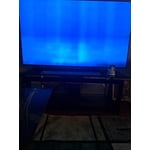
Same problem as many reviews on this product. screen turned green after 2 days of use checked for latest update witch it has and still not working very disappointed

Review from Samsung US
Helpful?3STAXRT0NDXF13883163940
reply from OBA

Manny L, I am sorry to hear that you are experiencing green screen with your TU7000 Crystal UHD TV. Please give us the opportunity to assist you by contacting Samsung Customer Support via any of the following options: 1) Phone: 1-800-SAMSUNG (ask for TVs) Available 8AM - 12AM EST (Mon-Fri) / 9AM - 11PM EST (Sat-Sun) 2) LiveChat or Email: https://www.samsung.com/us/support/#contact_us_for_support 3) Facebook Messenger: https://www.facebook.com/samsungsupport 4) Twitter: https://twitter.com/SamsungSupport If you have not already done so, we invite you to register your new Samsung TV at: https://www.samsung.com/us/support/register/. Registering your product gives you access to easy warranty support, convenient opt-in to special promos & offers, faster troubleshooting & service, and quick notification of system updates. Again, I am very sorry for the inconveniences you have had, and hope that we will hear from you soon. -Samsung Ambassador

Aug 29, 2024
Adam B
1 out of 5 stars review

Failed Within 4 Years

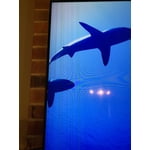
I've had this TV for less than 4 years and it now has a vertical yellow line down the screen. TVs should last longer than 4 years. Prior to this TV was all right, but took a while to dial in the right color settings when first purchased.

Review from Samsung US
Helpful?3STAXRT0NDXF13883163940
Jul 26, 2020
Anonymous
2 out of 5 stars review

Very poor sound quality

this tv at max volume has very low very poor sound quality was very disappointed as i own and love many samsung products i have been a very loyal customer but this purchase has pushed me to other brands not happy

Review from Samsung US
Helpful?3STAXRT0NDXF13883163940
reply from OBA

JAMES WHITAKER: Thank you for sharing your user experience with this TV. I am sorry that you are not completely satisfied with its sound performance. You may select from several Sound Modes and advanced settings to meet your personal preferences. Press the Home button on your remote, and then navigate to Settings > Sound > Sound Mode You can also customize the sound with Expert Settings. Home > Settings > Sound > Expert Settings. For assistance with these features or choosing a Samsung Soundbar to complement your viewing enjoyment, please reach out to us at: 1-800-SAMSUNG (8AM -12AM EST, 7 days a week) Or visit us on the Samsung website and click on the SUPPORT link in the upper right corner for: 1) Contact Us Options (LiveChat, Remote Support, Facebook, Twitter) 2) Product Support 3) Manuals and Downloads 4) Warranty Info 5) Product Registration: Registering your product gives you access to easy warranty support, convenient opt-in to special promos and offers, faster troubleshooting and service, and quick notification of system updates 6) Samsung Community: A great resource for getting help from Samsung moderators and customers and more 7) …and more product, repair, order, and care options Again, thank you for taking the time to share your thoughts on this product. Your feedback helps us continuously deliver best-in-class products and service. ~ Samsung Solutions

Oct 6, 2021
LuvUSenpai
5 out of 5 stars review

Weeb dream

I absolutely love my new 43” 4K HDR T.V. It plays hentai in a quality that caught me off guard, admittedly. Never thought anime thighs could look so real, but these looked so much better than the real thing. Overall, would buy again.

Review from Samsung Canada
Helpful?3STAXRT0NDXF13883163940
reply from Operations

Thank you, LuvUSenpal! We love to hear positive feedback and we hope you enjoy your new Samsung TV. 

Aug 15, 2020
REZphoto
1 out of 5 stars review

Flickers

i've had this tv for about a month and a half and i've been noticing a lot of flicker i have to constantly unplug then plug it back in.. horrible i usually like samsung products

Review from Samsung US
Helpful?3STAXRT0NDXF13883163940
reply from OBA

REZphoto: If your TV is flickering or dimming sporadically, you may need to disable some of the energy efficiency features. Disable Ambient Light Detection, Power Saving Mode, Motion Lighting, or Contrast Enhancer. Settings > General> Eco Solution> Ambient Light Detection Settings > General> Eco Solution> Power Saving Mode Settings > General> Eco Solution> Motion Lighting Settings > Picture > Expert Settings > Contrast Enhancer Run Picture Test. When the tested image quality is normal, check the signal of the connected device. Settings > Support > Device Care > Self Diagnosis > Picture Test I hope this helps. If your issue persists, please reach out to Samsung Customer Support, and a representative will gladly assist you. 1-800-SAMSUNG (8AM -12AM EST, 7 days a week) Or visit us on the Samsung website and click on the SUPPORT link in the upper right corner for: 1) Contact Us Options (LiveChat, Remote Support, Facebook, Twitter) 2) Product Support 3) Manuals and Downloads 4) Warranty Info 5) Product Registration: Registering your product gives you access to easy warranty support, convenient opt-in to special promos and offers, faster troubleshooting and service, and quick notification of system updates 6) Samsung Community: A great resource for getting help from Samsung moderators and customers and more 7) …and more product, repair, order, and care options Again, thank you for taking the time to share your thoughts on this product. Your feedback helps us continuously deliver best-in-class products and service. ~ Samsung Solutions

Mar 31, 2020
JackZ23
1 out of 5 stars review

Don't Fall For It... waist of time

Don't waist your time. The TV doesn't stop stalling. Freezing. The TV is literally meant to just be for show. I hope I can still return this peice of disaster.

Review from Samsung US
Helpful?3STAXRT0NDXF13883163940
reply from OBA

JackZ23, I am sorry that you are experiencing stalling and freezing with your TU7000 TV. To optimize smart TV performance, please try the Device Care option under the Support Menu. Go to Settings > Support > Device Care > Start Device Care This checks memory and frees up unused cached memory and closes background apps. If you need further troubleshooting with this issue or have any other questions, please reach out to Samsung Customer Support via any of the following options: 1) Phone: 1-800-SAMSUNG (ask for TVs) -- Available 8AM - 12AM EST (Mon-Fri) / 9AM - 11PM EST (Sat-Sun) 2) LiveChat or Email: https://www.samsung.com/us/support/#contact_us_for_support 3) Facebook Messenger: https://www.facebook.com/samsungsupport 4) Twitter: https://twitter.com/SamsungSupport I hope the above tip resolves your issue. Otherwise, we hope to hear from you and assist with step-by-step troubleshooting in the context of your specific setup.

Jun 26, 2022
MSamsungCustomer
5 out of 5 stars review

Great TV, had it for two years

[This review was collected as part of a promotion.] I've had this tv for almost two years now and it is great! The images are literally crystal clear, it's almost like you see people in person.

Review from Samsung US
Helpful?3STAXRT0NDXF13883163940
Aug 2, 2021
Carrie
5 out of 5 stars review

Great Tv

love our new 75” tv. we also got a 55”. which does seem to have a better picture quality than the 75”. is there anything we can do to improve this? we have them set the same currently

Review from Samsung US
Helpful?3STAXRT0NDXF13883163940
Apr 17, 2025
Nope
1 out of 5 stars review

Do not recommend

The typing on screen is not intuitive, the remote buttons are also not placed in normal spots. After about 1.5 years, all the sudden it stopped working, luckily under warranty but they replaced the whole backside of the unit.

Review from Samsung US
Helpful?3STAXRT0NDXF13883163940