Join Now
Skip to Main Content
Sam's Club
Sam's Club
All Departments
All Services
Customer reviews for SAMSUNG 75" Class TU700D-Series Crystal Ultra HD 4K Smart TV UN75TU700DFXZA for
SAMSUNG 75" Class TU700D-Series Crystal Ultra HD 4K Smart TV UN75TU700DFXZA
4.4 out of 5 stars
stars
10.4K ratings10K reviews
  1. 5 stars69% (7,261)
  2. 4 stars18% (1,887)
  3. 3 stars5% (566)
  4. 2 stars3% (265)
  5. 1 star5% (499)

Member photos

  • +1529 images
Sort by |
Showing 1,661-1,670 of 10,069 reviews
Aug 5, 2022
Reviewer name: KrissyLynn
5 out of 5 stars
5 out of 5 stars review

An excellent TV

[This review was collected as part of a promotion.] Bought this TV to go in my bedroom and the picture is outstanding. Beautiful colors, easy to set up and use. I use the TV for gaming, streaming and music. The sound is amazing. 10/10 would buy again.

Review from Samsung US
Helpful?3STAXRT0NDXF13883163940
Sep 27, 2022
Reviewer name: mdburd
5 out of 5 stars
5 out of 5 stars review

Exceptional, Seamless & Customizable Experience

[This review was collected as part of a promotion.] With the SmartHub we are easily able to pickup exactly where we left off with ease when watching in different rooms whether it be game day or an average lazy Sunday. Not only can we switch rooms with ease, but also have the luxury of being able to toggle between apps via the home screen & directly on the TV remote itself! Our Crystal UHD 4K Smart TV is the perfect size for our space which we use to share photos with stellar quality, game online with friends via wifi or to even simply catch up on our favorite shows. I can easily say that I would 10/10 recommend this TV to a friend!

Review from Samsung US
Helpful?3STAXRT0NDXF13883163940
Sep 22, 2021
Reviewer name: Irishjacket
3 out of 5 stars
3 out of 5 stars review

Nice Picture, sound lags behind picture

so far okay. it is a nice picture but the sound does not match the picture. it lags not sure how to fix yet if possible. the app ( smart things?) we were supposed to use to mimic the remote control is awful. it is not user friendly. i've deleted it already. i found another one. the system on the tv to find your show isn't great either. once again not really easy to use. takes some practice. i guess i was used to roku.

Review from Samsung US
Helpful?3STAXRT0NDXF13883163940
Jun 13, 2022
Reviewer name: Sam5ung
3 out of 5 stars
3 out of 5 stars review

Issues with TV
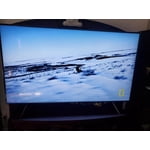
[This review was collected as part of a promotion.] We use this for Direct TV and Streaming services. Sometimes there are lagging issues, pictures also becomes distorted/blurry. We have always used Samsung products, especially televisions because of quality of pictures. Also currently have model number UN55HU7250F and PN51E450A1FXZA and UN75NU6080F. We prefer the UN55HU7250F over all the others. Wish it was up to date, and not curved. Picture quality is best in our opinion.

Review from Samsung US
Helpful?3STAXRT0NDXF13883163940
Sep 2, 2020
Reviewer name: Vlin
3 out of 5 stars
3 out of 5 stars review

Loved it while it worked

loved the picture, everything about it for 6 days. left the room for 30 minutes, came back and the picture was crazy! all sorts of colors all over the place and you couldn't even tell what was supposed to be on the screen. used the remote and turned the tv off. it never came on again. using a mirror, i can see the power button underneath the tv. when i click the power button on the remote, the little red light flashes. otherwise, no red light at all. i have researched and nothing i have tried has worked. called for service. by the way, the first one i had delivered had a smashed screen. it's the samsung 55-inch class crystal uhd tu-7000 series. replaced remote batteries, plugged tv directly into the outlet (verified outlet was working). tried many things other than taking the tv apart!

Review from Samsung US
Helpful?3STAXRT0NDXF13883163940
reply from OBA

Vlin: Thank you for purchasing the TU7000 TV. I am very sorry for the color glitch issue you encountered. Please check that your TV has the latest firmware update, which should resolve this specific issue. To update directly from your TV, press the HOME button on your remote. - Go to SETTINGS (gear icon) > Support > Software Update > Update Now - Your TV will check for the update and should start downloading the update. After the update is installed the TV will shut down and restart. Once the TV restarts, press and hold the Power button until the TV turns off and back on. If your TV is not connected to the internet, follow these steps to update the firmware. - You can find the update (version 1301.5) at: samsung.com/us/support/owners/product/crystal-uhd-tvs-tu7000-2020 - Extract the firmware to the root of a USB thumb drive. (Do not put it in any folders on the thumb drive.) - Connect the USB thumb drive to a USB port on your TV. - Navigate to Settings > Support > Software Update, select Update Now, and then select Yes. - The TV will install the update and then restart. - Once the TV restarts, press and hold the Power button on your remote until the TV turns off and back on. If the abnormal colors, double images, or ghosting continues after the firmware update, please contact Samsung Customer Support. 1-800-SAMSUNG (8AM -12AM EST, 7 days a week) On the Samsung website and click on the SUPPORT link in the upper right corner for: 1) Contact Us Options (LiveChat, Remote Support, Facebook, Twitter) 2) Product Support 3) Manuals and Downloads 4) Warranty Info 5) Product Registration: Registering your product gives you access to easy warranty support, convenient opt-in to special promos and offers, faster troubleshooting and service, and quick notification of system updates 6) Samsung Community: A great resource for getting help from Samsung moderators and customers and more 7) …and more product, repair, order, and care options Again, thank you for taking the time to share your thoughts on this product. Your feedback helps us continuously deliver best-in-class products and service. ~ Samsung Solutions

Sep 11, 2021
Reviewer name: Gavin
5 out of 5 stars
5 out of 5 stars review

My Samsung new television

[This review was collected as part of a promotion.] I must admit in conjunction with my S21 5G phone this has been the most seamless installation, integration, and transition with my Bose 500 sound bar, sub woofer, and surround sound speakers. I am throughly impressed and satisfied.

Review from Samsung US
Helpful?3STAXRT0NDXF13883163940
Nov 23, 2022
Reviewer name: Suthrngal18
5 out of 5 stars
5 out of 5 stars review

First tv purchase
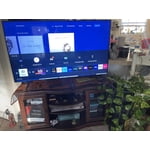
[This review was collected as part of a promotion.] I will be honest. I love it! A couple things though. .. I think the picture should be sharper. Makes it feel older than it is. Can't say if I'm impressed with the smart part or not. Not sure what to compare it to. Yet there again, I feel like the graphics of the smart menu and of the tv could be better. Still a world better than the one we had prior.

Review from Samsung US
Helpful?3STAXRT0NDXF13883163940
Jan 9, 2022
Reviewer name: Timm
3 out of 5 stars
3 out of 5 stars review

Great picture quality, annoying experience

overall, i like the tv. but the interface is annoying as are the default settings. i hooked up my playstation and after turning it on once the tv assumed i wanted to play it every time i turned on the tv. prior to that and before i understood how to turn it off (had to look it up on the internet) samsung tv would auto play awful movies and there was no way to stop it. now that ive figured it out its much better. but its still annoying. the picture is great. the built in sound is decent! so do i recommend it? sure. but beware what you're getting in to.

Review from Samsung US
Helpful?3STAXRT0NDXF13883163940
reply from Samsung Brand Ambassador

Hi Timm, Thank you for your review of the Samsung TU7000 TV. The details you have provided regarding the user interface, and having to adjust multiple settings after setup, are very important to us and will be shared with our internal product team. I am glad you were able to resolve your issues; however, if there is anything we can do to improve your experience such as helping to optimize settings, please let us know. You can reach us at 1-800-SAMSUNG (ask for TVs), available 8AM - 12AM EST, 7 days a week. For additional support resources, visit us on the Samsung website and click on the ‘Support’ link in the upper right corner of the homepage for: 1) Chat with Us/Product Help: To begin a chat or find solutions, choose ‘TVs & Home Theater’ and select your model & topic. 2) Register a Product: For access to easy warranty support, convenient opt-in to special promos and offers, faster troubleshooting and service, and quick notification of system updates. 3) Manuals & Software 4) Warranty Info 5) Contact Us ~ Samsung Solutions

May 23, 2022
Reviewer name: Fcmjimmy5
4 out of 5 stars
4 out of 5 stars review

I enjoy all the features of the tv

[This review was collected as part of a promotion.] The imaging on tv is great. The apps I can download are all the ones I need and want. The only downside is that at times, it randomly disconnects from the internet even though the internet connection to other thing such as tablet and phones are perfectly fine.

Review from Samsung US
Helpful?3STAXRT0NDXF13883163940
Sep 30, 2022
Reviewer name: Cabdesu
5 out of 5 stars
5 out of 5 stars review

Why we always buy a Samsung

[This review was collected as part of a promotion.] We bought our Samsung tv to replace the Samsung my husband had for almost 20 years that still worked but we wanted an upgrade and something a little bigger for our place. We mostly use it for gaming and streaming. The quality has always been consistent and we love that about it.

Review from Samsung US
Helpful?3STAXRT0NDXF13883163940