Skip to Main Content
Sam's Club
Sam's Club
All Departments
All Services
Customer reviews for SAMSUNG 75" Class TU700D-Series Crystal Ultra HD 4K Smart TV UN75TU700DFXZA for
SAMSUNG 75" Class TU700D-Series Crystal Ultra HD 4K Smart TV UN75TU700DFXZA
4.4 out of 5 stars
stars
10.4K ratings10K reviews
  1. 5 stars69% (7,261)
  2. 4 stars18% (1,887)
  3. 3 stars5% (566)
  4. 2 stars3% (265)
  5. 1 star5% (499)

Member photos

  • +1529 images
Sort by |
Showing 1,631-1,640 of 10,069 reviews
Sep 16, 2020
Reviewer name: Phoneman2
5 out of 5 stars
5 out of 5 stars review

Great TV So far.

[This review was collected as part of a promotion.] I have had this Television for 1 month now, and so far it's working great. Setup was fairly easy, and it was even able to identify devices I hooked up to it, saving me lots of time. This TV even has the ability to turn on my other devices for me. The Remote is simple and easy to follow. The picture is much better and clearer compared to my last TV, and when UHD Shows come on, I definitely know it. It is able to bring up all the streaming services I have so I just select the proper button, and I'm there. Time will tell, but so far I am very satisfied with this Television.

Review from Samsung US
Helpful?3STAXRT0NDXF13883163940
Oct 21, 2020
Reviewer name: SamsungTV
3 out of 5 stars
3 out of 5 stars review

Good TV but Remote could be better

[This review was collected as part of a promotion.] Good TV overall but remote is very poor or basic quality. I wish they gave a better remote. The sound quality is very very basic so I wish they work on that as some generic companies have better sound. Otherwise the TV is working just fine and no complaints. Picture quality is also good.

Review from Samsung US
Helpful?3STAXRT0NDXF13883163940
reply from OBA

SamsungTV: Thank you for purchasing the TU7000 TV and for your review. Your thoughts regarding the remote design is important to us and will be shared with our internal teams. Should you ever have questions or need help with TV features, specs, or operation, we are here to help. 1-800-SAMSUNG (available 8AM -12AM EST, 7 days a week) Or visit us on the Samsung website and click on the ‘Support’ link in the upper right corner of the homepage for: 1) Contact Us Options (LiveChat, Remote Support, Facebook, Twitter) 2) Product Support 3) Manuals and Downloads 4) Warranty Info 5) Product Registration: Registering your product gives you access to easy warranty support, convenient opt-in to special promos and offers, faster troubleshooting and service, and quick notification of system updates 6) Samsung Community: A great resource for getting help from Samsung moderators and customers and more 7) …and more product, repair, order, and care options ~ Samsung Solutions

Oct 25, 2022
Reviewer name: Millie
3 out of 5 stars
3 out of 5 stars review

Could be better

[This review was collected as part of a promotion.] Disappointed at the instructions a bit confusing for example how do you delete apps you don't want & setting up my local channel antenna. Wish I had bout a larger tv as well. Remote is a bit confusing to use. As well.

Review from Samsung US
Helpful?3STAXRT0NDXF13883163940
reply from Samsung Brand Ambassador

Hi Millie, Thanks for reaching out and providing feedback on the TU7000 TV's instructions and remote. Please know we are here to help you! First, to delete Apps, press the Home button> scroll to the App you want to delete> long hold the enter button> press Delete. Next, to set up your local channel antenna, please follow the instructions on the external antenna to attach it to your Samsung TV. Once installed: 1) Press the Source button on your remote and choose TV. 2) Then press the Settings button on your Remote. 3) Select Broadcasting, and then select Auto Program. 4) Select Start to begin auto-programming and select either Air, Cable, or Both. - Select Air if you are using an antenna only. - Select Cable if you are using a cable box only. - Select Both if you are using an antenna and a cable box. You will get the most channels this way. 5) Your TV will begin to scan for channels. After it's done, select Close to finish. If you continue to have issues or need any more help setting up your TV, please know we are here! Please get in touch with us at 1-800-SAMSUNG, 8 AM - 12 AM EST, seven days a week. Our LiveChat agents are also available by clicking on the ‘Support’ link on our website. ~ Samsung Advisor

Aug 23, 2022
Reviewer name: Machinelcrr
5 out of 5 stars
5 out of 5 stars review

Great features and awesome performance

[This review was collected as part of a promotion.] The game mode feature works incredibly well. Very happy with the clarity and the performance of this TV. The smart features are intuitive and there are plenty of apps that are well integrated. Setting up the TV was very straight forward. The remote also works very well, simple and has plenty of reach. Actually looking at buying a second one to replace our 75".

Review from Samsung US
Helpful?3STAXRT0NDXF13883163940
Oct 21, 2020
Reviewer name: RonWeezy
4 out of 5 stars
4 out of 5 stars review

I love it but the remote could be better

[This review was collected as part of a promotion.] The TV is really nice and looks good with a lot of cool features my only issue is that the remote has annoying input lag that really sucks. Luckily I mainly use the TV to play video games on my PS4 so I only use the remote for volume and input switching. So thank you Samsung and I hope I can win that sound bar.

Review from Samsung US
Helpful?3STAXRT0NDXF13883163940
May 31, 2022
Reviewer name: SuperWookie
4 out of 5 stars
4 out of 5 stars review

Great picture.
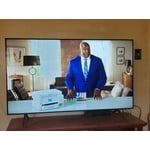
[This review was collected as part of a promotion.] The TV has a gorgeous picture. Movies, streaming, video games are crisp and vibrant. The remote is the only downfall for me. It is easy to use but I am used to a Firestick remote that has fewer buttons.

Review from Samsung US
Helpful?3STAXRT0NDXF13883163940
Oct 23, 2020
Reviewer name: BigD
4 out of 5 stars
4 out of 5 stars review

Great tv

[This review was collected as part of a promotion.] Overall it is a fantastic tv. I would give it 4.5 stars if I could. From a user experience perspective, it has some issues. When turning the tv on after being on standby, the tv resets to the home screen even if one of the "smart buttons" is pushed. Also, in my opinion, the arrow buttons are too far down on the remote. It takes a little getting used to. This is only a minor annoyance. The first few weeks that we had the tv I noticed a slight flicker on the screen, which seemingly has not been a noticeable issue since then. On the bright side, the picture quality is great and the sound is too. It is thin, clear, and clean.

Review from Samsung US
Helpful?3STAXRT0NDXF13883163940
Sep 27, 2022
Reviewer name: Fuzzbean
4 out of 5 stars
4 out of 5 stars review

Mostly Great

[This review was collected as part of a promotion.] We've had this TV for about 8 months. We are pleased with the picture and satisfied with the sound. We have a sound bar for it that we were given as a gift, but it is sort of a toss-up whether it is any improvement. I'd say the sound bar is boomier for music, but the TV speakers are sharper and clearer for everything else. Our only gripe about this TV is that we feel too dependent on the remote control, which sometimes gets lost. There is a power button concealed under the center of the TV screen, but it is not something you can see under there, and the button has little or no recognizable feel to it. In fact, my family reports that the button no longer works, and the remote is the only way to turn it on now. We live in a rural/remote area, and the 75 inch TV is too big to return anywhere just for this issue.

Review from Samsung US
Helpful?3STAXRT0NDXF13883163940
reply from Samsung Brand Ambassador

Hey Fuzzbean, Thank you for your purchase and review of the Samsung TU7000 TV. I'm happy that you are enjoying it! If you would like an alternative to the standard TV remote, you can download Samsung SmartThings App on your Android or IOS device, which will then let you use your cell phone as a remote. I hope this helps! Should you ever have questions or need help, Samsung is here for you! Just give us a call at 1-800-SAMSUNG, 8 AM - 12 AM EST, seven days a week. Our LiveChat agents are also available by clicking on the ‘Support’ link on our website. ~ Samsung Advisor

Sep 15, 2020
Reviewer name: Sanchit
4 out of 5 stars
4 out of 5 stars review

Samsung 7 Series - 65 Inch

[This review was collected as part of a promotion.] This TV has a great picture and sound quality, but I am not happy with the remote. There are a lot of buttons on there which we don't use on a daily basis and I think it can be more user friendly. Overall, I am very happy with my purchase as this TV supports airplay and the picture quality is very sharp.

Review from Samsung US
Helpful?3STAXRT0NDXF13883163940
May 6, 2023
Reviewer name: Robert
1 out of 5 stars
1 out of 5 stars review

Mr

I am so upset that when I turn my TV on or off the opposite happens to my wife's Samsung in the room real close by I think the technology in today's place we should be able to isolate remotes but according to Walt things I reviewed I cannot do that disappointed to say the least

Review from Samsung US
Helpful?3STAXRT0NDXF13883163940