
 Customer reviews for SAMSUNG 75" Class TU700D-Series Crystal Ultra HD 4K Smart TV UN75TU700DFXZA for
Member photos
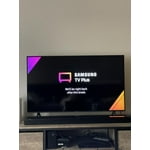


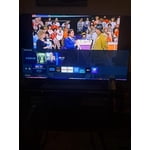
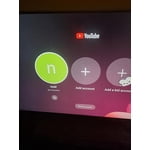
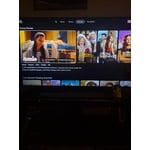
 +1529 images
TU7000 has many features
[This review was collected as part of a promotion.] Good picture quality and sound compared to other brands. Can connect to your PC and display on TV. The universal remote was easy to setup with other accessories. Also included Samsung TV Plus and easy to add other apps or surf the internet.
2 things you should know
2 things you should know. when you 1st turn on the tv, and want to load a specific app, it is very hard to tell which app you have highlighted to click. 2ndly, - fast forward, rewind, pause, play btns are all at the bottom. It's very difficult to hold the remote at the very bottom, and press those keys. i have tried to buy another remote, but anything that will sync w samsung, those keys are at the bottom.
Hi donnab, Thank you for purchasing the Samsung TU7000 and for your review. We appreciate your feedback regarding the design of the TV's User Interface, as well as the remote included with your TV. You can make the TV's menu easier to see with High Contrast mode, which displays all menus with an opaque black background and a white font so that text can be more easily read. 1) From the Home screen, navigate to and select Settings. 2) Select General, and then select Accessibility. 3) Select High Contrast to turn it on and change the menu, or select it again to change the menu back to its original appearance. I hope this tip improves your user experience. If there is anything we can do to improve your enjoyment such as helping to optimize settings for your specific usage scenario, please contact Samsung Customer Support at 1-800-SAMSUNG (ask for TVs), available 8AM -12AM EST, 7 days a week. Or text HELP to 62913. For additional support resources, visit us on the Samsung website and click on the ‘Support’ link in the upper right corner of the homepage for: 1) More ‘Contact Us’ options – LiveChat, Facebook, Twitter, Samsung Community, Samsung Members app 2) Manuals & Software 3) Warranty Info 4) Product Registration: For access to easy warranty support, convenient opt-in to special promos and offers, faster troubleshooting and service, and quick notification of system updates. We look forward to hearing from you. ~ Samsung Specialist
Picture
first the remote is the worst, i was told how bad it was but tryed anyway, very hard to figure out how to use it sooooo if you cant figure it out you cant ajust pitcher if you can not ajust pitcher what good is it i don't like the tv or remote going to return it after the holidays there are much bettter tv's out there for less money thank you good luck !!!!
Jim 09p: Thank you for purchasing the Samsung TU7000 TV and for your review. Your thoughts regarding the remote are important to us and will be shared with our internal teams. There are several image settings you can adjust to your liking such as Picture Mode and Expert Settings. Choose a Picture Mode by going to Settings > Picture > Picture Mode and choose from Dynamic, Standard, Natural, Movie, or Filmmaker Mode. You can further adjust your sharpness, brightness, contrast, color, tint, contrast, white balance, and more by going to Settings > Picture > Expert Settings Should you ever have questions or need help with TV features, specs, or operation, please contact Samsung Customer Support for help. 1-800-SAMSUNG (ask for TVs), available 8AM -12AM EST, 7 days a week Or visit us on the Samsung website and click on the ‘Support’ link in the upper right corner of the homepage for: 1) Contact Us Options (LiveChat, Remote Support, Facebook, Twitter) 2) Product Support 3) Manuals and Downloads 4) Warranty Info 5) Product Registration: Registering your product gives you access to easy warranty support, convenient opt-in to special promos and offers, faster troubleshooting and service, and quick notification of system updates 6) Samsung Community: A great resource for getting help from Samsung moderators and customers and more 7) …and more product, repair, order, and care options ~ Samsung Solutions
Great Picture, Slow Processor
[This review was collected as part of a promotion.] I'm going to skip listing all the items I like, as most everything is great, the picture sound, etc. I will dive into my 3 issues that I have with this TV, and maybe it is just because this is a little lower on the lineup of all their TVs. First The app does not work, I have downloaded it to my phone, and I get nothing - it never connects, and it sucks. I see online from other reviews that this is a pretty standard issue. I'm not running Samsung but if I was I would not have "Download the app" be the first thing when doing the TV setup if the app does not even work. Second the volume response from the remote is way too sensitive, if I hold it for 1 second it goes down by 1, if I hold it for 2 seconds, it goes down by like 15-20 - because of this I have to click it a bunch of times to change the volume, however if the volume button clicks are too close together then it will make a huge jump again. Finally the processor is slow, like really slow. When you turn on the TV and are going to select the app you would like, for example your preferred streaming service - it has a pretty long lag / latency between click, and when it actually moves the selected icon. It is bothersome enough that I have had the correct icon selected, and then when I push the OK button it hops over to the next app and opens that one up.
A masterpiece - Worth IT
[This review was collected as part of a promotion.] The TV stands out when it comes to picture clarity, sharpness and image deliver. The software is smooth and easy to navigate. Has all features and Required softwares . The 4K experience is awesome and best in its class , given the price range . The remote is best with all required button and dedicated keys for online video channel , like Netflix , prime . You can connect to headphones, portable speakers via Bluetooth and you can enjoy your movies, shows with a bliss . The TV is slim compared to other brands which makes it fit without occupying extra space. Awesome 4K picture quality and experience. Would recommended to anyone
This was a nice upgrade, but...
[This review was collected as part of a promotion.] My TV that was almost fifteen years old was compatible with Alexa through my Firestick, and I thought this TV would be compatible automatically with Alexa without the Firestick since it is a much newer smart TV. It is almost unnecessary to have the Firestick connected, since this TV includes apps such as Netflix, Hulu, and others that can be downloaded from the app store. However, the app store for this TV does not include the Alexa app that troubleshooting sites have recommended for pairing your Alexa voice control device. The remote does not have a voice control feature either. I wish there was a way to adjust the bottom legs that hold the TV upright as well, because if they were flat, my TV would be able to fit where the old TV fit. We measured before purchasing the TV to ensure it would fit in this space, but nothing was there to warn buyers of the added inches from the legs if you are not mounting this TV to a wall. Overall for the price paid and year of the TV, I expected more features. It is a larger display that is more clear than our last model which is nice.

Wanted 4K and numerous streaming apps
[This review was collected as part of a promotion.] I wanted a 4K 82" Smart TV for my office and decided on this model. It provides a spectacular, crystal-clear 4K picture with no pixilation that I can detect. Another key requirement for me was the availability of popular pre-loaded streaming apps or the ability to download and install those that did not come preloaded. The remote control is compact and efficient. The only desired improvement to the remote control would be the addition of an optical cursor. Would I recommend this specific model? Absolutely yes. I love it.
Only a one year warranty
my first samsung tv. have a sony and a panasonic. both give you a three year warranty. samsung only gives you a one year. shame on you. tv is good but for the money i paid i expected much better. color is far from perfect. remote control is very confusing. my next large tv will not be a sansung.
AS10: Thank you for purchasing the Samsung TU7000 4K Smart TV and for your review. Your thoughts regarding the remote design is important to us and will be shared with our internal teams. You can adjust your sharpness, brightness, contrast, color, and more by going to Settings > Picture > Expert Settings Samsung stands behind the quality and performance of our TVs with a limited 1-year manufacturer’s warranty when purchased brand-new from an authorized dealer. Should you need further assistance with settings, features, or functions, please contact Samsung Customer Support at 1-800-SAMSUNG (available 8AM -12AM EST, 7 days a week) Or visit us on the Samsung website and click on the SUPPORT link in the upper right corner for: 1) Contact Us Options (LiveChat, Remote Support, Facebook, Twitter) 2) Product Support 3) Manuals and Downloads 4) Warranty Info 5) Product Registration: Registering your product gives you access to easy warranty support, convenient opt-in to special promos and offers, faster troubleshooting and service, and quick notification of system updates 6) Samsung Community: A great resource for getting help from Samsung moderators and customers and more 7) …and more product, repair, order, and care options Again, thank you for taking the time to share your thoughts on this product. Your feedback helps us continuously deliver best-in-class products and service. ~ Samsung Solutions
Great TV - All Features I Expected and More
[This review was collected as part of a promotion.] My last TV was purchased in 2010. It was a 46" flat screen TV. In the ten years I had that TV, I've watched numerous TVs and brands come and go. You can imagine how difficult it is to choose a TV comparing LCD, LCD, QLED, Etc. After doing my research, I decided a Samsung TV would be best. I knew I wanted something larger and something that could be integrated into my Smart Home. This TV connected perfectly with my FireStick and Xbox. I can even use the TV remote for both without any additional set up. It also connected to my Amazon Alexa that lets me control the TV with my voice. The two surprising features were Apple Airplay and Samsung TV Plus. They were two things I didn't expect, but I love that they have them. I gave four stars because I hate that it only has two HDMI ports. I understand it's a smart TV, but my prior TV had 4 and I have a lot of gadgets. Nevertheless, I'm very satisfied with my TV.
Not Crazy About Tv
looks great in the showroom but things you can't test while in there so you have to find out during using it in your own home. two primary issues for me with this product. one, i absolutely hate the remote and its setup. not nearly as easy to find appropriate buttons as well as buttons being so tiny and so close together constantly hitting or barely touching the wrong button. secondly, takes too long to load hulu, netflix, etc.. i put my old tv side by side and did a test. my old tv would open any of these programs instantly and play anything instantly while this tv took at least 15-20 seconds to open or play. this delay is bothersome as you expect it to do what you want when you want as you click the button.