Skip to Main Content
Sam's Club
Sam's Club
Customer reviews for SAMSUNG 75" Class TU700D-Series Crystal Ultra HD 4K Smart TV UN75TU700DFXZA for
SAMSUNG 75" Class TU700D-Series Crystal Ultra HD 4K Smart TV UN75TU700DFXZA

Member photos

  • +1513 images
Sort by |
Showing 1,521-1,530 of 10,059 reviews
Feb 19, 2021
Laura T
3 out of 5 stars review

Overall it is a good buy

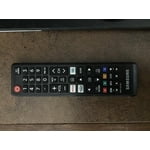
i purchased this tv about a month ago after my tv (also a samsung) died. i selected this model as the picture is crisp and vibrant. the reason i rated only 3 stars is because there is s few glitches. the first one is a frozen screen. i have to back out entirely and reselect the movie or show i was watching. the second glitch happens when i rewind. if i need to rewind close to the beginning of a show or movie, it stops rewinding and starts a different show or movie from the next suggested one. i also wish that the remote was backlit. if i watch in bed with my lights out, i have trouble seeing the keys resulting in numerous oops moments. aside from the lighted remote suggestion, i hope that the software glitches are worked out soon. if not i may need to return this one.

Review from Samsung US
Helpful?3STAXRT0NDXF13883163940
reply from Samsung Brand Ambassador

Laura T: Thank you for purchasing the Samsung TU7000 TV and for your review. We appreciate your feedback regarding the design of the remote, and will share this with our internal design teams. I am sorry to hear that you are experiencing issues with your TV glitching. Your TV has several self-diagnosis tools built in that can help solve problems with signal, network, picture, or sound. Go to Settings > Support> Device Care > Start Device Care You may also want to clear out your TV's temporary storage space by pressing and holding the Power button for 6 seconds until your TV turns off and back on again. Please also be sure you are running the latest firmware. You can check to see what software version your TV is using and if there is an available update through the settings on your TV. Go to: Settings > Support > Software Update. I hope this helps. Should you need further assistance, please contact Samsung Customer Support. 1-800-SAMSUNG (ask for TVs), available 8AM -12AM EST, 7 days a week Or visit us on the Samsung website and click on the ‘Support’ link in the upper right corner of the homepage for: 1) Contact Us Options (LiveChat, Remote Support, Facebook, Twitter) 2) Product Support 3) Manuals and Downloads 4) Warranty Info 5) Product Registration: Registering your product gives you access to easy warranty support, convenient opt-in to special promos and offers, faster troubleshooting and service, and quick notification of system updates 6) Samsung Community: A great resource for getting help from Samsung moderators and customers and more 7) …and more product, repair, order, and care options ~ Samsung Solutions

Oct 21, 2020
DaKnight
4 out of 5 stars review

Overall this TV has great features

[This review was collected as part of a promotion.] I really wouldn't change much about this TV at all, the only two downsides I've found are minimal. One being the remote, as a man with larger fingers I find myself hitting multiple buttons at once and this results in me accidentally hitting the exit button on multiple occasions. Secondly, the apps to choose from are great but it is missing some apps that I have on another smart TV that I would like to see included.

Review from Samsung US
Helpful?3STAXRT0NDXF13883163940
Nov 17, 2020
Cjd609
5 out of 5 stars review

Beautiful Picture

[This review was collected as part of a promotion.] I got this TV as a replacement for the one in my living room, and I must say that the screen quality is pretty good. This is my second 4k and it does not disappoint. The sound quality isn't exactly amazing, but overall it's okay, especially when hooked up to my speaker system.

Review from Samsung US
Helpful?3STAXRT0NDXF13883163940
Sep 22, 2022
Anvil
5 out of 5 stars review

Excellent TV!

i currently have this tv mounted in the master bedroom. the picture quality is great. sound quality for the space is phenomenal. i have zero complaints for this product only thing i would change is updating from the old "clunky" samsung remote. 10/10 would recommend

Review from Samsung US
Helpful?3STAXRT0NDXF13883163940
Mar 25, 2022
Artzler
5 out of 5 stars review

Great tv, crystal clear and great sound quality

My mom bought 4 returned tvs a month or so ago, this one happened to be with the bunch. It does have a damaged screen BUT that's why it was returned so we got it for a much lower cost. The screen is progressively getting worse but I hope it lasts at least a year or two before I may just invest in a brand new one. Love the tv, the family tv we have is 10 years old, still works like a charm but changing the input to play on my playstation was mind breaking, this one however automatically does that with ease. Watching YouTube and Netflix is also really enjoyable as well. Hopefully this tv lasts as long as it can for me (once again because the screen was damaged hence a return resell at an auction and was not Samsung's fault but was the previous owners fault) I'll be sure to try and save so I can get another one as I just love this tv very much, even if it's a bit damaged. Performance is still very outstanding. (It's also the reason I even play on my playstation, my old tv is really small and far away so not so enjoyable)

Review from Samsung Canada
Helpful?3STAXRT0NDXF13883163940
reply from Operations

Hi Artzler, thanks so much for your kind words! We sincerely appreciate your feedback and will share this with our team. We hope you enjoy many years of great entertainment with your Samsung TV! 

Jul 27, 2022
Michael
5 out of 5 stars review

Totally took our TV experience to another level!

[This review was collected as part of a promotion.] Love it! Completely exceeded my expectations. Took our TV game to the next level by providing super crispy display and audio. Everyone thinks we have a sound bar! I'm like nope that's the tv by itself, but the sound bar is coming next!!

Review from Samsung US
Helpful?3STAXRT0NDXF13883163940
Apr 15, 2021
BIGWNYC
5 out of 5 stars review

The quality of this product is beyond exquisite

[This review was collected as part of a promotion.] I mainly use the TV in my man cave for streaming and watching the game. The screen is so clear and vivid that it makes me feel as if I'm in the show with them. It is great for movie night and game day.

Review from Samsung US
Helpful?3STAXRT0NDXF13883163940
Sep 15, 2020
cgonz812
4 out of 5 stars review

Really solid tv

[This review was collected as part of a promotion.] Like I said earlier it is a very good product especially for its price. I like the way its easy to use and like how Im able to do things like sync up my playstation to the tv so that when I turn on my playstation, my tv also turns on and thats just a cool little future.

Review from Samsung US
Helpful?3STAXRT0NDXF13883163940
Oct 27, 2022
Brishawn
4 out of 5 stars review

Beautiful Picture But…

[This review was collected as part of a promotion.] I have to reset the wireless on this tv to get it to connect properly to the internet somewhat frequently. Otherwise I love this tv and all the smart features and everything. It's an excellent tv, finely crafted by the people at Samsung.

Review from Samsung US
Helpful?3STAXRT0NDXF13883163940
Jul 13, 2020
Frankie
3 out of 5 stars review

Nice size.

we were excited to get our t.v. and we've enjoyed it for the most part. what we don't like about it is that it only has two hdmi ports and when watching a dark movie we aren't able to adjust the brightness to make it brighter to be able to see at all. also, when we attempt to use our amazon fire stick it will automatically change the input to the port or soundbar is in. we had to buy a hdmi switch to make it work.

Review from Samsung US
Helpful?3STAXRT0NDXF13883163940
reply from OBA

Jalisah: Thank you for purchasing the Samsung TU7000 and for your review. I am very sorry you are viewing scenes that appear too dark. Samsung is aware of the problem, and a new firmware update will be released soon to address this issue. Using your TV's remote, navigate to Settings, and select Support. Select Software Update, and then select Update Now. New updates will be downloaded and installed on your TV. Updates usually take a few minutes; please do not turn off the TV until the update is complete. When the update is finished, the TV will restart automatically. If there aren't any new updates, select OK to exit. You may want to enable automatic updates for conveniences. Select Settings > Support > Software Update, then select Auto Update. Samsung TV's have Anynet+ (also known as HDMI-CEC), a feature that allows connected external HDMI devices to inform your TV when they have turned on. By default, the TV will immediately switch to this source when this happens. You can turn off automatic HDMI switching, point the remote at the TV and input Mute, 7, 2, 9, Exit. No indicator will appear on screen after putting this code in. To test if the setting has changed, turn on a connected HDMI device. I hope this helps. Should you need further assistance, please contact Samsung Customer Support at 1-800-SAMSUNG (8AM -12AM EST, 7 days a week) Or visit us on the Samsung website and click on the SUPPORT link in the upper right corner for: 1) Contact Us Options (LiveChat, Remote Support, Facebook, Twitter) 2) Product Support 3) Manuals and Downloads 4) Warranty Info 5) Product Registration: Registering your product gives you access to easy warranty support, convenient opt-in to special promos and offers, faster troubleshooting and service, and quick notification of system updates 6) Samsung Community: A great resource for getting help from Samsung moderators and customers and more 7) …and more product, repair, order, and care options ~ Samsung Solutions