Skip to Main Content
Sam's Club
Sam's Club
All Departments
All Services
Customer reviews for SAMSUNG 75" Class TU700D-Series Crystal Ultra HD 4K Smart TV UN75TU700DFXZA for
SAMSUNG 75" Class TU700D-Series Crystal Ultra HD 4K Smart TV UN75TU700DFXZA
4.4 out of 5 stars
stars
10.4K ratings10K reviews
  1. 5 stars69% (7,261)
  2. 4 stars18% (1,887)
  3. 3 stars5% (566)
  4. 2 stars3% (265)
  5. 1 star5% (499)

Member photos

  • +1529 images
Sort by |
Showing 1,391-1,400 of 10,069 reviews
Oct 25, 2022
Reviewer name: Gadget
5 out of 5 stars
5 out of 5 stars review

82in of pure bliss

[This review was collected as part of a promotion.] We replaced our 10 year old 55in Samsung after a lightning strike and figured we might as well upgrade to this mammoth. We have owned this for almost a year and I couldn't imagine downsizing back to something smaller. This model doesn't have local dimming zones like the series up, however is still amazing. We watch a ton of movies and also game with an Xbox Series X. It swaps back and forth to game mode when needed for lower latency. Its been a solid tv and great experience so far 👌

Review from Samsung US
Helpful?3STAXRT0NDXF13883163940
Jul 23, 2020
Reviewer name: Jennifer Lynn
2 out of 5 stars
2 out of 5 stars review

Having singal issues, even after full reset of TV

i'm not sure what is going on, we exchanged my lg tv for a samsung thinking it was the tv itself. we would be wacthing tv and all of a sudden, the hdmi would lose signal. this is an ongoing problem and i'm not sure how to fix it. i even got one of those flex boxes through comcast to see if it would make a difference and it didn't. would give it more better rating but this issue i keep having with the hdmi signal is really getting on my last nerve. not sure what i can do to keep this issue from happening again. i've tried google searching and i'm not able to find any answers as to why this keeps happening or what i can do to fix it.

Review from Samsung US
Helpful?3STAXRT0NDXF13883163940
reply from OBA

Jennifer: Thank you for purchasing Samsung’s TU7000 TV. I am sorry to hear that you are experiencing issues connecting with your HDMI connection. Please try the following troubleshooting steps: 1) Power off all HDMI devices connected to TV 2) Disconnect all HDMI cables from TV 3) Power off and unplug the TV's power cord from the wall outlet 4) Press and hold the TV power button for 30 seconds 5) Reconnect HDMI cables back to HDMI ports on TV 6) Re-plug the TV's power cord back into the wall outlet and check the TV. If you need further assistance, please contact Samsung Customer Support, and a representative will gladly help you. Available at 1-800-SAMSUNG (8AM -12AM EST, 7 days a week) Or visit us on the Samsung website and click on the SUPPORT link in the upper right corner for: 1) Contact Us Options (LiveChat, Remote Support, Facebook, Twitter) 2) Product Support 3) Manuals and Downloads 4) Warranty Info 5) Product Registration: Registering your product gives you access to easy warranty support, convenient opt-in to special promos and offers, faster troubleshooting and service, and quick notification of system updates 6) Samsung Community: A great resource for getting help from Samsung moderators and customers and more 7) …and more product, repair, order, and care options Again, thank you for taking the time to share your thoughts on this product. Your feedback helps us continuously deliver best-in-class products and service. ~ Samsung Solutions

Apr 1, 2021
Reviewer name: JAM3
5 out of 5 stars
5 out of 5 stars review

Great t.v

[This review was collected as part of a promotion.] I use my t.v for Hulu netflix and to play switch and Xbox it automatically detects your device if you turn it on which I think its pretty cool and overall samsung is my favorite brand to buy from because of the quality of there products hands down for this t.v 10 stars

Review from Samsung US
Helpful?3STAXRT0NDXF13883163940
Dec 10, 2022
Reviewer name: TheUnknown224388
4 out of 5 stars
4 out of 5 stars review

It's a good television.

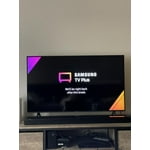
i am satisfied with the tv. the only thing that bothers me about my purchase is i didn't know anything about samsung tv plus. i think that's the right name. i absolutely hate how it automatically starts playing a random cable channel when the television is turned on and i haven't chosen something yet. i also don't like it turning my playstation on just because i turned the tv on. i want the television and the playstation to be connected but that seems just inconvenient. tv is smart so there's really no need to turn on the playstation unless i'm about to play a game. other than those few nitpicks the tv is great.

Review from Samsung US
Helpful?3STAXRT0NDXF13883163940
Jan 17, 2022
Reviewer name: Deovolante
3 out of 5 stars
3 out of 5 stars review

On again Off again

shortly after the warranty expired so did the tv. cuts off and on every few seconds. can't stop that from happening without unplugging the tv. useless now. went through all the troubleshooting steps and online tricks. just not working. have to buy a new one not sure it will be a samsung product.

Review from Samsung US
Helpful?3STAXRT0NDXF13883163940
reply from Samsung Brand Ambassador

Hi Deovolante, Thank you for purchasing the Samsung TU7000 TV. I am sorry to hear that you are experiencing a power cycling issue where your TV is turning itself on and off repeatedly, and that the troubleshooting steps you have attempted did not resolve the issue. Please try a few additional trouble-shooting steps that may help solve the issue: 1) Check the power cable for damage and proper connection. 2) If the cable is bent, broken, kinked, pinched, pressed excessively (possibly by a heavy object on top of it) or damaged, this is likely the cause of the issue. Replace the cable. 3) Unplug the TV from the wall outlet for 30 seconds, and then plug it back in. 4) If the power cycling allows enough time in between powering on and off, try updating the TV to the latest firmware. There is a risk, however. If the TV turns off during the software update, it could damage the TV. Updates can take up to 30 minutes depending on network speed, so if the TV is not turning off too frequently, try updating the software. If the issue persists after these steps, then the TV will likely need service. Please contact us so that we can better investigate your issue and assist you towards a solution or replacement. You can reach us at 1-800-SAMSUNG (ask for TVs), available 8AM - 12AM EST, 7 days a week. For additional support resources, visit us on the Samsung website and click on the ‘Support’ link in the upper right corner of the homepage for: 1) Chat with Us/Product Help: To begin a chat or find solutions, choose ‘TVs & Home Theater’ and select your model & topic. 2) Register a Product: For access to easy warranty support, convenient opt-in to special promos and offers, faster troubleshooting and service, and quick notification of system updates. 3) Manuals & Software 4) Warranty Info 5) Contact Us ~ Samsung Solutions

Jul 27, 2022
Reviewer name: 5591kram
3 out of 5 stars
3 out of 5 stars review

Like the TV but a problem

[This review was collected as part of a promotion.] Like the TV so we bought my mom one but airplay 2 would not work. we we're on a remote call with Samsung and also remote with Apple and could not get it resolved. We tried four different model Iphones.

Review from Samsung US
Helpful?3STAXRT0NDXF13883163940
Dec 18, 2020
Reviewer name: Jack
5 out of 5 stars
5 out of 5 stars review

This has been a worthy upgrade.

we did not need a new tv! we picked up this tv on a whim partially due to price and honestly just to see if there was any discernable difference from our plasma tv. once in and running, side by side with a very high-end, older samsung plasma tv there was no going back. everything was an upgrade! we had used rokus and firesticks to stream our tv; the ease of using the functions of the "smart tv" was more than expected. there is definitely a difference in the picture quality. we had what we thought was the best and this new tv proved to be so much better.

Review from Samsung US
Helpful?3STAXRT0NDXF13883163940
Oct 18, 2020
Reviewer name: RachelF
5 out of 5 stars
5 out of 5 stars review

Crystal Clear

[This review was collected as part of a promotion.] Movies you've watched a million times will feel like a first time experience when you see the clarity on this screen! It's amazing how much you can see. Watch football? You will see every blade of grass and drop of sweat.

Review from Samsung US
Helpful?3STAXRT0NDXF13883163940
Apr 3, 2021
Reviewer name: Anonymous
5 out of 5 stars
5 out of 5 stars review

Crystal uhd

[This review was collected as part of a promotion.] Streaming gaming screen share and cast It's got a great display futuristic picture that makes you feel as if you where in the show/movie I'd give it a smooth 10 out of 10 if possible I definitely feel in love at first sight thanks Samsung for making my audio video addictions finaly fulfilled to the core GREAT JOB EVERYONE KEEP UP KEEP UP THE HARD WORK Sincerely Your happy customers The Counts Family

Review from Samsung US
Helpful?3STAXRT0NDXF13883163940
Apr 5, 2021
Reviewer name: Samy123
5 out of 5 stars
5 out of 5 stars review

Quality TV was unbelievable great

[This review was collected as part of a promotion.] This product has really awesome When you want to find a way to do something on your Samsung TV, it's essential to know the model and generation of your TV. However, if you're not very tech-savvy, this can be easier said than done. That's why we're going to show you how to do just that. As you'll see, the model number can reveal much more than the production year.

Review from Samsung US
Helpful?3STAXRT0NDXF13883163940