
Skip to Main Content
Sam's Club
Sam's Club
All Departments
All Services
Customer reviews for SAMSUNG 75" Class TU700D-Series Crystal Ultra HD 4K Smart TV UN75TU700DFXZA for
SAMSUNG 75" Class TU700D-Series Crystal Ultra HD 4K Smart TV UN75TU700DFXZA
4.4 out of 5 stars
stars
10.4K ratings10K reviews
  1. 5 stars69% (7,257)
  2. 4 stars18% (1,886)
  3. 3 stars5% (566)
  4. 2 stars3% (265)
  5. 1 star5% (498)

Member photos

  • +1523 images
Sort by |
Showing 1,381-1,390 of 10,063 reviews
Sep 16, 2020
Reviewer name: LoveMyTV
5 out of 5 stars
5 out of 5 stars review

This Tv has all the features I wanted.

[This review was collected as part of a promotion.] When I was shopping for a New Tv I was looking for bigger screen then a 50 inch, a. The tv had all Apps I was interested in. 65 inch. TV. I couldn't be happier. Watching movies in UHD and playing games great sharp picture and sound. Local tv and I love the Samsung Channels with guide.

Review from Samsung US
Helpful?3STAXRT0NDXF13883163940
Sep 15, 2020
Reviewer name: DonJaime562
5 out of 5 stars
5 out of 5 stars review

Great TV at a great Value

[This review was collected as part of a promotion.] I was very excited to need a new tv as it had been over 7 years that I needed one. I was looking for a tv with the modern features at a reasonable price. When I found this tv I was quite surpassed by the markdown and assumed it may be flawed. But after reading other reviews I took the chance and bought the tv, the deal was too good to pass on. Boy was I glad, the tv has met all my needs and more. The smart tv features are awesome since I no longer use cable. The way the tv interacts with my phone and other electronics items is great. Samsung does really deliver on quality. I do recommend this product for people looking for a great tv at a great price. Maybe the deal is due to COVID-19, but it does not matter to me, I feel I got more than what I paid for.

Review from Samsung US
Helpful?3STAXRT0NDXF13883163940
Jul 11, 2022
Reviewer name: JD01
2 out of 5 stars
2 out of 5 stars review

Limited External Audio connection

i am so disappointed with this tv, purchased a tv without noticing the limitations for hooking up an external audio component. i broke my old tv (a sony) that connected to my home audio system. ran out and bought a samsung thinking it would be better only to get home and not be able to connect it to my audio system. even went out and purchased converters that are not working.

Review from Samsung US
Helpful?3STAXRT0NDXF13883163940
reply from Samsung Brand Ambassador

Hi JD01, I’m sorry to hear you’re having difficulties connecting your home audio to your Samsung TV. So that we can better troubleshoot towards a solution, please reach out to Samsung Support at 1-800-SAMSUNG (ask for TVs), available 8 AM - 12 AM EST, 7 days a week, or Chat with us on Samsung.com: https://www.samsung.com/us/support/contact/ ~ Samsung Advisor

Oct 8, 2022
Reviewer name: ToppsyKretts
3 out of 5 stars
3 out of 5 stars review

Love this Tv but…
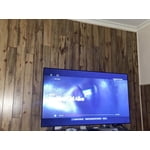
[This review was collected as part of a promotion.] I love my Samsung Tv… It has a great picture, I love that if I want to game the tv auto adjust to game mode. Nice crisp sound software update that downloads auto so u don't have too. Best tv I've had in the last 20 yrs of buying. I'm also thinking about upgrading to a newer Samsung model 75 just to see Samsung can out do themselves lol…. They are their only competitors. They out do them self they stand alone in the television world.

Review from Samsung US
Helpful?3STAXRT0NDXF13883163940
reply from Samsung Brand Ambassador

Hi ToppsyKretts, Thank you for purchasing the Samsung TU700D Crystal UHD TV. I am happy to hear that you are enjoying your new TV with High Dynamic Range (HDR), which lets you enjoy a wide spectrum of colors and detail, even in dark scenes. You can contact Samsung Customer Support with any questions or concerns with usage, features, or how to best optimize your settings. Call us at 1-800-SAMSUNG, 8 AM - 12 AM EST, seven days a week. LiveChat with an agent, as well as manuals, software, and warranty info, can be found at the ‘Support’ link on our Samsung website. ~ Samsung Advisor

Feb 7, 2021
Reviewer name: DRose
5 out of 5 stars
5 out of 5 stars review

Quality for the price

i am absolutely impressed with this tv. i was not sure i was making the right purchase because of the low price for the size, i know samsung products are pretty good quality so this helped me made my final desicion to buy this product. first it was pretty easy to set up, that is also important to me. the quality of this product is excellent for the price, clear images and excellent sound. i am very happy with my purchase and absolutely recoment this product!

Review from Samsung US
Helpful?3STAXRT0NDXF13883163940
Feb 24, 2022
Reviewer name: Oooo
3 out of 5 stars
3 out of 5 stars review

Its Ok

i cant say there's anything that i love about this tv. i was used to the roku tcl that we had, and the ease of choosing an app or live tv. with this one, the remote doesnt let you click fast through anything, and if you try to, it skips way ahead. the tv turns on by itself almost every night which is incredibly annoying to have to go into the app and turn it off again. some of the apps make you use the phone app to stream to the tv when n the tcl that was never an issue.

Review from Samsung US
Helpful?3STAXRT0NDXF13883163940
reply from Samsung Brand Ambassador

Oooo: I'm sorry to hear your experience with Samsung's TU7000 TV has fallen short of your expectations. 1. Unplug the TV from the wall outlet or surge protector and leave it unplugged for 30 seconds. 2. Check the power cord to see if there is any visible damage. 3. Plug the TV power cord back into the wall outlet. If you were using a surge protector, bypass it for now and use a wall outlet. 4. Try to update the software. In some cases, a software update can correct the problem. There is a risk, however. If the TV turns off during the software update, it could damage the TV. Updates can take up to 30 minutes depending on network speed, so if the TV is not turning off too frequently, try updating the software. 5. Disable the Power On with Mobile option. TVs that can connect to SmartThings can be turned on using compatible devices, sometimes automatically. However, if abnormal "power on" signals are sent through the wireless network, they will trigger this function and make the TV turn on. If you do not want this function, navigate to Settings > General > Network > Expert Settings > Power On with Mobile, and turn the setting off. If the TV continues to turn on by itself continuously, please contact our Samsung Customer Support. Call us at 1-800-SAMSUNG (ask for TVs), available 8AM - 12AM EST, 7 days a week. Our team is always here to help! - Samsung Advisor

Jun 26, 2020
Reviewer name: VanCooler360
1 out of 5 stars
1 out of 5 stars review

The screen went red!!!

[This review was collected as part of a promotion.] hi after having the tv for two days. all that we saw was red!....the picture never changed. we returned it to the store and we got another brand. the store said that they have had problems with this tv mainly picture. thanks

Review from Samsung US
Helpful?3STAXRT0NDXF13883163940
reply from OBA

VanCooler360: Thank you for sharing your review of the Samsung TU7000. I am very sorry that your experience with this TV was less than perfect, and you have decided to return it. Should you ever decide to give Samsung TVs another try and have questions or need assistance with settings, setup, or features, please know we are always here to help. Again, my sincerest apologies. We hope to regain you as a customer in the future. 1) Phone: 1-800-SAMSUNG, Available 8AM -12AM EST (7 Days a Week) 2) LiveChat: https://www.samsung.com/us/support/#contact_us_for_support 3) Facebook Messenger: https://www.facebook.com/samsungsupport 4) Twitter: https://twitter.com/SamsungSupport 5) The Samsung Members Community is also a great resource for getting help from Samsung moderators and customers: https://us.community.samsung.com ~ Samsung Solutions

Mar 30, 2021
Reviewer name: TheCodename
5 out of 5 stars
5 out of 5 stars review

Excellent Workmanship

[This review was collected as part of a promotion.] I have everything I need with this TV. The features are simple and straight forward. Easy to use for the average tech knowledgeable user. This TV is basically a one stop shop whereas you don't really need to connect any external device other than a gaming system and possibly a cable box. The Game Mode feature is super awesome when it comes to playing my XBOX One X. I think I'll be going with Samsung for TV's from this point forward. Thank You Samsung!

Review from Samsung US
Helpful?3STAXRT0NDXF13883163940
Aug 7, 2022
Reviewer name: Crutchizm
3 out of 5 stars
3 out of 5 stars review

Excellent TV - NO major complaints

[This review was collected as part of a promotion.] Once powered up, I found the remote control to be very simple, and surprisingly intuitive. I give the remote 4 stars for two reasons: the buttons are not back-lit or visible at all in the dark, and the remote is small and black which means I lost it three times in one night of viewing. * The quality of the graphics are very good. The screen is very reflective which can be bothersome for daytime viewing. I would have included a picture, but the tv behaved like a mirror and I didn't want to post a selfie. * The smart features were very intuitive, and highly functional. Within minutes I had set up access for YouTube, Netflix, Amazon Prime, Disney+ and HBO Max. This was the main reason for me to upgrade from my 55" Samsung screen, which was nearly 10 yrs old. * I plugged in my Chromecast, and the TV recognized it and began offering Google Assistant as a voice command option. * I still haven't figured out how to get Ambient mode working. It isn't important for me anyway, so I gave up. I may try again in the future out of morbid curiosity. * I have a separate Sony stereo receiver with bookshelf speakers. I plugged in the optical cable and HDMI, and it worked immediately. The two devices "talk" to each other, so I only need to use the remote that came with the TV. Overall, I am very happy with this purchase. The interface is now much simpler than what I had before. I'm a tech person by trade, so the added complexity I used to deal with didn't bother me.

Review from Samsung US
Helpful?3STAXRT0NDXF13883163940
reply from Samsung Brand Ambassador

Hi Crutchizm, Thank you for your detailed review of the Samsung TU7000 TV; we appreciate the time you took to write it. To assist you with Ambient Mode, go to Settings > General > Eco Solution > Ambient Light Detection and enable or disable it from there. Please let us know if there is anything else we can do to help you improve your experience with your new TV. Call us at 1-800-SAMSUNG, 8 AM - 12 AM EST, seven days a week. Or visit us on the Samsung website and click on the ‘Support’ link for: 1) LiveChat with an agent 2) Manuals, Software, & Warranty Info Thanks for being a part of the Samsung family! ~ Samsung Advisor

Sep 24, 2021
Reviewer name: Awesome
5 out of 5 stars
5 out of 5 stars review

Great tv

[This review was collected as part of a promotion.] Mainly use this TV for streaming because we got rid of cable. I also use for my PS4 playing games. The only thing is when I upgraded from my 65", the remote was different. It took a while for my wife to get use to it. For the price, you can't beat it. I really love this TV. I've installed all my streaming apps and they work great. Will not buy anything but Samsung.

Review from Samsung US
Helpful?3STAXRT0NDXF13883163940






