Join Now
Skip to Main Content
Sam's Club
Sam's Club
All Departments
All Services
Customer reviews for SAMSUNG 75" Class TU700D-Series Crystal Ultra HD 4K Smart TV UN75TU700DFXZA for
SAMSUNG 75" Class TU700D-Series Crystal Ultra HD 4K Smart TV UN75TU700DFXZA
4.4 out of 5 stars
stars
10.4K ratings10K reviews
  1. 5 stars69% (7,261)
  2. 4 stars18% (1,887)
  3. 3 stars5% (566)
  4. 2 stars3% (265)
  5. 1 star5% (499)

Member photos

  • +1529 images
Sort by |
Showing 1,361-1,370 of 10,069 reviews
Oct 11, 2021
Reviewer name: Dougiee
5 out of 5 stars
5 out of 5 stars review

This tv is more that just crystal UHD

[This review was collected as part of a promotion.] I usually don't review anything but when I do take the time is because my happiness couldn't be any better. I enjoy playing ps4 Madden 2021 ans the graphics looks so clear that I've tricked friends thinking I'm watching a real game lol. I always steam football.games and when I have the family over I enjoy watching movies. I would recommend to family and friends.

Review from Samsung US
Helpful?3STAXRT0NDXF13883163940
Jul 15, 2020
Reviewer name: BIBASH
2 out of 5 stars
2 out of 5 stars review

Bad experience

bought this tv on july 03, 2020. was fine for first few days but now the screen is blinking automatically when i played the video. either i have to stop that video and play other video or i have to power off tv for 5 mins. its so irritating now and decided to return.

Review from Samsung US
Helpful?3STAXRT0NDXF13883163940
reply from OBA

BIBASH: Thank you for sharing your review of the Samsung TU7000 TV. I am very sorry that issues with your TV have caused you to return it. I completely understand your disappointment. Again, my sincerest apologies. We hope to regain you as a customer in the future. Should you ever decide to give Samsung TVs another try and have questions or need assistance with settings, setup, or features, please know we are always here to help. Samsung TV Support is available at 1-800-SAMSUNG (8AM -12AM EST, 7 days a week) Or visit us on the Samsung website and click on the SUPPORT link in the upper right corner for: 1) Contact Us Options (LiveChat, Remote Support, Facebook, Twitter) 2) Product Support 3) Manuals and Downloads 4) Warranty Info 5) Product Registration: Registering your product gives you access to easy warranty support, convenient opt-in to special promos and offers, faster troubleshooting and service, and quick notification of system updates 6) Samsung Community: A great resource for getting help from Samsung moderators and customers and more 7) …and more product, repair, order, and care options Again, thank you for taking the time to share your thoughts on this product. Your feedback helps us continuously deliver best-in-class products and service. ~ Samsung Solutions

Sep 28, 2022
Reviewer name: JohnPaul
5 out of 5 stars
5 out of 5 stars review

Great Television

[This review was collected as part of a promotion.] We watch Antenna TV, Blue Ray Discs, and we are hooked up to the internet via WiFi. Had the TV for a little over 2 years and it has worked flawlessly. We appreciate having Samsung TV for additional free channels.

Review from Samsung US
Helpful?3STAXRT0NDXF13883163940
Aug 23, 2022
Reviewer name: Ronald
5 out of 5 stars
5 out of 5 stars review

Replacement Tv

[This review was collected as part of a promotion.] Tv was a replacement for a 65 inch tv from somebody else. This newer tv works well. It works with the Dish Network receiver. It also works well with streaming applications like Amazon, Hulu, Paramount, and Vudu. I would have loved to replace the prior 65 inch with another 65 inch but did not think it would fit in my vehicle. I wish it had google tv but I have not really found any applications that I want that will not install to the tv.

Review from Samsung US
Helpful?3STAXRT0NDXF13883163940
Dec 2, 2022
Reviewer name: T2022
1 out of 5 stars
1 out of 5 stars review

Too dark...no backlight controls.

Bought this last week. Background is so dark that it cannot be watched except in darkest room even with maximum brightness and everything reset as per Samsung recommendations. Backlight controls have been removed by Samsung so cannot fix. Samsung help line says its the fault of the TV producers who make movies and shows too dark. Taking it back, getting different manufacturer.

Review from Samsung Canada
Helpful?3STAXRT0NDXF13883163940
reply from Operations

Hi T2022, thank you for sharing your thoughts with us. We’re sorry to hear that you’re disappointed, and we will be sure to share your feedback with our teams so we can continually improve our products, services, and processes. Thanks again.

Sep 15, 2020
Reviewer name: spatty
5 out of 5 stars
5 out of 5 stars review

Great TV

[This review was collected as part of a promotion.] It has so many features such as free samsung tv, hulu, netflix, alexa compatibility as well as integration with Apple play and Apple music. As an avid Apple user, this tv is compliant with both my iPhone and Mac which makes it very easy and intuitive to use.

Review from Samsung US
Helpful?3STAXRT0NDXF13883163940
Oct 3, 2020
Reviewer name: Shawna B
5 out of 5 stars
5 out of 5 stars review

Great Image 55' TV

[This review was collected as part of a promotion.] Stoning image everything look so real when people come to my house the dont want to get there eyes off the TV they always ask what TV is that i have to explain the whole deal over and over thanks samsung to keep costumers always Happy

Review from Samsung US
Helpful?3STAXRT0NDXF13883163940
Jul 25, 2022
Reviewer name: Smwdway
5 out of 5 stars
5 out of 5 stars review

Best tv I ever owned

[This review was collected as part of a promotion.] I use my Samsung TV for streaming, watching sports, playing Nintendo Switch and movies. It really brings my family together when we have movie night. I often get compliments from our guest when they see how clear and good my Samsung TV shows. I am very satisfied. Thank you so much Samsung.

Review from Samsung US
Helpful?3STAXRT0NDXF13883163940
Jun 6, 2023
Reviewer name: Angela06
1 out of 5 stars
1 out of 5 stars review

I bought this television about a year and a half ago, the screens is now continuously super dim which you can hardly see in a bark room. I'm not happy about having to repair or replace it. Neither of which is going to happen any time soon, I'm not made of money. Does make me feel confident is Samsung products. 🤦🏻‍♀️🤷🏻‍♀️

Review from Samsung Canada
Helpful?3STAXRT0NDXF13883163940
reply from Samsung Support Team

Hello, thank you for your review. We are here to help. Please contact us at 1-800-SAMSUNG or via live chat on our website (http://www.samsung.com/ca/support/) for assistance. Thanks again, we look forward to hearing from you.

Jan 21, 2021
Reviewer name: Mike
3 out of 5 stars
3 out of 5 stars review

Samsung issue remains
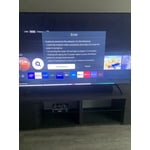
i have read plenty of forums and read a lot about this samsung issue that these tvs have. the tv is excellent when it comes down to picture and viewing but i have had too many times where it loses signal from the wireless router! this is very annoying when you want to simply come home and watch tv but have to keep resetting the connection.

Review from Samsung US
Helpful?3STAXRT0NDXF13883163940
reply from Samsung Brand Ambassador

Mike: Thank you for purchasing the Samsung TU7000 TV and for your review. I am very sorry you are experiencing Wi-Fi connection issues. A firmware update is available which may help improve your connection. (1420.0 released on 1/5/21) Using your TV's remote, navigate to Settings, and select Support. Select Software Update, and then select Update Now. New updates will be downloaded and installed on your TV. Updates usually take a few minutes; please do not turn off the TV until the update is complete. When the update is finished, the TV will restart automatically. You may also want to enable automatic updates for future convenience. Select Settings > Support > Software Update, then select Auto Update. Should your problem persist, please contact Samsung Customer Support: 1-800-SAMSUNG (ask for TVs), available 8AM -12AM EST, 7 days a week Or visit us on the Samsung website and click on the ‘Support’ link in the upper right corner of the homepage for: 1) Contact Us Options (LiveChat, Remote Support, Facebook, Twitter) 2) Product Support 3) Manuals and Downloads 4) Warranty Info 5) Product Registration: Registering your product gives you access to easy warranty support, convenient opt-in to special promos and offers, faster troubleshooting and service, and quick notification of system updates 6) Samsung Community: A great resource for getting help from Samsung moderators and customers and more 7) …and more product, repair, order, and care options ~ Samsung Solutions