Skip to Main Content
Sam's Club
Sam's Club
All Departments
All Services
Customer reviews for SAMSUNG 75" Class TU700D-Series Crystal Ultra HD 4K Smart TV UN75TU700DFXZA for
SAMSUNG 75" Class TU700D-Series Crystal Ultra HD 4K Smart TV UN75TU700DFXZA
4.4 out of 5 stars
stars
10.4K ratings10K reviews
  1. 5 stars69% (7,257)
  2. 4 stars18% (1,886)
  3. 3 stars5% (566)
  4. 2 stars3% (265)
  5. 1 star5% (498)

Member photos

  • +1523 images
Sort by |
Showing 1,221-1,230 of 10,063 reviews
Sep 15, 2020
Reviewer name: Sportsindallas
5 out of 5 stars
5 out of 5 stars review

Phenomenal picture and easy to set up

[This review was collected as part of a promotion.] The picture clarity and sound quality are top notch for the class. The apps are customizable so your most frequented are easy to access. Initial set up is simple and well explained to sync to your phone and other Samsung products.

Review from Samsung US
Helpful?3STAXRT0NDXF13883163940
Sep 15, 2020
Reviewer name: Bestbuyshopper
5 out of 5 stars
5 out of 5 stars review

Great quality product

[This review was collected as part of a promotion.] This tv is of good quality and good picture. Connected very easily to WiFi. Downloaded apps onto the tv. The picture looks great and I paid a fair price. Samsung tv's are the way to go. Excited to continue to use this product.

Review from Samsung US
Helpful?3STAXRT0NDXF13883163940
Sep 15, 2020
Reviewer name: nurseb23
5 out of 5 stars
5 out of 5 stars review

this product is the best!

[This review was collected as part of a promotion.] ive been looking for a TV for a few months when i came across this one i knew i had to have it. It's the best the quality is amazing, the sound, & over all would recommend to anyone looking for a new TV.

Review from Samsung US
Helpful?3STAXRT0NDXF13883163940
Sep 20, 2021
Reviewer name: R2IN
3 out of 5 stars
3 out of 5 stars review

It is what it is

[This review was collected as part of a promotion.] The TV is working what the price is. I got a lot reflect when my room is bright. I didn't use the smart app from this TV because it is kindly lagging. It work with apply airplay but it lost some airplay functions compare to Apple TV. It doesn't have Chrome cast only have screen share with Samsung device. So I need to add chrome cast when I want to do chromecast. Overall, this TV is functional what I expected.

Review from Samsung US
Helpful?3STAXRT0NDXF13883163940
Oct 22, 2020
Reviewer name: FoxMulder
5 out of 5 stars
5 out of 5 stars review

Better than I hoped for

[This review was collected as part of a promotion.] This TV is absolutely great. I bought it at a great price and was impressed by the upgrade to 4k was on a Samsung tv. I do wish the menu was a little easier to navigate, however there is no lag or delay when switching between apps or inputs. I would definitely buy this tv again.

Review from Samsung US
Helpful?3STAXRT0NDXF13883163940
Sep 15, 2020
Reviewer name: yngidea
3 out of 5 stars
3 out of 5 stars review

Navigating the interface

[This review was collected as part of a promotion.] Hi I wanted to let you know that the interface to move between apps and other aspects of the UI is pretty bad. For one, the highlighted app is hard to detect especially if the app logo is black. Secondly, the controls on the remote and how the UI interacts with it is very clunky - i can't seem to get the cursor to where I want it very easily. It also always want to default to samsung TV - which is annoying. This is not a simple problem - the interface is so bad I believe you will not get repeat buying of this platform unless it is updated to work better and be more intuitive. Please let me know if there are plans to update the UI.

Review from Samsung US
Helpful?3STAXRT0NDXF13883163940
Oct 6, 2022
Reviewer name: Miamihitter305
4 out of 5 stars
4 out of 5 stars review

Great TV. Just needs more hdmi inputs
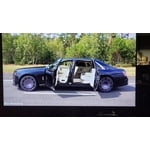
[This review was collected as part of a promotion.] TV great so far. Volume is not very high and only has 2 hdmi in its class that very low. Also menu is very hard to navigate and so is voice control with Google or Alexa. But picture also gets too dark. I'm wondering if this is truly HDR.

Review from Samsung US
Helpful?3STAXRT0NDXF13883163940
Jul 30, 2022
Reviewer name: Rabbit
5 out of 5 stars
5 out of 5 stars review

Great price for a great product!!!

[This review was collected as part of a promotion.] The Tv is wonderful! It has a wide visual display (Ie colour, dynamic range, shadow composition). Loud speakers (I normally don't turn it up past 20 vol so I don't disturb my neighbors), and 4k resolution in a small budget that fits just about anywhere.

Review from Samsung US
Helpful?3STAXRT0NDXF13883163940
Oct 25, 2022
Reviewer name: Arsoun2
5 out of 5 stars
5 out of 5 stars review

This product is great to own
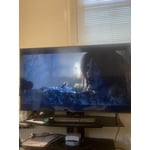
[This review was collected as part of a promotion.] I use my Samsung TV to watch movies, sports shows, and gaming. It's fairly easy to use and not expensive to purchase in a tough economy. The Bluetooth compatibility one of the best features I enjoy with my Samsung TV.

Review from Samsung US
Helpful?3STAXRT0NDXF13883163940
Apr 19, 2021
Reviewer name: Jordy
3 out of 5 stars
3 out of 5 stars review

Good for now

[This review was collected as part of a promotion.] Its a great TV in general but as far as processing speeds go I personally feel it could definitely be faster but that's pretty much all TVs. The TVs feet are sturdy but rather long. As far as the tv itself goes it's an imaculent picture , average sound quality and a fairly comfortable user interface

Review from Samsung US
Helpful?3STAXRT0NDXF13883163940
reply from Samsung Brand Ambassador

Hi Jordy, Thank you for purchasing the Samsung TU7000 and for your review. I am happy to hear that you are enjoying your new television featuring our ultra-fast Crystal Processor 4K and HDR for stunning definition and a naturally crisp and vivid picture. We appreciate your feedback regarding your TV's response time. The interface issue you are describing may be related to your network connection and quality. We suggest you try the following: 1. Use 5G Wi-Fi if possible 2. Try wired LAN if available 3. Try repositioning the router so there are no obstacles between your TV and the router To further optimize the smart TV performance, please try Device Care option under the Support Menu. Go to Settings > Support> Device Care > Start Device Care. This improves your apps performance as it frees up unused cached memory and closes background apps. We also recommend you check that your TV is running the latest firmware. Using your TV's remote, navigate to Settings, and select Support. Select Software Update, and then select Update Now. New updates will be downloaded and installed on your TV. Updates usually take a few minutes; please do not turn off the TV until the update is complete. When the update is finished, the TV will restart automatically. If there aren't any new updates, select OK to exit. You may want to enable automatic updates for conveniences. Select Settings- Support- Software Update, then select Auto Update. I hope these tips help. Should you need further assistance, please contact Samsung Customer Support at 1-800-SAMSUNG (ask for TVs), available 8AM -12AM EST, 7 days a week. Or text HELP to 62913. For additional support resources, visit us on the Samsung website and click on the ‘Support’ link in the upper right corner of the homepage for: 1) More ‘Contact Us’ options – LiveChat, Facebook, Twitter, Samsung Community, Samsung Members app 2) Manuals & Software 3) Warranty Info 4) Product Registration: For access to easy warranty support, convenient opt-in to special promos and offers, faster troubleshooting and service, and quick notification of system updates. We hope to hear from you soon. ~ Samsung Specialist