
Skip to Main Content
Sams Club
Sams Club
Customer reviews for SAMSUNG 65" Class TU700D-Series Crystal Ultra HD 4K Smart TV UN65TU700DFXZA for
SAMSUNG 65" Class TU700D-Series Crystal Ultra HD 4K Smart TV UN65TU700DFXZA

Member photos

  • +1554 images
Sort by |
Showing 921-930 of 10,369 reviews
Feb 11, 2021
msui
1 out of 5 stars review

Expensive way to get 2 AAA batteries

get ready to meet your local samsung support, again, again and again! red dots on the screen within a week, get the screen replaced. now refuses to connect to wifi! switch to using legacy 802.11b. can't connect to smarttthings app! use remote to do setup. can't dowload terms and conditions! congratulations, the only useful thing you have left are the batteries in the remote

Review from Samsung US
Helpful?3V8BU16WBLTL13878902648
reply from Samsung Brand Ambassador

msui: I am sorry to hear that you are experiencing multiple issues with your TU7000 even after a service appointment. I understand your disappointment and frustration. You may want to reset your TV to factory settings by going to Settings > General > Reset Additionally, to check your network, please try the following troubleshooting steps: 1) Check the distance between the TV and your modem or access point. The distance should not exceed 50 ft. (15.2 m). 2) Minimize interference by not using or turning off wireless devices. Also, verify that there are no obstacles between the TV and the modem or access point. (Wi-Fi strength can be decreased by appliances, cordless phones, stone walls/fireplaces, etc.) 3) Perform a network test to check if there is a network problem. Press the Home button on your remote. Navigate to Settings > Support > Device Care > Self Diagnosis> Smart Hub Connection Test 4) Try a cold reboot of your TV by pressing and holding the power button for 5+ seconds until the TV turns off and on again. 5) Please also be sure you have the latest firmware update. You may want to enable automatic updates for convenience. Select Settings > Support > Software Update, then select Auto Update. For further assistance or service, please contact us via any of the following options: 1-800-SAMSUNG (ask for TVs), available 8AM -12AM EST, 7 days a week Or visit us on the Samsung website and click on the ‘Support’ link in the upper right corner of the homepage for: 1) Contact Us Options (LiveChat, Remote Support, Facebook, Twitter) 2) Product Support 3) Manuals and Downloads 4) Warranty Info 5) Product Registration: Registering your product gives you access to easy warranty support, convenient opt-in to special promos and offers, faster troubleshooting and service, and quick notification of system updates 6) Samsung Community: A great resource for getting help from Samsung moderators and customers and more 7) …and more product, repair, order, and care options ~ Samsung Solutions

Mar 18, 2024
TVless in NC
1 out of 5 stars review

Hot Garbage
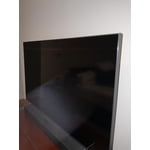
This TV is trash. It lasted less than 2 years. I purchased it on 4/9/2022. I use to think Samsung was the best until now. It initially started doing some weird blackout splotches in different sections of the tv. We used a workaround by purchasing a fire stick. Then a line went through the tv that would come and go. We couldn't do anything about that. And now it finally died and it's just flickering on and off. Needless to say, this is my last Samsung.

Review from Samsung US
Helpful?3V8BU16WBLTL13878902648
Oct 21, 2020
AG13
1 out of 5 stars review

Apps go in and out.

[This review was collected as part of a promotion.] The TV has wonderful color, but what is the point of buying a smart tv if the smart features do not work. I couldn't connect with my phone; and, I could not get the apps to work. Finally, one day they just decided to work. During covid a TV is almost essential to get through the day. So sad that I spent so much money for it not to work. I even had support replace the mother board twice.

Review from Samsung US
Helpful?3V8BU16WBLTL13878902648
reply from OBA

AG13: I am very sorry that you experienced issues with your TU7000 TV and required warrant service. I understand your disappointment and frustration. Please know that Samsung is committed to providing the best possible product experience, quality, and value, and your feedback will be shared with our product and customer care teams. Should you continue to have any issues with your TV, please contact Samsung Customer Support. 1-800-SAMSUNG (available 8AM -12AM EST, 7 days a week) Or visit us on the Samsung website and click on the ‘Support’ link in the upper right corner of the homepage for: 1) Contact Us Options (LiveChat, Remote Support, Facebook, Twitter) 2) Product Support 3) Manuals and Downloads 4) Warranty Info 5) Product Registration: Registering your product gives you access to easy warranty support, convenient opt-in to special promos and offers, faster troubleshooting and service, and quick notification of system updates 6) Samsung Community: A great resource for getting help from Samsung moderators and customers and more 7) …and more product, repair, order, and care options ~ Samsung Solutions

Aug 3, 2021
Aron
2 out of 5 stars review

Wifi streaming is not good

video quality is not good for streaming. very jittery and cant seem to refresh fast enough. also loses wifi connection on the regular when none of our other devices do. overall, i would recommend a roku streaming tv. samsung still has work. disappointing, as ive been a big fan of samsung in the past

Review from Samsung US
Helpful?3V8BU16WBLTL13878902648
Oct 19, 2020
ck00
1 out of 5 stars review

Only lasted 5 days...

bought the tv on 10/14. stopped working 5 days later. won't power on. standby light blinks every few seconds. went through all troubleshooting steps. warranty claim requiring me to wait 3 days to get it serviced. i like samsung tvs and have had good luck with a few i have owned, but sometimes, things just are lemons. just seems like i should be able to swap it out with another one.

Review from Samsung US
Helpful?3V8BU16WBLTL13878902648
reply from OBA

ck00: Thank you for purchasing the Samsung TU7000 TV. I am very sorry that you are experiencing issues turning your TV on. While you are waiting for Samsung Service, you may want to try the following troubleshooting steps: (1) Make sure that the AC power cord is securely plugged in to the TV and the wall outlet. (2) Make sure that the wall outlet is working and the power indicator at the bottom of the TV is lit and glowing a solid red. If it is off, the TV either does not have power, or it is on and the screen is black. If it is blinking, your TV may need service. (3) Try pressing the TV Controller button at the bottom of the TV to make sure that the problem is not with the remote control. (4) If the TV turns on, your issue may be with the remote control I hope this helps. Should you need further assistance even after your service appointment, please contact Samsung Customer Support: 1-800-SAMSUNG (available 8AM -12AM EST, 7 days a week) Or visit us on the Samsung website and click on the ‘Support’ link in the upper right corner of the homepage for: 1) Contact Us Options (LiveChat, Remote Support, Facebook, Twitter) 2) Product Support 3) Manuals and Downloads 4) Warranty Info 5) Product Registration: Registering your product gives you access to easy warranty support, convenient opt-in to special promos and offers, faster troubleshooting and service, and quick notification of system updates 6) Samsung Community: A great resource for getting help from Samsung moderators and customers and more 7) …and more product, repair, order, and care options ~ Samsung Solutions

Oct 23, 2021
shell
2 out of 5 stars review

Never again

This was my first Samsung tv & will be my last !!! Navigation is horrible, backing out of apps are slow, apps suck & remote is not practical. However I am the type of person that has to find positives in everything . So … the picture quality & sound are pretty good . But I want more then that out of my tv

Helpful?3V8BU16WBLTL13878902648
Aug 26, 2021
ben
2 out of 5 stars review

Great on regular tv but 4k is too dark

Tried all setting and updates and spent time with Samsung to get the picture better, turned off all eco setting and set brightness all the way up and the 4k is still to dark,i know its the tv because our older Sony 4k is much better, we just wanted a bigger tv, will be retuning this tv

Helpful?3V8BU16WBLTL13878902648
Dec 28, 2022
Snowman_455
3 out of 5 stars review

Good tv beside this short life it has.

This model of tv must have defects built into it. This is the second TU7000 we had, each one only lasted two years almost to the day. Both time it was the main panel. We are waiting for yet another tv replacement. It gets costly with the travel time and cost of replacing this television. Once was bad enough but twice in four years, come on Samsung you need better model.

Review from Samsung Canada
Helpful?3V8BU16WBLTL13878902648
reply from Operations

Hi Snowman_455, thank you for sharing your feedback. At Samsung.ca, we always aim to satisfy our valued customers and would love to help. Please feel free to contact us at 1-800-SAMSUNG or via live chat on our website (http://www.samsung.com/ca/support/) for assistance. Thanks! 

Aug 21, 2022
Stephanie brown
1 out of 5 stars review

Verified Purchase

Don't get it

This computer is maybe 3 weeks old and it's garbage the screen has vanished

Review from Samsung Canada
Helpful?3V8BU16WBLTL13878902648
reply from Operations

Hi Stephanie, thank you for reaching out. We're here to help. Could you please tell us more about the situation? Get in touch at 1-800-SAMSUNG or via live chat on our website (http://www.samsung.com/ca/support/) 

Sep 14, 2022
Elizabet
5 out of 5 stars review

Samsung company awesome thank you

its beautiful 🙏 thank you samsung your the best your loyal customer.

Review from Samsung US
Helpful?3V8BU16WBLTL13878902648




