Skip to Main Content
Sam's Club
Sam's Club
All Departments
All Services
Customer reviews for SAMSUNG 65" Class TU700D-Series Crystal Ultra HD 4K Smart TV UN65TU700DFXZA for
SAMSUNG 65" Class TU700D-Series Crystal Ultra HD 4K Smart TV UN65TU700DFXZA
4.5 out of 5 stars
stars
11.3K ratings10.3K reviews
  1. 5 stars70% (7,941)
  2. 4 stars18% (1,994)
  3. 3 stars5% (589)
  4. 2 stars3% (284)
  5. 1 star5% (523)

Member photos

  • +1563 images
Sort by |
Showing 931-940 of 10,372 reviews
Nov 19, 2023
Reviewer name: KeriL
1 out of 5 stars
1 out of 5 stars review

Black screen of death.

This is my first bad Samsung TV. I've bought many Samsungs because I like the features they offer but recently I bought a 65” and this 70”, both tvs were lightly used but this on w died after 3 years. This comes as a surprise to me because this tv probably has less than 1k hours of on time. This tv is stuck at a black screen where it cycles on and off all day/ everyday unless i unplug it

Review from Samsung US
Helpful?3V8BU16WBLTL13878902648
Mar 11, 2021
Reviewer name: Bill
3 out of 5 stars
3 out of 5 stars review

Slow response

the tv is slow to respond to controller input. otherwise its nice.

Review from Samsung US
Helpful?3V8BU16WBLTL13878902648
reply from Samsung Brand Ambassador

Bill: Thank you for your review of the TU7000 TV and sharing your experience with slow remote response time. To optimize the smart TV performance, please try Device Care option under the Support Menu. Go to Settings > Support> Device Care > Start Device Care This service checks memory and frees up unused cached memory and closes background apps. Please also be sure you are running the latest firmware. You can check to see what software version your TV is using and if there is an available update through the settings on your TV. Go to: Settings > Support > Software Update. Should you need further assistance, please contact Samsung Customer Support. 1-800-SAMSUNG (ask for TVs), available 8AM -12AM EST, 7 days a week Or visit us on the Samsung website and click on the ‘Support’ link in the upper right corner of the homepage for: 1) Contact Us Options (LiveChat, Remote Support, Facebook, Twitter) 2) Product Support 3) Manuals and Downloads 4) Warranty Info 5) Product Registration: Registering your product gives you access to easy warranty support, convenient opt-in to special promos and offers, faster troubleshooting and service, and quick notification of system updates 6) Samsung Community: A great resource for getting help from Samsung moderators and customers and more 7) …and more product, repair, order, and care options ~ Samsung Solutions

Apr 29, 2020
Reviewer name: Ibrahim88
1 out of 5 stars
1 out of 5 stars review

Terrible

Keeps freezing it's my first time buying a Samsung I'm an Lg guy definitely returning this tomorrow

Review from Samsung US
Helpful?3V8BU16WBLTL13878902648
reply from OBA

Ibrahim88, I am sorry that you are experiencing stalling and freezing with your TU7000 TV. To optimize the smart TV performance, please try Device Care option under the Support Menu. Go to Settings > Support> Device Care > Start Device Care. This service checks memory and frees up unused cached memory and closes background apps. I hope this helps to solve your concerns. If the issues persist, please reach out to Samsung Customer Support at: 1) Phone: 1-800-SAMSUNG (ask for TVs) Available 8AM - 12AM EST (Mon-Fri) / 9AM - 11PM EST (Sat-Sun) 2) LiveChat: https://www.samsung.com/us/support/#contact_us_for_support 3) Facebook Messenger: https://www.facebook.com/samsungsupport 4) Twitter: https://twitter.com/SamsungSupport Have you registered your new Samsung TV with us? If not, we invite you to do so at: https://www.samsung.com/us/account/signin/?redirect=https%3A%2F%2Fwww.samsung.com%2Fus%2Fsupport%2Fregister%2F, and gain access to easy warranty support, convenient opt-in to special promos & offers, faster troubleshooting & service, and quick notification of system updates. -Samsung Ambassador  

Aug 21, 2022
Reviewer name: Stephanie brown
1 out of 5 stars
1 out of 5 stars review

Verified Purchase

Don't get it

This computer is maybe 3 weeks old and it's garbage the screen has vanished

Review from Samsung Canada
Helpful?3V8BU16WBLTL13878902648
reply from Operations

Hi Stephanie, thank you for reaching out. We're here to help. Could you please tell us more about the situation? Get in touch at 1-800-SAMSUNG or via live chat on our website (http://www.samsung.com/ca/support/) 

Apr 27, 2022
Reviewer name: Neededanewtv
5 out of 5 stars
5 out of 5 stars review

Fantastic picture!

We bought this a month ago and have no problems. Love the built in Netflix and Prime Video options.

Review from Samsung Canada
Helpful?3V8BU16WBLTL13878902648
reply from Operations

Thank you, Neededanewtv! It always makes us happy to hear feedback like yours.

Dec 10, 2020
Reviewer name: Bunchie
5 out of 5 stars
5 out of 5 stars review

Fantastic

its like im at the movies but with a better picture

Review from Samsung US
Helpful?3V8BU16WBLTL13878902648
Jul 29, 2021
Reviewer name: snowbird
5 out of 5 stars
5 out of 5 stars review

Easy set-up!! Crystal clear picture!!

for the price and the quality, you just can't beat this tv!

Review from Samsung US
Helpful?3V8BU16WBLTL13878902648
Jul 3, 2020
Reviewer name: Kim
5 out of 5 stars
5 out of 5 stars review

Verified Purchase

65" CLASS TU7000 CRYSTAL UHD 4K SMART TV (2020)
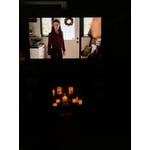
Loving my new Samsung 65” at a great price, fast delivery service.

Helpful?3V8BU16WBLTL13878902648
Dec 17, 2021
Reviewer name: Lar
4 out of 5 stars
4 out of 5 stars review

Verified Purchase

Great tv

Fast and easy setup with my Samsung phone. Great picture and sound.

Helpful?3V8BU16WBLTL13878902648
May 7, 2020
Reviewer name: Sandy
1 out of 5 stars
1 out of 5 stars review

DO NO BUY THIS

Smart Apps freezing problem TV is very slow Volume Issues in some of the smart apps

Review from Samsung US
Helpful?3V8BU16WBLTL13878902648
reply from OBA

Sandy, I am sorry to hear that you are experiencing issue with the Smart TV function of your TU7000 TV. Here is a ink to our troubleshooting guide that may be of help: https://www.samsung.com/us/support/troubleshooting/TSG01205506/ I hope this helps to solve your concerns. If the issues persist, please reach out to Samsung Customer Support at: 1) Phone: 1-800-SAMSUNG (ask for TVs) Available 8AM - 12AM EST (Mon-Fri) / 9AM - 11PM EST (Sat-Sun) 2) LiveChat: https://www.samsung.com/us/support/#contact_us_for_support 3) Facebook Messenger: https://www.facebook.com/samsungsupport 4) Twitter: https://twitter.com/SamsungSupport Have you registered your new Samsung TV with us? If not, we invite you to do so at: https://www.samsung.com/us/account/signin/?redirect=https%3A%2F%2Fwww.samsung.com%2Fus%2Fsupport%2Fregister%2F, and gain access to easy warranty support, convenient opt-in to special promos & offers, faster troubleshooting & service, and quick notification of system updates. -Samsung Ambassador