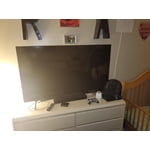
Customer reviews for SAMSUNG 65" Class TU700D-Series Crystal Ultra HD 4K Smart TV UN65TU700DFXZA forMember photos


+1560 images
Nice Picture
[This review was collected as part of a promotion.] After trying the samsung tv for a few weeks I really do find the picture to be vibrant. It has great features and a nice interface. The sound quality is good and the smart part of the tv is handy. I do have to say that I'm bummed it only comes with 2 HDMI ports... and the control buttons on the bottom of the TV are horrible. There should be a dedicated Power button atleast. There is only one button and it's difficult to figure out. The Smart TV feature is great however very laggy. I actually ended up plugging in my ROKU since it was much faster. It does work so you can use it but I was just used to the faster speed. I have used the Samsung TV Plus app on this TV. Its pretty neat as it has a ton of free channels. Netflix and youtube Tv are also plusses on this TV. The remote is your typical remote no fancy bells or whistles just easy to use and straight forward. Overall a great TV with a few minor things I wish could be different.
Tv is ok, remote is a challenge
[This review was collected as part of a promotion.] the overall tv for the price is tine. sound isn't great but not bad. the challenges are the remote control is a problem. and it does not integrate well with my cable (fios) so when you hit the guide, no information is given. and if you have any glare, forget it. you can not see anything. and it wil not allow you to change the size of your picture (no zoom etc). what you see is it and it will not change. again for the proce it is fine, but far from ideal.
Clay: I’m sorry for the difficulties with your TV remote. We understand your frustrations, and are here to help. Please know, With Anynet+, you can control external devices that are connected to your TV with HDMI using your TV remote. To turn on Anynet+ (HDMI-CEC), go to: Settings > General > External Device Manager > Anynet+ (HDMI-CEC). If your cable box does not support HDMI-CEC, you will not be able to use Anynet+. Additionally, you can use the Universal Remote feature to program your connected devices using your TV remote by following these set-up steps: 1) Connect an external device to the HDMI port of the TV, and then power on the external device. Your TV will automatically recognize the device when connected through HDMI and will switch the output. If it doesn't automatically detect it, then keep following the steps to set up Universal Remote. 2) Press the Home button on your TV remote to access the Home Screen. Using the directional pad on the remote, navigate to Source. When the selector is placed over Source, the Source menu will appear. Press UP on the directional pad to access Universal Remote. 3) Select Universal Remote on the Source screen. Next, select Start and make sure the device you want to connect is turned on. When your desired device displays, select it. Follow the on-screen instructions to complete the setup and register the device. The instructions may vary, depending on the device type selected. 4) Your TV and the remote will memorize the external device and its connection port (HDMI 1, HDMI 2, etc.) to make controlling everything even easier. I hope this tip helps. If there is anything we can do to further assist and improve your user experience, please do let us know by contacting Samsung Customer Support. Call us at 1-800-SAMSUNG (ask for TVs), available 8AM - 12AM EST, 7 days a week. For additional support resources, visit us on the Samsung website and click on the ‘Support’ link in the upper right corner of the homepage for: 1) Chat with Us/Product Help: To begin a chat or find solutions, choose ‘TVs & Home Theater’ and select your model & topic. 2) Manuals, Software, & Warranty Info Thank you for choosing Samsung, we hope to hear from you. - Samsung Advisor
Easy navigation, great picture
[This review was collected as part of a promotion.] I use my tv for streaming movies and shows as well as watching YouTube videos. My favorite features are the easy navigation, the bright screen, and the smart remote. The tv is stellar to look at and the sound is encapsulating.
Not so user-friendly
[This review was collected as part of a promotion.] We love the clarity of the picture on this TV and watching shows, movies, sports on it are great. The downside is the remote is too complicated meaning it is not user friendly. It has too many buttons and it takes time to locate the right button you want to press. Also, the platform itself on the TV to locate what you want to watch, (i.e. an app to stream live t.v), is not user friendly either. Again, takes time to simply go into something when it should be a quicker process.
Hi PetiteD, We are happy to hear that you are enjoying your Crystal Processor 4K TV. I have a few tips that may help improve your experience. First, let's ensure you are running the latest Firmware. Go to Settings> Support> Software Update. Next, please know that you can control your TV on your Smartphone by downloading the SmartThings App. To make it easier to quickly find your favorite Apps, you can rearrange your App Menu. Go to Home>Scroll to App of choice> Long hold enter button> Move> scroll left or right until you move it to the desired location. I also recommend utilizing the Autorun Last App feature to automatically start the last app you used once the TV is turned on. To enable this feature, follow the steps below: 1) Navigate to Settings > General > Smart Features > Autorun Smart Hub 2) Enable the Autorun Smart Hub feature 3) Navigate to Settings > General > Smart Features > Autorun Last App 4) Enable the Autorun Last App feature I hope these tips help you enjoy your new product. You can contact us for further help at 1-800-SAMSUNG, 8 AM - 12 AM EST, seven days a week. Our LiveChat agents are also available by clicking on the ‘Support’ link on our website. ~ Samsung Advisor
Great Product
[This review was collected as part of a promotion.] We love our new Samsung TV. In fact we love it so much that we ordered a smaller one for our master bedroom. Both work great and look even better. The remote is very easy to operate and the streaming availability on them is fast and perfect. We use ours to watch normal television and also to stream movies through our dedicated accounts. We will only buy Samsung Televisions from here out.
Perfect Picture
recently rented a cabin branson, mo. the tv there was a samsung, and it had a beautiful picture.when we returned our tv was no longer working properly. i purchased a samsung, and i have been very happy. my only issue is the extremely small buttons on the remote.
Wanting an excellent big screen tv and on a budget
[This review was collected as part of a promotion.] I have had this excellent 75" 4k tv for two years. Price for this tv is still very reasonable. Noticeable difference in picture quality when watching and streaming movies when compared to my previous Samsung LED 65" tv. Easy set up with the convenient HDMI connections that are located on the right side. Easy pairing with Samsung sound bars. Immersive feeling playing certain console games. Remote is not complicated and has one button touches for major streaming video services. Only drawback is the number of HDMI connections available.
Must have! Best Overall!
[This review was collected as part of a promotion.] I use my Samsung tv mostly for streaming shows and movies. It is located in my bedroom. I love how user friendly it is, the remote is easy and quick. The clarity of the picture is outstanding. The hues of color are so vivid. I feel as if I'm in my own movie theater. I love the choices of apps already included and the ease of adding more. Samsung makes the process so simple for purchasing new app subscriptions. The Samsung TV lineup offers so many choices of shows and movies. Even the internet browser is a breeze to use. I love them so much that I have a Samsung TV in 4 other rooms. I am mostly homebound so a great TV is essential. Thank you Samsung!
Frustrating
not at all impressed with the tv. i've tried every setting and they all look like a directors cut. each show and program i try to watch looks fake. i was disappointed. 2nd-the remote has way too many confusing features and i find myself constantlypressing the wrong buttons, exiting out of things i am trying to watch. the buttons arent very clear as to which features they perform, and the tv doesnt make it easy to understand either. stupid and as sad as it sounds, i probably wouldve been happier with a roku.
Kimberly: Thank you for purchasing the Samsung TU7000 4K Smart TV and for your review. I am sorry to hear that you are not completely happy with your TV’s picture. In addition to changing the Picture Mode to adjust your image, you may also want to adjust or disable the Picture Clarity Settings by going to Settings > Picture > Expert Settings > Picture Clarity Settings. We also appreciate your feedback regarding the remote design and will share that with our internal product teams. If you would like assistance with image quality adjustments tailored to your preferred viewing experience. You can reach us via any of the following options: 1-800-SAMSUNG (ask for TVs), available 8AM -12AM EST, 7 days a week Or visit us on the Samsung website and click on the ‘Support’ link in the upper right corner of the homepage for: 1) Contact Us Options (LiveChat, Remote Support, Facebook, Twitter) 2) Product Support 3) Manuals and Downloads 4) Warranty Info 5) Product Registration: Registering your product gives you access to easy warranty support, convenient opt-in to special promos and offers, faster troubleshooting and service, and quick notification of system updates 6) Samsung Community: A great resource for getting help from Samsung moderators and customers and more 7) …and more product, repair, order, and care options ~ Samsung Solutions
Great screen quality
[This review was collected as part of a promotion.] So far I have only used the tv for streaming services but the quality of the image is amazing and the sound is great. I have yet to play games on it but I can't wait to see how it holds up with that.