Skip to Main Content
Sam's Club
Sam's Club
Customer reviews for SAMSUNG 65" Class TU700D-Series Crystal Ultra HD 4K Smart TV UN65TU700DFXZA for
SAMSUNG 65" Class TU700D-Series Crystal Ultra HD 4K Smart TV UN65TU700DFXZA

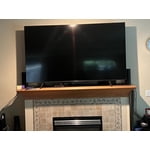
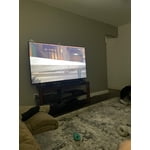
Member photos

  • +1560 images
Sort by |
Showing 4,711-4,720 of 10,370 reviews
Jan 31, 2023
Ninad
3 out of 5 stars review

OK TV, global dimming feature ruins the experience

unlike a few other led backlit tvs, this samsung tv dims the entire areas of screen with a broader than required dimming. that makes the dark scenes a bit too dark, with the few lit areas in the screen also being dimmed. no good. next, the tv's smart meny feature sucks. i have roku for streaming, and this tv's ‘landing page' is the default one when turned on. to get rid of it, you have to press exit every single time. there is no option not to display the smart meny screen upon power on. sucks, samsung. did you get that? convey this to your software team. make the smart menu not default. people with their own streaming devices dont want to be bothered to find the tv remote every time to press exit. same foes for wifi connectivity. stop forcing customers to make the tv connect to wifi.

Review from Samsung US
Helpful?3V8BU16WBLTL13878902648
reply from Samsung Brand Ambassador

Hi Ninad, Thank you for reaching out and letting us know about the issues you are experiencing with the TU700D TV. Please know we are here to help. First, you can change the dimming feature of your TV by adjusting some of the energy efficiency features designed to reduce power consumption. To disable Power Saving Mode, which automatically adjusts the brightness to reduce the TV’s power consumption, go to Settings > General > Eco Solution> Power Saving Mode. Or you can manually adjust the Brightness by pressing the HOME button on your remote, then navigating to Settings > Picture > Expert Settings. Next, to turn off Smart Hub, go to Settings> General> Smart Features> Disable Autorun Smart Hub. Try turning the TV off and on again, and the Smart Hub menu should be disabled, with the current Input Source banner displayed in its place. Alternatively, you can leave Smart Hub enabled and utilize the Autorun Last App feature to automatically start the last app you used once the TV is turned on. To enable this feature, follow the steps below: 1) Navigate to Settings > General > Smart Features > Autorun Smart Hub 2) Enable the Autorun Smart Hub feature 3) Navigate to Settings > General > Smart Features > Autorun Last App 4) Enable the Autorun Last App feature I hope these tips help to improve your enjoyment. For more assistance, please call us at 1-800-SAMSUNG, 8 AM - 12 AM EST, seven days a week. LiveChat with an agent, as well as manuals, software, and warranty info, can be found at the ‘Support’ link on our Samsung website. Thanks for being a part of the Samsung family! ~ Samsung Advisor

Sep 28, 2021
MIMI143MTMOL
5 out of 5 stars review

I would recommend this product to everyone I know

[This review was collected as part of a promotion.] I use my smart TV to watch all my TV shows and series that I love to watch on my cable. I also enjoy watching movies and TV series that are on Netflix and Hulu... The TV visuals and sounds are extremely wonderful. The quality of the picture is out of this world. I love all Samsung products. Even every phone I use is a Samsung also. They are very easy to use, understand and control. The different features come in very handy. I myself prefer Samsung to any other product. I love how my phone can connect with my TV!!! I would definitely recommend Samsung products over any other product out there!!!!

Review from Samsung US
Helpful?3V8BU16WBLTL13878902648
Oct 6, 2020
DailyTVViewer
4 out of 5 stars review

Great TV with slightly laggy UI

[This review was collected as part of a promotion.] Great TV for the price. I have several TVs at home ranging from lower end "cheap" models to very high end models. This TV is a great happy middle. It provides good screen quality with good definition. Smart features are great with endless apps available and if there isn't an app, you can always cast it from your phone. The only reason I've given this 4 stars is because the User Interface can be laggy at times.

Review from Samsung US
Helpful?3V8BU16WBLTL13878902648
Jun 2, 2020
Alison
3 out of 5 stars review

Good not great

I was pleased with the packaging and size of the TV. I was very excited to know that I could download popular apps I use and was able to plug my Firestick in another room. The only app it doesn't have that I use often is Bravo :(. I am not pleased with the volume function. It changes after I pause, rewind or open different apps. Not sure why that is happening. I also wish the home ticker option was more user friendly. I don't know how to edit what is on the home menu. Also the TV has been known to not play Prime movies or just sporadically exit during play. I LOVE the special access to Samsung TV and have enjoyed several our the free shows. The picture quality is good. Overall the positives outweigh the negatives so I am satisfied but not overly happy with my purchase.

Review from Samsung US
Helpful?3V8BU16WBLTL13878902648
reply from OBA

Alison: Thank you for your review of the Samsung TU7000 TV. After downloading your apps, you can rearrange them to your liking by using the Move feature. Your inconsistent sound issue is possibly caused by the source. Try auto volume by going to Settings > Sound > Expert Settings > Auto Volume, and turn it on. Should you need further help with this or any issue, please contact Samsung Support and a representative will gladly assist you. 1) Phone: 1-800-SAMSUNG, available 8AM - 9PM EST, Mon - Fri 2) LiveChat: https://www.samsung.com/us/support/#contact_us_for_support 3) Facebook Messenger: https://www.facebook.com/samsungsupport 4) Twitter: https://twitter.com/SamsungSupport 5) The Samsung Members Community is also a great resource for getting help from Samsung moderators and customers: https://us.community.samsung.com If you have not already done so, we invite you to register your new Samsung product at: https://www.samsung.com/us/account/signin/?redirect=https%3A%2F%2Fwww.samsung.com%2Fus%2Fsupport%2Fregister%2F Registering your product gives you access to easy warranty support, convenient opt-in to special promos and offers, faster troubleshooting and service, and quick notification of system updates. ~ Samsung Solutions

Oct 21, 2020
Stokey
5 out of 5 stars review

Best budget gaming TV

[This review was collected as part of a promotion.] I absolutely love all of your products. I was upset when I had to move and sell my old Samsung TV and then with the pandemic I had to buyer a cheaper brand replacement. It has been serviceable but I've always missed my Samsung TV. I do a lot of online gaming and you guys are always leading the pack in TVs best suited for gaming, the designs are nice and sleek, and the OS is best among smart TVs. The only real complaint I have is the lack of a 3rd HDMI port.

Review from Samsung US
Helpful?3V8BU16WBLTL13878902648
May 22, 2020
Twangled
4 out of 5 stars review

Ok TV.

Have had this for two weeks. It's nice and picture is good. One issue. There's only two HDMI ports on back. Can hook up sound system and one other device but that's it. Also having issues with soundtrack not matching video. Doesn't matter if it's TV, blue ray it streaming... Just happens off and on all the time. Kind of annoying.

Review from Samsung US
Helpful?3V8BU16WBLTL13878902648
Oct 6, 2022
Zreviews225
5 out of 5 stars review

Easy navigation, great picture

[This review was collected as part of a promotion.] I use my tv for streaming movies and shows as well as watching YouTube videos. My favorite features are the easy navigation, the bright screen, and the smart remote. The tv is stellar to look at and the sound is encapsulating.

Review from Samsung US
Helpful?3V8BU16WBLTL13878902648
Jun 16, 2022
DLo1981
4 out of 5 stars review

I'm addicted to Samsung!!

[This review was collected as part of a promotion.] I use my Samsung TV for streaming my favorite streaming apps. I mainly wat h movies and cartoon series. I love that all of my apps are accessible on the home screen!! I just push a button and they're right there!! The sound is great and colors beautiful. The only things that bother me about my TV is how dark it is when watching films with dark movie sets. I even turn off my lights and adjust the brightness without affecting the picture quality. But it's still very hard to see for someone who is visually impaired. We need a way to brighten up the dark films. The remote is also very confusing. It took me a couple of weeks to adjust to it. It's not set up for convenience at all in my opinion. If it weren't for those things, this TV would definitely have 5 stars!! I'm addicted to Sam's now, so they're not losing my business!! Thank you, Samsung!!

Review from Samsung US
Helpful?3V8BU16WBLTL13878902648
Oct 3, 2022
TVdude
4 out of 5 stars review

Great picture, okay sound, annoying UI

[This review was collected as part of a promotion.] The color and picture on the TV is fantastic to me, much better than any other TV I've owned or paid attention to, apart from multi-thousand dollar models. The sound is nothing to write home about, and sometimes dialogue can be hard to understand, but no major complaints. The UI however can be very annoying and get in the way. Even with all the settings changed to make it as unintrusive as possible, it still sometimes comes up when a device is changed or the TV is powered on, and won't go away without hitting exit on the TVs remote. This is extra annoying, as I don't use the TVs remote for anything else, but have to keep it in reach. Aside from the UI annoyances, the TV is definitely worth the price, and is fantastic for movies, shows, and games.

Review from Samsung US
Helpful?3V8BU16WBLTL13878902648
Oct 21, 2020
atank
5 out of 5 stars review

Samsung Great Value and Super

[This review was collected as part of a promotion.] Samsung TU700D is a TV that comes with pretty solid build quality if you consider that we are talking about the lowest cost per 55" Samsung offering this year and certainly is not giving away its budget nature when you first look at it. Audio quality is good, but really needs the Samsung sound bar for best audio visuals. We love the remote design and functionality, simple to use, and it will get the job done just fine for the price you pay. If you are looking for an extremely low budget, affordable TV point of view then the Samsung TU7000 is an excellent model that can offer you many hours of casual viewing pleasure either for streaming, broadcasting or gaming.

Review from Samsung US
Helpful?3V8BU16WBLTL13878902648