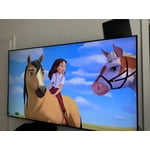
Customer reviews for SAMSUNG 65" Class TU700D-Series Crystal Ultra HD 4K Smart TV UN65TU700DFXZA forMember photos


+1560 images
Literally crystal clear
[This review was collected as part of a promotion.] Tvs were always just tvs to me, my husband would explain how some had certain features and more clear I would just shrug my shoulders and eh ok. Well let me tell you with this tv I can see what he meant! Our son even mentioned how clear and vivid the colors were and he's 8 lol ultimately we're very happy with it thank you!
Picture too dark!
this tv is the worst picture ever. it changes every time i turn it on no matter what i put the settings on i can't see dark scenes 100% of the time. very disappointing. we've had a samsung for 25+ years and now i'm questioning whether we should go with a different brand. we are turning this tv back in today, 3 days after receiving it.
Becky: Thank you for purchasing the Samsung TU7000 and for your review. I am very sorry you are viewing scenes that appear too dark. Samsung is aware of the problem, and a new firmware update will be released soon to address this issue. Using your TV's remote, navigate to Settings, and select Support. Select Software Update, and then select Update Now. New updates will be downloaded and installed on your TV. Updates usually take a few minutes; please do not turn off the TV until the update is complete. When the update is finished, the TV will restart automatically. If there aren't any new updates, select OK to exit. You may want to enable automatic updates for conveniences. Select Settings > Support > Software Update, then select Auto Update. If you would like to update your software using USB, please check for the latest version at: https://www.samsung.com/us/support/owners/product/crystal-uhd-tvs-tu7000-2020 Instructions for how to update firmware are detailed here: samsung.com/us/support/answer/ANS00062224/ If you need further assistance or have any questions, please contact Samsung Customer Support. 1) Phone: 1-800-SAMSUNG, Available 8AM -12AM EST (7 Days a Week) 2) LiveChat: https://www.samsung.com/us/support/#contact_us_for_support 3) Facebook Messenger: https://www.facebook.com/samsungsupport 4) Twitter: https://twitter.com/SamsungSupport 5) The Samsung Members Community is also a great resource for getting help from Samsung moderators and customers: https://us.community.samsung.com If you have not already done so, we invite you to register your new Samsung product at: https://www.samsung.com/us/account/signin/?redirect=https%3A%2F%2Fwww.samsung.com%2Fus%2Fsupport%2Fregister%2F Registering your product gives you access to easy warranty support, convenient opt-in to special promos and offers, faster troubleshooting and service, and quick notification of system updates. ~ Samsung Solutions
This product has a great resolution
[This review was collected as part of a promotion.] Was a good experience got this tv, have a good resolution, The size is very good for a small room, the resolution of the games is super good, although it is somewhat slow to respond when changing channels, I recommend this tv
This product is good
[This review was collected as part of a promotion.] I use the the TV for pretty much every thing, such as gaming, movies, YouTube, etc, my only thing is that it's does not have Samsung plus (and I I've look but nothing), and when it comes to apps it's pretty limited because except for simple things like Disney plus, Netflix, YouTube, screen mirror ain't much to do in app store. When it comes to setting like pictures I say it's kind of basic could have more if I'm honest sometimes the colors are much brighter than it should, but for what it has it's great, the display is fluid you can also feel de 60hz when watching anything, it really changes the experience to another level to be frank. Everything I say is not to take away credit because sincerely the TV is awesome and I love it plus it changes the experience in so many ways plus I do recommend it.
Love it!
[This review was collected as part of a promotion.] The picture is exceptional. I like all the features. The only problem I had was the closed captioning. I found it difficult to get CC on all channels. I have finally figured that out and now I'm a "happy camper".
This product is amazing
[This review was collected as part of a promotion.] I love my Samsung tv! Crystal clear picture and amazing for gaming, love it! Watching movies is amazing the sound is really good, feels like your at the movies! I will be getting a surround sound unit to make it even better!
great picture and good sound
[This review was collected as part of a promotion.] Great picture quality and good sound in an inexpensive TV. Perfect for the bedroom or a small room. Easy to set up and use. I don't play video games so there are enough inputs for everything. The next model up has more inputs for those who want that feature.
Simple, Excellent
[This review was collected as part of a promotion.] It is simply excellent, colors are clear enough, bright is just perfect, my eyes never get tired by it. I can sit down and watch for hours without feeling the brightness hazard that sometimes can be a problem. It's incredible that this thing big screen can give you such amazing experience. Just love my new tv
Good TV for the Price
[This review was collected as part of a promotion.] I have had this TV for 2 years now. The screen provides crisp and clear images. Motion is very good as well. A very good TV for the price! I know that all TVs today have downward facing speakers and this is one thing I do not like, as the sound would be much better with front-facing speakers. Since this inhibits the experience (and would with any TV anymore) I did invest in a soundbar for better sound clarity. All-in-all, a good TV for the money. 4 and a half stars!
Zero Stars - selling known faulty feature
samsung is selling a tv with a known function issue that dims entire dark scenes. i don't understand why i would not want to see the details. i want to watch the whole movie and not just the light parts. i texted with support and was told "i've checked my resources and see that the tv model that you're referring to has frame dimming technology so whenever a dark frame appears it dims the entire frame instead of that particular area. this is normal functioning with this model tv." it is a known issue but samsung hasn't push some type of update that allows us to shut it off or quit selling a faulty tv. i can't enjoy some of my favorite shows with dark scenes and have watched on my phone. pointless to have 65" tv if it doesnt work. please fix this with an update or quit selling.
Celina: Thank you for purchasing the Samsung TU7000 and for your review. I am very sorry you are viewing scenes that appear too dark. Samsung is aware of the problem, and a new firmware update will be released soon to address this issue. Using your TV's remote, navigate to Settings, and select Support. Select Software Update, and then select Update Now. New updates will be downloaded and installed on your TV. Updates usually take a few minutes; please do not turn off the TV until the update is complete. When the update is finished, the TV will restart automatically. If there aren't any new updates, select OK to exit. You may want to enable automatic updates for conveniences. Select Settings > Support > Software Update, then select Auto Update. If you would like to update your software using USB, please check for the latest version at: https://www.samsung.com/us/support/owners/product/crystal-uhd-tvs-tu7000-2020 Instructions for how to update firmware are detailed here: samsung.com/us/support/answer/ANS00062224/ If you need further assistance or have any questions, please contact Samsung Customer Support. 1) Phone: 1-800-SAMSUNG, Available 8AM -12AM EST (7 Days a Week) 2) LiveChat: https://www.samsung.com/us/support/#contact_us_for_support 3) Facebook Messenger: https://www.facebook.com/samsungsupport 4) Twitter: https://twitter.com/SamsungSupport 5) The Samsung Members Community is also a great resource for getting help from Samsung moderators and customers: https://us.community.samsung.com If you have not already done so, we invite you to register your new Samsung product at: https://www.samsung.com/us/account/signin/?redirect=https%3A%2F%2Fwww.samsung.com%2Fus%2Fsupport%2Fregister%2F Registering your product gives you access to easy warranty support, convenient opt-in to special promos and offers, faster troubleshooting and service, and quick notification of system updates. ~ Samsung Solutions