Skip to Main Content
Sam's Club
Sam's Club
All Departments
All Services
Customer reviews for SAMSUNG 65" Class TU700D-Series Crystal Ultra HD 4K Smart TV UN65TU700DFXZA for
SAMSUNG 65" Class TU700D-Series Crystal Ultra HD 4K Smart TV UN65TU700DFXZA
4.5 out of 5 stars
stars
11.3K ratings10.3K reviews
  1. 5 stars70% (7,942)
  2. 4 stars18% (1,994)
  3. 3 stars5% (589)
  4. 2 stars3% (284)
  5. 1 star5% (523)

Member photos

  • +1563 images
Sort by |
Showing 3,101-3,110 of 10,373 reviews
Aug 13, 2022
Reviewer name: Rio L
2 out of 5 stars
2 out of 5 stars review

Not the best tv I've purchased

i purchased the samsung tu7000 when one of my children threw a tennis ball which hit the screen of my beautiful lg. loved that tv. i needed to get a tv that day, so i rushed out and bought this one. i bought too quickly, and i must admit that the low price was attractive. now i know why it was so cheap. each time i turn it on the color is faded, so i need to reset the picture. it's annoying. at first i thought it might be a minor glitch, but it must be adjusted each time you turn it on. i thought it might need a software upgrade, but nope, it says that its up to date. i didn't do enough research on the tv; found out later that it was a 2020 model, so i screwed up. you get what you pay for. i won't buy samsung again.

Review from Samsung US
Helpful?3V8BU16WBLTL13878902648
reply from Samsung Brand Ambassador

Hi Rio L, Thank you for your feedback on the Samsung TU7000 TV's picture quality. Please try the following troubleshooting tips to prevent your TV from reverting to the previous picture settings. You can change the dimming feature of your TU7000 TV by adjusting some of the energy efficiency features designed to reduce power consumption. The Eco sensor automatically adjusts the brightness level of the TV according to the ambient light level. If the Eco Sensor has changed the screen's brightness level, you can select Min. Backlight to manually adjust the minimum screen brightness. You can also disable these features for a steady brightness setting. You can adjust Brightness Optimization, Brightness Reduction, Motion Lighting, or Contrast Enhancer by going to Settings > General > Power and Energy Saving > and adjusting the Brightness Optimization, Brightness Reduction, and Motion Lighting. Next, let's make sure your TV is on Home Mode. Please do so by heading to Settings>General>System Manager>Usage Mode>Enter Pin>Click "Home Mode." If these settings do not prevent your TV from changing Picture Settings, please allow us to make this right by contacting us at 1-800-SAMSUNG, 8 AM - 12 AM EST, seven days a week. Or visit us on the Samsung website and click on the 'Support' link for: 1) LiveChat with an agent 2) Manuals, Software, & Warranty Info ~ Samsung Advisor

Aug 23, 2022
Reviewer name: kt1113
5 out of 5 stars
5 out of 5 stars review

Great features. Easy to use
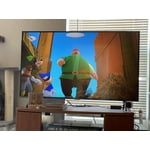
[This review was collected as part of a promotion.] We use our tv for watching shows and movies. Love that the apps are easy to access and navigate. We use a lot of streaming services, the Samsung features are a great extra and easy to connect phones and other devices too! The color and sound are amazing. We loved ours so we bought my mom one too!

Review from Samsung US
Helpful?3V8BU16WBLTL13878902648
Sep 15, 2021
Reviewer name: Lina
5 out of 5 stars
5 out of 5 stars review

This TV os all I wanted

[This review was collected as part of a promotion.] I use this TV for streaming, it has all the apps I needed and more, the set up was so simple and fast! Image is very clear and you can customize in details. TV is light and thin, easy to install and carry. I love the fact it can work with Alexa. Overall with all the features and price I can say that is a great deal!

Review from Samsung US
Helpful?3V8BU16WBLTL13878902648
Sep 15, 2021
Reviewer name: Kwalker1085
5 out of 5 stars
5 out of 5 stars review

Love love love this tv

[This review was collected as part of a promotion.] We use our Samsung TV for our bedroom, it is amazing. The picture is bright and vibrant. The sound quality is perfect and it's easy to use and set up. It took my husband and I about 15 minutes to get it out of the box and set up with everything. It's not heavy so the only reason it took two of us is because of how big it is.

Review from Samsung US
Helpful?3V8BU16WBLTL13878902648
Dec 11, 2020
Reviewer name: AMID
2 out of 5 stars
2 out of 5 stars review

No Motion settings,delayed response Remote control

couln't find and adjust auto motion plus mode from expert setting. there's no auto motion plus mode!! picture motion moves too fast makes me dizzy. also delayed response remote control!! did some online research, removed battery presss and hold power botton about 30 seconds still no luck! not happy about samsung tv's. my previous samsung tv screen got 2 lines and bought new samsung but seems like new samsung tv takes too much time to set up. im already gave up! should have spend bit more for sony tv.

Review from Samsung US
Helpful?3V8BU16WBLTL13878902648
reply from OBA

AMID: Thank you for sharing your experience with the TU7000 TV. I am sorry that you are experiencing some delayed response when using your remote. To optimize the smart TV performance, please try Device Care option under the Support Menu. Go to Settings > Support> Device Care > Start Device Care This service checks memory and frees up unused cached memory and closes background apps. For optimal motion image performance, you may want to adjust the picture clarity setting by going to: Settings > Picture > Expert Settings > Picture Clarity Settings - Off: Picture Clarity Settings will always be off - Auto: Picture Clarity Settings will automatically activate and deactivate based on the type of program being watched - Custom: Allows custom adjustments and settings to be used. By selecting the Custom option, you can access these advanced settings for Judder Reduction, LED Clear Motion, and Noise Reduction. Should you need further assistance with features or other product usage, please reach out to Samsung Support via any of the below options: 1-800-SAMSUNG (ask for TVs), available 8AM -12AM EST, 7 days a week Or visit us on the Samsung website and click on the ‘Support’ link in the upper right corner of the homepage for: 1) Contact Us Options (LiveChat, Remote Support, Facebook, Twitter) 2) Product Support 3) Manuals and Downloads 4) Warranty Info 5) Product Registration: Registering your product gives you access to easy warranty support, convenient opt-in to special promos and offers, faster troubleshooting and service, and quick notification of system updates 6) Samsung Community: A great resource for getting help from Samsung moderators and customers and more 7) …and more product, repair, order, and care options ~ Samsung Solutions

Apr 14, 2021
Reviewer name: SamsungFanatic
5 out of 5 stars
5 out of 5 stars review

Its like you're on the movie set.

[This review was collected as part of a promotion.] We use our Samsung Tv for movie nights with the kids as well as streaming and gaming. The picture is so clear that I could almost swear I'm on set while they're filming the movie I'm watching. Gaming is awesome, the tv makes it a more enjoyable experience than I've ever experienced before. My favorite thing about my Samsung tv is the endless amounts of free services through the app store. I find something new every day. This is by far the best tv I have ever owned.

Review from Samsung US
Helpful?3V8BU16WBLTL13878902648
Sep 30, 2020
Reviewer name: angelicpage40
4 out of 5 stars
4 out of 5 stars review

Great Viewing

[This review was collected as part of a promotion.] The box was all torn up upon delivery. I was not sure if there was going to be any damage until I turned it on. So far, so good. This TV has a great design which a minimal frame which enhances viewing. Colors are vivid and picture is sharp. The remote control broke the day after I installed TV so was not able to check out any of the apps or all of the features available. Looking forward to being able to explore everything this TV has to offer. I received the new remote, had trouble getting it to work properly. Made a call to Samsung and they were able to take control of my TV (with my permission) and figured out what was wrong and had it working properly in no time. Still getting used to all the apps and their functions. I notice that sometime the picture gets grainy when viewing on Netfix or Amazon Prime Video. Someone suggested it may be the speed of my internet but, I get up to 1000 Mbps so that should not be the reason for it. The sound quality is very good. My only complaint about the volume is it always jumps up or down two, can't raise or lower one by one. I have been binging Stranger Things in 4K and various movies.

Review from The Insiders
Helpful?3V8BU16WBLTL13878902648
Oct 24, 2020
Reviewer name: chicanobychoice
4 out of 5 stars
4 out of 5 stars review

Excellent television but lacks sound

[This review was collected as part of a promotion.] Samsung has always been my choice in television. I have had other brands like Sony or Phillps. Samsung has an excellent picture, though I still feel it struggles with blacks or darker scenes. My television has an ambient light feature to adjust but does not help much with darker scenes. I own a few Samsungs, and I am satisfied with them, but they all struggle with sound. I have an old CRT television, and I can say I get better sound out of that. I have adjusted the sound settings, which there are not many, but to no avail. It seems that most modern televisions want you to but a soundbar or external speakers to get the best or even proper sound, instead of having a good sound to start. The television is used with Cable, Blu-Ray, and streaming services, but the voice and lighter/quieter sounds are never crisp or clear. I have to turn the captions on when I watch to make sure I did not miss anything. Even worse when there is an accent or language outside of English. Fundamentally, the picture is good but sound bad.

Review from Samsung US
Helpful?3V8BU16WBLTL13878902648
Sep 24, 2021
Reviewer name: Mistersauga
5 out of 5 stars
5 out of 5 stars review

Great Value, easy Set up

My TV just died one Friday night, it was only 4 years old, so buying that brand again was not an option. Having only one TV and spending so much time at home during the pandemic, replacing it was a priority. I decided on this Samsung due to support for Apps and the Google ecosystem. I am a Samsung phone user and my other device is a Chromebook. TV works great, easy setup with the app, lots of apps for all your services. Hope this one lasts more than 5 years!

Review from Samsung Canada
Helpful?3V8BU16WBLTL13878902648
reply from Operations

Thank you, Mistersauga! We love to hear positive feedback and we’re delighted you’re enjoying your new Samsung TV. 

Jul 27, 2022
Reviewer name: Frenchielove3
5 out of 5 stars
5 out of 5 stars review

The features are phenomenal
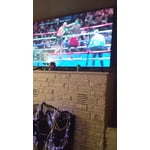
[This review was collected as part of a promotion.] The picture is beautiful, the size is perfect, it's incredibly lightweight. I specifically sought out a decent smart TV, the 4k is a lovely resolution bonus that I've been very happy with. It was incredibly convenient to open up Netflix and other apps right from the home screen without having to turn on another console to do it - though it's worth noting that Netflix doesn't always play nice with this TV and sometimes you have to start it a couple times for it to work. But overall a great TV

Review from Samsung US
Helpful?3V8BU16WBLTL13878902648