Skip to Main Content
Sam's Club
Sam's Club
Customer reviews for SAMSUNG 65" Class TU700D-Series Crystal Ultra HD 4K Smart TV UN65TU700DFXZA for
SAMSUNG 65" Class TU700D-Series Crystal Ultra HD 4K Smart TV UN65TU700DFXZA

Member photos

  • +1560 images
Sort by |
Showing 2,581-2,590 of 10,370 reviews
Jan 25, 2023
Zoey
4 out of 5 stars review

I love this TV its great and sleek and the quality is great. Only issue is the audio on this TV. Like some background sounds will be louder than when people talk and whenever I'm watching anything I'm constantly fidgeting with the audio because there's not a perfect setting. Maybe I should get speakers I don't know!

Review from Samsung Canada
Helpful?3V8BU16WBLTL13878902648
Oct 22, 2020
Amber
5 out of 5 stars review

Good tv

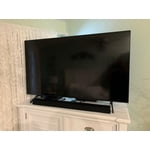
[This review was collected as part of a promotion.] This TV is pretty good, has a really great picture and sound quality. We opted for a sound bar which made it even better. The tv system actually seems kind of slow at times (moving between sources, apps, settings, etc.) but I'm not sure if that's because of my WiFi. All in all, a really good convenient tv. Movies look great.

Review from Samsung US
Helpful?3V8BU16WBLTL13878902648
Oct 22, 2020
Gator
5 out of 5 stars review

The thin design is great for wall mounting.

[This review was collected as part of a promotion.] Beautiful picture and very easy to navigate with the remote ,setup was very easy and there are tons of options for your personal preferences. I have several Samsung products and all of them perform excellent.

Review from Samsung US
Helpful?3V8BU16WBLTL13878902648
May 8, 2022
Tt
1 out of 5 stars review

No quality control.

Three brand new Samsung TVs in a week that won't turn on. They all come on and then go off they come on and they go off then they come on then it goes off. I can't do anything you plug it in and that's what it does. Worthless junk waste of time and effort.

Helpful?3V8BU16WBLTL13878902648
Dec 18, 2020
gator
3 out of 5 stars review

Picture is good compared to 10 year old Vizio.

sound is biggest issue. hard to hear almost constantly unless volume is set at very, very high level. i did chat earlier and the reply was to reset everything and try again. not a good solution and it seems sound is an issue for other tv's made by this manufacturer.

Review from Samsung US
Helpful?3V8BU16WBLTL13878902648
reply from OBA

gator: Thank you for purchasing the Samsung TU7000 TV and for your review. I am sorry to hear that you are experiencing issues with low volume. One possible cause for the low volume is the source. Some sources have their own volume control which might be set too low. We recommend you try a Sound Test under Support > Self Diagnosis > Start Sound Test. Another way to check the source volume is to test an internal streaming source like Netflix or YouTube to compare. You may also want to select from several Sound Modes and advanced settings to meet your personal preferences. Press the Home button on your remote, and then navigate to Settings > Sound > Sound Mode I hope this helps improve your audio experience. Should you need further assistance or have any questions, please contact Samsung Customer Support. 1-800-SAMSUNG (ask for TVs), available 8AM -12AM EST, 7 days a week Or visit us on the Samsung website and click on the ‘Support’ link in the upper right corner of the homepage for: 1) Contact Us Options (LiveChat, Remote Support, Facebook, Twitter) 2) Product Support 3) Manuals and Downloads 4) Warranty Info 5) Product Registration: Registering your product gives you access to easy warranty support, convenient opt-in to special promos and offers, faster troubleshooting and service, and quick notification of system updates 6) Samsung Community: A great resource for getting help from Samsung moderators and customers and more 7) …and more product, repair, order, and care options ~ Samsung Solutions

May 24, 2022
Samsungfan
5 out of 5 stars review

Love the TV

[This review was collected as part of a promotion.] I stream everything from it my DirecTV Stream and all my apps everything is in 4K and I am not disappointed at all I own a 65 inch in this model and a 50 in in a 6 series model! I LOVE Samsung phones, soundbars, stc... I even have a Samsung blu-ray player before they stopped making them!!! Trust me buy Samsung you won't go wrong

Review from Samsung US
Helpful?3V8BU16WBLTL13878902648
Jul 27, 2022
TyPiece
4 out of 5 stars review

Everyone should have a Samsung smart TV

[This review was collected as part of a promotion.] I personally love my TV. Certain factors like having it connected to my Xbox, so when I turn my console the tv comes on and vice versa, but this is kind of a double edge sword. It is convenient, but sometimes I don't want my Xbox to come on, or maybe I'm done playing video games and want to switch to a streaming service. But if I turn my console off, the tv will turn off too. All other aspects of the tv seem to flow. The picture is amazing, lighting, sound, all perfect.

Review from Samsung US
Helpful?3V8BU16WBLTL13878902648
May 31, 2022
Dl1762
4 out of 5 stars review

Great TV would buy again

[This review was collected as part of a promotion.] The TV picture is great , has built in apps and u can install virtually any other app you want . Negative:the tv developed a line on bottom of screen. I had to call support for service Positive : they walked me thru diagnostics and determined it need a repair tech . He came within 2 days exactly on time , changed screen and it's been perfect . Overall I would grade tv 9 out of 10

Review from Samsung US
Helpful?3V8BU16WBLTL13878902648
Dec 26, 2020
Anonymous
5 out of 5 stars review

Excellent TV for the Money

my previous tv was an lg 32 inch set, and there's very little comparison. the color is vivid, but accurate, and the 43 inch screen size allows for more detail, especially in people's faces. my tvs speakers are great for the size of the tv and they sound nice. there are a lot of controls but they are easy to understand. they have presets, or you can tune to your liking. i'm not the most accomplished technophile, but i had my set up and running in less than two hours. i would definitely buy this tv again.

Review from Samsung US
Helpful?3V8BU16WBLTL13878902648
Jun 12, 2020
Patrick
2 out of 5 stars review

Very little good, more bad

picture setting out of the box are bad but easy enough to fix. the channel guide for my antenna is never right, i've rescanned it a couple of times. right for a while then wrong again the next time i look at it. there is the issue with the flickering backlight, it has happened to me a couple of times in the week ive had the tv. then today there was an issue with color shifting that required me to power cycle the tv 3 times to fix. finally, when i check to see if there is an ota update to fix the many issues it says i dont have enough storage, delete some apps. the only apps on the tv are the ones samsung installed. this will probably be getting returned soon. too much of a headache for something thats supposed to plug and be forgotten.

Review from Samsung US
Helpful?3V8BU16WBLTL13878902648
reply from OBA

Patrick: Thank you for your review of the TU7000 TV. Your TV has a tuner that can scan for and automatically program local channels that will appear on your channel list. Plus, an antenna will help your TV find even more channels and improve the quality of the signal. If you are not receiving all channels. First, confirm that your coaxial cable is securely connected to the TV. Then, run Reset or Auto Program • Settings > General > Reset • Settings > Broadcasting > Auto Program You may also want to optimize performance by running the Device Care option under the Support Menu. Go to Settings > Support> Device Care > Start Device Care. If your issues persist, please contact our Customer Support via any of the following: 1) Phone: 1-800-SAMSUNG (ask for TVs), Available 8 AM-12 AM EST 7 days a week 2) LiveChat: https://www.samsung.com/us/support/#contact_us_for_support 3) Facebook Messenger: https://www.facebook.com/samsungsupport 4) Twitter: https://twitter.com/SamsungSupport 5) The Samsung Members Community is also a great resource for getting help from Samsung moderators and customers: https://us.community.samsung.com If you have not already done so, we invite you to register your new Samsung product at: https://www.samsung.com/us/account/signin/?redirect=https%3A%2F%2Fwww.samsung.com%2Fus%2Fsupport%2Fregister%2F Registering your product gives you access to easy warranty support, convenient opt-in to special promos and offers, faster troubleshooting and service, and quick notification of system updates. ~ Samsung Solutions