
 Customer reviews for SAMSUNG 65" Class TU700D-Series Crystal Ultra HD 4K Smart TV UN65TU700DFXZA for
Member photos







 +1563 images
So far, so good.
this is our first smart tv. its not our first samsung. i was quite surprised at the ease of set up. it took less than 15 mins and we were up and running! even the remote setup for our existing service was flawless. unboxing was simple and direct. now, we will have to see if it holds up as well as the one it replaced.
Great value for a TV of this size. Bad software...
I bought this TV about a couple of weeks ago. I was replacing a very old 46 in. Sony HD tv. I have to say that for the price, this tv offers a very high quality picture. The color accuracy is very good. It is a very good TV overall. The good: - Great picture quality - Excellent connectivity features (Airplay2, use my pc wirelessly with the tv,) - The speakers wont blow you away but they sound very clear. - When I got it to work, the Smart things app is nice since you are able to control the TV with your phone or with Alexa. The bad: - The software of the TV has issues, Issue 1: the time is set to auto but for some reason it changes (weird) by itself to another time which is incorrect, you can easily fix this by setting the time manually, Issue 2: Once you log in to your samsung account and are able to download apps, once you turn off the tv for the day and turn on the tv the next day I was not able to download any new apps. There are a couple of ways to fix this temporarily: 1) Do a soft reset (with your remote (press and hold the power button on the remote until Samsung Tizen is displayed on the tv)) or 2) Unlplug and plug in the tv from the power outlet. (I have the latest software for the tv ver. 1114) all work but I just highly recommend the first option (it is the easiest). I dont mind these issues since they can hopefully be fixed by a sofware update by samsung, plus it is very cumbersome to move a 70 in tv from a second floor apartment. Also the apps once downloaded work great everytime and provide high quality streaming. Smartthings is weird since in the begining I tried to setup the tv via smartthings but was not able. I setup the tv via the remote control updated the tv to the latest firmware and then tried again, I failed. The only way I got it to work is to start the setup from the phone then wait, then start the setup again on my ipad and then wait again ( it asks you for the pin and then you enter it) It is at this point that it also leaves you waiting on the smartthings app on the ipad. Quit the app on the iphone and start the setup again, leave it alone once you enter the pin and hopefully will work. ( i simply noticed that it started working while I was watching a movie and tried the setup again) It could have been a server side issue but now everything is working ( amazon Alexa, remote control on the ipad and on the iphone, etc...) The TV is great, the software just needs better quality testing. Oh and if you are like me and live in an US territory, you will notice that you don't have all the apps that the TV should have on the app store. This can be fixed by resetting the tv, once you are taken to the page to accept the terms and conditions just press (fast forward 2 8 9 rewind) and you can select United States. This will open up the app store for the applications that are missing.
Disappointing
picture is good. software/interface is a huge disappointment. i was hoping to not have to use a box of any kind but will have to go back to apple tv. the smart hub is so bad that when you turn the tv on it will only default to their smasung channels which blasts some nonesene game shows or bad tv. i use youtube tv for programmining and have to go in and load each time which is slow. app tiles are small and hard to distinguish which app is highlighted. i have a tcl with roku tv that was cheaper, runs faster, has a much better interface with infinately more configuration, etc. really expected more from samsung. i just picture a group of design people sitting around a presentation of this “smart hub” interface and being impressed enough to approve it....wow.
Shpx: Thank you for purchasing the TU7000 TV and for your review. Your thoughts regarding the interface is important to us and will be shared with our internal teams. Should you ever have questions or need help with TV features, specs, or operation, we are here to help. 1-800-SAMSUNG (8AM -12AM EST, 7 days a week) Or visit us on the Samsung website and click on the SUPPORT link in the upper right corner for: 1) Contact Us Options (LiveChat, Remote Support, Facebook, Twitter) 2) Product Support 3) Manuals and Downloads 4) Warranty Info 5) Product Registration: Registering your product gives you access to easy warranty support, convenient opt-in to special promos and offers, faster troubleshooting and service, and quick notification of system updates 6) Samsung Community: A great resource for getting help from Samsung moderators and customers and more 7) …and more product, repair, order, and care options Again, thank you for taking the time to share your thoughts on this product. Your feedback helps us continuously deliver best-in-class products and service. ~ Samsung Solutions
Stunning picture quality!
What are these reviews talking about??? This tv picture is absolutely gorgeous! I only buy Samsung tv's they are top notch. This one I bought for my covered lanai and the picture is stunning. Only complaint would be tat volume gets lost outside, but it's not an outside branded tv... My sonos took care of that! Highly recommended! And all of my apps work fine on this tv. lol
Dead after a year
Was a decent TV for the price when it worked. Unfortunately a year and 2 months after purchasing, it's essentially dead. It will not power on. I've tried every trick with no success. The little red light flashes, so it's receiving power. Just can't fully turn on, stays black screen. Happened out of the blue, nothing triggered it. Very frustrating, huge waste of money. A TV should last much longer than a year.
I thought it was going to be great...
i wanted a smart tv that no longer needed a 3rd party device to watch youtube and such. boy were we disappointed. the tizen user interface is as slow as aol dialup internet. just try to do anything in the menus and it takes 10-30 seconds for the tv to respond to your remote input. the only positive is the picture quality is amazing! however the hdmi to soundbar control is buggy and doesn't always work right, when using the optical cable the volume control randomly stops working and randomly starts working again. i can't wait to get a different brand tv
Don't buy this tv .
i just bought it 2weeks ago. when i got the tv it have blinking problem. show up randomly can enjoy this tv poor quality. was trying to resolve the problem today. but spending almost a hour still no solution. too much problem to get this tv. not enjoyable. not recommend buying.
WEI WU: Thank you for purchasing the TU7000 TV and for your review. If your TV is flickering or dimming sporadically, you may need to disable some of the energy efficiency features. Disable Ambient Light Detection, Power Saving Mode, Motion Lighting, or Contrast Enhancer. Settings > General> Eco Solution> Ambient Light Detection Settings > General> Eco Solution> Power Saving Mode Settings > General> Eco Solution> Motion Lighting Settings > Picture > Expert Settings > Contrast Enhancer Run Picture Test. When the tested image quality is normal, check the signal of the connected device. Settings > Support > Device Care > Self Diagnosis > Picture Test I hope this helps. If your issue persists, please reach out to Samsung Customer Support, and a representative will gladly assist you. Available at 1-800-SAMSUNG (8AM -12AM EST, 7 days a week) Or visit us on the Samsung website and click on the SUPPORT link in the upper right corner for: 1) Contact Us Options (LiveChat, Remote Support, Facebook, Twitter) 2) Product Support 3) Manuals and Downloads 4) Warranty Info 5) Product Registration: Registering your product gives you access to easy warranty support, convenient opt-in to special promos and offers, faster troubleshooting and service, and quick notification of system updates 6) Samsung Community: A great resource for getting help from Samsung moderators and customers and more 7) …and more product, repair, order, and care options Again, thank you for taking the time to share your thoughts on this product. Your feedback helps us continuously deliver best-in-class products and service. ~ Samsung Solutions
Verified Purchase
Awesome Bargain
Great price
Great TV for an amazing price
[This review was collected as part of a promotion.] I bought this TV over a year ago when I was moving cities, wanted a big screen without having to expend the premium cost on it. I'm highly surprise by the quality of the TV specially for what I paid for. The images is high quality even when playing video games and the sound is perfect for a small apartment. The extra channels that Samsung provides are a plus since we don't pay for cable but can access it for free. Overall great purchase.
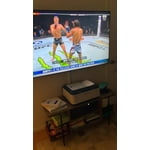
Wireless Connection Problems
had the tv for a week without issue and was relatively happy until i started experiencing a wireless connection issue ("mac address is invalid."). my wifi connection was fine (strong on all other devices), but the tv was completely unable to detect my (or any other) wireless router as it had during setup. i tried all the troubleshooting i could find online, but it seems to be a known defect with certain units that may or may not ever go away for the life of the tv. after trying to connect again for another hour it eventually detected my router again for about two minutes before the error quickly returned, at which point i made the easy call to return it for a different brand that won't require a lucky dice roll any time i want to watch tv. obviously a very frustrating outcome.