
Skip to Main Content
Sam's Club
Sam's Club
All Departments
All Services
Customer reviews for SAMSUNG 65" Class TU700D-Series Crystal Ultra HD 4K Smart TV UN65TU700DFXZA for
SAMSUNG 65" Class TU700D-Series Crystal Ultra HD 4K Smart TV UN65TU700DFXZA
4.5 out of 5 stars
stars
11.3K ratings10.3K reviews
  1. 5 stars70% (7,941)
  2. 4 stars18% (1,994)
  3. 3 stars5% (589)
  4. 2 stars3% (284)
  5. 1 star5% (523)

Member photos

  • +1563 images
Sort by |
Showing 1,071-1,080 of 10,372 reviews
Oct 10, 2022
Reviewer name: DeBest
5 out of 5 stars
5 out of 5 stars review

Samsung can take my money!
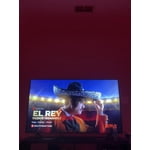
[This review was collected as part of a promotion.] Okay.. so I just wanna make this quick and simple since I know y'all have a bunch of reviews to go through BUT all I can say about this TV after owning it for a couple of months now is that everything is RIGHT IN FRONT OF YOU! From channels, apps, programs and other features this things has is completely off the top. I was flabbergasted when I found out I can download apps on here lol but overall it's 10/10 would recommend for sure to someone if they ever need a TV.

Review from Samsung US
Helpful?3V8BU16WBLTL13878902648
Oct 6, 2020
Reviewer name: Clamcambam
5 out of 5 stars
5 out of 5 stars review

I LOVE IT

[This review was collected as part of a promotion.] I love this tv. I bought it for my bedroom and it works amazingly!!! This tv is amazing because you can download so many different types of apps! I love that I can also turn it on and off using google assistant and not needing the hub to do so!!!

Review from Samsung US
Helpful?3V8BU16WBLTL13878902648
Jun 16, 2021
Reviewer name: MamaC
2 out of 5 stars
2 out of 5 stars review

Look into it before getting this one

we notmally love samsung products, but purchasing this tv was a mistake. first, it was very difficult to set up. second, it only has 2 hdmi ports. we were going to simply unplug the switch when we want to use our dvd player, but the tv wants to know what is plugged into the ports and it tajes a bit to set up a new device. third, it always has a glare and appears to be made for a completely dark room. also, (my fault for not checking) it has 4 feet so we cant swivel it to see better from different seats in the room. i wish i had done my research.

Review from Samsung US
Helpful?3V8BU16WBLTL13878902648
Sep 27, 2022
Reviewer name: Chuckie
5 out of 5 stars
5 out of 5 stars review

Samsung is always Worth It!
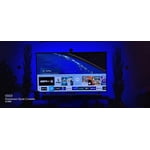
[This review was collected as part of a promotion.] The face that you get a huge 4k crystal clear TV that also has a smart menu that allows you to down apps and also connect your Samsung phone to the TV very easy.. The web browser is probably the best thing about this TV let me say that again.. It's amazing

Review from Samsung US
Helpful?3V8BU16WBLTL13878902648
Oct 16, 2020
Reviewer name: renren99
5 out of 5 stars
5 out of 5 stars review

This tv is awesome

[This review was collected as part of a promotion.] This new tv replaced my old one that I bought ten years ago. The thing that makes me the happiest is that I no longer have to worry about my game system overheating while watching tv. The funniest feature is the judder reduction because when set at ten everything has a soap opera feel, its especially funny on animated shows. It would make the TV even better if you would release an upgrade that allows users to uninstall the pre-installed apps because it takes up space when there are apps by certain brands you refuse to use.

Review from Samsung US
Helpful?3V8BU16WBLTL13878902648
Oct 25, 2022
Reviewer name: Onepunchthreecorn
5 out of 5 stars
5 out of 5 stars review

This product lives up to its name- “Crystal” clear
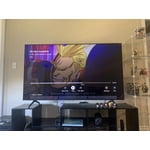
[This review was collected as part of a promotion.] This TV changed my life because I can't stop watching on this thing. If fills my living room with both sound and entertainment. Even tho its a big TV I dont get glares. No glitches or complaints so far. I would recommend this to anyone

Review from Samsung US
Helpful?3V8BU16WBLTL13878902648
Oct 21, 2020
Reviewer name: Jhernandez
5 out of 5 stars
5 out of 5 stars review

Big upgrade

[This review was collected as part of a promotion.] I've had Samsung TVs all my life and when I purchased myself my first it was the first one that was a smart tv now with this one it's 4K it has great features great picture many apps that a fire stick would have I convinced my family to buy the same one for their house and also got a 65 inch one for my other room great tv

Review from Samsung US
Helpful?3V8BU16WBLTL13878902648
Jun 16, 2022
Reviewer name: Dcast210
3 out of 5 stars
3 out of 5 stars review

This tv is great but it started flickering.

[This review was collected as part of a promotion.] Tv started flickering when we set it to the lower brightness levels. We either have it full broth was or deal with the flickering light. It's makes watching tv at night feel kinda blinding. Only way we found to fix it was to smack the tv till it goes to normal brightness. Most times we have to keep it full brightness.

Review from Samsung US
Helpful?3V8BU16WBLTL13878902648
Oct 23, 2020
Reviewer name: JFB49
1 out of 5 stars
1 out of 5 stars review

The Worst TV I've ever owned

[This review was collected as part of a promotion.] It does not wanna turn on, just turning it on takes five minutes every time, every time you go to turn it on you have to unplug it, we had to go through the set up at least five times, Not happy with this TV

Review from Samsung US
Helpful?3V8BU16WBLTL13878902648
reply from OBA

JFB49: Thank you for purchasing the Samsung TU7000 TV. I am very sorry that you are experiencing issues turning your TV on. You may want to try the following troubleshooting steps: (1) Make sure that the AC power cord is securely plugged in to the TV and the wall outlet. (2) Make sure that the wall outlet is working and the power indicator at the bottom of the TV is lit and glowing a solid red. If it is off, the TV either does not have power, or it is on and the screen is black. If it is blinking, your TV may need service. (3) Try pressing the TV Controller button at the bottom of the TV to make sure that the problem is not with the remote control. (4) If the TV turns on, your issue may be with the remote control Your TV has several self-diagnosis tools built in that can help solve problems with signal, network, picture, or sound. Go to Settings > Support> Device Care > Start Device Care Please be sure you have the latest firmware. You can check to see what software version your TV is using and if there is an available update through the settings on your TV. Go to Settings>Support>Software Update Both the current version and new version number will be displayed. The current version is what your TV is using and the new version is the latest update. New updates will be downloaded and installed on your TV. Updates usually take a few minutes; please do not turn off the TV until the update is complete. When the update is finished, the TV will restart automatically. If there aren't any new updates, select OK to exit. You may want to enable automatic updates for convenience by selecting > Auto Update. Should your problem persist, please contact Samsung Customer Support: 1-800-SAMSUNG (available 8AM -12AM EST, 7 days a week) Or visit us on the Samsung website and click on the ‘Support’ link in the upper right corner of the homepage for: 1) Contact Us Options (LiveChat, Remote Support, Facebook, Twitter) 2) Product Support 3) Manuals and Downloads 4) Warranty Info 5) Product Registration: Registering your product gives you access to easy warranty support, convenient opt-in to special promos and offers, faster troubleshooting and service, and quick notification of system updates 6) Samsung Community: A great resource for getting help from Samsung moderators and customers and more 7) …and more product, repair, order, and care options ~ Samsung Solutions

Dec 2, 2022
Reviewer name: T2022
1 out of 5 stars
1 out of 5 stars review

Too dark...no backlight controls.

Bought this last week. Background is so dark that it cannot be watched except in darkest room even with maximum brightness and everything reset as per Samsung recommendations. Backlight controls have been removed by Samsung so cannot fix. Samsung help line says its the fault of the TV producers who make movies and shows too dark. Taking it back, getting different manufacturer.

Review from Samsung Canada
Helpful?3V8BU16WBLTL13878902648
reply from Operations

Hi T2022, thank you for sharing your thoughts with us. We’re sorry to hear that you’re disappointed, and we will be sure to share your feedback with our teams so we can continually improve our products, services, and processes. Thanks again.




