Skip to Main Content
Sam's Club
Sam's Club
All Departments
All Services
Customer reviews for SAMSUNG 55" Class Q6-Series 4K Ultra HD Smart QLED TV QN55Q6DAAFXZA for
SAMSUNG 55" Class Q6-Series 4K Ultra HD Smart QLED TV QN55Q6DAAFXZA
4.6 out of 5 stars
stars
1,348 ratings1,284 reviews
  1. 5 stars74% (996)
  2. 4 stars18% (248)
  3. 3 stars4% (51)
  4. 2 stars1% (19)
  5. 1 star3% (34)

Member photos

  • +20 images
Sort by |
Showing 411-420 of 1,284 reviews
Sep 19, 2021
Jay1
5 out of 5 stars
5 out of 5 stars review

Best TV ever:

[This review was collected as part of a promotion.] I recently bought this tv with the intention of getting a better picture. I was completely taken back by not only the color saturation and sharpness of the true 4K tv but the features also. The remote alone does not require batteries, the screen is super thin and the tv is loaded with smart features. Best buy ever!

Review from Samsung US
Helpful?6YW7ERS0HTVS13877667901
Jul 21, 2021
JayJay4k28
5 out of 5 stars
5 out of 5 stars review

Absolutely love it!

[This review was collected as part of a promotion.] I haven't purchased a new TV in over 10 years, so this was a major treat! Such a good price and it has everything I want. I cut cable a long time ago so it's very nice to have all the streaming apps I use built into the TV. No more need for separate device to stream content. The picture quality is so beautiful that I am constantly in awe. Watching new movies and shows in Filmmaker Mode is an amazing experience! I get to see things the way the creators intended. It really makes a difference, and I don't know how I lived without it before. Samsung is the only brand I trust when it comes to TVs. This is hands down the best purchase I've made in a long time.

Review from Samsung US
Helpful?6YW7ERS0HTVS13877667901
Oct 17, 2021
jlqmom
5 out of 5 stars
5 out of 5 stars review

outsanding quality,love all of the smart features

[This review was collected as part of a promotion.] I use this tv for streaming movies, doing excercise routines, listening to music and i am learning so much more everytime i use it. i love the clarity of the screen, i love the availibility of my favorite movie apps and i especially love all of the smart features that are on this. i am excited to use them. i give this tv a 10 out 10. this my first samsung tv and i am impressed.

Review from Samsung US
Helpful?6YW7ERS0HTVS13877667901
Nov 28, 2021
MegandJM
5 out of 5 stars
5 out of 5 stars review

So easy to use with a fantastic picture quality
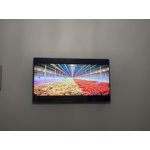
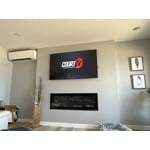
We have had this TV in our main bedroom and absolutely love it! The picture is amazing, the remote is so simple with quick press buttons for Prime and Netflix access and it charges by solar. The tv itself is so think and with our low profile wall mount it looks just like a picture hanging on the wall. Especially with the feature of having a picture on as a screen display when not in use. My only complaint and probably only noticeable as this is our bedroom tv is that when we turn it off we can hear it crackle for a little while after. Otherwise we love it so much!

Review from Samsung Canada
Helpful?6YW7ERS0HTVS13877667901
reply from Operations

Thank you, MegandJM! We're delighted you’re enjoying your new Samsung TV. 

Jun 29, 2021
spud56
5 out of 5 stars
5 out of 5 stars review

Outstanding picture quality for the price

[This review was collected as part of a promotion.] I can't be more pleased with the picture that this TV delivers in my living room, especially when paired with a Samsung soundbar. The 50 inch size is all that my longish room can support and the set functions great in any kind of ambient lighting. More than worth the price. Very happy. Cable box is input 1. Here is the but...the smart TV features do not perform that well...I turned them off...very slow for one thing. I got an android TV box instead and customized the on demand stuff (pay streaming, free stuff, link to my network of movies and shows) into input 2. The blu-ray player (legacy) is input 3...don't use it much. And the AI upscaling...does an outstanding job where needed. Like I said, very happy.

Review from Samsung US
Helpful?6YW7ERS0HTVS13877667901
Sep 28, 2021
Nellie
5 out of 5 stars
5 out of 5 stars review

Love the picture quality!

[This review was collected as part of a promotion.] My old tv died so I wanted a new one. I had seen the Samsung QLED tv's displayed at stores and loved the picture quality. This was opportunity to buy one! We use the tv to mainly stream channels, we are not on cable or satellite tv. I also like the channels that come with Samsung TV. I need to compare to some other streams to see if I have an overlap. But, for now we are enjoying having a nice clear, real like picture. It feels like we are watching something live!

Review from Samsung US
Helpful?6YW7ERS0HTVS13877667901
Oct 12, 2021
Davoman
5 out of 5 stars
5 out of 5 stars review

Great clarity

[This review was collected as part of a promotion.] Whether it be my boys games or movies at night I was super impressed with the sharpness and definition of the screen. Quality for value is excellent … was so good we got a 65” and a 55” (which works super well outside for sport).

Review from Samsung US
Helpful?6YW7ERS0HTVS13877667901
Jul 23, 2021
PapaCaesars
4 out of 5 stars
4 out of 5 stars review

Great TV - with one compromise

[This review was collected as part of a promotion.] This TV has a beautiful picture, which is to be expected from QLED. Furthermore, it is very thin. I use this tv for my bedroom and it looks sleek. However for the good price and slimness there is one compromise. The sound quality of this tv is poor. I would recommend using a sound bar.

Review from Samsung US
Helpful?6YW7ERS0HTVS13877667901
reply from Samsung Brand Ambassador

Hi PapaCaesars, Thank you for your purchase and review of Samsung's Q60A QLED 4K Smart TV and for sharing your feedback regarding the sound quality. There are several sound settings you can adjust to suit your personal sound preferences. Change the Sound Mode by going to: Settings > Sound > Sound Mode You can also customize the sound with Expert Settings by going to: Settings > Sound > Expert Settings You may also want to adjust some of the Intelligent Mode settings to your liking by going to Settings > General > Intelligent Mode Settings. Turn the options on or off to meet your needs: - Active Voice Amplifier is available only when the sound sensor of the TV is active and the sound output is set to TV Speaker, or a Samsung Soundbar interlinked with Adaptive Picture is connected. - Adaptive Sound+ provides optimized sound quality by analyzing the viewing space and the acoustic components of the content - Adaptive Volume Automatically adjusts to a specific volume level while you are watching TV. Another feature of your TV is OTS Lite (Object Tracking Sound Lite) which means that there are strategically placed dynamic speakers that track the action and move the sound around you. If you have, or plan to pair your TV with a Samsung Q-Series Soundbar, please take advantage of Q-Symphony which synchronizes both your TV speakers and soundbar to give you an excellent surround experience. To assist you with possible sound settings adjustments for a better audio experience, or choosing a Samsung Soundbar to complement your viewing enjoyment, please reach out to us at 1-800-SAMSUNG (ask for TVs), available 8AM -12AM EST M-F (9AM – 6PM EST Sat). Or text HELP to 62913. For additional support resources, visit us on the Samsung website and click on the ‘Support’ link in the upper right corner of the homepage for: 1) More ‘Contact Us’ options – LiveChat, Facebook, Twitter, Samsung Community, Samsung Members app 2) Manuals & Software 3) Warranty Info 4) Product Registration: For access to easy warranty support, convenient opt-in to special promos and offers, faster troubleshooting and service, and quick notification of system updates. ~ Samsung Specialist

Sep 21, 2021
Bmdetailing
3 out of 5 stars
3 out of 5 stars review

Its a good tv

[This review was collected as part of a promotion.] The TV works great I really like having my apps right on the TV instead of using my phone to chrome cast everything. The few things I don't like if the cheesey remote it came with is very minimal with few buttons and that I can't uninstall the apps that come with the TV, and I'd rather have 3 buttons that I can program to whatever app I want instead of Netflix prime TV and samsung TV.

Review from Samsung US
Helpful?6YW7ERS0HTVS13877667901
reply from Samsung Brand Ambassador

Bmdetailing, Thank you for sharing your review of the Q60A TV. We value your feedback regarding the Solar Cell Remote and pre-installed apps, and will share it with our teams. If there is anything we can do to improve your enjoyment such as helping to optimize settings for your specific usage scenario, please contact Samsung Customer Support at 1-800-SAMSUNG (ask for TVs), available 8AM - 12AM EST, 7 days a week. For additional support resources, visit us on the Samsung website and click on the ‘Support’ link in the upper right corner of the homepage for: 1) Contact Us: For additional Chat & Text options, choose ‘TVs & Home Theater’ and select your model & topic. 2) Manuals & Software 3) Warranty Info 4) Register a Product: For access to easy warranty support, convenient opt-in to special promos and offers, faster troubleshooting and service, and quick notification of system updates. ~ Samsung Specialist

Jul 23, 2021
Fan4Life
5 out of 5 stars
5 out of 5 stars review

Color and Resolution

[This review was collected as part of a promotion.] The gamut and wide range of spectrum colors with our QLED is outstanding. The sharpness and refresh rate is out of this world. We can't wait to have friends and family over this fall to watch our favorite college football games. Thank you Samsung for a quality product.

Review from Samsung US
Helpful?6YW7ERS0HTVS13877667901