Join Now
Skip to Main Content
Sam's Club
Sam's Club
All Departments
All Services
Customer reviews for SAMSUNG 55" Class Q6-Series 4K Ultra HD Smart QLED TV QN55Q6DAAFXZA for
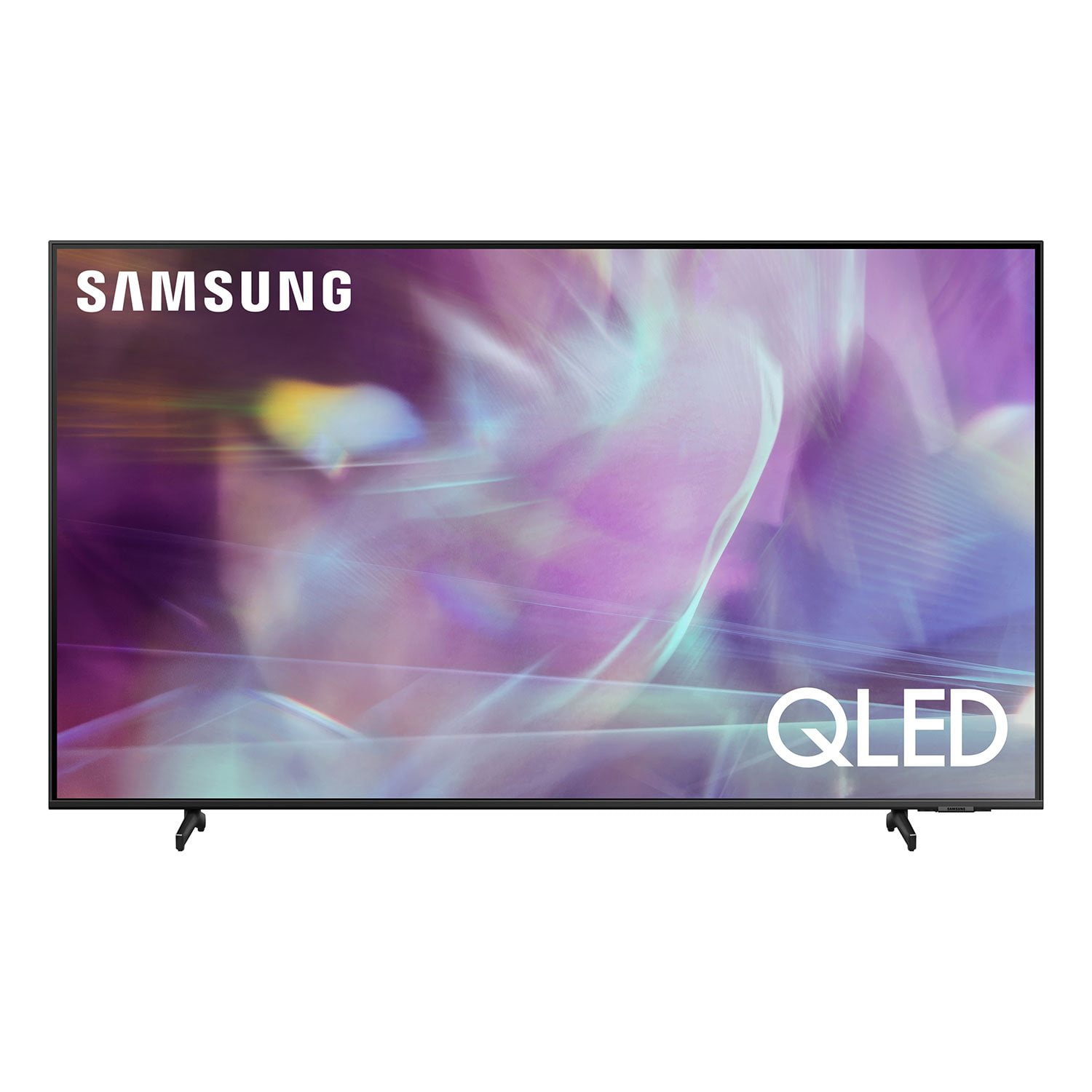
SAMSUNG 55" Class Q6-Series 4K Ultra HD Smart QLED TV QN55Q6DAAFXZA
4.6 out of 5 stars
stars
1,350 ratings1,286 reviews
  1. 5 stars74% (998)
  2. 4 stars18% (248)
  3. 3 stars4% (51)
  4. 2 stars1% (19)
  5. 1 star3% (34)

Member photos

  • +20 images
Sort by |
Showing 31-40 of 1,286 reviews
Jul 27, 2021
Reviewer name: BCSFranco
4 out of 5 stars
4 out of 5 stars review

Enjoy the smart TV features, and picture quality

[This review was collected as part of a promotion.] This TV is used for streaming for movies, sports, as well as local and national programming. Replaced an older, smaller TV in out living room with this newer one. I do have 1 complaint though. I don't like the new "Solar Powered" battery in the remote. The battery power runs out very quickly. Seemingly like every other day or so. Even if we turn the remote upside down to collect the ambient, and or solar light, during the daytime, when the tv is not in use, the remote's battery still runs out in a surprisingly rapid amount of time. After only a week of owning this tv, I ended up having to purchase a USB- C charging cord, so I can charge the remote over night. I charge the every night. Is there a possibility of replacing this solar remote, with an older battery powered remote from the previous 6 series tv's? I purchased another QLED 6 series tv for another room, 2 years ago. This tv has the battery powered remote.

Review from Samsung US
Helpful?6YW7ERS0HTVS13877667901
Oct 11, 2021
Reviewer name: Anonymous
1 out of 5 stars
1 out of 5 stars review

it was a great TV but....

[This review was collected as part of a promotion.] I originally purchased this TV because it was being advertised as a gaming TV and capable of 120 Hz refresh rate, but after owning this TV for one day I quickly realized that this was nothing like the previous year's version it was a dumbed down version, you see the 2020 version of this TV was rated as the best TV board gaming of 2020 but Samsung decided that they wanted to be cheap and strip the 2021 version of all the features that the 2020 version have and sell it for a higher price point. Save your money it's garbage buy something better.

Review from Samsung US
Helpful?6YW7ERS0HTVS13877667901
reply from Samsung Brand Ambassador

Hi there, Thank you for your review of the Samsung Q60A TV. I apologize for any misinformation you were given. Our Motion Rate 120 is a metric that combines the panel’s native refresh rate, image processing, and backlighting technology. This produces a rating that better conveys the TV’s overall motion performance. Should you ever decide to give Samsung TVs another try and have questions or need assistance with settings, setup, or features, please know we are always here to help. Call us at 1-800-SAMSUNG (ask for TVs), available 8AM - 12AM EST, 7 days a week. For additional support resources, visit us on the Samsung website and click on the ‘Support’ link in the upper right corner of the homepage for: 1) Contact Us: For additional Chat & Text options, choose ‘TVs & Home Theater’ and select your model & topic. 2) Manuals, Software, & Warranty Info ~ Samsung Specialist

Mar 2, 2022
Reviewer name: Alex
1 out of 5 stars
1 out of 5 stars review

Edge Lighting

this tv is by no means worth it. a buddy of mine got the q70 and was raving about it, so i decided to try out the q60 thinking there wasnt enough of a difference to justify the q70's price. i was wrong. the edge lighting is absolutely unbearable, deep blacks are no where near black, in fact they are better on my 8 year old vizio. the bleeding is insane and i honestly don't know how this tv exists. just buy the q70.

Review from Samsung US
Helpful?6YW7ERS0HTVS13877667901
Aug 6, 2021
Reviewer name: Kennison15
5 out of 5 stars
5 out of 5 stars review

AMAZING

[This review was collected as part of a promotion.] The colors and vibrancy of this tv is unmatched. I was questionable about the refresh rate/frame rate with it only being 60, but it is nothing to worry about. I play shooters, fast-paced games on it without any problem.

Review from Samsung US
Helpful?6YW7ERS0HTVS13877667901
Oct 24, 2021
Reviewer name: emyl107
4 out of 5 stars
4 out of 5 stars review

Enjoying it

[This review was collected as part of a promotion.] Images are bright and clear! Our family is enjoying it. The reason I gave it a 4 star is because we have had some issue with the remote control. Sometimes it would not work even though it was fully charged. We were able to troubleshoot through it.

Review from Samsung US
Helpful?6YW7ERS0HTVS13877667901
Apr 9, 2021
Reviewer name: SullyZQ6
5 out of 5 stars
5 out of 5 stars review

Hands down best TV!

[This review was collected as part of a promotion.] Love the Ambient Mode! This was the main reason for purchasing this TV! We were not let down one bit! Picture is clear and sharp, details are crisp! As long as this TV lasts for over 5 years like my last one did that's now in the kids play area I'll be ecstatic! Thanks Samsung.

Review from Samsung US
Helpful?6YW7ERS0HTVS13877667901
Jul 23, 2021
Reviewer name: DesertRat12
5 out of 5 stars
5 out of 5 stars review

Simple Setup and Great Features

[This review was collected as part of a promotion.] Bought this to replace an older 4K TV, and was drawn to this one based on the specs. Got it home, unboxed, and it was setup and ready to play in just a few minutes. It works great in our living room as both a TV for gaming and watching movies. I am able to connect my gaming system and output 4K and the picture is awesome. It just seems much clearer than the old setup.

Review from Samsung US
Helpful?6YW7ERS0HTVS13877667901
Jul 25, 2021
Reviewer name: MP10
5 out of 5 stars
5 out of 5 stars review

Wonderful Product

[This review was collected as part of a promotion.] Love this TV. A definite upgrade from the previous one I had. Enjoying and learning all the new features. Easy to use and navigate. Casting from devices so much easier. Picture is amazing. Sound wise could use some improvement but overall is good.

Review from Samsung US
Helpful?6YW7ERS0HTVS13877667901
Oct 16, 2021
Reviewer name: Tc80
4 out of 5 stars
4 out of 5 stars review

This product has great features and pics

[This review was collected as part of a promotion.] This TV is a awesome tv for streaming which is what I do with it its setting for picture could be easier to navigate through an suggestions on device would help as well for what you want it for but all in all hands down awesome tv and picture

Review from Samsung US
Helpful?6YW7ERS0HTVS13877667901
Dec 22, 2021
Reviewer name: hoffmie
1 out of 5 stars
1 out of 5 stars review

Slow Processor

takes at least 20 seconds for a channel to come in clearly no matter the app. apps or tv turns off randomly 5 or so times an hour. not a single bad set tv, but the whole line - tried two different q60s and a q70. all three had these issues. 3+ hours with samsung customer service who couldn't fix the issues. factory reset, updated firmware....same problems. apps that can't be removed. annoying adds on the home menu. good picture and sound if the processor wasn't complete garbage. samsung should do better.

Review from Samsung US
Helpful?6YW7ERS0HTVS13877667901
reply from Samsung Brand Ambassador

hoffmie, Thank you for your review of the Q60A TV. We appreciate your feedback regarding the issues you are experiencing with your TV turning itself off. Please try a few troubleshooting steps that may help solve the issue: 1. Unplug the TV from the wall outlet or surge protector and leave it unplugged for 30 seconds. 2. Check the power cord to see if there is any visible damage. 3. Plug the TV power cord back into the wall outlet. If you were using a surge protector, bypass it for now and use a wall outlet. 4. Try to update the software (ver. 1901.0). In some cases, a software update can correct the problem. There is a risk, however. If the TV turns off during the software update, it could damage the TV. Updates can take up to 30 minutes depending on network speed, so if the TV is not turning off too frequently, try updating the software. Please also try disabling some of the TV's energy efficiency functions, as this may cause your TV to turn off by itself. See if Sleep Timer has been enabled. The Sleep Timer automatically turns the TV off after a specific period of time. Go to: Settings > General > System Manager > Time > Sleep Timer If the Sleep Timer has not been enabled, see if Auto Power Off or Off Timer have been enabled and disable it. - Settings > General > Power and Energy Saving > Auto Power Off - Settings > General > System Manager > Time > Off Timer Delayed image processing (buffering) when watching apps or videos online is related to your internet speed. Buffering may occur on your Samsung Smart TV while streaming video content over the internet. Buffering usually occurs when your internet connection provided by your ISP cannot supply data fast enough for the playback device. We suggest you try the following: 1) Use 5G Wi-Fi if possible 2) Try wired LAN if available 3) Try repositioning the router so there are no obstacles between your TV and the router You may also want to optimize the Smart TV performance and address your issue with delayed response time with the self-diagnostic tool. This service checks memory and frees up unused cached memory and closes background apps. Go to Settings > Support > Device Care > Start Device Care If the issue persists, please contact Samsung Customer Support again so we can gather further information on your issue and provide you with troubleshooting assistance or warranty service. You can reach us at 1-800-SAMSUNG (ask for TVs), available 8AM - 12AM EST, 7 days a week. For additional support resources, visit us on the Samsung website and click on the ‘Support’ link in the upper right corner of the homepage for: 1) Chat with Us/Product Help: To begin a chat or find solutions, choose ‘TVs & Home Theater’ and select your model & topic. 2) Manuals, Software, & Warranty Info ~ Samsung Specialist