Customer reviews for SAMSUNG 55" Class Q6-Series 4K Ultra HD Smart QLED TV QN55Q6DAAFXZA forMember photos


+20 images
Dark tv
sorry samsung but u guys dropped the ball on this one. all my tvs are '46 & above 1080 p or 4k samsung & i have a few of em. doesn't matter how much u mess w the picture settings. in a night scene especially the tv shows /movies are dark & can't see anything hardly. no matter how much you mess w the settings. returning & replacing i luv samsung not crazy about tv.
Maximas, Thank you for purchasing the Samsung Q60A TV and for sharing details of your image quality. To ensure your picture is always optimized, please be sure your firmware is up to date with version 1901.0 which includes picture quality updates. You can check this by going to: Settings > Support > Software Update. If this firmware version is not yet available on your TV, you can download the update on a USB drive and manually update your TV: 1. On Samsung's website (upper right corner), go to: Support > Manuals & Software > Find your TV model. 2. Download the update and extract it to the root of a USB thumb drive. (Do not put it in any folders on the thumb drive.) 3. Connect the USB thumb drive to a USB port on your TV. 4. Navigate to Settings > Support > Software Update, select Update Now, and then select Yes. 5. Follow the on-screen instructions to install the updated software. Should you need further assistance with image quality adjustments, please give us the opportunity to assist you. Call us at 1-800-SAMSUNG (ask for TVs), available 8AM - 12AM EST, 7 days a week. For additional support resources, visit us on the Samsung website and click on the ‘Support’ link in the upper right corner of the homepage for: 1) Chat with Us/Product Help: To begin a chat or find solutions, choose ‘TVs & Home Theater’ and select your model & topic. 2) Manuals, Software, & Warranty Info ~ Samsung Specialist
This TV has amazing features
[This review was collected as part of a promotion.] We love the sharp picture and beautiful color on this Samsung tv. We use it for entertainment such as movies, tv series, game playing and educational programs. It is a perfect fit for our family. We did not have a smart tv before but we know now what we were missing out on. Thank you
Great Overall TV
[This review was collected as part of a promotion.] I primarily use my TV for gaming on my playstation 5 and for streaming TV on the apps on the TV. Most apps run smoothly. I am still having trouble with YouTube Tv specifically. Sometimes the app will not load or it will load and have a blank screen. A simple reinstall of the app fixes the issue. Otherwise gaming is pretty sweet with the gen gen consoles. I do not have 120 FPS but I can't notice it honestly. Overall, This TV was an upgrade I didn't know I needed. Smart features are fantastic. Multi view mode allows me to have 2 sports games on one screen. The screen is very bright. I'm happy with my purchase!
Hello ShugMD, Thank you for purchasing Samsung's Q60A TV and for your review. Your experience with the YouTube TV app has been shared with our product teams. Please make sure that Auto Update is turned on so that your apps can stay current with the latest updates and patches. Navigate to the Settings within the App Store and set Auto Update to: On. Should you ever have questions or need help, please call us at 1-800-SAMSUNG (ask for TVs), available 8AM -12AM EST M-F (9AM – 6PM EST Sat). Or text HELP to 62913. For additional support resources, visit us on the Samsung website and click on the ‘Support’ link in the upper right corner of the homepage for: 1) More ‘Contact Us’ options – LiveChat, Facebook, Twitter, Samsung Community, Samsung Members app 2) Manuals & Software 3) Warranty Info 4) Product Registration: For access to easy warranty support, convenient opt-in to special promos and offers, faster troubleshooting and service, and quick notification of system updates. Thank you for choosing Samsung TVs! ~ Samsung Specialist
Great tv. A very good price
[This review was collected as part of a promotion.] used for watching tv and streaming tv and internet video. My 55 inch tv is perfect size for apartment. The 4k picture quality is stunning.I like the features including; Samsung plus, voice comand, and the many available apps. All things considered, This tv has been great
Awesome Smart YV
[This review was collected as part of a promotion.] It was time to update my plasma TV. Always go with Samsung, never disappointed by them. Great TV. Looks and feels well made and assembled. No complains so far just the controller, they could have use like a touch pad for the controller for easy surfing the web. Give the TV 4.5/5 the software 4/5 could use some more friendly guidance. The controller 2/5 I like the easy Netflix/prime/Samsung buttons but now we got hbomax, Hulu etc. Poor design. The solar rechargeable is amazing.
Hi Bifm, Thank you for choosing Samsung’s Q60A TV and for your review. We appreciate your feedback regarding the remote included with your TV. To assist you in learning the various functions and settings of your new Solar Cell remote, you can download the Solar Cell Remote Guide directly from Samsung’s website by clicking “Support” in the top right corner. Then go to “Manuals & Software” > “TVs & Home Theater” > “TVs”. From there, you can select the Q60A under "QLED 4K TVs” > "A Model Lineup". Additionally, you can find other guides and manuals to further assist you with your TV’s features. I hope this tip helps. Should you ever have questions or need help, please call us at 1-800-SAMSUNG (ask for TVs), available 8AM -12AM EST M-F (9AM – 6PM EST Sat). Or text HELP to 62913. For additional support resources, visit us on the Samsung website and click on the ‘Support’ link in the upper right corner of the homepage for: 1) More ‘Contact Us’ options – LiveChat, Facebook, Twitter, Samsung Community, Samsung Members app 2) Manuals & Software 3) Warranty Info 4) Product Registration: For access to easy warranty support, convenient opt-in to special promos and offers, faster troubleshooting and service, and quick notification of system updates. ~ Samsung Specialist
Samsung spells quality!
[This review was collected as part of a promotion.] Honestly, there are too many features to review! The picture quality goes without saying, but it is excellent. I use this television in a smaller room, so I don't need a huge sound system. One feature that I love is the Bluetooth connectivity and it's ease of use. From Bluetooth soundbars or headphones, it's so simple to setup. I also like the solar powered remote with USB - C port. No replacing batteries!
Samsung tv
[This review was collected as part of a promotion.] I use the the TV for mostly to watch Netflix, hulu and YouTube. I also have the sound bar with the TV same series and it feels like I'm in a theater. Smart TV feature is really helpful and amazing. Only negative side is connecting the Bluetooth devices almost every other day manually. This started to happen with the most recent updates. I love the apps and Samsung live TV for free. Overall I am satisfied with my TV.
MoesTV, Thank you for choosing Samsung’s 2021 Q60A QLED TV. With Dual LED, a combination of warm and cool LEDs enhance contrast and improve viewing angles. Please keep in mind that some settings such as Bluetooth will not be remembered as these devices are used on demand. When the TV turns off, the Bluetooth device will disconnect, and the TV won’t reconnect automatically unless you choose to pair the device again. Should you ever have questions or need help, please call us at 1-800-SAMSUNG (ask for TVs), available 8AM - 12AM EST, 7 days a week. For additional support resources, visit us on the Samsung website and click on the ‘Support’ link in the upper right corner of the homepage for: 1) Contact Us: For additional Chat & Text options, choose ‘TVs & Home Theater’ and select your model & topic. 2) Manuals & Software 3) Warranty Info 4) Register a Product: For access to easy warranty support, convenient opt-in to special promos and offers, faster troubleshooting and service, and quick notification of system updates. ~ Samsung Specialist
Needed more info about external hookups.
[This review was collected as part of a promotion.] This isn't my first Samsung TV but it took me a week of messing around before I felt I was getting the most out of it. I would have liked a paper manual but the E-Manual worked OK after a bit of trial and error figuring things out. My biggest problem was interfacing the TV with my existing devices. Initially I set it up like I had with my prior Samsung: One HDMI out going from my sound amplifier to the TV, with all other devices going into the audio amps various HDMI in ports. This would mean source changes are done using the audio amp. With this setup I couldn't get a 4K signal. I bought new high speed cables but it didn't help. Finally it occurred to me that the problem might be the audio amp itself. It was seven years old. Perhaps it's interface couldn't handle 4K. That turned out to be correct. So I connected the HDMI cables from each device directly to the TV using a fiber optic cable to send sound out to the audio amp. Sound from optical isn't as good as sound via HDMI, but it's good enough. It would have been nice to have more info about hooking devices to the TV.
Overall good picture quality, except for shadows
This is a big improvement on our old TV, which did not even have smart capabilities. Overall, the picture quality is quite good, except for the blacks/shadows, where banding is often visible. The speakers are not great, but I expected that based on other reviews. We have a soundbar hooked up and it works just fine.
Thank you, jbabbage! We love to hear positive feedback and we’re delighted you’re enjoying your new Samsung TV.
So easy to use with a fantastic picture quality
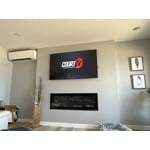
We have had this TV in our main bedroom and absolutely love it! The picture is amazing, the remote is so simple with quick press buttons for Prime and Netflix access and it charges by solar. The tv itself is so think and with our low profile wall mount it looks just like a picture hanging on the wall. Especially with the feature of having a picture on as a screen display when not in use. My only complaint and probably only noticeable as this is our bedroom tv is that when we turn it off we can hear it crackle for a little while after. Otherwise we love it so much!
Thank you, MegandJM! We're delighted you’re enjoying your new Samsung TV.