Skip to Main Content
Sam's Club
Sam's Club
All Departments
All Services
Customer reviews for SAMSUNG 55" Class Q6-Series 4K Ultra HD Smart QLED TV QN55Q6DAAFXZA for
SAMSUNG 55" Class Q6-Series 4K Ultra HD Smart QLED TV QN55Q6DAAFXZA
4.6 out of 5 stars
stars
1,348 ratings1,284 reviews
  1. 5 stars74% (996)
  2. 4 stars18% (248)
  3. 3 stars4% (51)
  4. 2 stars1% (19)
  5. 1 star3% (34)

Member photos

  • +20 images
Sort by |
Showing 1,211-1,220 of 1,284 reviews
Apr 1, 2021
Lo20
5 out of 5 stars review

So far so good

[This review was collected as part of a promotion.] So far had it for 3 years and it's still going strong. I mainly use it for streaming since I don't game often. Best feature to me is the auto sleep I like that.

Review from Samsung US
Helpful?6YW7ERS0HTVS13877667901
Aug 16, 2021
LostWages
3 out of 5 stars review

3 1/2 Stars

[This review was collected as part of a promotion.] I love the smart features but not impressed with the remote control. I wish the picture was better. I thought it would be a little more dynamic and brighter.

Review from Samsung US
Helpful?6YW7ERS0HTVS13877667901
reply from Samsung Brand Ambassador

Hi LostWages! Thank you for sharing your thoughts on the picture quality of your new 2021 Q60A QLED TV. If the picture you are seeing out-of-the-box are not to your liking, there are several picture settings you may want to try adjusting. You can select the Picture Mode that provides the best viewing experience. Go to Home > Settings > Picture > Picture Mode 1) Standard: Is the default mode suitable for general viewing environments. 2) Natural: Reduces eye strain for a comfortable viewing experience. 3) Movie: Is suitable for watching TV or movies in a dark room. 4) Dynamic: Makes the picture brighter and clearer in bright viewing environments. 5) Filmmaker Mode: You can watch the source content (e.g., movie) as it is. If the image is defined as Filmmaker Mode, it will automatically switch to Filmmaker Mode while watching. You can also go to: Settings > Picture > Expert Settings > to manually fine tune your image. For further assistance with settings adjustments, please contact Samsung Customer Support at: 1-800-SAMSUNG (ask for TVs), available 8AM -12AM EST M-F (9AM – 6PM EST Sat). Or text HELP to 62913. For additional support resources, visit us on the Samsung website and click on the ‘Support’ link in the upper right corner of the homepage for: 1) More ‘Contact Us’ options – LiveChat, Facebook, Twitter, Samsung Community, Samsung Members app 2) Manuals & Software 3) Warranty Info 4) Product Registration: For access to easy warranty support, convenient opt-in to special promos and offers, faster troubleshooting and service, and quick notification of system updates. ~ Samsung Solutions

Nov 25, 2021
Edmund
3 out of 5 stars review

Not intuitive to use. Cannot connect to Google hom

Not intuitive to use. Cannot connect to Google home

Review from Samsung Canada
Helpful?6YW7ERS0HTVS13877667901
reply from Operations

Hi Edmund, thanks for reaching out. We regret that you had this issue but we're confident we can help! Please get in touch with us at 1-800-SAMSUNG or via live chat on our website (http://www.samsung.com/ca/support/) 

Jul 9, 2021
heartdoc
5 out of 5 stars review

wow

Picasso in our living room. this is a piece of art

Review from Samsung Canada
Helpful?6YW7ERS0HTVS13877667901
reply from Operations

Thank you, Heartdoc! We love to hear positive feedback and we’re delighted you’re enjoying your new Samsung TV. 

Jul 8, 2021
zakak
5 out of 5 stars review

amazing tv

Meet all my needs and expectations useful features and apps

Review from Samsung Canada
Helpful?6YW7ERS0HTVS13877667901
reply from Operations

Thank you, Zakak! We love to hear positive feedback, and we’re delighted to know that you're enjoying your TV. We hope you enjoy many years of great entertainment with your new Samsung device! M.L

Jan 20, 2022
Not 2 impressed
1 out of 5 stars review

Lasted a week

One week in and a white vertical line top to bottom 1” in from edge appeared. Sent it back

Review from Samsung Canada
Helpful?6YW7ERS0HTVS13877667901
reply from Operations

Hi Not 2 impressed, thank you for sharing your thoughts with us. We’re sorry to hear that you’re disappointed, and we will be sure to share your feedback with our teams so we can continually improve our products, services, and processes. Thanks again. 

Dec 5, 2023
Gregg Molyneaux
5 out of 5 stars review

Great Product

We love our 75" Samsung TV. We now have 5 Samsung TVs plus our tablets and cells.

Review from Samsung Canada
Helpful?6YW7ERS0HTVS13877667901
Sep 27, 2023
Ronjon
5 out of 5 stars review

Great tv

We bought this tv a year ago and it is an excellent tv with lotsa features

Review from Samsung Canada
Helpful?6YW7ERS0HTVS13877667901
Apr 28, 2022
frame
5 out of 5 stars review

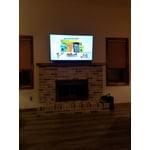
Great addition to our living space

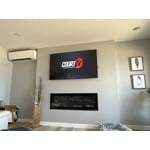
Fits perfectly over the mantle and provides a great slim design.

Review from Samsung Canada
Helpful?6YW7ERS0HTVS13877667901
reply from Operations

Thank you, frame! We love to hear positive feedback and we’re delighted you’re enjoying your new Samsung TV. 

Jun 28, 2021
rg73
5 out of 5 stars review

great tv

Great tv for the price.!!!!!!!!!!!!!!!!!!!!!!!!!!!

Review from Samsung Canada
Helpful?6YW7ERS0HTVS13877667901
reply from Operations

Thank you, rg73! We love to hear positive feedback and we’re delighted you’re enjoying your new Samsung TV.