
 Customer reviews for SAMSUNG 75" Class DU7200 Series 4K Smart TV for
Member photos





 +169 images
Picture Looks Amazing
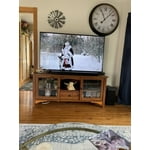
[This review was collected as part of a promotion.] I purchased TV as a Christmas gift. It is a 75 inch and fits perfectly in our living room. We couldn't be more happier with the picture quality. I have seen others comment about sound quality, but the sound is not a problem at all. I was looking at the LG, but I'm completely satisfied that I purchased the Samsung. Great price, picture and all of the above.
Some what satisfied
I bought this TV about a month ago really like the picture but have some issues with the remote control and the actual size of the screen. Our previous TV was a Vizio and the same size class was almost 2" smaller from WiFi to side to side and 1" smaller from top to bottom. My wife has arthritis in her hands and has a terrible time working the volume and mute button on the remote.
Hi fishguy, We appreciate your review of the DU7200 TV. To learn how to use your Samsung remote and understand the settings on your TV, please use your remote to access the remote guide. Go to Home> (left directional button) Settings> Support> Remote Control Guide. If you need more help, Samsung is here for you. Please call us at 1-800-SAMSUNG, 8 AM - 12 AM EST, seven days a week. Our LiveChat agents are also available by clicking on the ‘Support’ link on our website. ~Samsung Advisor
Excellent & Happy with the purchase
[This review was collected as part of a promotion.] The TV looks nice. Pictures and contrast look great. Size 75 is perfect for larger room. I cannot tell the difference between 120HZ vs. 60Hz as we only use TV to watch TV, YouTube and mirror screen. It works fine for almost 6 months. Happy with the purchase and the price.
Not Happy With New Smart TV
Very disappointed in the performance of this TV. Same refresh rate as the 55' TCL I replaced with this TV, yet it constantly gets blurry before ultimately displaying a clear picture. The remote is terrible, ridiculously small and impossible to read in a darkened room when changing programming. Is there an alternative remote? The home screen is a mess, with so much junk I would never use and again, the layout is too small for a TV this size. I have a ROKU stick plugged into my 45' Samsung plasma in a bedroom that I have had since 2013 and it performs flawlessly. The new set audio is fine with the TCL soundbar, and excellent with the Avantree blue tooth headphones, but the overall performance of the new Samsung is lacking, despite a super high speed internet connection.. I am a television professional and am at a loss at what to do with this new set. Suggestions helpful, as right now I want to return it and try something that performs as advertised.
TVPRO, Thank you for sharing your thoughts on the picture quality of your DU7200D TV. To ensure you’ve got the latest image updates, please confirm that your TV is up to date with the latest firmware version. You can check by going to: Home > Menu > Settings > Support > Software Update. If the picture you’re seeing is still not to your liking after updating firmware, you may want to adjust the picture clarity settings by going to: Menu > Settings > All Settings > Picture > Expert Settings > Picture Clarity Settings - Off: Picture Clarity Settings will always be off - Auto: Picture Clarity Settings will automatically activate and deactivate based on the type of program being watched - Custom: Allows custom adjustments and settings to be used. By selecting the Custom option, you can access these advanced settings for Judder Reduction, LED Clear Motion, and Noise Reduction. To assist in learning the various functions, please know you can download your TV's User Manual, e-Manual, Remote Control Leaflet, and Quick Setup Guide on Samsung's website under Support > Manuals & Software > TVs & Home Theater. You can search for and select the DU7200D TV to download the guides you would like. The e-Manual and Remote Guide are both also embedded into your TV itself under Menu > Settings > Support > Open e-Manual. If you need more help, Samsung is here for you. Please call us at 1-800-SAMSUNG, 8AM - 12AM EST, 7 days a week. Our LiveChat agents are also available by clicking on the ‘Support’ link on our website. ~ Samsung Specialist
Amazing clarity and color
[This review was collected as part of a promotion.] The Samsung Crystal UHD has amazing clarity and color. This TV has given us a whole new experience watching TV and streaming. We could not be happier with the sound, screen size, and plethora of features. Every watching experience feels like we are in our own home theatre.
New TV
I bought the 85” Samsung, very happy with it. I was worried it might look too big for the area, but it works great, happy that I didn’t go smaller. The picture is great, but the sound isn’t that great, I must have the volume set higher than I wanted, so I will need to buy a sound bar. .
Nice tv, but cuts out while gaming
This is a great tv, but we have one major problem with it. When my family is playing video games, the screen will randomly go black for a few seconds, then come back on. It's like it switches itself off of game mode by itself. Very frustrating, but other than that, it has been a nice tv. Wish there was a way to fix this problem.
Hi DfamOf5, If you've switched on your TV and the sound comes through fine, but you do not see any picture, there are three potential issues. 1) A connection issue is the most common problem where there is a bad connection, faulty cables, or improper installation. 2) An issue with the device connected to the TV. There may be a video output setting on the device that you must set properly before it will output to the TV. 3) There is something wrong with the TV, requiring a technician to assess the TV and find a solution. Please give us the opportunity to assist you by contacting Samsung Customer Support via any of the following options: 1-800-SAMSUNG, 8AM - 12AM EST, 7 days a week. Or visit us on the Samsung website and click on the ‘Support’ link for: • LiveChat • Manuals, Software, & Warranty Info ~Samsung Advisor
75” Samsung
I really like my 75” Samsung tv but the only thing I don’t like is when I turn it on it has all these “apps” I’ll call them and the live tv is one of them BUT I can’t go to them!!?? And it takes a bit to have the actual live tv go to the big main screen
instruction booket
For the most we like the tv. Don't understand how to get our local channels set up.We were told that we could hook up an antenna for our local channels. Not sure if there was an instruction booklet with it. If there was it most have gotten lost. It sure would have been helpful.
Hiho: Thank you for choosing Samsung and for your feedback on the DU7200 TV. We understand sometimes there is a learning curve when you get a new TV! This is why we created step-by-step guides, to make it easier for you. To learn about your TV go to https://www.samsung.com/us/support/answer/ANS00062199/. We are also always available and happy to help you with any questions you may have. You can call us at 1-800-SAMSUNG, 8 AM - 12 AM EST, seven days a week. Our LiveChat agents are also available by clicking on the ‘Support’ link on our website. - Samsung Ambassador
Not completely satisfied.
My spouse bought this several months ago Khe thought we needed a bigger screen)& so far have not been completely satisfied. Not enough ports on back of TV: No port for external sound system we used on old TV, so spouse bought complete new external speakers (extra expense). Cable box uses 1 HDMI port. DVD player uses 2nd HDMI port. No ports for WII game console. Had to purchase a converter to HDMI & then have to unplug either the cable box or the DVD player to plug game consoles in. External antenna port only tunes 1 channel at a time. Have to perform a new search each time we want to watvch a different channel from the external antenna. (Same external antenna used on old TV which scanned in 14 different channels at one time) Can't figure out how to use the the streaming channels preprogrammed on TV. (Not user friendly for senior citizens) If it was up to me I would have returned this TV & used the old one we had until it croaked.
LisaT, Thank you for sharing your thoughts on the input selection - we'll be sure to pass this feedback along to our design teams. To assist in learning the various functions, please know you can download the DU7200D TV's User Manual, e-Manual, Remote Control Leaflet, and Quick Setup Guide on Samsung's website under Support > Manuals & Software > TVs & Home Theater. You can search for and select the DU7200D TV to download the guides you would like. The e-Manual and Remote Guide are both also embedded into your TV itself under Menu > Settings > Support > Open e-Manual. If you need more help, Samsung is here for you. Please call us at 1-800-SAMSUNG, 8AM - 12AM EST, 7 days a week. Our LiveChat agents are also available by clicking on the ‘Support’ link on our website. ~ Samsung Specialist