
 Customer reviews for SAMSUNG 75" Class DU7200 Series 4K Smart TV for
Member photos


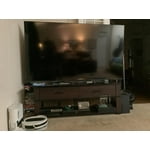



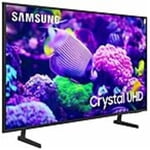
 +169 images
Beautiful picture
[This review was collected as part of a promotion.] Love everything about the television. Great price, picture, and slim profile. Knocked off one star because the volume is very low when connected to our TIVO. Volume is fine on our old TV though.
Hi Greg321, Thank you for your purchase of the DU7200 and for sharing your experience with us. Thank you for sharing your experience with low volume. There are several volume features you can adjust, which may improve your audio experience. 1) Auto Volume automatically adjusts the sound to a certain level when changing channels or switching to another external input. Go to Settings > All Settings> Sound > Expert Settings > Auto Volume. 2) Adaptive Sound automatically adjusts to a specific volume level while watching TV. The TV analyzes your volume usage history by time period to automatically adjust the volume when you use an app or switch to an external input source. Go to Settings> All Settings> Sound> Sound Mode> Adaptive Sound. 3) Several Sound Modes are likewise available to meet your personal preferences: Home > Settings > All Settings> Sound > Sound Mode. Also, some sources have their own volume control, which might need to be set higher. Please check the volume control of the external device (cable box or satellite box, DVD, Blu-ray, etc.) connected to your TV. Also, check the cable connection between an external device and the TV and then try the cable connection again. I hope these tips help you enjoy your new product. You can contact us for further help at 1-800-SAMSUNG, 8 AM - 12 AM EST, seven days a week. Our LiveChat agents are also available by clicking on the ‘Support’ link on our website. ~ Samsung Advisor
Great addition to our home
[This review was collected as part of a promotion.] This TV was purchased to replace another Samsung TV we had for over 10 years. Excited to add it to our Master Bedroom area as the main focus piece in the room. With a 55" display, it can be seen from all areas in the room. We are very pleased with the picture and sound quality. Really like the new technology advacements that Samsung has put into their products. Now we can control the device with our smartphone. This is a great feature since we often get busy and forget to turn the unit off when leaving the room.
Great Deal for the money
This is my 2nd DU7200, the 1st was for my wife which is the 55" model, the DU7200 have a amazing UI, entry level HDR, great for gaming with a great color gamut, the Samsung hub is a plus, great connectivity with Smarthings eco-system, the sound is also great, many apps. We have a Qled on the living room, which have the best image quality ever, the DU7200 is a great deal for the money
Not what I expected
I bought this DU7200 75 inch a couple weeks ago. All reviews were good is the reason I bought it. Didn't realize it is a very entry level TV. I can't connect my older Bose system to it or my new Bose sound bar because it doesn't have optical or rca connections. I did connect the sound bar via Bluetooth just to find out the sound does not sync with the picture. I even bought an audio converter only to find out it wouldn't work either. wish I had kept my older Samsung that worked perfectly. I just wanted a larger tv. Lesson learned on my part that what seems to be good is not always what you get.
Hi Never to old to learn, Thank you for purchasing the Samsung DU7200 TV. To address the audio delay, you may want to try the Audio Pass-Through feature. This feature allows the audio signal to be sent out unprocessed to an external Soundbar or receiver connected to the TV. The external Soundbar or receiver then processes the audio, thereby eliminating the added step of processing by the TV, which adds delay. To activate this feature, go to Settings > All Settings> Sound > Expert Settings > Digital Output Audio Format > set to Pass-Through. For assistance to troubleshoot why your converter is not working, please know we are always available and happy to help. Call us at 1-800-SAMSUNG, 8 AM - 12 AM EST, seven days a week. Or visit us on the Samsung website and click on the ‘Support’ link for: 1) LiveChat 2) Manuals, Software, & Warranty Info ~ Samsung Advisor
Remote Control Stinks
The remote control for this TV is a pin in the rear. Labeled as a "smart remote," it is anything but. Starting off with the fact that there are no numbers for channel selection, it is not easy or convenient to use. Much of the utility of this remote lies within the main wheel. This "wheel" is quite sensitive to exactly where you touch it. I DO NOT LIKE THIS REMOTE. The old Samsung remote controls were much better.
Hi UsedToLoveSamsung, We appreciate your review of the DU7200 TV. To learn how to use your Samsung remote and understand the settings on your TV, please use your remote to access the remote guide. Go to Home> (left directional button) Settings> Support> Remote Control Guide. If you need more help, Samsung is here for you. Please call us at 1-800-SAMSUNG, 8 AM - 12 AM EST, seven days a week. Our LiveChat agents are also available by clicking on the ‘Support’ link on our website. ~Samsung Advisor
Great picture. The controller is a little hard to.
Bought this a few months ago and we have an irritating issue with the tv. While watching the tv all of a sudden the whole screen goes black. It’s like a black out. This doesn’t happen to any other tv in the house. Otherwise the picture is beautiful. Too late to take it back to Cocsco.
Not happy at all
When I bought this tv I was very disappointed with the multi function remote and it's abysmal instruction sheet. My Netflix account is set up through Roku so it would not let me sign in to Netflix ,because it did not support Roku. I really disliked that remote! It also has no audio outputs except for a USB port. I could not connect my soundbar to it. I have returned the tv to were I bought it.
Hi, Thank you for choosing the Samsung DU7200 TV and for taking the time to provide us with detailed feedback on your experience. Your opinion is important to us and will be shared with our internal product teams. The DU72000F TV offers 3 HDMI ports and is Bluetooth and Wi-Fi capable, allowing a seamless connection across multiple devices at a time. If your external device requires an Optical port, we recommend utilizing an HDMI to Optical Converter. These can be found at your local electronics store. Please also keep in mind that an Optical port can be found on our DU8000F Series and above. If you have any questions or would like any support with your audio experience or choosing a Samsung Soundbar to complement your viewing enjoyment, please reach out to us at 1-800-SAMSUNG, 8 AM - 12 AM EST, seven days a week. Or visit us on the Samsung website and click on the ‘Support’ link for: 1) LiveChat 2) Manuals, Software, & Warranty Info ~ Samsung Advisor
Small remote control buttons
Unfortunately, I am not smart enough to be able to use a smart tv. The remote controls buttons are so small. Itʼs hard for us seniors with our arthritic fingers to maneuver. Also the key pad is not lit. Wish I could get a larger, senior friendly remote. Remote control has no microphone to search, even tho screen says ask......
Hi Coco, Thank you for choosing the Samsung DU7200 TV and for taking the time to provide us with detailed feedback on your experience. Your opinion is important to us and will be shared with our internal product teams. Samsung remotes are designed to be convenient and useful, but we understand if you’d prefer to use a third-party remote, whether it’s a universal remote, a game controller, or something else! Whether you are replacing a lost remote or using an alternative remote to help reduce clutter, a third-party remote is a great option to use to control your Samsung TV. If you ever have questions or need help, Samsung is here for you! Give us a call at 1-800-SAMSUNG, 8 AM - 12 AM EST, seven days a week. Our LiveChat agents are also available by clicking on the ‘Support’ link on our website. ~Samsung Advisor
distorted images up close
The picture is weird on this TV. i'm trying to find some support to see if something needs to be setup differently or what. from far away the picture looks fine but as you get closer to the TV the images shift into what looks like cartoon images. i've never seen anything like this before. Samsung - please help!
Hi Goody,We appreciate your feedback on the DU7200 TV's image quality. I believe what you are describing is a feature called Auto Motion Plus, which eliminates ghosting and blurring that occurs from fast-moving images. These motion smoothing settings look great on live TVs, like sporting events or parades, which are filmed at 30 frames per second. Most movies, however, are filmed at 24 frames per second and are not intended to be viewed with these features. When turned on, this causes the dreaded soap opera effect.To Change Motion smoothing settings on your TV: Navigate to Settings > All Settings > Picture > Expert Settings > Auto Motion Plus Settings (Picture Clarity Settings).1. The default setting is Auto. This means the feature automatically turns on and off based on the type of program being watched.2. Select Auto Motion Plus (Picture Clarity) to change the setting to either Off or Custom.If you select Custom, three additional options are available:• Blur Reduction: Use the directional keys on the remote to adjust the Blur setting.• Judder Reduction: Use the directional keys on the remote to adjust the Judder setting.• LED Clear Motion: This option allows you to configure the LED backlight to sharpen fast-moving images. Select to turn On or Off.If you’d like more help with settings, we are always happy to help! Call us at 1-800-SAMSUNG, 8 AM - 12 AM EST, seven days a week. Or visit us on the Samsung website and click on the ‘Support’ link for:1) LiveChat2) Manuals, Software, & Warranty Info~ Samsung Advisor
Repeat purchaser
This is our second Samsung television. We purchased one for a bedroom and two years later, a second one for the master bedroom. It's easy to navigate and we love the Smart Things app that lets us know when laundry is finished, the oven is preheated, and someone left the refrigerator door open. I think our house may be smarter than the people living in it these days. If another TV dies, we will likely replace it with another Samsung.