Skip to Main Content
Sam's Club
Sam's Club
All Departments
All Services
Customer reviews for SAMSUNG 85" Class - Q80 Series - QLED 4K Smart TV for
SAMSUNG 85" Class - Q80 Series - QLED 4K Smart TV
4.6 out of 5 stars
stars
795 ratings672 reviews
  1. 5 stars77% (614)
  2. 4 stars13% (107)
  3. 3 stars4% (28)
  4. 2 stars1% (9)
  5. 1 star5% (37)

Member photos

  • +181 images
Sort by |
Showing 71-80 of 672 reviews
Sep 23, 2023
Reviewer name: KINGA
5 out of 5 stars
5 out of 5 stars review

Verified Purchase

Love my new 85” Samsung! Great price & quality!

1000% satisfied with my purchase!

Helpful?7925Z4IDQQZS13871700529
Apr 2, 2024
Reviewer name: Jeff
5 out of 5 stars
5 out of 5 stars review

Verified Purchase

Great TV!!!!!

Amazing picture and ease of use!!

Helpful?7925Z4IDQQZS13871700529
Mar 1, 2024
Reviewer name: Robin jones
5 out of 5 stars
5 out of 5 stars review

Verified Purchase

Samsung Tv

Great quality. Perfect picture. Huge nice tv

Helpful?7925Z4IDQQZS13871700529
Oct 4, 2023
Reviewer name: Dave
5 out of 5 stars
5 out of 5 stars review

Verified Purchase

AWESOME

It was a great value N saved $800.00 on the deal

Helpful?7925Z4IDQQZS13871700529
Mar 17, 2024
Reviewer name: DavMat3
5 out of 5 stars
5 out of 5 stars review

Verified Purchase

Outstanding TV

Outstanding value with the sale price, the gift card and the warranty rolled in.

Helpful?7925Z4IDQQZS13871700529
Mar 5, 2024
Reviewer name: Bulldawg
5 out of 5 stars
5 out of 5 stars review

Verified Purchase

Great 85” Samsung

I'm glad I made the purchase. Just what I was looking for. Good price.

Helpful?7925Z4IDQQZS13871700529
Apr 11, 2024
Reviewer name: Bud
5 out of 5 stars
5 out of 5 stars review

Verified Purchase

Samsung 85"

great color and resolution

Helpful?7925Z4IDQQZS13871700529
Apr 9, 2024
Reviewer name: Richard
5 out of 5 stars
5 out of 5 stars review

Verified Purchase

85" oled TV

Great Picture, easy to use on screen and remote.

Helpful?7925Z4IDQQZS13871700529
Oct 25, 2022
Reviewer name: Shendowk
3 out of 5 stars
3 out of 5 stars review

Good tv some minor defects
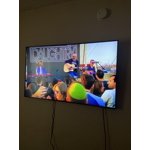
[This review was collected as part of a promotion.] The picture is good but the overall quality of the tv is just okay. When I try to move from different functions (Hulu to cable) it's really slow and sometimes I have to keep pressing the same button for it to register.

Review from Samsung US
Helpful?7925Z4IDQQZS13871700529
reply from Samsung Brand Ambassador

Shendowk, We appreciate your feedback on the remote response time, and for optimal performance, we ask that you please ensure you've got the latest firmware version installed on your Q60B TV. You can check this by going to: Home > Menu > Settings > Support > Software Update. You may also want to further optimize performance with the self-diagnostic tool, which checks memory, frees up unused cached memory, and closes background apps. Go to: Home > Menu > Settings > Support > Device Care > Start Device Care I hope these tips help you enjoy your new product. You can always contact us for further help at 1-800-SAMSUNG, 8AM - 12AM EST, 7 days a week. Our LiveChat agents are also available by clicking on the ‘Support’ link on our website. ~ Samsung Specialist

Oct 30, 2022
Reviewer name: FooledAgain
3 out of 5 stars
3 out of 5 stars review

Somewhat disappointed

[This review was collected as part of a promotion.] I want everyone to know the picture is outstanding. The sound on this TV is very very disappointing, the speakers are to the rear I was told they bounce off the wall so you can hear it, nope. The apps I have now are lagging with the voices. From what I'm seeing that is a well know problem and it has not been corrected. Paying as much as I did for the TV, the sound, picture and sync should be nothing less than perfect. Had I found and read about this issue beforehand I would have chosen a different brand.

Review from Samsung US
Helpful?7925Z4IDQQZS13871700529
reply from Samsung Brand Ambassador

Hi, We appreciate your feedback on the sound quality of Samsung's Q80B TV. Your new TV features Intelligent Mode to optimize sound tailored to your environment, which includes features like Active Voice Amplifier (AVA) which further detects disturbances and enhances the on-screen voices for clear dialogue. Go to Home > Menu > Settings > All Settings > General & Privacy > Intelligent Mode Settings. Turn the options on or off to meet your needs: - Active Voice Amplifier is available only when the sound sensor of the TV is active and the sound output is set to TV Speaker, or a Samsung Soundbar interlinked with Adaptive Picture is connected. - Adaptive Sound+ provides optimized sound quality by analyzing the viewing space and the acoustic components of the content. - Adaptive Volume Automatically adjusts to a specific volume level while you are watching TV. Several Sound Modes are likewise available to meet your personal preferences: Settings > All Settings > Sound > Sound Mode You can also customize sound by going to: Settings > All Settings > Sound > Expert Settings If you’re hearing an audio delay across all sources/channels and you have a receiver, soundbar, or other speakers connected to your TV, you can access the Audio Delay settings to increase the audio delay. Go to: Menu > Settings > All Settings > Sound > Expert Settings > Digital Output Audio Delay Our 2022 TVs have an audio Pass-Through feature, which allows the audio signal to be sent out unprocessed to an external soundbar or receiver connected to the TV. The external device then processes the audio, thereby eliminating the added step of processing by the TV, which adds delay. On your TV, go to: Menu > Settings > All Settings > Sound > Expert Settings > Digital Audio Output Format > Pass-Through Please also be sure you’re running the latest firmware. You can check to see what software version your TV is using and if there is an available update through the settings on your TV. Go to: Menu > Settings > Support > Software Update. If you’ve tried these steps and your issue persists, please contact us for troubleshooting and a Support agent will gladly assist. You can reach us at 1-800-SAMSUNG, 8AM - 12AM EST, 7 days a week. Our LiveChat agents are also available by clicking on the ‘Support’ link on our website. ~ Samsung Specialist