Skip to Main Content
Sam's Club
Sam's Club
All Departments
All Services
Customer reviews for SAMSUNG 85" Class - Q80 Series - QLED 4K Smart TV for
SAMSUNG 85" Class - Q80 Series - QLED 4K Smart TV
4.6 out of 5 stars
stars
795 ratings672 reviews
  1. 5 stars77% (614)
  2. 4 stars13% (107)
  3. 3 stars4% (28)
  4. 2 stars1% (9)
  5. 1 star5% (37)

Member photos

  • +181 images
Sort by |
Showing 161-170 of 672 reviews
Sep 29, 2022
Reviewer name: BJMac56
5 out of 5 stars
5 out of 5 stars review

Greatest features

[This review was collected as part of a promotion.] I use my TV for everything it has been the best TV purchase I have ever made....thank you!! I haven't had any problems with it whatsoever it's the best thing that I've ever gotten and I love it completely.

Review from Samsung US
Helpful?7925Z4IDQQZS13871700529
Jul 26, 2022
Reviewer name: Jhammer
4 out of 5 stars
4 out of 5 stars review

Not too bad

[This review was collected as part of a promotion.] My main complaint with this tv is the lack of video file support. My old Samsung tv played every format of video i had. This model will not play avi and has no support or update to have it play them. A newer tv with leas support, tisk tisk. Otherwise it is a nice tv.

Review from Samsung US
Helpful?7925Z4IDQQZS13871700529
reply from Samsung Brand Ambassador

Jhammer, Thank you for sharing your review. Please know your Q80B TV does support AVI containers and .avi file formatting. You can see a full list of supported formats located in your TV's e-Manual on Samsung's site. Go to ‘Support’ (top right corner) > Manuals & Software > TVs & Home Theater. From there, you can select the Q60B TV under QLED 4K TVs > B Model Lineup to download the guides you would like. The e-Manual is also embedded into the TV itself under Menu > Settings > Support > Open e-Manual. If you need more help, Samsung is here for you. Please call us at 1-800-SAMSUNG, 8AM - 12AM EST, 7 days a week. Our LiveChat agents are also available by clicking on the ‘Support’ link on our website. ~ Samsung Specialist

Jul 20, 2022
Reviewer name: Anonymous
5 out of 5 stars
5 out of 5 stars review

Very good picture Quality!

[This review was collected as part of a promotion.] Purchased 2 75" TV during a best buy sale. I never have to adjust anything from the picture settings of Samsung Q80B since it has a nice picture quality to begin with. The Samsung TV plus is also a nice addition to enjoy free TV channels.

Review from Samsung US
Helpful?7925Z4IDQQZS13871700529
Oct 25, 2022
Reviewer name: SamsungSold
5 out of 5 stars
5 out of 5 stars review

All samsung house !!

[This review was collected as part of a promotion.] We love all our samsung's after a few problems with my 2 sony's and none with any of my samsung's I got rid of both and Purchased my 50 for outside and my 85 for inside and have never been happier easy to set up and incredible picture College football and Sunday football has never looked better. We now have 5 total Samsung's.

Review from Samsung US
Helpful?7925Z4IDQQZS13871700529
Aug 23, 2022
Reviewer name: jdmgngr
5 out of 5 stars
5 out of 5 stars review

awesome tv

[This review was collected as part of a promotion.] This tv is awesome. Everything is much crisper and brilliant over our last 75” Samsung. It was only 1 series lower, but what a difference. Apps load very quickly and we never have any issues streaming.

Review from Samsung US
Helpful?7925Z4IDQQZS13871700529
Aug 23, 2022
Reviewer name: Samfan1
5 out of 5 stars
5 out of 5 stars review

Awesome tv!

[This review was collected as part of a promotion.] I love this tv! As far as I'm concerned, Samsung is the only brand tv I'll ever buy from now on. This tv replaced a more expensive brand that started with a V and ended with an O, which was probably the worse tv I've ever owned. So glad I discovered Samsung tvs!

Review from Samsung US
Helpful?7925Z4IDQQZS13871700529
Jun 13, 2022
Reviewer name: Terbear
4 out of 5 stars
4 out of 5 stars review

I wanted an ideal TV for gaming
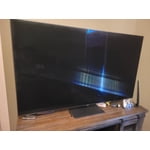
[This review was collected as part of a promotion.] I bought this TV as a treat to myself. I wanted a TV that would make my gaming and streaming look great. I looked at the reviews and decided this was the best choice. And I was not disappointed. Everything looks great on it. The upscaling makes all the difference as well. When playing a game on another TV I can already tell it doesnt look as good. I plan on using this TV for years. My only complaint would be that the remote is overly simplistic and has sensitive buttons.

Review from Samsung US
Helpful?7925Z4IDQQZS13871700529
Aug 23, 2022
Reviewer name: Moxes1sttv
5 out of 5 stars
5 out of 5 stars review

Compare and you see the difference

[This review was collected as part of a promotion.] The QLED is absolutely exceptional when watching golf or any sport for that matter. The motion rate and the resolution of the picture quality stands far above other models. I have 2 televisions in my living room for the football season and there isn't a comparison between my Samsung QLED and the other "major" brand. Will be a Samsung QLED customer for a long, long time.

Review from Samsung US
Helpful?7925Z4IDQQZS13871700529
Oct 6, 2022
Reviewer name: Miketo
4 out of 5 stars
4 out of 5 stars review

Great TV very minor problems

[This review was collected as part of a promotion.] The tv over all is a solid tv .I do have some issues with the menu system .the tiezn system. I will get a stutters leggy motion while useing more often than I would like.it wouldn't deter me from getting another samsung tv just often has me checking to see if it is an update issue

Review from Samsung US
Helpful?7925Z4IDQQZS13871700529
reply from Samsung Brand Ambassador

Miketo, We appreciate you sharing your experience with Samsung's Q80B TV. If you're experiencing delays in remote response time or while navigating menus, settings, or apps, please make sure your TV is running the latest firmware update. You can check this by going to: Home > Menu > Settings > Support > Software Update. You may also want to further optimize performance with the self-diagnostic tool, which checks memory, frees up unused cached memory, and closes background apps. Go to: Home > Menu > Settings > Support > Device Care > Start Device Care If you're having issues with motion stutter, judder, or blur, you may want to adjust the picture clarity setting by going to: Menu > Settings > All Settings > Picture > Expert Settings > Picture Clarity Settings - Off: Picture Clarity Settings will always be off - Auto: Picture Clarity Settings will automatically activate and deactivate based on the type of program being watched - Custom: Allows custom adjustments and settings to be used. By selecting the Custom option, you can access these advanced settings for Judder Reduction, LED Clear Motion, and Noise Reduction. Should you need further assistance with features or other product usage, please reach out to Samsung Support at 1-800-SAMSUNG, 8AM - 12AM EST, 7 days a week. Our LiveChat agents are also available by clicking on the ‘Support’ link on our website. ~ Samsung Specialist

Oct 25, 2022
Reviewer name: DreamQueen
5 out of 5 stars
5 out of 5 stars review

Wonderful, great features

[This review was collected as part of a promotion.] Got this tv to upgrade from an older model, the features on it are amazing! Being able to plug in any device and the tv recognizes it instantly and even creates a new tab for the device is great! Overall a great experience, would recommend to anyone!

Review from Samsung US
Helpful?7925Z4IDQQZS13871700529