Skip to Main Content
Sam's Club
Sam's Club
Customer reviews for SAMSUNG 65” Class Q80D Series QLED Smart TV for
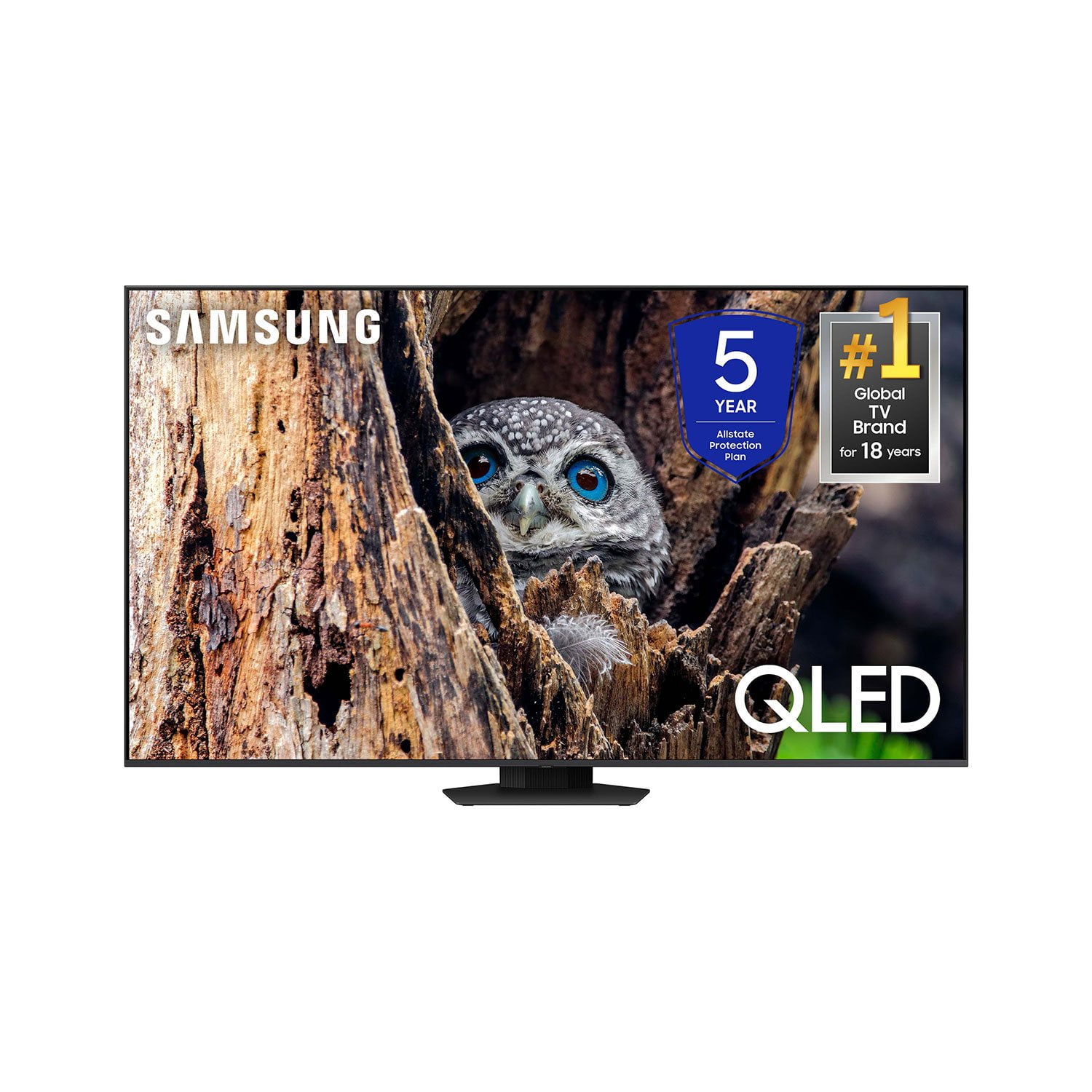
SAMSUNG 65” Class Q80D Series QLED Smart TV
4.6 out of 5 stars
stars479 ratings428 reviews
  1. 5 stars75% (359)
  2. 4 stars14% (68)
  3. 3 stars5% (24)
  4. 2 stars3% (13)
  5. 1 star3% (15)

Member photos

  • +105 images
Sort by |
Showing 31-40 of 428 reviews
Sep 17, 2024
Just me
5 out of 5 stars review

Verified Purchase

Great tv

Mom can see her football scores now

Helpful?1ZLF1H7ZTY7Y13870609163
Oct 19, 2024
Rudy
1 out of 5 stars review

Verified Purchase

Screen broke

Screen was shattered when I received it

Helpful?1ZLF1H7ZTY7Y13870609163
reply from Samsung

Rudy,We appreciate you sharing your delivery experience and having received a damaged unit. Please follow up directly with Sam's Club for assistance in correcting this situation. We hope your issue is resolved in a timely manner. Should you have questions regarding the usage or setup of your TV once your issue has been resolved, please contact Samsung Support at 1-800-SAMSUNG, 8AM - 12AM EST, 7 days a week. Our LiveChat agents are also available by clicking on the ‘Support’ link on our website.~ Samsung Specialist

May 22, 2026
Rani
5 out of 5 stars review

Great features

I bought this last year it's working and watching great I love this Tv

Review from Samsung Canada
Helpful?1ZLF1H7ZTY7Y13870609163
Dec 22, 2024
Mike Eaton
3 out of 5 stars review

Verified Purchase

A little disappointing

Very difficult to download outside apps, otherwise a nice TV...

Helpful?1ZLF1H7ZTY7Y13870609163
reply from Samsung

Mike Eaton,Thank you for sharing your experience. Please know that you can customize your Home screen by installing, removing or adding your favorite apps to the Home screen. Here's how:Downloading Apps1. From the Home screen, press left on the remote. 2. Navigate to and select Search.3. Using the search bar, enter the content or app you’d like to find.4. Navigate to and select the app you’d like to install, then select Install.Note: Previously installed apps can be accessed by selecting Apps on the Home screen.If you need more help, Samsung is here for you. Please call us at 1-800-SAMSUNG, 8AM - 12AM EST, 7 days a week. Our LiveChat agents are also available by clicking on the ‘Support’ link on our website.~ Samsung Specialist

Dec 11, 2024
Michael
5 out of 5 stars review

Verified Purchase

Okp

Absolutely amazing television

Helpful?1ZLF1H7ZTY7Y13870609163
Dec 21, 2024
Mark
5 out of 5 stars review

Verified Purchase

Great TV at a great price

Nice TV. Great picture and great features great value

Helpful?1ZLF1H7ZTY7Y13870609163
Oct 9, 2024
William
5 out of 5 stars review

Verified Purchase

65" SamsungTV

Excellent TV! All football games are perfect

Helpful?1ZLF1H7ZTY7Y13870609163
Nov 26, 2025
Ricky2424
5 out of 5 stars review

Vgtv

Bought this tv in the spring only thing I have an issue with is when watching sports the volume goes up and down on its own unexpectedly!

Review from Samsung Canada
Helpful?1ZLF1H7ZTY7Y13870609163
Dec 12, 2025
Rockstar Jay Lavigne
5 out of 5 stars review

Great features

Bought 85” OLED Samsung TV and it’s amazing better than my LG 85” ..also I bought the Q990d soundbar system and it’s also amazing

Review from Samsung Canada
Helpful?1ZLF1H7ZTY7Y13870609163
Sep 28, 2024
J SMITH
1 out of 5 stars review

Verified Purchase

Broken
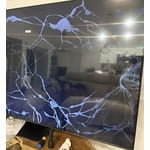
Couldn’t tell if the TV was good or not received it so damaged it was so upset didn’t order another one!!

Helpful?1ZLF1H7ZTY7Y13870609163
reply from Samsung

J SMITH,We appreciate you sharing your delivery experience and having received a damaged unit. We recommend you contact Sam's Club directly for assistance in correcting this situation. We hope your issue is resolved in a timely manner. Should you have questions or concerns on usage or setup of your TV once your issue has been resolved, please call us at 1-800-SAMSUNG, 8AM - 12AM EST, 7 days a week. Our LiveChat agents are also available by clicking on the ‘Support’ link on our website.~ Samsung Specialist