Skip to Main Content
Sam's Club
Sam's Club
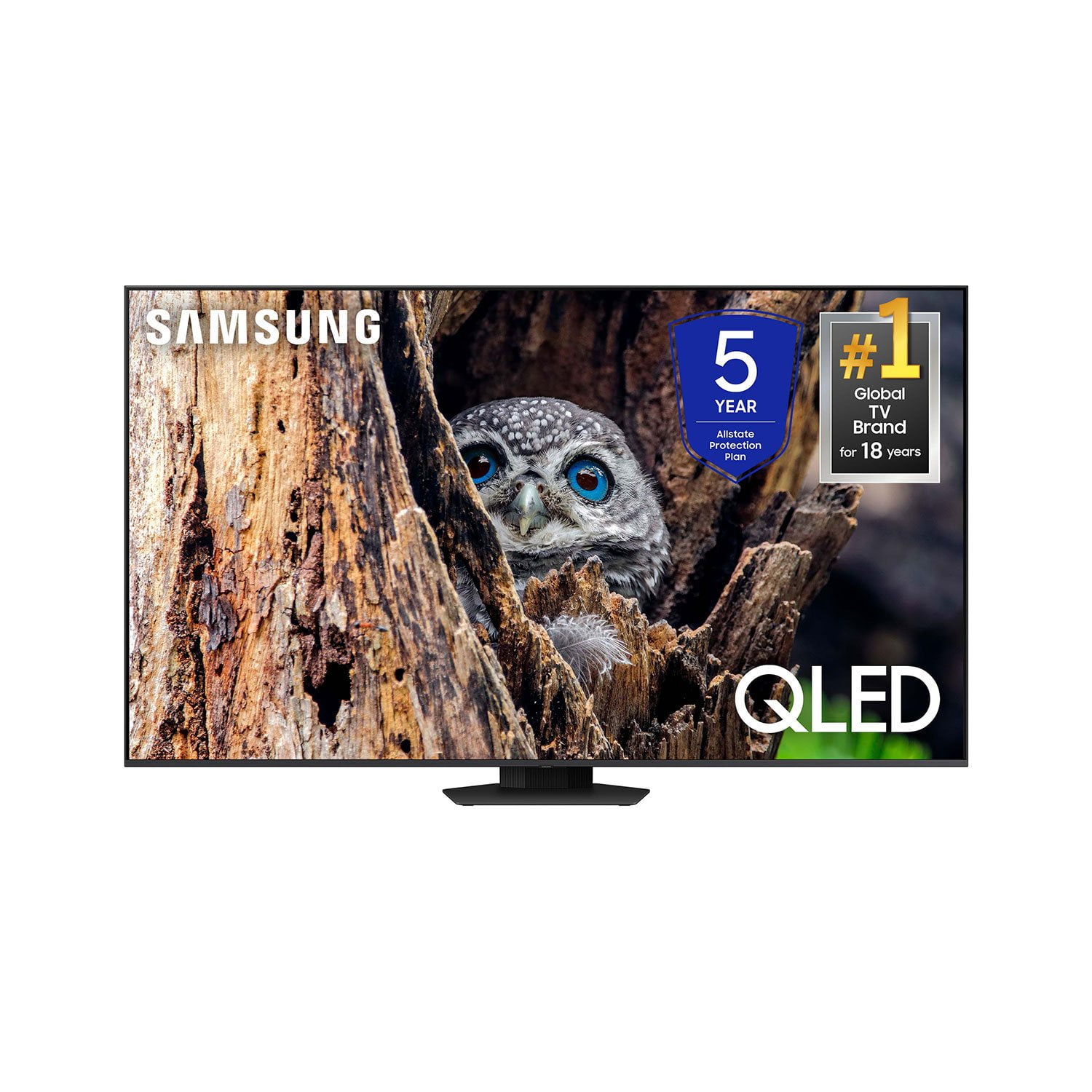
Customer reviews for SAMSUNG 65” Class Q80D Series QLED Smart TV for
SAMSUNG 65” Class Q80D Series QLED Smart TV
4.6 out of 5 stars
stars479 ratings428 reviews
  1. 5 stars75% (359)
  2. 4 stars14% (68)
  3. 3 stars5% (24)
  4. 2 stars3% (13)
  5. 1 star3% (15)

Member photos

  • +105 images
Sort by |
Showing 91-100 of 428 reviews
Feb 5, 2025
Timmy J
3 out of 5 stars review

Great tv horrible base

Samsung QLED is a great TV. Picture is flawless. Only flaw- this a major one. The base in the middle is terrible. Worst idea ever. Tv wobbles and I always feel like I’m gonna get up in the morning and it’s going to be on the floor. I replaced it with an after market one. Like the original one-2 feet- one on each side. I’m not the only one that thinks this. I have 2 friends who also have this tv and have also replaced the base back to the original style.

Review from Samsung US
Helpful?1ZLF1H7ZTY7Y13870609163
reply from Samsung Specialist

Timmy J, Thank you for sharing your thoughts on the stand design - we'll be sure to pass this feedback along to our design teams. If there’s anything we can ever help with, please call us at 1-800-SAMSUNG, 8AM - 12AM EST, 7 days a week. Or visit us on the Samsung website and click on the ‘Support’ link for: • LiveChat • Manuals, Software, & Warranty Info ~ Samsung Specialist

Mar 20, 2025
GidA1940
5 out of 5 stars review

We Love This TV

[This review was collected as part of a promotion.] This new 55" TV exceeds our expectations! The color and clarity are amazing, and it has all the features we need and a few we don't understand just yet. We couldn't be happier with this product, and we highly recommend it!

Review from Samsung US
Helpful?1ZLF1H7ZTY7Y13870609163
Jun 7, 2024
c3ntauri
4 out of 5 stars review

Best Samsung I have ever owned.

The Q80D is a Great TV. The 50" is only 60Hz Refresh Rate if you want 120Hz I would go 55" or larger. The picture is great. The first thing I would do is turn off intelligent mode for better picture control. Remote is easy to use and charge. I have been using this TV for a month and it is the best that I have ever had. It does have a few downsides. The home screen looks nice however even in 2024 the Tizen OS still feels sluggish to me. Speakers are great for a TV this size but if used in a large room, I would suggest a soundbar or Sound System setup as well. Overall I love the TV.

Review from Samsung US
Helpful?1ZLF1H7ZTY7Y13870609163
reply from Samsung Specialist

c3ntauri, We appreciate your feedback on the response time, and for optimal performance, we ask that you please ensure you've got the latest firmware version installed on your Q80D TV. You can check this by going to: Home > Menu > Settings > Support > Software Update. You may also want to further optimize performance with the self-diagnostic tool, which checks memory, frees up unused cached memory, and closes background apps. Go to: Home > Menu > Settings > Support > Device Care > Start Device Care I hope these tips help you enjoy your new product. You can always contact us for further help at 1-800-SAMSUNG, 8AM - 12AM EST, 7 days a week. Our LiveChat agents are also available by clicking on the ‘Support’ link on our website. ~ Samsung Specialist

Nov 25, 2024
Timbo2U
5 out of 5 stars review

So Far So Good

[This review was collected as part of a promotion.] I purchased this tv to replace the one in my living room. I've not hooked up my ultra high speed eARC HDMIcables yet, but even so the picture quality is fantastic. The set up (smartphone option) was incredibly easy. I have a Q800D soundbar coming today and my new cables, so I anticipate that the picture quality will be even better. I've only had the tv a few days, but I am very pleased with my purchase so far.

Review from Samsung US
Helpful?1ZLF1H7ZTY7Y13870609163
Apr 21, 2025
XnyLVv
3 out of 5 stars review

Great TV, Annoying problem

Th TV is great, but why on earth does Samsung not fix the issue of the TV auto-running apps. It will NOT stop automatically turning on my game consoles. I've tried everything and read every singel Reddit post, and it never works. There is a setting that says "Turn on/off Auto-run apps" and when you turn it off, it runs them anyways. Not sure why this issue has been around for so long and why it is so hard for Samsung to fix.

Review from Samsung US
Helpful?1ZLF1H7ZTY7Y13870609163
reply from Samsung Specialist

XnyLVv, Thank you for your review. If you don’t want externally connected devices to turn on/off when you turn your TV on/off, please make sure Anynet+ is disabled. To turn off Anynet+ (HDMI-CEC), go to: Settings > All Settings > Connection > External Device Manager > Anynet+ (HDMI-CEC) = OFF. If you need more help, Samsung is here for you. Please call us at 1-800-SAMSUNG, 8AM - 12AM EST, 7 days a week. Our LiveChat agents are also available by clicking on the ‘Support’ link on our website. ~ Samsung Specialist

Feb 20, 2025
EliNo
3 out of 5 stars review

Great picture if you know how to adjust it!

I’ve had this tv for a couple of months and haven’t been able to get the picture adjusted and have tried everything all the online help from Samsung every YouTube video. The live picture is “ok” but video is not clear and older videos are really blurry. The picture is nowhere near as good as the 9 year old Vizio M that this one replaced perhaps I will pay a professional to come to my home and adjust the picture

Review from Samsung US
Helpful?1ZLF1H7ZTY7Y13870609163
reply from Samsung Specialist

EliNo, Thank you for sharing your thoughts on the picture quality of your Q80D TV. To ensure you’ve got the latest image quality updates, please confirm that your TV is up to date with the latest firmware version. You can check by going to: Home > Menu > Settings > Support > Software Update. If the picture you’re seeing is still not to your liking after updating firmware, there are several picture settings you may want to try adjusting. Go to Home > left direction button > Settings > All Settings > Picture > Picture Mode ...and select the mode that best fits your usage: 1. Standard: Is the default mode suitable for general viewing environments 2. Dynamic: Makes the picture brighter and clearer in bright viewing environments 3. Eco: Provided to save energy 4. Movie: Suitable for watching TV or movies in a dark room 5. Filmmaker Mode: Provides source content just as the creators intended. If the image is defined as Filmmaker Mode, it’ll automatically switch to Filmmaker Mode while watching. You can also fine-tune your picture with expert settings such as brightness, contrast, sharpness and more (All Settings > Picture > Expert Settings). For further assistance with settings adjustments, please contact Samsung Customer Support at 1-800-SAMSUNG, 8AM - 12AM EST, 7 days a week. Or visit us on the Samsung website and click on the ‘Support’ link for: • LiveChat • Manuals, Software, & Warranty Info ~ Samsung Specialist

Sep 10, 2024
bestOFbothWORLDS
5 out of 5 stars review

Top Notch Hands Down

[This review was collected as part of a promotion.] I use my TV for everything; binge watching shows, movies both old and new, games on PS5 and VR, music through the TV apps and casting, Virtual meetings both personal and professional, managing my Samsung hub with all my other Samsung products which is very easy and convenient and managing security features. This is the 2nd QLED 4K TV I've owned and by far, really really far, this technology surpasses all other brands and models out there. Although on the pricer side of compared TVs across the board, you get exactly what you pay for. If you are like me, having everything centralized makes life so much more easier and sweeter. I am a forever Samsung owner and wouldn't have it any other way. The features of this TV are out amazing. You can see all of the details when viewing anything. From facial wrinkles to object sound tracking, gives me the experience as if I were right there on set with them or in the movies. I've compared this model to others and no other non-Samsung model can come close to what this model can deliver. I would go bigger on the size if I were to upgrade, but keep the same model. Going with this model was the best choice I made and am very very satisfied with my decision. I recommend everyone give it a try, because once you have that experience you'll settle for nothing less, guaranteed!

Review from Samsung US
Helpful?1ZLF1H7ZTY7Y13870609163
Oct 24, 2024
KCMPartyRoom
5 out of 5 stars review

Great TV for our Party Barn!

[This review was collected as part of a promotion.] We put this 75” tv in our party barn where everyone in the room can watch it - including our eight person bar. It is usually the focal point during sport events even though we have another 55” tv for dual viewing of different events. The picture is absolutely great! The ease of operation and speed is many times greater than the tv it replaced. Stress level has gone away bringing it up and getting the show we want! Thank you Samsung!

Review from Samsung US
Helpful?1ZLF1H7ZTY7Y13870609163
Dec 25, 2024
Awas
4 out of 5 stars review

Great Tv

Samsung 75” Q82D TV Review The Samsung 75” Q82D is a stunning addition to any living space, delivering exceptional picture quality and a sleek, modern design that complements any décor. The TV boasts vibrant colors, deep blacks, and excellent contrast, making it a standout choice for movies, sports, and gaming. The Quantum Dot technology ensures sharp detail and vivid colors that bring every scene to life. Aesthetically, the Q82D is a masterpiece. Its slim profile and minimalist bezels create an elegant, sophisticated look that feels premium. Whether wall-mounted or placed on a stand, this TV blends seamlessly into any room. Setting up the Q82D is a breeze. The intuitive interface and clear instructions make installation quick and easy, even for those who aren’t tech-savvy. Samsung’s Smart Hub is also user-friendly, providing seamless access to popular streaming platforms and apps. The overall build quality of the Q82D feels durable and high-end, living up to Samsung’s reputation for premium products. The only downside is the onboard subwoofer, which occasionally drops out. This issue can be frustrating, as it requires rebooting the TV to restore functionality. While this isn’t a dealbreaker for most, it’s worth noting for those who rely on the built-in audio system. Overall, the Samsung 75” Q82D offers an outstanding viewing experience with a few minor hiccups. If you’re looking for a TV that combines exceptional picture quality, modern aesthetics, and ease of use, the Q82D is a fantastic choice.

Review from Samsung Canada
Helpful?1ZLF1H7ZTY7Y13870609163
Dec 5, 2024
Wingrider
5 out of 5 stars review

Overall good tv

[This review was collected as part of a promotion.] Got this one based on size, price, and features. Was easy to setup using my Samsung phone and smart things. Good pictures, sound is better than many without sound bar. Streaming services are good. Little bit crowded on screen. Still fine tuning colors and such but pretty close out of box. Thought the unpacking instructions were difficult based on diagrams only and should have written directions but I am old school. Remote charges using usb c connector. Not sure how often it will require charging but also has solar on back. Nice touch. Voice comnans are nice and interfaces with alexa too. Pleased so far

Review from Samsung US
Helpful?1ZLF1H7ZTY7Y13870609163