Skip to Main Content
Sam's Club
Sam's Club
All Departments
All Services
Customer reviews for Skylight 15" Touchscreen Calendar & Organizer + 3 Year Photo & Videos for
Skylight 15" Touchscreen Calendar & Organizer + 3 Year Photo & Videos
4.1 out of 5 stars
stars
1,956 ratings1,848 reviews
  1. 5 stars59% (1,151)
  2. 4 stars13% (250)
  3. 3 stars16% (309)
  4. 2 stars7% (131)
  5. 1 star6% (115)

Member photos

  • +48 images
Sort by |
Showing 561-570 of 1,848 reviews
Oct 15, 2025
Reviewer name: Jared R.
3 out of 5 stars
3 out of 5 stars review

I wish the desktop access were better, but overall, it's adequate for my needs.

It's good for the display so everyone can see what's going on, but it's cumbersome to load everything I need directly onto the panel or in the app; the desktop access is not user-friendly and does not allow updating chores/routines. I'd really love to be able to organize everything on the desktop website.

Review from skylightframe.com
Helpful?2H0DCOCQ499L13867269032
Aug 11, 2023
Reviewer name: Christopher M.
3 out of 5 stars
3 out of 5 stars review

Pretty good, but room for improvement

I like our skylight frame, but there's a couple things that need to be improved upon in the UI. 1) build in an auto-refresh for calendar screens. If we don't touch it for a while, you have to click chores then back to calendar to update the screen to the current day. This would be wildly easy to automate. 2) To set up chores, you need multiple calendars sync'd for each person. This is silly. Make a way to add local people (ie: kids), then assign chores to each accordingly! It's really close to being great.

Review from skylightframe.com
Helpful?2H0DCOCQ499L13867269032
Aug 11, 2023
Reviewer name: Anonymous
1 out of 5 stars
1 out of 5 stars review

Where's the value?

I find the subscription plan for being able to add photos to my digital frame that is a calendar very hard to swallow. I'm being charged repeatedly for core functionality that is inherent with any other digital frame. Oh but wait you can add a tag line. Not worth it. I'd like to at least be able to organize the photos within my calendar into folders so I could play certain groups of content at certain times. Maybe a holiday folder to play during November December. Or by family member or friend group so I can play that sunset while those people are visiting? If I'm paying for a service I expect that service to provide more capability over time.

Review from skylightframe.com
Helpful?2H0DCOCQ499L13867269032
Apr 4, 2024
Reviewer name: Katie K.
5 out of 5 stars
5 out of 5 stars review

Awesome for the ADHDers among us
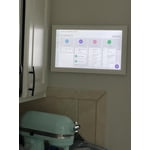
I'm a huge fan. The Skylight has removed so much of the tracking, repeating, and nagging I've had to do to keep our family on course. The kids know where to look for chores, most importantly. Paper printouts were too easy to ignore for all of us (and too easy for me to forget to print and update…thanks, ADHD). I like being able to add chores and tasks for each of us on the fly through the app, no matter where I am. My kids can even add tasks that they need me to do for school, activities, etc - much less forgetting for all of us. So satisfying to check those chores off, too.

Review from skylightframe.com
Helpful?2H0DCOCQ499L13867269032
Jan 10, 2024
Reviewer name: Kenneth M.
4 out of 5 stars
4 out of 5 stars review

Needs improvement

Great to keep up with schedules. Wish it had a choice to only show Monday through Friday. Also have to use it on hotspot so when Fran goes into sleep mode it has to reconnect to network. I have to enter password for network again it does not have a save feature

Review from skylightframe.com
Helpful?2H0DCOCQ499L13867269032
Mar 30, 2023
Reviewer name: Ron M.
3 out of 5 stars
3 out of 5 stars review

Nice hardware, needs more work on the software

Nice piece of tech, but syncing calendars is one way. If we add anything in the calendar directly it will not sync back to our iPhone calendar apps and requires we open their app just to see those items. Will be a 5 star product as soon as 2 way sync is available (which I am being told is in the works, but who knows how long)

Review from skylightframe.com
Helpful?2H0DCOCQ499L13867269032
Aug 15, 2023
Reviewer name: Cheryl N.
4 out of 5 stars
4 out of 5 stars review

Great way to organize family life

I love how user friendly the set up is. My husband and my phone calendar seamlessly synced with set up and each family member has their own color so we can easily see who's doing what on that day. My only disappointment is the chore set up and grocery list. They are very basic and you can't drag and drop to organize into categories (dairy, produce etc) so as you add items to the list they are all over the place which makes it harder when in the store.

Review from skylightframe.com
Helpful?2H0DCOCQ499L13867269032
Jul 30, 2024
Reviewer name: Carolyn P.
3 out of 5 stars
3 out of 5 stars review

Great concept but few suggestions for improvement.

Wishing you could use without wifi, especially on app. Also would like to be able to import recipes instead of manually entering all ingredients and directions. Love the feature for sending email and the information automatically being put in calendar.

Review from skylightframe.com
Helpful?2H0DCOCQ499L13867269032
Jul 23, 2024
Reviewer name: Kristen H.
3 out of 5 stars
3 out of 5 stars review

Great, but doesn't replace apple/google functionality.

The skylight frame itself is beautiful. We LOVE the photo frame functionality, and the chore list. I was hoping that this frame would be more robust and have more features for the price of the frame and considering it's a yearly/monthly subscription. Unfortunately, I don't think it is going to do the trick for me as I find that I am still needing to use other apps. The following things are not advertised as being included, so I don't think it's fair to give a poor review, but I am including some of the reasons why this calendar won't work for me in case it's helpful for others! -'lists' can't be reordered or edited once they've been started. All you can do is add another item or delete it. If you misspell an item, you can't change it. Nor can you 'sort' the list by dragging and dropping (I do this for my groceries and order it by dept). I'm used to Google keep, where I can order both my lists, AND order the items within each list. It also has headings, reminders, can add pictures, etc. -the menu planning is cool. It would be top notch if I could include a picture/screen shot of a recipe when I click on each recipe so that the recipe can be pulled up on the screen in my kitchen. I can include a link on the app on my phone, but NOT on the actual skylight calendar itself. The chores are awesome! My kids love it :) The calendar syncs seamlessly for the events. However, since skylight doesn't have a desktop options, I use google cal. Those events get synced, but the colour/labels don't match up in skylight, so I have to manually go in and change them all on the app on my phone, or on the device. It's not a huge deal, but it definitely takes a bunch of time! The photos are sent seamlessly to the device and the picture is beautiful! I've only used it for a week or so, and really wanted this to work, but I don't think it will be able to replace the functionality of the google apps I currently use.

Review from skylightframe.com
Helpful?2H0DCOCQ499L13867269032
Jan 19, 2024
Reviewer name: Shana L.
4 out of 5 stars
4 out of 5 stars review

Great product, but annoying to have to pay a fee to use photos

Why can't we just use photos on a device we own without having to pay for the service? But the product has been great, merging our calendars onto this device has been so easy. I love the chores feature and the device itself is really beautiful and looks great in our house. Having the touch screen is great too. I wish I could talk to the device to quick add reminders or items on my lists or a calendar event.

Review from skylightframe.com
Helpful?2H0DCOCQ499L13867269032