Skip to Main Content
Sam's Club
Sam's Club
All Departments
All Services
Customer reviews for Epson EcoTank ET-5180 Pro Supertank Special Edition All-in-One Inkjet Printer for
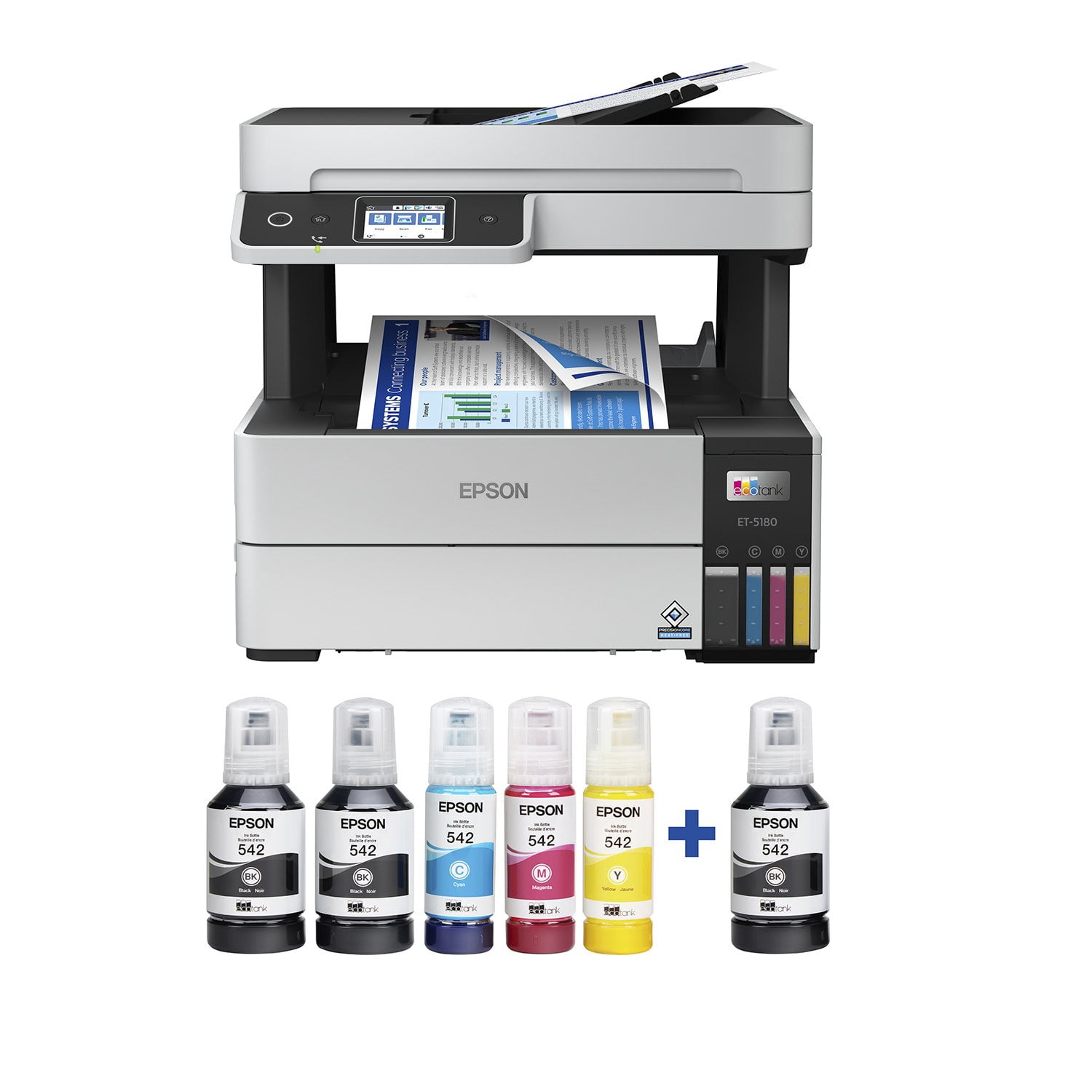
Epson EcoTank ET-5180 Pro Supertank Special Edition All-in-One Inkjet Printer
3.7 out of 5 stars
stars
60 ratings34 reviews
  1. 5 stars55% (33)
  2. 4 stars10% (6)
  3. 3 stars7% (4)
  4. 2 stars5% (3)
  5. 1 star23% (14)

Member photos

Sort by |
Showing 1-10 of 34 reviews
Jul 5, 2022
Reviewer name: DanD
5 out of 5 stars
5 out of 5 stars review

Verified Purchase

Love this printer!

Love this printer! Good print quality, even on plain paper. Rated speed is 17 ppm black and 9.5 ppm color. Real life print speed is close to rated speed. Scanning speed is also very quick. Copies are very quick and have excellent quality. Ink replenishment is quick and easy. The EcoTank bottlles are $50 for a set of 4 and provide 6 months of typical use. This makes printing very economical. Loading the ink was quick and easy. Just dump the liquid ink into the reservoir. Having a large bottle instead of small cartridge does introduce a bit more risk of spillage, but the design of the bottles mitigates spillage. ELEPHANT IN THE ROOM: This $600 printer is probably twice the price of an equivalent printer that requires Epson-proprietary ink cartridges. However, the saving over a year of buying expensive cartridges more than justifies the increased cost of the printer. IMHO, paying more for the printer but paying a fair price for inexpensive ink is also a more honest arrangement. LINUX Wireless and wired networking is available, as is USB. After connecting to the network or computer, scanning is easy. I use VueScan, but "Epson Scan 2" is available from Epson for free. Like other Epson printers, printing can be difficult to configure. Although Ubuntu detects the printer, printing fails with the automatic setup. Instead, choose "Manual URI" and type "lpd://EPSONFBD131/BINARY_P1" for the connection. After that, proceed as usual.

Helpful?1UKKNVMD6WJW13864369976
Nov 26, 2022
Reviewer name: Greg
5 out of 5 stars
5 out of 5 stars review

Verified Purchase

Great Printer

Great printer. With the Epson app it was easy to set up. Printing is great and the scanner works perfectly. Recommend highly especially for home office employees that need to print and scan and copy.

Helpful?1UKKNVMD6WJW13864369976
Jan 1, 2024
Reviewer name: RUSSELL
5 out of 5 stars
5 out of 5 stars review

Verified Purchase

GREAT BUY

We have the base model Eco Tank and have loved it - inexpensive to operate with ink not needing to be added for 6-9 months. When the 5180 went on sale it was a no brainer. It holds 200 sheets of paper and you can load multiple pages to copy, something you can't do with the base model.

Helpful?1UKKNVMD6WJW13864369976
Jan 15, 2023
Reviewer name: VS
5 out of 5 stars
5 out of 5 stars review

Verified Purchase

Awesome buy

love the machine i have already used a pack of paper and the ink has not moved a bit, good quality, ink saver and love that it has many features

Helpful?1UKKNVMD6WJW13864369976
Mar 18, 2024
Reviewer name: SGarcia
5 out of 5 stars
5 out of 5 stars review

Verified Purchase

This printer is a dream for the business.

Can't get enough of the high quality printing. We print a ton of signs and coupons for our business and it is fantastic.

Helpful?1UKKNVMD6WJW13864369976
Jun 20, 2022
Reviewer name: DanD
5 out of 5 stars
5 out of 5 stars review

Love this printer!

Good print quality, even on plain paper. Rated speed is 17 ppm black and 9.5 ppm color. Real life print speed is close to rated speed. Scanning speed is also very quick. Copies are very quick and have excellent quality. Ink replenishment is quick and easy. The EcoTank bottlles are $50 for a set of 4 and provide 6 months of typical use. This makes printing very economical. Load the ink was quick and easy. Just dump the liquid ink into the reservoir. Having a large bottle instead of small cartridge does introduce a bit more risk of spillage, but the design of the bottles mitigates spillage. ELEPHANT IN THE ROOM: This $600 printer is probably twice the price of an equivalant printer that requires Epson-proprietary ink cartridges. However, the saving over a year of buying expensive cartridges more than justifies the increased cost of the printer. IMHO, paying more for the printer but paying a fair price for inexpensive ink is also a more honest arrangement. LINUX Wireless and wired networking is availble, as is USB. After connecting to the network or computer, scanning is easy. I use VueScan, but "Epson Scan 2" is available from Epson for free. Like other Epson printers, printing can be difficult to configure. Although, Ubuntu detects the printer, printing fails with the automatic setup. Instead, choose "Manual URI" and type "lpd://EPSONFBD131/BINARY_P1" for the connection. After that, proceed as usual.

Helpful?1UKKNVMD6WJW13864369976
Dec 5, 2022
Reviewer name: Printer Bliss
5 out of 5 stars
5 out of 5 stars review

We love this printer

Yes, it makes some noise, yes it takes a few to set up, YES it prints very clearly, SAVES tons if coin, this one holds twice the paper in the tray than the one we flat wore out which is very nice. I Didn't even consider going with a cartridge ink jet or a toner headach laser. These things will print a case of paper then you just put more ink in. Alot like your car wanting gas. . The only negative I find at all is it works best if you can reach in from behind the printer to remove printed papers. If I grab them from the front they can get ummm rumpled. So, YES I would RECOMMEND and or buy this printer again. I will update if I see the need but if this printer is like the old one we had I probably won't be negative. Alex VO

Helpful?1UKKNVMD6WJW13864369976
Jul 13, 2022
Reviewer name: Jim
2 out of 5 stars
2 out of 5 stars review

Why such high reviews?

I was very hopeful this printer would work. First, the setup takes time and effort, took about a hour including downloading and installing epson suite to communicate with printer. The printer prints fine but the worst is the scanner. You need to load document, then click scan using your computer, then download the scan file into your computer. Too many steps. Scan at 200 dbi looks horrible. Tried at 1200dbi, scan looks fine, but takes 30 seconds per page. Is this for business? I don't know any business that has all the time to wait to scan a 20 page document.

Helpful?1UKKNVMD6WJW13864369976
Mar 14, 2023
Reviewer name: Nicky
1 out of 5 stars
1 out of 5 stars review

Crappy software

Software and printer pretty much sucks. Does not do multiscan without hanging up on feeder. Coming from Hp printers for years. Got this for its claim to save on ink cost. But the software is really setup for kids, like 10yrs behind in software technology . Not for professional use. Should have gone with and HP eco tank equivalent

Helpful?1UKKNVMD6WJW13864369976
Nov 23, 2022
Reviewer name: e0140877
1 out of 5 stars
1 out of 5 stars review

jammed paper, blank pages, ADF jams, etc.

This printer is not anywhere near the quality it should be for this price. We had purchased it for a small office and everyone hated it. It constantly jammed and once you solve the jam spits out blank pages over and over. Was able to return it thanks the store return policy but there was a lot of time wasted trying to get it to work. We switched back to a laser printer as we need something reliable….and this printer is not reliable.

Helpful?1UKKNVMD6WJW13864369976