Skip to Main Content
Sam's Club
Sam's Club
All Departments
All Services
Customer reviews for SAMSUNG 65" Class DU7200 Series 4K Smart TV for
SAMSUNG 65" Class DU7200 Series 4K Smart TV
4.3 out of 5 stars
stars
1,279 ratings1,091 reviews
  1. 5 stars64% (819)
  2. 4 stars18% (231)
  3. 3 stars8% (102)
  4. 2 stars5% (61)
  5. 1 star5% (66)

Member photos

  • +163 images
Sort by |
Showing 561-570 of 1,091 reviews
Feb 12, 2025
Reviewer name: Jpdda
4 out of 5 stars
4 out of 5 stars review

Great picture and yes gestures but that voice 😝

I don’t like the voice. I can’t understand it sometimes and hate when it’s very obvious the voice is not coming out of the mouths of the people talking.

Review from Samsung US
Helpful?3BX78DZ2P7VO13854766773
Feb 20, 2025
Reviewer name: Polly
3 out of 5 stars
3 out of 5 stars review

Disappointed with Smart TV

I am disappointed with the TV and the remote. Miss features I used to have. Our TV headset doesn't work with the TV. No "Mute" on the remote or other features we had on our previous TV remote. The remote is difficult to open to replace batteries

Review from Samsung US
Helpful?3BX78DZ2P7VO13854766773
reply from Samsung Advisor

Hi Polly, We appreciate your review of the DU7200 TV. Please know that you can control the volume of your TV by pressing the +/- button up to increase the volume and down to decrease the volume. To mute the sound, press the button. You can also learn how to use your remote directly from your TV. Just go to Home> (left directional button) Settings> Support> Remote Control Guide. If you need more help, Samsung is here for you. Please call us at 1-800-SAMSUNG, 8 AM - 12 AM EST, seven days a week. Our LiveChat agents are also available by clicking on the ‘Support’ link on our website. ~Samsung Advisor

Apr 19, 2025
Reviewer name: Barb
5 out of 5 stars
5 out of 5 stars review

Samsung makes a great television!

I finally bought my new Samsung television and now only wish I had bought it sooner! The picture is great and I love all the features. Samsung definitely makes a great product.

Review from Samsung US
Helpful?3BX78DZ2P7VO13854766773
Apr 19, 2025
Reviewer name: Lynn
2 out of 5 stars
2 out of 5 stars review

Not a great product

I bought this 3 weeks ago. I'm sorry I bought this brand. The sound quality is not as good as t was n my 20 year old Sony Bravia. The set up on the home screen isn't good either.

Review from Samsung US
Helpful?3BX78DZ2P7VO13854766773
reply from Samsung Advisor

Hi Lynn, Thank you for sharing your experience with low volume. There are several volume features you can adjust, which may improve your audio experience. 1) Auto Volume automatically adjusts the sound to a certain level when changing channels or switching to another external input. Go to Settings > All Settings> Sound > Expert Settings > Auto Volume. 2) Adaptive Sound automatically adjusts to a specific volume level while watching TV. The TV analyzes your volume usage history by time period to automatically adjust the volume when you use an app or switch to an external input source. Go to Settings> All Settings> Sound> Sound Mode> Adaptive Sound. 3) Several Sound Modes are likewise available to meet your personal preferences: Home > Settings > All Settings> Sound > Sound Mode. Also, some sources have their own volume control, which might need to be set higher. Please check the volume control of the external device (cable box or satellite box, DVD, Blu-ray, etc.) connected to your TV. Also, check the cable connection between an external device and the TV and then try the cable connection again. If you need more help, Samsung is here for you! Please call us at 1-800-SAMSUNG, 8 AM - 12 AM EST, seven days a week. Our LiveChat agents are also available by clicking on the ‘Support’ link on our website. ~ Samsung Advisor

Apr 2, 2025
Reviewer name: Annie
5 out of 5 stars
5 out of 5 stars review

Best Samsung TV
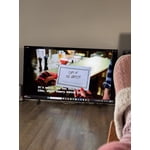
I brought the TV almost 40 days, I do like to watch Live Channel and Movies at home comforts. My family greatly appreciate the Size and the space occupancy.Thanks to Samsung

Review from Samsung US
Helpful?3BX78DZ2P7VO13854766773
Apr 20, 2025
Reviewer name: Lonnie
3 out of 5 stars
3 out of 5 stars review

needs work on the set up and connections

Bought this to replace my 12 year old unit that died. Tried to install and have not been able to get to my brouser Spectrum for my favorite shows. Not real happy with the unit.

Review from Samsung US
Helpful?3BX78DZ2P7VO13854766773
reply from Samsung Advisor

Hi Lonnie, We appreciate you taking the time to let us know about your experience with your TV. So that we can better troubleshoot this issue and provide steps towards a solution, please contact Samsung Support at 1-800-SAMSUNG, 8AM - 12AM EST, 7 days a week. Or visit us on the Samsung website and click on the ‘Support’ link for: • LiveChat • Manuals, Software, & Warranty Info ~ Samsung Advisor

Mar 2, 2025
Reviewer name: Doodee
4 out of 5 stars
4 out of 5 stars review

Love them! All 3!

I love our new Samsung TVs. My husband and I gifted ourselves smart TVs for Christmas! My only wish would be if the commercials could be quieter. Still my pet peeve...that they are so loud!

Review from Samsung US
Helpful?3BX78DZ2P7VO13854766773
Mar 5, 2025
Reviewer name: Steve
5 out of 5 stars
5 out of 5 stars review

great features

the TV was easy to set up. The only complaint is that the remote is a little bit convoluted. I have not looked for an easier remote to use but I hope that there is one. The picture and the presentation and features that come with the TV are great.

Review from Samsung US
Helpful?3BX78DZ2P7VO13854766773
Feb 5, 2025
Reviewer name: Wilkesrichard
4 out of 5 stars
4 out of 5 stars review

Excellent

Unit is outstanding. Great Pic. Really Great. Easy and smooth to operate, except. Be sure to get a remote with voice recognition. Most of what I watch is streaming.

Review from Samsung US
Helpful?3BX78DZ2P7VO13854766773
Apr 19, 2025
Reviewer name: Bill
4 out of 5 stars
4 out of 5 stars review

wifi problems

tv looks and works great. but i’m having 1 problem with it. It doesn’t stay connected to the wifi and the only way I can get it to reconnect is to reset my router. All 4 other tvs stay connected, this one is the only one with this problem

Review from Samsung US
Helpful?3BX78DZ2P7VO13854766773