Skip to Main Content
Sam's Club
Sam's Club
Customer reviews for SAMSUNG 65" Class DU7200 Series 4K Smart TV for
SAMSUNG 65" Class DU7200 Series 4K Smart TV
4.3 out of 5 stars
stars1,279 ratings1,091 reviews
  1. 5 stars64% (819)
  2. 4 stars18% (231)
  3. 3 stars8% (102)
  4. 2 stars5% (61)
  5. 1 star5% (66)

Member photos

  • +163 images
Sort by |
Showing 481-490 of 1,091 reviews
Apr 21, 2025
Tv11
3 out of 5 stars review

Bad remote

TV is pretty good everything on it is really clear and it has a very good picture but the remote doesn't work very good at all you have to hold it at just the right spot so it will work

Review from Samsung US
Helpful?3BX78DZ2P7VO13854766773
reply from Samsung Advisor

Hi Tv11, We appreciate your review of the DU7200 TV. To learn how to use your Samsung remote and understand the settings on your TV, please use your remote to access the remote guide. Go to Home> (left directional button) Settings> Support> Remote Control Guide. If you need more help, Samsung is here for you. Please call us at 1-800-SAMSUNG, 8 AM - 12 AM EST, seven days a week. Our LiveChat agents are also available by clicking on the ‘Support’ link on our website. ~Samsung Advisor

Dec 27, 2024
Jandy65
5 out of 5 stars review

Love having my own viewing platform!

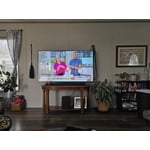
[This review was collected as part of a promotion.] My new Samsung was installed in the master suite! So now I can watch my favorite shows while my husband watches football on our Samsung frame in the great room.

Review from Samsung US
Helpful?3BX78DZ2P7VO13854766773
Apr 19, 2025
Bill
4 out of 5 stars review

wifi problems

tv looks and works great. but i’m having 1 problem with it. It doesn’t stay connected to the wifi and the only way I can get it to reconnect is to reset my router. All 4 other tvs stay connected, this one is the only one with this problem

Review from Samsung US
Helpful?3BX78DZ2P7VO13854766773
Apr 21, 2025
Teddy
4 out of 5 stars review

color is great

I don't like the remote control which is limited on regular functions for a TV, like volume control and audio output jet for PCM is not build in for head phone connection

Review from Samsung US
Helpful?3BX78DZ2P7VO13854766773
Mar 5, 2025
Sam25
5 out of 5 stars review

Great features

This was my second Samsung TV. So far so good. No complaints whatsoever. My phone, stove. Fridge and microwave are also Samsung. Not so pleased with fridge, the ice maker always freezes up.

Review from Samsung US
Helpful?3BX78DZ2P7VO13854766773
Oct 24, 2024
707172
3 out of 5 stars review

Disappointed

[This review was collected as part of a promotion.] I hoped for more/better from this TV. It was under 600 for a 60in. I guess that gets you little in the terms of clarity and crystal clear viewing. Its just a huge lack of quality.

Review from Samsung US
Helpful?3BX78DZ2P7VO13854766773
reply from Samsung Specialist

Hi there, Thank you for sharing your thoughts on the picture quality of your DU7200D TV. To ensure you’ve got the latest image quality updates, please confirm that your TV is up to date with the latest firmware version. You can check by going to: Home > Menu > Settings > Support > Software Update. If the picture you’re seeing is still not to your liking after updating firmware, there are several picture settings you may want to try adjusting. Go to Home > left direction button > Settings > All Settings > Picture > Picture Mode ...and select the mode that best fits your usage: 1. Standard: Is the default mode suitable for general viewing environments 2. Dynamic: Makes the picture brighter and clearer in bright viewing environments 3. Eco: Provided to save energy 4. Movie: Suitable for watching TV or movies in a dark room 5. Filmmaker Mode: Provides source content just as the creators intended. If the image is defined as Filmmaker Mode, it’ll automatically switch to Filmmaker Mode while watching. You can also fine-tune your picture with expert settings such as brightness, contrast, sharpness and more (All Settings > Picture > Expert Settings). I hope these tips help. You can always contact us for further assistance at 1-800-SAMSUNG, 8AM - 12AM EST, 7 days a week. Our LiveChat agents are also available by clicking on the ‘Support’ link on our website. ~ Samsung Specialist

Apr 19, 2025
Anonymous
5 out of 5 stars review

Great tv!

I purchased this product a couple months ago for our bedroom and we love it! The picture quality is great and the TV was discounted at a great price as well. It also came with 3 year warranty so it was a no brainer!

Review from Samsung US
Helpful?3BX78DZ2P7VO13854766773
Feb 18, 2025
Dog Musher
5 out of 5 stars review

Couldn't be happier

We are very happy with our 65" television. It has brilliant color, and when installing to the wall mounts, I discovered it was very light and maneuverable. Happy to have made this purchase. Oh yes, the price was great as well.

Review from Samsung US
Helpful?3BX78DZ2P7VO13854766773
Dec 5, 2024
MMB123
5 out of 5 stars review

Clear tv, good sound, easy to use

[This review was collected as part of a promotion.] I use my tv to watch shows and moves and play video games, it works great for all of that. I highly recommend for the price.

Review from Samsung US
Helpful?3BX78DZ2P7VO13854766773
Mar 5, 2025
Cybdiver
3 out of 5 stars review

Missed potential

The picture is good the speakers are awful, there's no way to go directly to a channel without scrolling. The blue tooth is not the latest considering the set was recently manufactured. I gave it 3 stars for picture quality.

Review from Samsung US
Helpful?3BX78DZ2P7VO13854766773
reply from Samsung Advisor

Hi Cybdiver, Thank you for your feedback. Please know your opinion is important to us and will be shared with our internal teams. Regarding audio issues, there are several volume features you can adjust, which may improve your audio experience. 1) Auto Volume automatically adjusts the sound to a certain level when changing channels or switching to another external input. Go to Settings > All Settings> Sound > Expert Settings > Auto Volume. 2) Adaptive Sound automatically adjusts to a specific volume level while watching TV. The TV analyzes your volume usage history by time period to automatically adjust the volume when you use an app or switch to an external input source. Go to Settings> All Settings> Sound> Sound Mode> Adaptive Sound. 3) Several Sound Modes are likewise available to meet your personal preferences: Home > Settings > All Settings> Sound > Sound Mode. To select a channel on your TV, press the 123/Settings button on your remote. Then select the number keypad and enter the channel number. The Bluetooth in the DU7200 TV is up to date and should connect to your external Bluetooth devices. If you need more help, Samsung is here for you! Please call us at 1-800-SAMSUNG, 8 AM - 12 AM EST, seven days a week. Our LiveChat agents are also available by clicking on the ‘Support’ link on our website. ~ Samsung Advisor