Skip to Main Content
Sam's Club
Sam's Club
All Departments
All Services
Customer reviews for SAMSUNG 65" Class DU7200 Series 4K Smart TV for
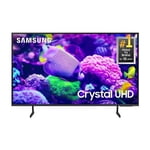
SAMSUNG 65" Class DU7200 Series 4K Smart TV
4.3 out of 5 stars
stars
1,279 ratings1,091 reviews
  1. 5 stars64% (819)
  2. 4 stars18% (231)
  3. 3 stars8% (102)
  4. 2 stars5% (61)
  5. 1 star5% (66)

Member photos

  • +163 images
Sort by |
Showing 441-450 of 1,091 reviews
Feb 20, 2025
Reviewer name: Harry o
4 out of 5 stars
4 out of 5 stars review

The picture is awesome!

I'm happy with the picture. However, there are instances where I hear sound and no picture. If there are any suggestions I would appreciate it. I kept the box it came in just in case I have to take it back.

Review from Samsung US
Helpful?3BX78DZ2P7VO13854766773
reply from Samsung Advisor

Hi Harry o, If your TV has a black screen even when it's on, it's quite possible it could actually be your external device and not your TV. Please try these troubleshooting steps for your blank screen issue: 1. Press the Home button on the remote. If the menu appears, the TV is powered on but is either not on the correct source or not receiving a signal. If the menu does not appear, the TV may be having power issues. Check the red standby light, a little red light at the edge of the TV that you aim the remote at. In normal use, the red standby light is on when the TV is off (indicating the TV is on standby), and the red standby light is off when the TV is in use (or doesn't have power). 2. Confirm that the TV is set to the same source as the external device. For instance, if your cable box is connected to HDMI 1, set the TV source to HDMI 1. If the TV is set to the correct source, but there is still no image, unplug and reconnect the AV connections one cable at a time from both ends of each cable. If there's any damage to the cable, it will need to be replaced. After reconnecting the external device, please turn it off and back on. 3. Test the HDMI cable. The test is designed for HDMI cords less than 6 feet long and may not give accurate results on longer cords. To perform the test, make sure the TV's source is still on the HDMI setting for the cable you want to test, and then navigate to Settings > Support > Self Diagnosis > Signal Information > HDMI Cable Test > Start Test. If the test says the cable is bad, replace the cable. Service is not required. 4. Test different external devices. The final thing to rule out is the external device you're using. Try connecting a different device or using a different source port. If the TV can display a picture in any other setup, then you've ruled the TV out as the cause of the issue. Keep trying various setups until you identify the device or cable that is not working and troubleshoot or replace it. The TV will need service if the issue persists after these steps. Please contact us so that we can better investigate your issue and assist you with a solution or replacement. If you need more help, Samsung is here for you! Please call us at 1-800-SAMSUNG, 8 AM - 12 AM EST, seven days a week. Our LiveChat agents are also available by clicking on the ‘Support’ link on our website. ~ Samsung Advisor

Apr 19, 2025
Reviewer name: Sportsluv
4 out of 5 stars
4 out of 5 stars review

Samsung only

I purchased a few months ago and we do like the TV! The instructions for operating it I didn’t see in the box. Can’t figure how to operate the voice command!

Review from Samsung US
Helpful?3BX78DZ2P7VO13854766773
Apr 19, 2025
Reviewer name: Papa
5 out of 5 stars
5 out of 5 stars review

Good TV

Purchased several months ago. Good TV and color. However it very slow at loading, frames sticks at times, and annoying pop up about privacy and updates.

Review from Samsung US
Helpful?3BX78DZ2P7VO13854766773
Apr 20, 2025
Reviewer name: none
3 out of 5 stars
3 out of 5 stars review

Pretty and big but broke after 2 weeks

This TV has a nice large screen and looked really good. Really vibrant colors. But after 2 weeks it would not turn on one morning. Just make a clicking noise and never turn on. So I returned it.

Review from Samsung US
Helpful?3BX78DZ2P7VO13854766773
reply from Samsung Advisor

Hi, We are sorry to hear about your experience. Should you ever decide to give Samsung TVs another try and have questions or need help with settings, setup, or features, we would be happy to help. Call us at 1-800-SAMSUNG, 8 AM – 12 AM EST, seven days a week. LiveChat with an agent, as well as manuals, software, and warranty info, can be found at the ‘Support’ link on our Samsung website. We hope to regain you as a customer in the future. ~ Samsung Advisor

Feb 8, 2025
Reviewer name: Santa Poppa
5 out of 5 stars
5 out of 5 stars review

Great picture and features!

I bought this television to replace one that had stopped receiving wifi very well. This one is excellent and has a beautiful picture along with many features I didn't have before.

Review from Samsung US
Helpful?3BX78DZ2P7VO13854766773
Feb 12, 2025
Reviewer name: Jpdda
4 out of 5 stars
4 out of 5 stars review

Great picture and yes gestures but that voice 😝

I don’t like the voice. I can’t understand it sometimes and hate when it’s very obvious the voice is not coming out of the mouths of the people talking.

Review from Samsung US
Helpful?3BX78DZ2P7VO13854766773
Feb 21, 2025
Reviewer name: Doorman
3 out of 5 stars
3 out of 5 stars review

Great picture but the remote is inconsistent.

It has a mind of it's own !! It will not turn my Samsung soundboard on. Sometimes the CC appears without prompt. Sometimes it returns to home screen while we are watching. Settings are not user friendly.

Review from Samsung US
Helpful?3BX78DZ2P7VO13854766773
reply from Samsung Advisor

Hi Doorman, Thank you for reaching out to us. I have a few recommendations that may resolve some of the issues you are experiencing. First, let's ensure you are running the latest firmware. Go to Settings> Support> Software Update. If your soundbar is connected via HDMI, please ensure Anynet+ is enabled. Go to Settings, then select External Device Manager. From here, enable Anynet+ (HDMI-CEC) if it isn’t turned on. Next, please run a cold boot on your TV. To do so, hold down the Power button on the Samsung TV remote until the TV turns off and then on again. This should take about 5 seconds. If you continue to have issues, please reach out to us at 1-800-SAMSUNG, 8 AM - 12 AM EST, seven days a week. Or visit us on the Samsung website and click on the ‘Support’ link for: 1) LiveChat 2) Manuals, Software, & Warranty Info ~ Samsung Advisor

Apr 19, 2025
Reviewer name: Jaksun
3 out of 5 stars
3 out of 5 stars review

Volume won’t come on

This was a Christmas gift and I am pleased with the picture and ease in operation. My rating is because often I lose volume. And it will take hours sometimes to get it back.

Review from Samsung US
Helpful?3BX78DZ2P7VO13854766773
reply from Samsung Advisor

Hi Jaksun, We appreciate you sharing details of the sound issue you’re experiencing on your DU7200 TV. There are a few troubleshooting steps I recommend trying: 1) Please check the volume control of your TV, and then check the volume control of any external devices (cable box or satellite box, DVD, Blu-ray, etc.) connected to your TV. Also, check the cable connection between any external device and the TV and then try the cable connection again. 2) Set Sound Output to the TV Speaker by going to Settings > All Settings> Sound > Sound Output. 3) Check whether Digital Output Audio Format is set to Pass-Through by going to Settings > All Settings> Sound > Expert Settings > Digital Output Audio Format > Auto. I hope this helps. Should your issue persist, please contact Samsung Customer Support at 1-800-SAMSUNG, 8 AM - 12 AM EST, seven days a week. Our LiveChat agents are also available by clicking on the ‘Support’ link on our website. ~ Samsung Advisor

Mar 5, 2025
Reviewer name: Emlan
5 out of 5 stars
5 out of 5 stars review

THE BEST TVs

I bought the TV about a month ago because my other Samsung TV stopped working. The TV has a very clear, vivid picture. It's easy to navigate and I highly recommend it.

Review from Samsung US
Helpful?3BX78DZ2P7VO13854766773
Mar 5, 2025
Reviewer name: BLong
5 out of 5 stars
5 out of 5 stars review

Great TV for a reasonable price point

This Samsung Crystal UHD 4k TV is exactly what I needed when my old 59 in TV blew out. The picture is amazing and the it walks you through the setup function. Not to mention priced just right.

Review from Samsung US
Helpful?3BX78DZ2P7VO13854766773