Skip to Main Content
Sam's Club
Sam's Club
Customer reviews for SAMSUNG 65" Class DU7200 Series 4K Smart TV for
SAMSUNG 65" Class DU7200 Series 4K Smart TV
4.3 out of 5 stars
stars1,279 ratings1,091 reviews
  1. 5 stars64% (819)
  2. 4 stars18% (231)
  3. 3 stars8% (102)
  4. 2 stars5% (61)
  5. 1 star5% (66)

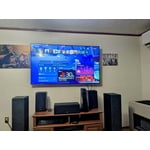
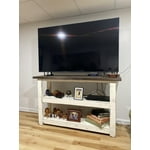
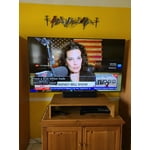
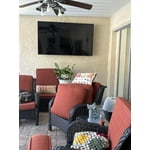
Member photos

  • +163 images
Sort by |
Showing 161-170 of 1,091 reviews
Apr 19, 2025
Truxton72
5 out of 5 stars review

GREAT TV HIGHLY RECOMMEND

I absolutely love this television, GREAT PICTURE, GREAT SOUND, smart TV Features work great, like navigating through the apps, I wish I could of purchased there oled model but I did not have enough money, I highly recommended this television, EXCELLENT PURCHASE. Oh, and it’s GREAT for video games, NO LAG AT ALL.

Review from Samsung US
Helpful?3BX78DZ2P7VO13854766773
Apr 24, 2025
fishguy
2 out of 5 stars review

Some what satisfied

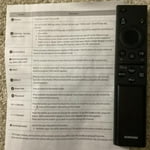
I bought this TV about a month ago really like the picture but have some issues with the remote control and the actual size of the screen. Our previous TV was a Vizio and the same size class was almost 2" smaller from WiFi to side to side and 1" smaller from top to bottom. My wife has arthritis in her hands and has a terrible time working the volume and mute button on the remote.

Review from Samsung US
Helpful?3BX78DZ2P7VO13854766773
reply from Samsung Advisor

Hi fishguy, We appreciate your review of the DU7200 TV. To learn how to use your Samsung remote and understand the settings on your TV, please use your remote to access the remote guide. Go to Home> (left directional button) Settings> Support> Remote Control Guide. If you need more help, Samsung is here for you. Please call us at 1-800-SAMSUNG, 8 AM - 12 AM EST, seven days a week. Our LiveChat agents are also available by clicking on the ‘Support’ link on our website. ~Samsung Advisor

Dec 27, 2024
Westvirginians
5 out of 5 stars review

The easiest TV to operate

[This review was collected as part of a promotion.] This is our second Samsung Smart TV. Had our previous TV for years. It was one of the first Smart TV's. So sorry to have to replace it but knew we wouldn't be happy with any brand other than Samsung. Best picture clarity and easiest to set up. Purchased a "cheaper" TV several years ago for bedroom because we only use TV in that room on rare occasions. Was talked into a Roko TV. Had a terrible time setting up and connecting with our TV provider. Several calls later finally set up. With Samsung it was so easy. Didn't have to make special calls at all.

Review from Samsung US
Helpful?3BX78DZ2P7VO13854766773
Oct 14, 2024
AlwaysASamsung
5 out of 5 stars review

Great Picture!

[This review was collected as part of a promotion.] I am using my Samsung for streaming. It has a great picture and priced very reasonable. My only concern while using a separate Roku device, you need to shut off the power button twice, once for the device and once for the TV, which can be inconvenient and frustrating at times.

Review from Samsung US
Helpful?3BX78DZ2P7VO13854766773
Feb 6, 2025
Philh
4 out of 5 stars review

Great TV - No Digital Audio

Great Picture. I love the Samsung for the Samsung TV - It's like most of what's on cable and a lot of streaming for free. I'd give it 5 stars but I'm really tired of manufacturers removing choice, in this instance where'd the digital/optical audio out go? Bluetooth has latency and quality issues.

Review from Samsung US
Helpful?3BX78DZ2P7VO13854766773
Mar 7, 2025
Ducati
1 out of 5 stars review

Very disappointed !! We have always bought Samsun

We bought this item 1/28/25 (received it 1/31/25) . As of today 3/6/25 it stopped working this afternoon!! We unplugged - waited awhile - then plugged in again, still did not work ! The screen was dimly lit (very dark blue, hard to notice in the daylight} We then notice the red led light on the bottom right side tv was not on, this is why the remote control does not work. We Tried pressing the button by the led with no results. disappointed

Review from Samsung US
Helpful?3BX78DZ2P7VO13854766773
reply from Samsung Advisor

Hi Ducati, Please give us a chance to make this right by calling us at 1-800-SAMSUNG, 8 AM - 12 AM EST, seven days a week. Or visit us on the Samsung website and click on the ‘Support’ link for: 1) LiveChat 2) Manuals, Software, & Warranty Info ~ Samsung Advisor

Feb 5, 2025
Vickie
4 out of 5 stars review

Some problems but overall pretty good once install

I wanted a bigger tv but our space is small. But going from 32 to 43 was good. A little trouble with the install. While TV is light, it is heavy for trying to mount. I also found it difficult to EASILY find and install MY streaming apps. Plus Paramount only seems to work when I restart my TV. Don't know if it is a Samsung problem or an app problem. Over all I am pleased. Not quite a 4 for me but definitely not a 3. And price was right. But wish I knew how to easily install my apps. I ended up pushing buttons and have no idea how I got one installed. Not all of us are tech inclined.

Review from Samsung US
Helpful?3BX78DZ2P7VO13854766773
Dec 29, 2024
Starboy
5 out of 5 stars review

Great TV in the segment

[This review was collected as part of a promotion.] I recently purchased a Samsung 7200D 65" TV at an excellent price. After exploring various brands, I found this model to be the best in its segment. The user interface and software stand out, surpassing those of other TVs in the same category. Additionally, I paired it with my Samsung 5.1 sound system, which is Q-Symphony compatible. This combination has significantly enhanced the sound quality, making the viewing experience truly enjoyable.

Review from Samsung US
Helpful?3BX78DZ2P7VO13854766773
Oct 14, 2024
Bobby35
5 out of 5 stars review

Simple and easy-to-use one stop shop television.

[This review was collected as part of a promotion.] I purchased my Samsung smart tv for leisurely viewing. It is perfect for movies, games and streaming services and requires very little setup once you take it out of the box. It is low-profile and fits perfect in any living room, with minimal wires and a sleek design that goes well with any room style. I cannot recommend this product enough.

Review from Samsung US
Helpful?3BX78DZ2P7VO13854766773
May 6, 2025
Connie
3 out of 5 stars review

Bad decision

It’s sometimes difficult to operate and the sound is not consistent. To goes up and down, appears that the volume increases excessively during commercials. I have had multiple Samsung TVs in the past that didn’t have this problem. I find it difficult to find the previous program I was watching if I changed to another app.

Review from Samsung US
Helpful?3BX78DZ2P7VO13854766773
reply from Samsung Brand Ambassador

Connie: Thank you for choosing Samsung and for your feedback on the DU7200 TV. We understand sometimes there is a learning curve when you get a new TV! This is why we created step-by-step guides, to make it easier for you. To learn about your TV go to https://www.samsung.com/us/support/answer/ANS00062199/. There are several volume features you can adjust, which may improve your audio experience. 1) Auto Volume automatically adjusts the sound to a certain level when changing channels or switching to another external input. Go to Settings > All Settings> Sound > Expert Settings > Auto Volume. 2) Adaptive Sound automatically adjusts to a specific volume level while watching TV. The TV analyzes your volume usage history by time period to automatically adjust the volume when you use an app or switch to an external input source. Go to Settings> All Settings> Sound> Sound Mode> Adaptive Sound. 3) Several Sound Modes are likewise available to meet your personal preferences: Home > Settings > All Settings> Sound > Sound Mode. Also, some sources have their own volume control, which might need to be set higher. Please check the volume control of the external device (cable box or satellite box, DVD, Blu-ray, etc.) connected to your TV. Also, check the cable connection between an external device and the TV and then try the cable connection again. We are also always available and happy to help you with any questions you may have. You can call us at 1-800-SAMSUNG, 8 AM - 12 AM EST, seven days a week. Our LiveChat agents are also available by clicking on the ‘Support’ link on our website. - Samsung Ambassador