
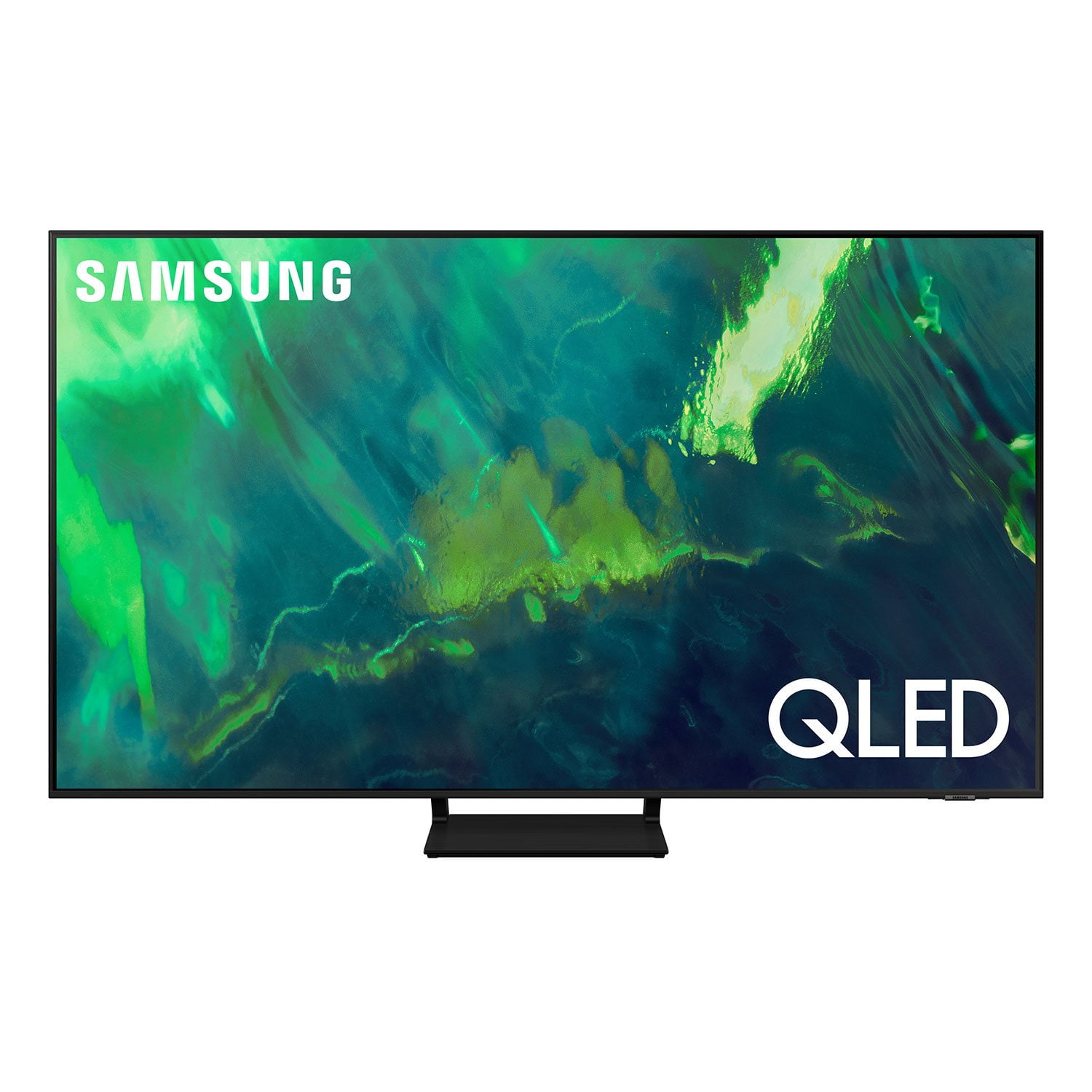
 Customer reviews for SAMSUNG 65" Class Q7-Series 4K Ultra HD Smart QLED TV QN65Q7DAAFXZA for
Halo/ Clouding/ Fog on the corners
major issues with all corners of the tv with cloud/halo effect on any dark scenes on all inputs. a lot of people have the same issue. now i lost money with movers helping me set up the tv and transport. only to loose even more money in transporting this tv for a return.
Parvez, Thank you for sharing your review of the Samsung Q70A TV. Samsung stands behind the quality and performance of our TVs with a limited 1-year manufacturer’s warranty when purchased brand-new from an authorized dealer. Should you want to troubleshoot your issue first, please contact Samsung Customer Support at 1-800-SAMSUNG (ask for TVs), available 8AM - 12AM EST, 7 days a week. For additional support resources, visit us on the Samsung website and click on the ‘Support’ link in the upper right corner of the homepage for: 1) Chat with Us/Product Help: To begin a chat or find solutions, choose ‘TVs & Home Theater’ and select your model & topic. 2) Manuals, Software, & Warranty Info We hope to hear from you. ~ Samsung Specialist
I want to like it more but I can't.
[This review was collected as part of a promotion.] First and foremost let's get this out of the way. This television is an excellent value. However getting to that value I feel compromised to TV in certain areas in comparison to last year's model R. Unfortunately the way that Samsung has set these televisions up for the 2021 year is that you have to compare them to the series below them from last year. For example this 70 series has to be compared to last year's 60 series. This is the procedure for Samsung's entire mid-range television for this year. The television itself is relatively thin for its price point. It is a very attractive design overall. The overall picture is pretty decent however I feel that it doesn't get as bright as it should. Overall picture quality it's fairly decent for this price point. I do however wish that Samsung would have continued to use a middle pedestal so I bought one and it makes the television overall more usable and small spaces. As I've said this is not a horrible television but it appears to be lacking in some features compared to the competition. I wish I could afford to have bought a 90 series Samsung as this would been it more in line with my viewing demands. So I would say that if you can afford the 90 series skip past the 70 60 and 80 and go with the 90. In my mind the 90 series is far more competitive against the likes of Sony and LG. And if I could afford it I would buy it. However this will serve the purpose
Dragonphire, Thank you for purchasing the 2021 Samsung Q70A QLED 4K TV and sharing your thoughts on the image quality. If you are uncomfortable with the default brightness settings, you can customize the brightness level between 0 – 50 to your preference. Go to Home > Settings > Picture > Expert Settings > Brightness. You can also try different Picture Modes to see which best fits your needs. Go to Home > Settings > Picture > Picture Mode for the below choices: 1) Standard: Is the default mode suitable for general viewing environments. 2) Natural: Reduces eye strain for a comfortable viewing experience. 3) Movie: Is suitable for watching TV or movies in a dark room. 4) Dynamic: Makes the picture brighter and clearer in bright viewing environments. 5) Filmmaker Mode: You can watch the source content (e.g., movie) as it is. If the image is defined as Filmmaker Mode, it will automatically switch to Filmmaker Mode while watching. Intelligent Mode also enables the TV to recognize and analyze the surroundings, noise, content, and your usage patterns to provide the best viewing experience. You can enable Intelligent Mode by going to Home > Settings > General > Intelligent Mode Settings. Adaptive Picture, which is among the options, optimizes brightness and provides the best picture quality in real time, based on the lighting condition and the content you're viewing. I hope you can use these adjustment recommendations to set the image to your liking. If you would like further assistance with settings, features, or functions, please reach out to Samsung Customer Support at 1-800-SAMSUNG (ask for TVs), available 8AM -12AM EST M-F (9AM – 6PM EST Sat). Or text HELP to 62913. For additional support resources, visit us on the Samsung website and click on the ‘Support’ link in the upper right corner of the homepage for: 1) More ‘Contact Us’ options – LiveChat, Facebook, Twitter, Samsung Community, Samsung Members app 2) Manuals & Software 3) Warranty Info 4) Product Registration: For access to easy warranty support, convenient opt-in to special promos and offers, faster troubleshooting and service, and quick notification of system updates. ~ Samsung Specialist
The perfect Tv
[This review was collected as part of a promotion.] The samsung q70a is an all around powerhouse. It's video quality and sound are incredible. Not to mention its 4k 120hz! Gaming on this TV is next level . Especially with a xbox series x. I love the Samsung menu and apps. I also really enjoy the mirror feature, I can stream what's on my phone directly to the Samsung q70a. This TV is really all I'll ever need and the price is spot on. I try to buy samsung products whenever I can. The qualities there. I highly recommend it.
Great TV
Absolutely love my tv! from a gamers point of view with the new generation console this tv shows how amazing my console runs on 120hertz and how beautiful the picture is with qled. The gamer mode feature is great because it shows you how the tv is running with each game you play. I highly recommend this TV
Thank you, Clappd116! We love to hear positive feedback and we’re delighted you’re enjoying your new Samsung TV.
Good TV, Terrible Remote
the tv is good for the most part. 4k and color is pretty much the same as last year's models, little darker maybe. when the screen is on but all black there are random grey areas, uneven panel possibly. 120htz functions. the remote is horrendous. this solar charged remote is junk, i've had the tv for about 3 weeks and had to charge the remote 5 times, it's not much but still 2 batteries would last way longer. buttons suck,wanna watch tv? it's up to the remote to decide if it will let you (power button works nothing else will). overall the only reason i got this thing is for 4k 120htz gaming and half the time i can't use it. not worth the money.
AAAA: Thank you for your review of the Q70A TV and for sharing your experience with the Solar Cell Remote. If the remote control does not work properly or its response is very slow, the battery might be low or dead. You can charge the remote control by using the solar cell or the USB port(C-type) on the bottom. You can also check the remaining battery of the Smart Remote by going to Settings > General > Power and Energy Saving > Available Remote Battery. Should you ever have questions or need help with TV features, specs, or operation, we are here to help. You can reach us at 1-800-SAMSUNG (ask for TVs), available 8AM -12AM EST, 7 days a week. Or text HELP to 62913. For additional support resources, visit us on the Samsung website and click on the ‘Support’ link in the upper right corner of the homepage for: 1) More ‘Contact Us’ options – LiveChat, Facebook, Twitter, Samsung Community, Samsung Members app 2) Manuals & Software 3) Warranty Info 4) Product Registration: For access to easy warranty support, convenient opt-in to special promos and offers, faster troubleshooting and service, and quick notification of system updates. ~ Samsung Solutions
Fantastic color
[This review was collected as part of a promotion.] I won't lie, I was bummed to find a dead pixel when I received the unit. However, with a screen this size, some dead pixels are expected. And from a distance, you don't even notice the pixel. Now, with the bad out of the way... Wow! This TV has been fantastic!! I even paired it with the Q800A Soundbar and the Q-Symphony is amazing! The picture clarity and the HDR10+ give this TV a beautiful and deep picture. Then, to top it off, it has HDMI 2.1 so you can game on the new consoles at 120fps at 4k. Unfortunately, a lot of the new games don't take advantage of that display. But, it still looks beautiful!
Truly amazing picture and a seamless setup
[This review was collected as part of a promotion.] I've been buying Samsung phones and TVs for some time now and this TV confirms why I do that. I knew the picture was amazing before I took the Q70A home but what I did t know was how easy the setup would be and how awesome it would integrate with my home theater/smart home system. The entire experience has been seamless and intuitive inparticularly when I brought Smart things into the mix. I have two Samsung TVs in the same room with the Q800 Soundbar (I won't even get into how amazing the theater quality sound of that is) and I can operate each device effortlessly from my phone quickly and efficiently. I normally have buyers remorse after spending money on something but I can honestly say I have none here.
The Best Upgrade!
[This review was collected as part of a promotion.] This TV has absolutely and completely changed my entire gaming and movie viewing experience. The way that the colors pop or don't (black) is immediately noticeable when you enter into the room. The sound is crisp and just everything I want. Sometimes I find myself trying to sell my friends on getting one as well. This was a gift to me from my boyfriend and I could not be more happy with it!
Great color and size
[This review was collected as part of a promotion.] This TV is used for regular viewing and streaming. The color is great and the 55 inch screen is perfect for our room. The most disappointing feature is the remote control. Sometimes we have to put the channel in four or five times before it picks up the numbers correctly. It also cuts out the sound sometimes. I am not sure if it is due to the cable connection or the TV. Some good features, some not so good.
Tabitha1405: Thank you for your review of Samsung’s Q70A QLED TV and for sharing your experience with your remote not working as expected. Please try following steps to reset your remote: 1) Long press the RETURN key and ENTER key together for about 10 seconds you’re your remote was once paired already with the TV, you do not need to re-pair it again. However, if it was not paired with the TV, pairing must be done after the reset. 2) The RETURN key is on the left side of your remote and looks like a curved, backwards pointing arrow. 3) The ENTER key is the button in the center of your directional ring. If your sound is cutting out when connected via HDMI, the HDMI cable is most likely the cause. We recommend you replace the HDMI cable with a High-Speed cable with Ethernet Channel, labeled as HEC or HEAC on the cable. If this is not the case, we ask that you contact us so can better understand your setup scenario and provide appropriate assistance. You can reach us at 1-800-SAMSUNG (ask for TVs), available 8AM -12AM EST, 7 days a week. Or text HELP to 62913. For additional support resources, visit us on the Samsung website and click on the ‘Support’ link in the upper right corner of the homepage for: 1) More ‘Contact Us’ options – LiveChat, Facebook, Twitter, Samsung Community, Samsung Members app 2) Manuals & Software 3) Warranty Info 4) Product Registration: For access to easy warranty support, convenient opt-in to special promos and offers, faster troubleshooting and service, and quick notification of system updates. ~ Samsung Solutions
Great tv, poor components.
[This review was collected as part of a promotion.] I used this tv for about 6 months. It started acting wierd (random input changes, power cycling). After awhile, it just decided to not show the display, audio still worked but display was gone. Couldnt get a technician to even look at it because I live on a military installation that closed its gate to outsiders because of Covid. When it did work, it was great. It handled my computer, xbox and streaming like a champ and look amazing doing it. I didnt like the software, however. It feels like it is overloaded and clunky, even to the point of force quitting apps like Hulu or Netflix unexpectedly. Being the second Samsung tv that failed in the same manner within a year, I cannot recommend any Samsung tv's, regardless of the price.
Foomanshoe, Thank you for your review of Samsung's Q70A TV. I'm sorry to hear of your experience with power cycling and source issues. Please know we could have further investigated this and provided troubleshooting assistance to help resolve the issues you were experiencing with your TV. Should you ever decide to give Samsung TVs another try and have questions or need assistance with settings, setup, or features, please know we are always here to help. Call us at 1-800-SAMSUNG (ask for TVs), available 8AM - 12AM EST, 7 days a week. For additional support resources, visit us on the Samsung website and click on the ‘Support’ link in the upper right corner of the homepage for: 1) Contact Us: For additional Chat & Text options, choose ‘TVs & Home Theater’ and select your model & topic. 2) Manuals, Software, & Warranty Info ~ Samsung Specialist