Skip to Main Content
Sams Club
Sams Club
Customer reviews for SAMSUNG 85" Class Q7-Series 4K Ultra HD Smart QLED TV - QN85Q7DAAFXZA for
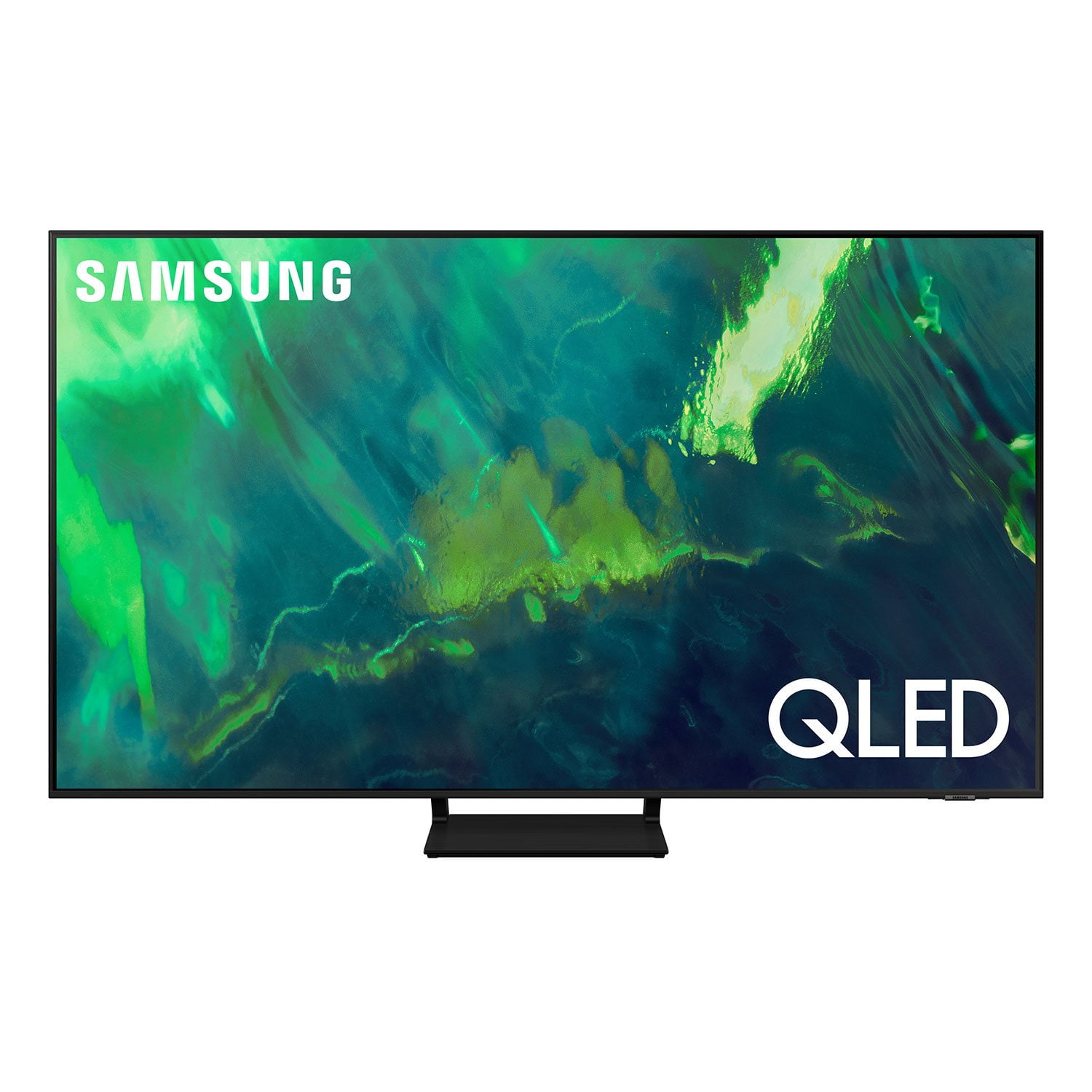
SAMSUNG 85" Class Q7-Series 4K Ultra HD Smart QLED TV - QN85Q7DAAFXZA
4.7 out of 5 stars
stars1,797 ratings1,775 reviews
  1. 5 stars80% (1,432)
  2. 4 stars15% (270)
  3. 3 stars3% (45)
  4. 2 stars1% (22)
  5. 1 star2% (28)
Write a review

Customer photos

  • +297 images
Sort by |
Showing 81-90 of 1,775 reviews
Mar 3, 2022
Caper483
5 out of 5 stars review

Amazing TV!!!!!

Finally splurged and got a great TV. Samsung gas mastered UHD and QLED. The picture is so clear and lifelike, you feel you're the cameraman. It took some getting used to. But it is an incredible product!!!!!

Review from Samsung Canada
Helpful?6VT5DVUKIND213737353383
reply from Operations

Thank you, ! We love to hear positive feedback and we’re delighted you’re enjoying your new Samsung TV. 

Oct 5, 2022
Neversamsung
1 out of 5 stars review

Not what I expect from Samsung

[This review was collected as part of a promotion.] Green vertical line won't go away. Happened 10 after warranty was up. Now I'm stuck looking at a green line on my tv.

Review from Samsung US
Helpful?6VT5DVUKIND213737353383
reply from Samsung Brand Ambassador

Hi, It's unfortunate to hear of the screen abnormalities you're seeing on your Q70A TV. If your TV is out of the 1-year Manufacturer's Warranty, here's how to locate a service center in your area: On Samsung's website, go to Support (upper right corner) and select Schedule a Service Appointment. This will allow you to find a location nearest you to help you with your repair. Should you ever have questions or need help, Samsung is here for you. Just give us a call at 1-800-SAMSUNG, 8AM - 12AM EST, 7 days a week. Our LiveChat agents are also available by clicking on the ‘Support’ link on our website. ~ Samsung Specialist

Oct 5, 2022
Grb123
3 out of 5 stars review

Solid but cluncky

[This review was collected as part of a promotion.] Does everything it should. The menu system is clunky and annoying. We only stream but it ends up defaulting to smasung tv channels content I don't want. Can be slow loading apps. Picture quality and viewing is good for the px point.

Review from Samsung US
Helpful?6VT5DVUKIND213737353383
reply from Samsung Brand Ambassador

Grb123, While your Q70A TV may default to Samsung’s TV Plus app, please know that you can choose what your TV does when you turn it on by going to Settings > General > Smart Features 1) When you set Autorun Smart Hub to on, the TV displays the Home Screen automatically when you turn the TV on. 2) If Autorun Last App is set to on, the last used app is automatically run when you turn on the TV. Please know that the Last App Used function may not work with all apps. For optimal app performance, please be sure you are running the latest firmware. You can check to see what software version your TV is using and if there is an available update through the settings on your TV. Go to: Settings > Support > Software Update. You may also want to optimize the smart TV performance and address your issue with remote response time with the self-diagnostic tool. This service checks memory and frees up unused cached memory and closes background apps. Go to Settings > Support > Device Care > Start Device Care If we can help with anything else, please call us at 1-800-SAMSUNG, 8AM - 12AM EST, 7 days a week. LiveChat with an agent as well as manuals, software, and warranty info can be found at the ‘Support’ link on our Samsung website. ~ Samsung Specialist

Jun 21, 2022
deenzzzz
5 out of 5 stars review

LOVE THIS TV

[This review was collected as part of a promotion.] Such a good buy! Great picture, sound, and it's extremely fast compared to what I upgraded from. This is my second Samsung within the span of a year, and I loved it so much I bought an even bigger one for my room! Price is reasonable, from others who recommended this to me I can tell it lasts a while, and it's easy to synchronize settings with other Samsung TV's in the same house for a convenient viewing experience. Very user friendly. After seeing my TV, my parents ran and got one too!! For all you gamers out there, this is the tv for you. 10/10

Review from Samsung US
Helpful?6VT5DVUKIND213737353383
Jun 16, 2022
mrhepro
5 out of 5 stars review

Good Look and Great Display

[This review was collected as part of a promotion.] The product was so great as it looks as light as feather. The design makes the image float in My living room. Meanwhile, the display was great as the QLED technology give the TV a great experience. The display is refined to detail with an optional 120 fps, great for gaming. I mostly used for fps and driving game. Additional, the system is easy to use as shortcut is obvious. The only downside is I have to click 8 times from main menu to setting without a short cut.

Review from Samsung US
Helpful?6VT5DVUKIND213737353383
Oct 14, 2022
StickWick47
5 out of 5 stars review

Amazing tv

[This review was collected as part of a promotion.] It's a really good TV especially for gaming, it has game mode support 120 fps/hz 4k native, VRR, freelance, HDR 10+, slim trim, has good picture quality and color depth, plenty of settings, it pairs up great with samsung sound bars, and also has Q-symphony with select samsung sound bars, which allows you to play audio through the TV and sound bar simultaneously and syncs up rlly well, also has alot of smart features and plenty of streaming services

Review from Samsung US
Helpful?6VT5DVUKIND213737353383
Sep 15, 2021
Tamasita6748
5 out of 5 stars review

Samsung the best of the best !

[This review was collected as part of a promotion.] My family and I are the proud owners of three Samsung TV. We were so impressed with the 55 inch we bought our son for Christmas that we went back and bought ourselves a Samsung for our bedroom. The visual quality is just unmatched and for me a budgeting wife, the price was just unbelievably affordable especially for all the outstanding graphics and features that are just standard any time you purchase a Samsung TV. Also we have purchased other brands and they have never out beat our Samsung. As for me and my family we will never buy anything except Samsung televisions . we are truly happy, satisfied customers and honestly there is nothing I could say as far as any improvements because you guys knock it out of the park every time! THANKYOU !

Review from Samsung US
Helpful?6VT5DVUKIND213737353383
Apr 9, 2021
Manphillip
5 out of 5 stars review

Great for playing games on the Xbox X series

[This review was collected as part of a promotion.] The main reason I bought this tv was to play Xbox X series games, and I was not disappointed. The resolution, frame rate and overall picture quality are spectacular. I highly recommend this tv to any serious game player.

Review from Samsung US
Helpful?6VT5DVUKIND213737353383
Jul 24, 2021
Deez
5 out of 5 stars review

Best TV on the market

[This review was collected as part of a promotion.] I have been impressed with Samsung quality for quite some time and I've considered other brands but I always come back to Samsung. When I decided to upgrade, this tv was a no-brainer. I highly recommend.

Review from Samsung US
Helpful?6VT5DVUKIND213737353383
Apr 19, 2021
PlutoZass
4 out of 5 stars review

Very good quality picture!

[This review was collected as part of a promotion.] I find the quality of the clarity of the picture very good, but there is some serious need for major improvements in both the audio and the remote control!! Audio is very uneven in the levels of volume during a movie, fluctuating far outside of the spectrum of the video feed. Often having to move the volume control to 100, just to hear a program when the tv is 5 feet away from my head! Then, when a commercial comes on it practically blows the speakers and I must quickly 'mute' the volume until returning to the program!! Additionally, your computer only recognizes a select group of optical audio external compatibility. I personally use audio headsets for part of my evenings programming, but your computer chip doesn't recognize intentionally acclaimed external equipment like "Sennheiser" headphones!! As far as the remote control, it is poorly designed from what I have experienced so far in usage! How poorly alone is the fact that ALL volume functions are controlled with one very small lever device, that will likely be junk within a year!!!!! Additionally, your remote design reduced buttons by placing multiple functions within select buttons. This creates multiple misapplications of functions while attempting to watch programming. I will admit that I am still a beginner at mastering this units capabilities and functions, but I'm not exactly pleased with instructional documentation, 'without' using a voice command computer to dictate my usage or programming.

Review from Samsung US
Helpful?6VT5DVUKIND213737353383
reply from Samsung Brand Ambassador

PlutoZass: Thank you for choosing the 2021 Q70A QLED 4K TV and taking the time to share your experience. I’m glad to hear that you are happy with the picture brought to you by our Direct Full Array designed to bring scenes to life with more precise contrast controlled by in-screen lighting that delivers deep blacks and pure whites with minimal halo or blooming. Adaptive Volume+ is a feature that automatically adjusts to a specific volume level while you are watching TV. The TV analyzes your volume usage history by time period to automatically adjust the volume when you use an app or switch to an external input source. You can turn this option on/off by going to Settings > General > Intelligent Mode Settings Your wireless headphones can be connected via Bluetooth by going to: Settings > Sound> Sound Output > Bluetooth Speaker List Your thoughts regarding the remote control design are appreciated and will be shared with our product team. Should you ever have questions or need help, you can reach us at 1-800-SAMSUNG (ask for TVs), available 8AM -12AM EST, 7 days a week. Or text HELP to 62913. For additional support resources, visit us on the Samsung website and click on the ‘Support’ link in the upper right corner of the homepage for: 1) More ‘Contact Us’ options – LiveChat, Facebook, Twitter, Samsung Community, Samsung Members app 2) Manuals & Software 3) Warranty Info 4) Product Registration: For access to easy warranty support, convenient opt-in to special promos and offers, faster troubleshooting and service, and quick notification of system updates. ~ Samsung Solutions