Skip to Main Content
Sam's Club
Sam's Club
All Departments
All Services
Customer reviews for Epson EcoTank ET-2400 Special Edition All-in-One Inkjet Printer, 1 Bonus Black Ink Bottle for
Epson EcoTank ET-2400 Special Edition All-in-One Inkjet Printer, 1 Bonus Black Ink Bottle
3.5 out of 5 stars
stars
1,032 ratings875 reviews
  1. 5 stars49% (509)
  2. 4 stars10% (105)
  3. 3 stars9% (88)
  4. 2 stars8% (81)
  5. 1 star24% (249)

Member photos

Sort by |
Showing 771-780 of 875 reviews
Jan 2, 2025
Lynzee
4 out of 5 stars review

Great everyday printer

Printer does great at home. Worked great for a couple years then it sat for a year not my yellow is clogged. Make sure you print monthly to make sure the head doesn’t get clogged. Once it is clogged there is no coming back unless you take the whole printer apart.

Review from epson.com
Helpful?6TBS3KBVF6I113724301252
Jul 18, 2023
brandi
1 out of 5 stars review

Don’t ever buy wouldn’t even give this one star

This printer is the worst!!! Had for two weeks won’t work ! All lights keep coming on. Google’s it it says a sensor or something keeps saying paper jam when nothing in it and out of in when it’s full! When it did work it printed line and I would rather a cheap printer over this $200 down the drain!

Review from walmart.com
Helpful?6TBS3KBVF6I113724301252
Oct 3, 2022
Luke T
5 out of 5 stars review

Excellent Connectivity and the Tank Ink Make it a Winner!

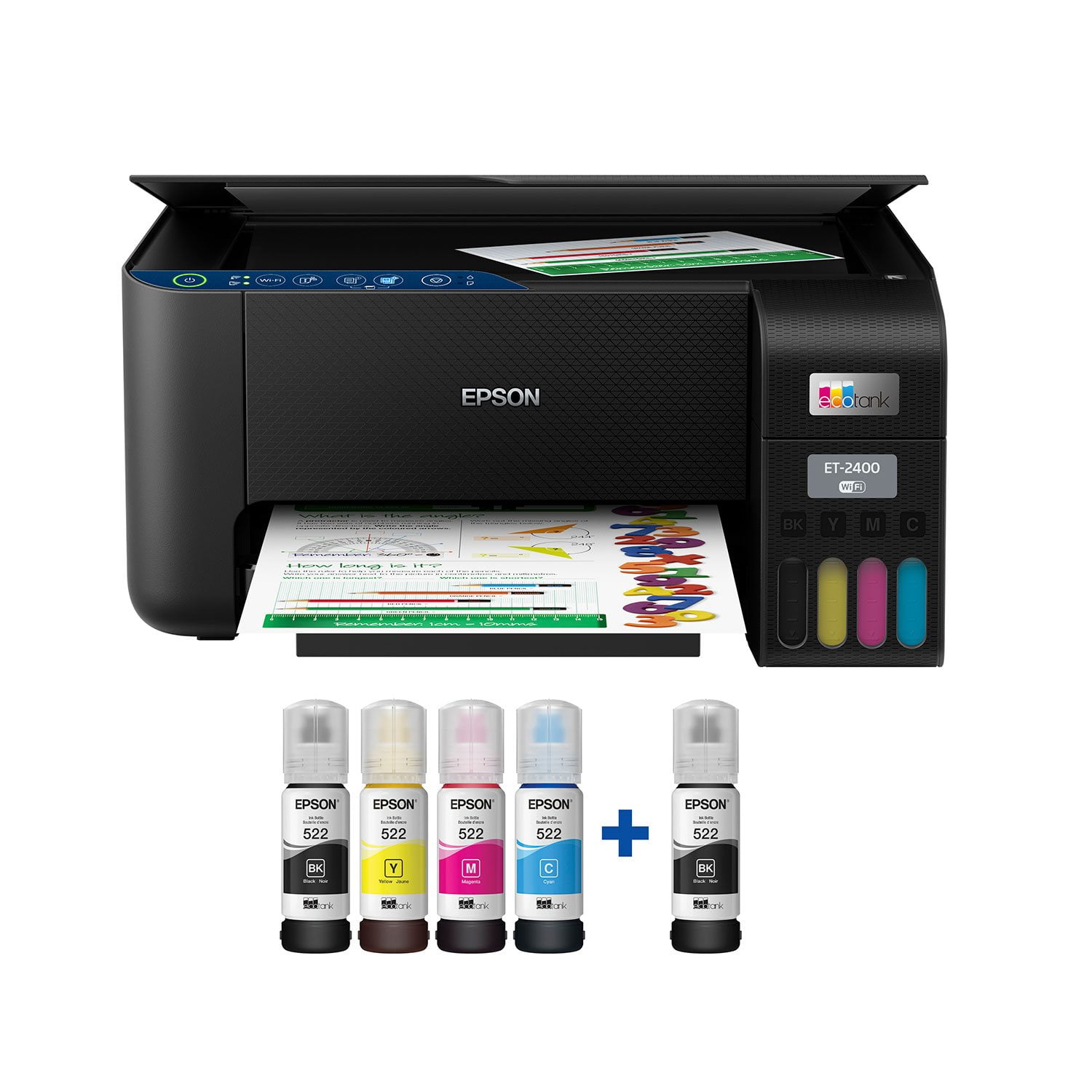
This is a review for the Epson EcoTank ET-2400 Wireless Color Printer that I received free of charge to do a beta test and review. I received the Epson ET-2400 an unboxed it with unknown expectations since I had never used an ink tank-style printer. I immediately like the compact size of the printer that would easily fit in the corner of a desk or table. Upon unboxing, the first thing I was presented with was a quick start-style guide and I followed the instructions. Filling the tanks were a breeze and I couldn’t have been happier with the results. The ink bottles have specific tips for each color so that there is no mistakes when filling…you can’t accidentally put the wrong color in a tank. I was also pleasantly surprised when not even a single drop of ink was spilled. The process was super clean and easy. Plus, it seems really nice that I won’t have to go out and find a specific ink cartridge to my printer when the time comes. Instead, I can simply purchase a refill kit that is more universally available and I’ll be ready to go again. As part to the setup process, I downloaded the Epson app per the instructions and found the remainder of the process to be easy as well! It really took no previous experiencing setting up printers to find success in this setup! Connecting the printer via WiFi was also simple enough for anyone to handle. After initial setup, I loaded paper in the back and was off to the races! The printer initialized and I began printing documents and pictures. The printer wasn’t overly loud and the printed product it produced was great! One of the best parts about this product is the ease in which you can print off your smart device or phone. Let’s face it, in this day and age a lot of people do a lot of work on an iPad Pro such as mine or another similar device. Since setting the printer up, I have now been using it for a couple of weeks. I continue to be impressed each time I use it. I especially like the fact that the printer is always ready to go, whether it’s been a minute or a couple of days since my last print. That makes it super convenient to use this printer on short notice. I haven’t nearly run through a tank of ink yet, but from what I can see so far it looks like the tanks will last quite a while before a refill is needed. In fact, the ink levels have barely moved at all! I have also found that I like how close the printer will print to the edges of the paper. From what I e found so far, it’ll print to around a quarter inch from the long side and all the way to the edge on the short side of a piece of paper. That works out really well for printing Excel spreadsheets. In reviewing this printer, I guess the ultimate question after using it for a couple of weeks is if I would recommend purchasing this printer. I can unequivocally say that the answer is yes! I have an older Epson printer that has served me very well, but this EcoTank printer is quite the upgrade from my older non-EcoTank model. The printer size, tank-style ink, print quality, and reliability (so far) of the Epson ET-2400 make it a winner in my book!

Review from epson.com
Helpful?6TBS3KBVF6I113724301252
Nov 20, 2022
Michael
2 out of 5 stars review

Disappointing

Set up was more difficult than what I would expect. It failed to connect to WiFi the first time using the app, I restarted the process and it worked the 2nd time. First time printing the paper jammed, even though it was not. Deal breaker for me is that it does not have AirPrint for Apple, you have to use their app to print from an iPhone, I returned the product as a result.

Review from walmart.com
Helpful?6TBS3KBVF6I113724301252
May 10, 2025
Topher
2 out of 5 stars review

Extremely confusing setup

I have printed exactly 2 things, after taking 3 hours to get it connected. I am not impressed, at all. The instructions are convoluted, telling me to "follow directions on the screen," when there IS no screen on the printer. There was nothing indicating (that I found) saying the paper load tray is in the REAR of the printer, and getting the software installed was probably the most frustrating aspect of the entire process. I had to chase around the internet to find the proper sites to download the software from, and then, it kept failing the installation. I had to skip one step, because it would not complete it. Even if I wanted to, I don't know if I can return it, since the tanks are already filled. That door has not yet closed, however. I will see how this thing works, then, decide if I will take the chance.

Review from epson.com
Helpful?6TBS3KBVF6I113724301252
Apr 1, 2023
Cristopher
1 out of 5 stars review

DO NOT BUY !!!!

ATTENTION DO NOT BUY THIS PRINTER, This printer is a nightmare it doesn’t have AirPrint so you won’t be able to print from your iOS device it’s not easy to use and the support center will not help you with your issues I’ve been waiting on them, I don’t even have 2 months of use and it broke down all lights flashing and now it’s not working and nobody helps on the customer support they said they will and nothing has happened since DO NOT BUY

Review from walmart.com
Helpful?6TBS3KBVF6I113724301252
reply from Epson

Hello Cristopher, we apologize for your disappointing experience with the ET-2400 printer. Epson considers all feedback to improve the performance and quality of our products. Epson also provides helpful information on FAQs and self-help tools on the product support web page at https://epson.com/Support/Printers/All-In-Ones/ET-Series/Epson-ET-2400/s/SPT_C11CJ67201#questions. Your printer also includes a 1-year Limited Warranty plus free lifetime technical support. Please get in touch with our support team at (562) 276-4382 between 7 am - 4 pm (PT), Monday - Friday, if you need further assistance.<br />Sincerely, Sam - The Epson Team

Aug 11, 2025
Jr Bridenbaugh
1 out of 5 stars review

I have spent hours try different ways your support group to help me CASE # 250-725-002400

Review from epson.com
Helpful?6TBS3KBVF6I113724301252
Jul 4, 2025
Kb
1 out of 5 stars review

Failed

Used twice then fatal error. All lights flashing and unable to recover from the error despite trying to follow all recommendations.

Helpful?6TBS3KBVF6I113724301252
Jan 29, 2024
DSS
1 out of 5 stars review

Rapid Decline in Print Quality, No Color Prints

My Epson printer, which initially performed well, disappointingly lost its ability to print in colour and deteriorated in grayscale print quality just after a year of use.

Review from walmart.com
Helpful?6TBS3KBVF6I113724301252
May 28, 2025
BASTIYAN
1 out of 5 stars review

This not good product and i have used few times , and it got stuck in printing as well as connecting with Wi-Fi. try to troubleshoot many times but its failed. i don't recommend this printer model to anyone

Review from walmart.com
Helpful?6TBS3KBVF6I113724301252
reply from Epson

Hello BASTIYAN, we apologize for the disappointing experience you’ve encountered with your Epson printer. Your ET-2400 includes free technical support for the life of your product. Please reach out to our Epson Support Team for assistance at (562) 276-4382; Hours: Monday – Friday, 7 a.m. to 4 p.m. (PT). We’re here to help. Sincerely, Joseph – The Epson Team.