Skip to Main Content
Sam's Club
Sam's Club
All Departments
All Services
Customer reviews for Epson EcoTank ET-2400 Special Edition All-in-One Inkjet Printer, 1 Bonus Black Ink Bottle for
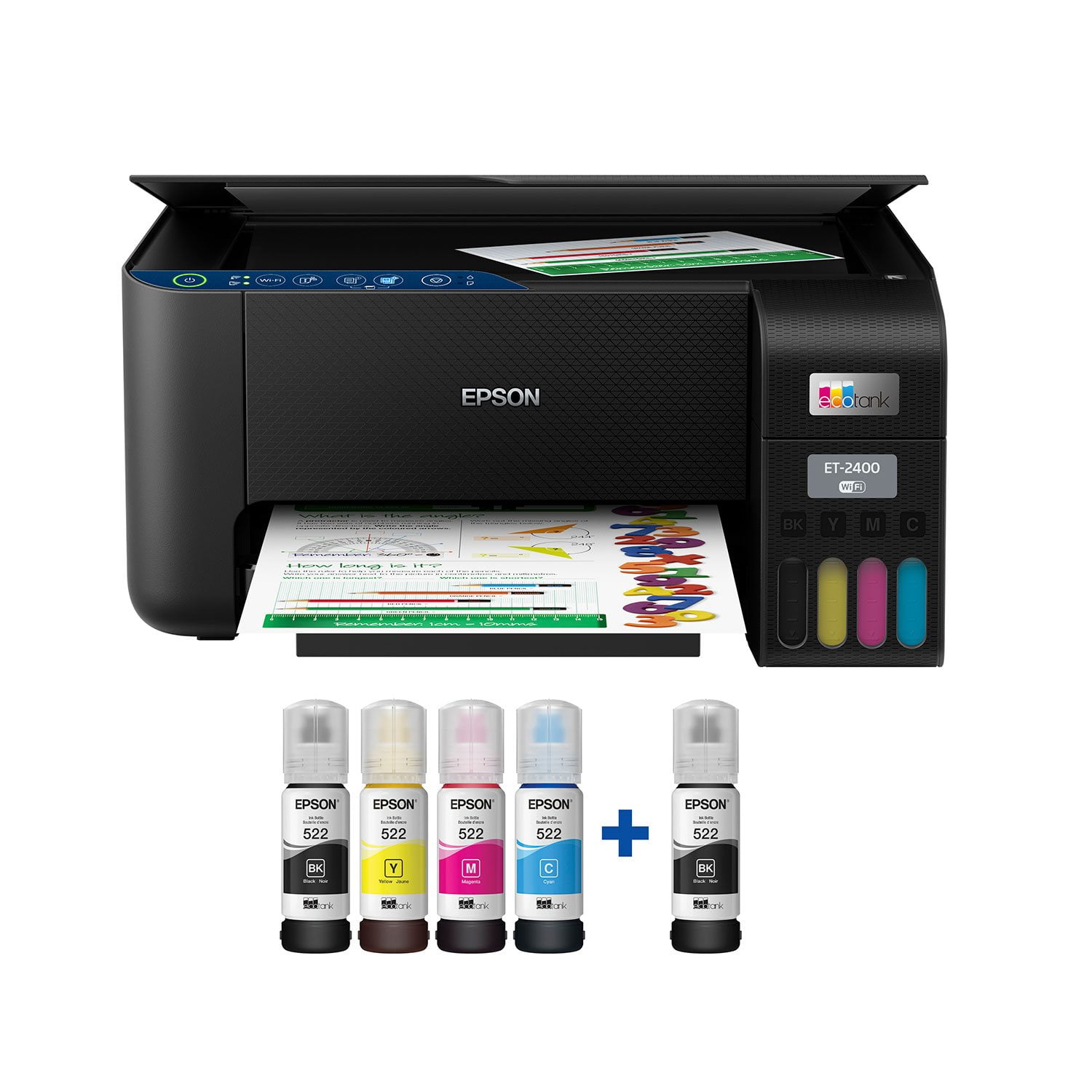
Epson EcoTank ET-2400 Special Edition All-in-One Inkjet Printer, 1 Bonus Black Ink Bottle
3.5 out of 5 stars
stars
1,065 ratings908 reviews
  1. 5 stars49% (520)
  2. 4 stars10% (107)
  3. 3 stars8% (89)
  4. 2 stars8% (84)
  5. 1 star25% (265)
Sort by |
Showing 11-20 of 908 reviews
Apr 7, 2026
Reviewer name: Laurian
4 out of 5 stars
4 out of 5 stars review

Verified Purchase

No double sided print feature. Only downside.

I love that I dont have to go somewhere else to print papers for school. However my only complaint is that it doesnt have the double sided printing option so I have to print it then take it out and turn it around and reprint it. Thats my own fault I should've looked more into it before I bought it. Right now its not a big deal I dont need that feature. It just wouldve been nice to have. I do really like the ink box. I feel like its easier then regular ink cartridges.

Review from walmart.com
Helpful?4LX71UKRGV4H13724301252
Apr 15, 2026
Reviewer name: Thomas
5 out of 5 stars
5 out of 5 stars review

Verified Purchase

Setup and Worked as Advertised

This is my first experience with an Epson Ink Jet Printer, with ink reservoir rather than the cartridges. Let me say that out of the box, set up was genuinely trouble free. It is a little early to judge the benefits of the eco-tank reservoir system vs cartridges, but from all I've read, this is the most economical way to go if you want an all-in-one, printer/scanner/copier. I typically use laserjet printers, but I do own two HP printer/scanner/copier printers. I bought this one for my 82-yr old mother-in-law, and she is having zero issues using it. I did print and scan a couple of documents and was really pleased by the quality of the documents. I downloaded the Epson Scan software and right off the bat noticed you can scan repeated pages and save to a single file. Excellent.

Review from walmart.com
Helpful?4LX71UKRGV4H13724301252
Sep 17, 2024
Reviewer name: Nanny
5 out of 5 stars
5 out of 5 stars review

Verified Purchase

Printer.

Once I got it connected to the internet, it works beautifully and fast. Trying to get it connected, I ran into a problem and called Epson for help. She erroneously told me I needed to purchase a driver which had to be installed by Epson, at a cost of $100. This was in fact, false information. So, if you have to call Epson for help, don't let them tell you that you need to purchase anything else.

Helpful?4LX71UKRGV4H13724301252
Mar 12, 2026
Reviewer name: WalmartCustomer
5 out of 5 stars
5 out of 5 stars review

Verified Purchase

[This review was collected as part of a promotion.] It's a good printer. I did get another last year which I had got cus I needed a scanner but since the cartridges for the ink are super expensive I returned it without even opening it thinking I was gonna get a better one with refill ink feature. I was waiting to see if it went on sale and since it did I got it as a treat to myself. Love the printer/ scanner and from what I have printed so far it has been great quality.

Review from walmart.com
Helpful?4LX71UKRGV4H13724301252
Oct 5, 2024
Reviewer name: Gregg S
1 out of 5 stars
1 out of 5 stars review

Verified Purchase

Do Not Buy It

Instructions are confusing. I am not able to get this piece of junk to communicate with my MacBook Air. I have the latest software on my computer and installed updates on the printer followed the instructions and all I get every time is “communication error” with no help to identify what the error is. Definitely DO NOT RECOMMEND THIS PRINTER.

Helpful?4LX71UKRGV4H13724301252
May 14, 2026
Reviewer name: Jon
4 out of 5 stars
4 out of 5 stars review

Verified Purchase

Things seem more complicated now than 10 years ago

I am an older individual, and I don't understand why the cost to print an instruction booklet is so costly. Every thing is done online I use to be able to insert a disk and the printer is set up. Now you have to do everything through your phone, which gets a little complicated for us senior folks. If I could not of got it to work, I would have to returned it. But I got it up and thankfully it is working ok.

Review from walmart.com
Helpful?4LX71UKRGV4H13724301252
Apr 11, 2026
Reviewer name: dreana
2 out of 5 stars
2 out of 5 stars review

Verified Purchase

Just a warning

Just a warning!!! To set up this printer, you have to download an app, connect the printer through the app, and then print from there. It took me about an hour just to get it connected to Wi-Fi. Once it finally worked, it took 3 minutes to print just one image on flyer paper, extremely slow. I even tried looking up ways to speed it up, but nothing helped. Definitely something to keep in mind before buying!

Review from walmart.com
Helpful?4LX71UKRGV4H13724301252
reply from Epson

Hi dreana, we apologize about the disappointing experience you are having with your Epson printer's Wi-Fi connection. Your ET-2400 includes free technical support for the life of your product. Please call and let our Epson Support Team assist. Our support number is (562) 276-4382. Our support hours of operation are Monday – Friday, 7 a.m. to 4 p.m. (PT). We’re here to help. Sincerely, Joseph – The Epson Team.​​​​​​​

Aug 22, 2025
Reviewer name: L B
1 out of 5 stars
1 out of 5 stars review

Verified Purchase

Lots of Issues

The product worked alright, but not the way it should have worked, the first time I used it. Less than a week later I tried to use it again and could not get it to work properly. It either wouldn’t print, would print half of pages or take 10+ minutes just to print one page. We read the trouble shooting guide in the manual, which I had to find online since it didn’t come with one, we watched videos online and after over an hour of trying everything we still couldn’t get it to print again. Ultimately we returned it.

Helpful?4LX71UKRGV4H13724301252
Apr 21, 2026
Reviewer name: Griffith
5 out of 5 stars
5 out of 5 stars review

Verified Purchase

I love this printer! it was easy to set up because I was able to use my phone for part of the set up. I love that I only need to buy whichever color ink is running out! I don't have to buy a color cartridge if just blue is empty. I definitely recommend this printer!

Review from walmart.com
Helpful?4LX71UKRGV4H13724301252
May 5, 2025
Reviewer name: H Ben
5 out of 5 stars
5 out of 5 stars review

Verified Purchase

Refill your own ink tanks.

Refill packs at $100 reduce the economic advantage of this unit. I can already see that the ink supply is not going to last as long as the product claims, but so far the consumption rate seems to be in the 1000 page ranger per tank of black ink. I will also say that the refill bottles seem to be well built to prevent leaks and/spills. The print lines look great and the unit is pretty easy to set up for both wired and wireless configurations. Sorry to see it doesn’t have a multiple page feed for the scanning bed, so it’s one sheet at a time. Otherwise it’s a good purchase and a nice machine.

Helpful?4LX71UKRGV4H13724301252